

- Stock: In Stock
- Product code: 920372000001161167
- Weight Brutto: 75.00kg
- SKU: 10170-000015

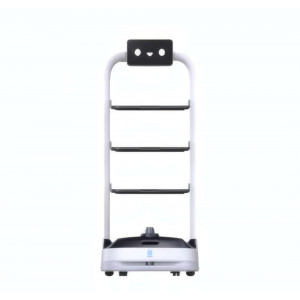
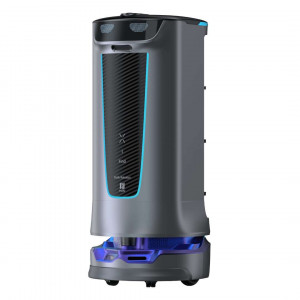
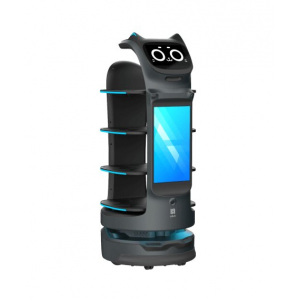
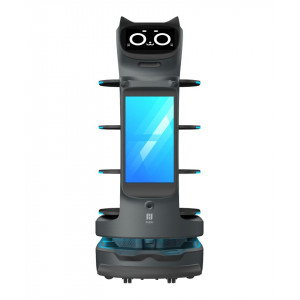
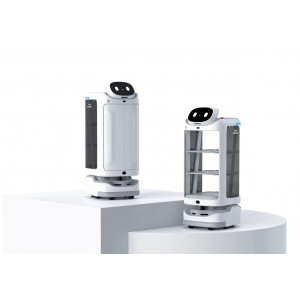
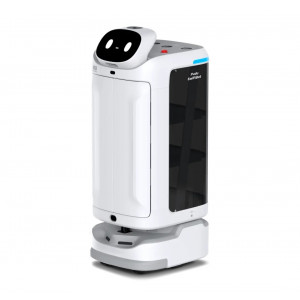
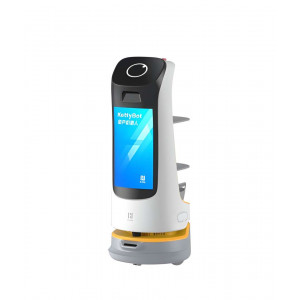
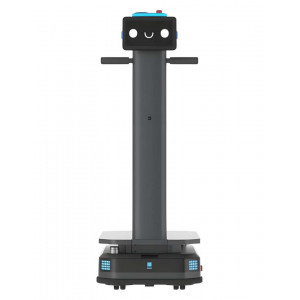
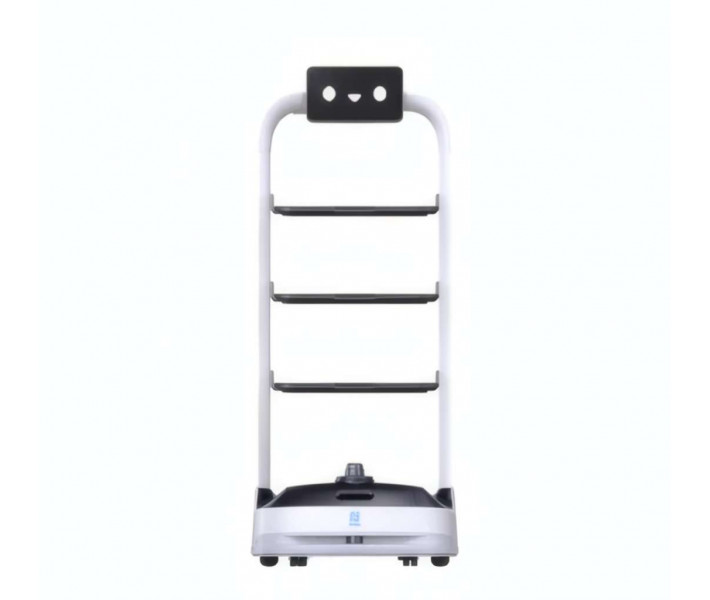
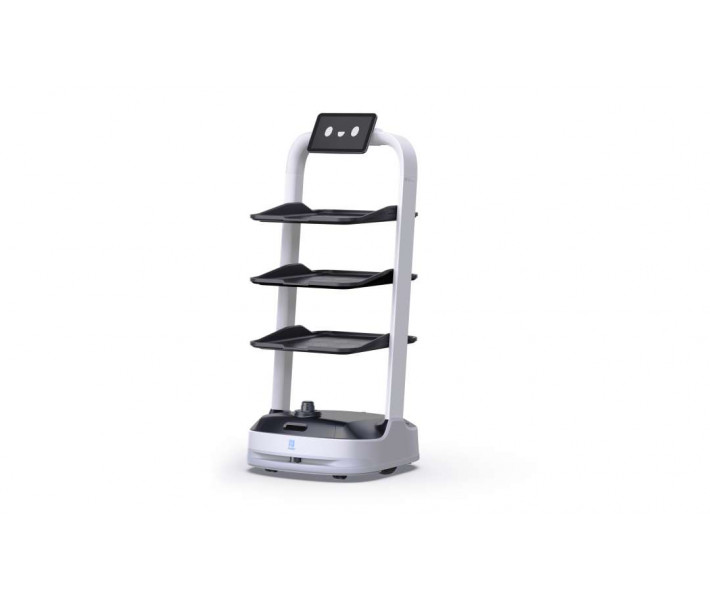
PUDU PuduBot 2 is an autonomous indoor delivery robot designed for high-traffic commercial venues, featuring markerless dual-LiDAR and VSLAM navigation. It moves food, drinks, or used items across restaurants, hotels, hospitals, and shopping centres. Three removable metal trays adjust in height to match table service or collection runs. The robot returns to its charging dock automatically once the battery threshold is reached.
| Specification | Why it matters |
|---|---|
| Battery Autonomy: 25 Ah LFP, 12–15 h (no load) | Covers a full hospitality shift without a midday charging break. |
| Tray Capacity: 3 trays × 10 kg rated (13 kg max) | Handles multiple orders or bussing runs in a single dispatch. |
| Navigation System: Dual-LiDAR + VSLAM (markerless) | Removes the need for ceiling stickers, cutting deployment setup time. |
| Max Cruise Speed: 1.2 m/s (adjustable 0.1–1.2 m/s) | Balances fast transit with safe movement around guests and furniture. |
Markerless setup: PUDU SLAM reads natural ceiling features instead of reflective stickers, so the robot is ready to run without any ceiling modification. Six work modes on one platform: Food Delivery, Cruise, Direct, Birthday, and Collection modes cover reception, patrol, and bussing tasks without hardware changes. Self-docking power management: the 25 Ah LFP pack returns the robot to its station unattended once charge drops to a configurable threshold. Adjustable trays: three removable, height-adjustable metal trays rated at 10 kg per level adapt to plates, drinks, or luggage-style loads.
Navigation Technology and Operating Principle
The PuduBot 2 combines two LiDAR units with a visual SLAM (Simultaneous Localisation and Mapping) system to build and update its own map of the environment. A primary LiDAR at base level handles horizontal-plane mapping, while a secondary LiDAR extends coverage upward to catch overhanging obstacles such as table edges and chair legs. The VSLAM layer anchors positional estimates against natural ceiling features, so no reflective markers or ceiling changes are required. PUDU SLAM cuts initial deployment time by 75% compared with marker-based systems and stays reliable in spaces with ceiling heights up to 30 m.
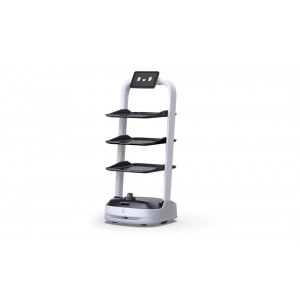
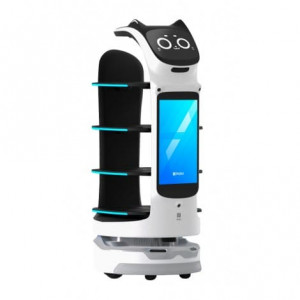
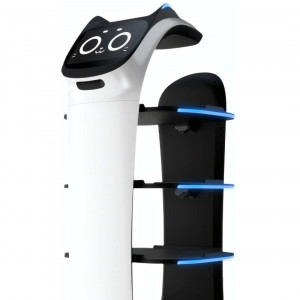
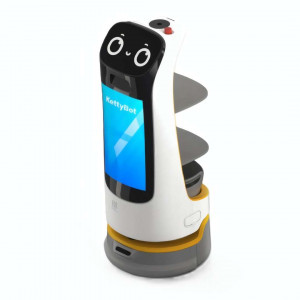
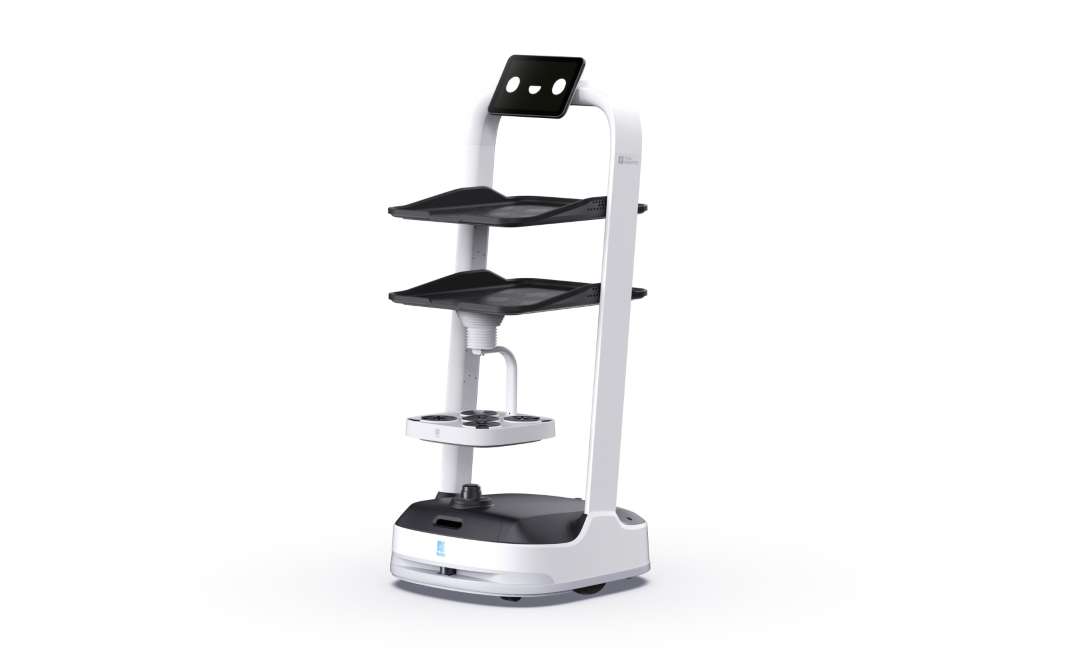
The angled view below shows the standard three-tray configuration together with the head-mounted touchscreen that staff use to assign tasks.
Six Operational Modes for Every Commercial Scenario
A single hardware platform switches between six work modes to cover the full spectrum of front-of-house tasks:
- Food Delivery Mode: multi-table delivery with per-tray destination assignment; staff tap "Done" on unload and the robot proceeds to the next stop.
- Delivery Mode: point-to-point transport with automatic return to the docking station after task completion.
- Cruise Mode: autonomous patrol along a fixed route for advertising or reception duties, with configurable rest points (1–600 s per stop).
- Direct Mode: one-way transport that keeps the robot stationary at the destination until manually cleared.
- Birthday Mode: celebratory delivery accompanied by customisable music playback.
- Collection Mode: retrieval of used items with optional transit stops en route to the final collection point.
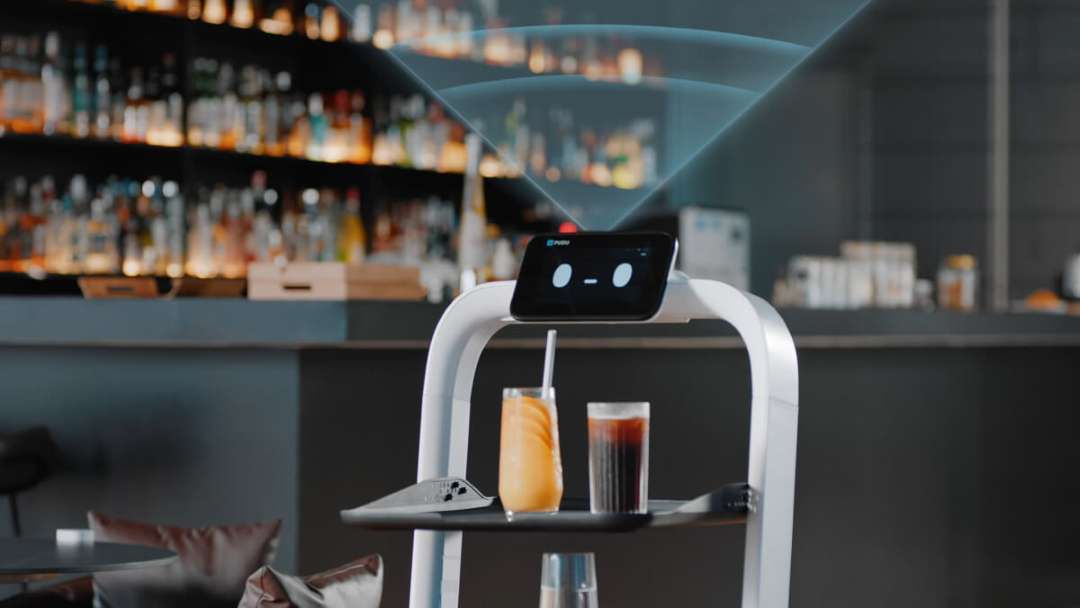
3D depth vision sensors give the PuduBot 2 continuous spatial awareness, detecting obstacles as small as 2 cm within a 1 m range and rerouting in real time. In active bar service the onboard sensor projects its detection cone ahead of the robot as it scans the room.
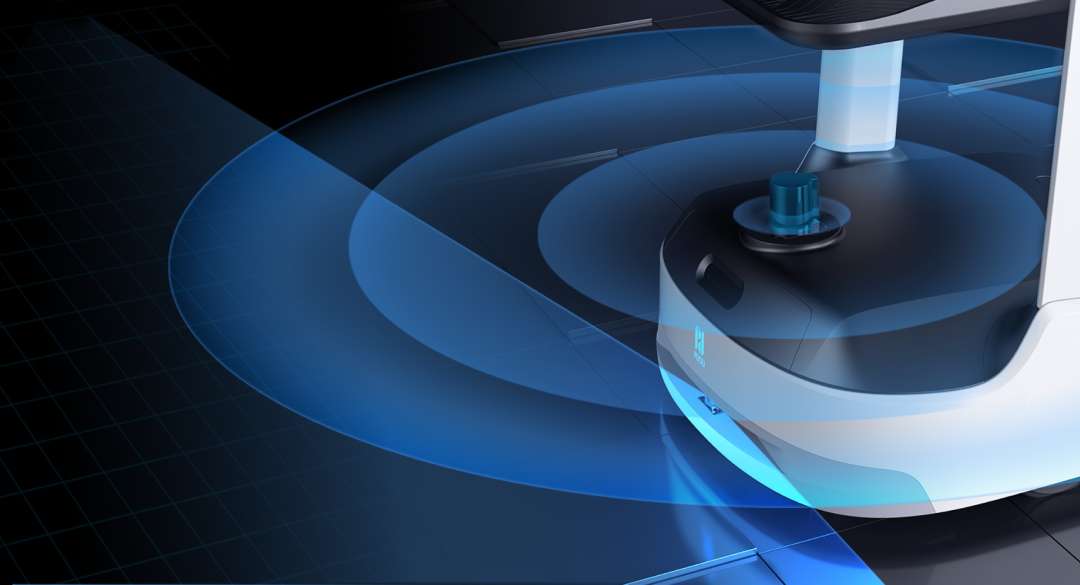
The visualisation below renders the dual-LiDAR scanning radius as concentric arcs, illustrating the omnidirectional detection field the robot maintains while moving.
Multi-Robot Coordination and Precision Docking
Facilities running several units can choose between three docking modes: one-to-one (each robot assigned a fixed station), free mode (priority-based nearest-station selection), and waiting mode (temporary standby until a slot opens). Robots operating in parallel need a minimum aisle width of 2 m for head-on passing and 35 cm clearance between units at standby positions.
Construction and Hardware
The precision-machined aluminium alloy frame inside the base houses the drive motors, sensor array, and battery pack. A PC+ABS outer shell combines with aluminium structural members for impact resistance without inflating the robot's 39 kg operational weight.
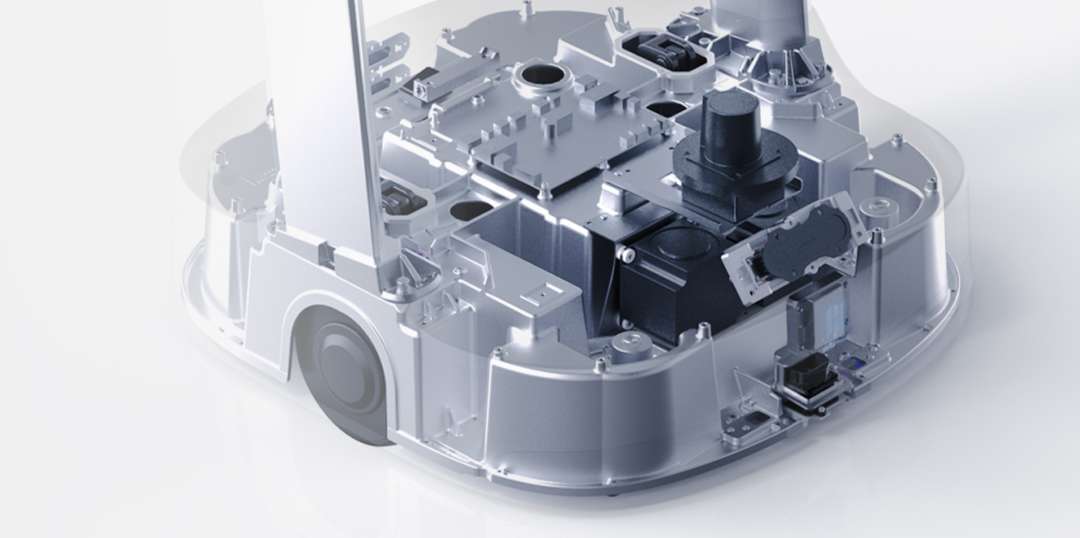
Optimised suspension geometry and balanced mass distribution give a 30% improvement in driving stability over the previous generation. The robot crosses floor irregularities up to 10 mm high and gradients up to 5°, covering most real-world hospitality and commercial floor surfaces.
Power System and Auto-Charging
The PuduBot 2 runs on a lithium iron phosphate (LFP) battery rated at 25 Ah, a chemistry chosen for thermal stability and cycle longevity over standard lithium-ion cells. Under no-load conditions, runtime reaches 12–15 h; a full charge from empty takes around 4 h at 29.4 V / 8 A. When the battery drops to a user-configured threshold (5%–50%), the robot navigates to the charging station and docks without staff involvement.
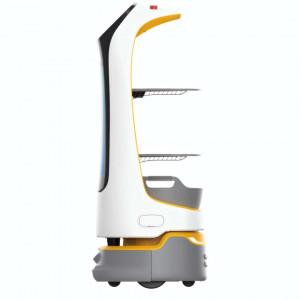
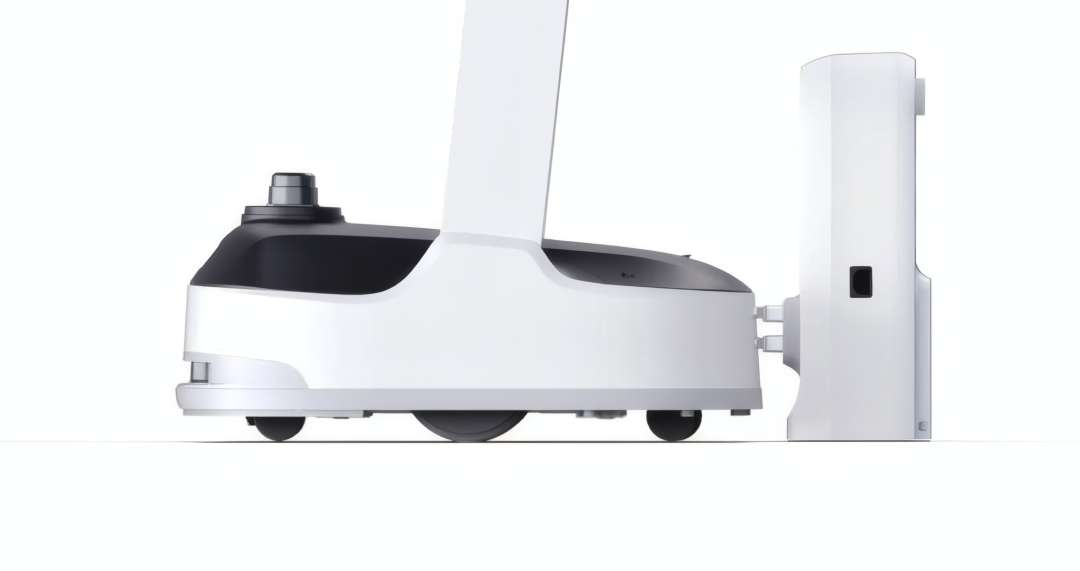
In side profile, the robot aligns precisely with its dedicated auto-charging station, with the underbelly electrode plates making contact with the station connectors on their own.
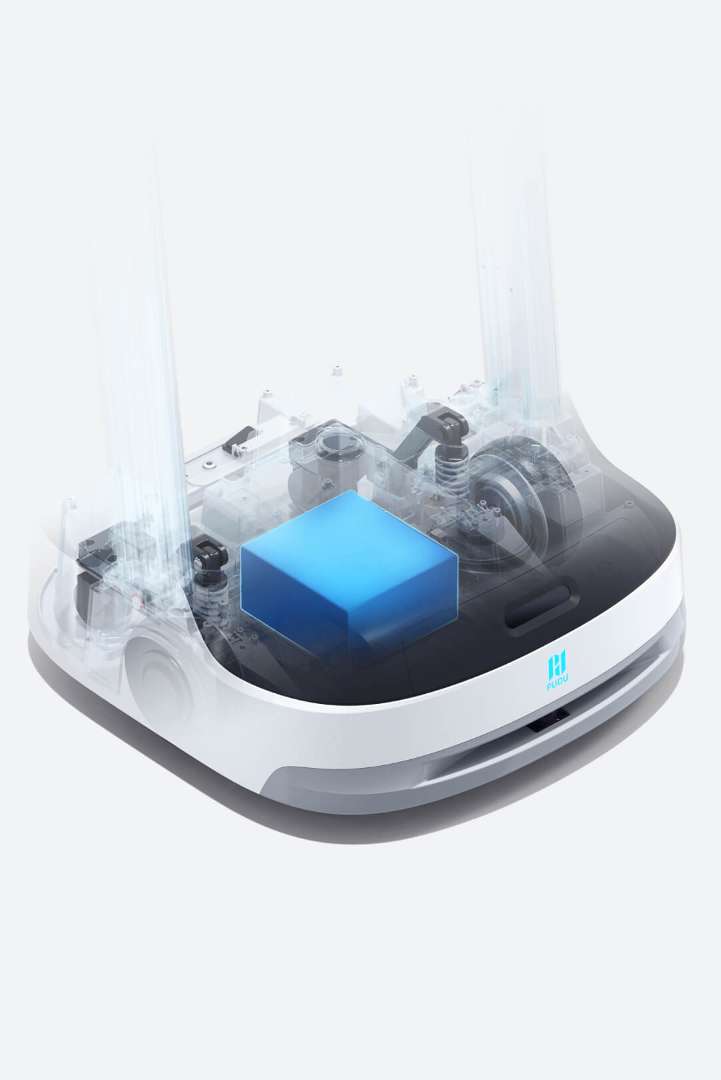
A transparent chassis render exposes the LFP pack mounted centrally inside the base for balanced weight distribution, flanked by the drive-wheel and suspension assemblies.
Software and Automation
The PuduBot 2 runs PuduOS, an Android-based operating system built for robotic fleet management that handles navigation, task queuing, calling integration, and over-the-air firmware updates from one interface. Staff can summon the robot or receive arrival notifications through four independent channels:
- PuduLink: mobile app with real-time status monitoring and calling (requires network connection).
- 4G Smartwatch: wrist-worn display showing delivery destination and arrival confirmation.
- PuduBeeper: button-based pager integration (requires network connection).
- Pudu Pager: operates via local gateway without internet, handling up to 48 simultaneous tasks with a 5-minute validity window per task.
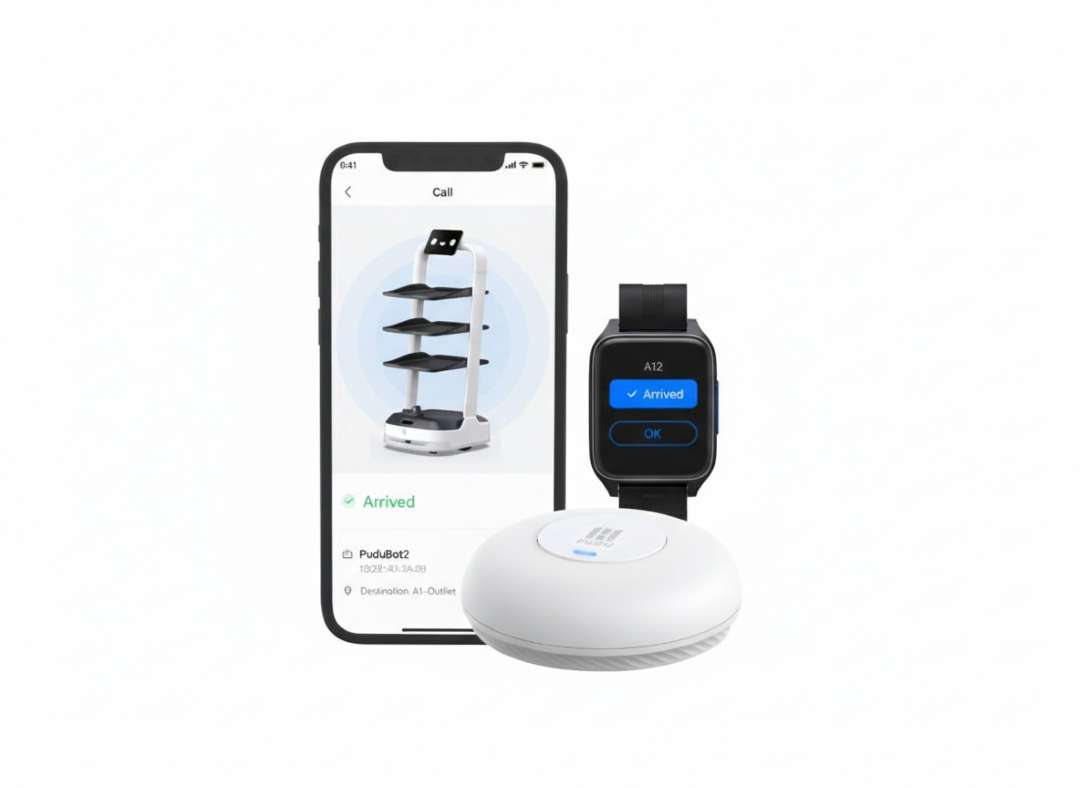
The calling ecosystem below combines a smartphone app showing an "Arrived" status, a 4G smartwatch confirming table A12 delivery, and the Pudu Pager gateway, all communicating with a single unit at once.
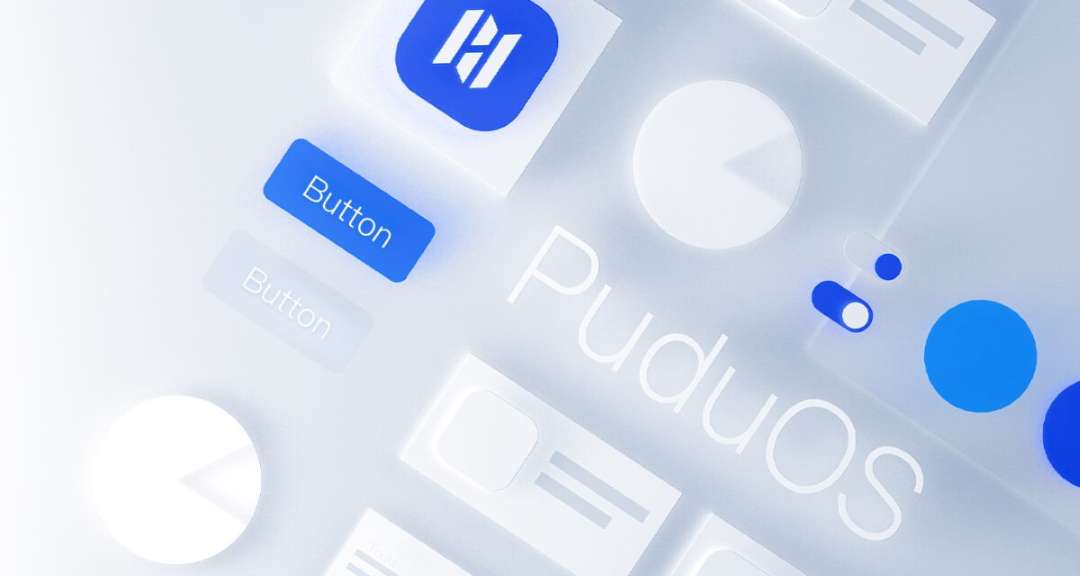
PuduOS also manages a music library (up to 20 custom tracks imported via QR code), speed profiles, map switching, and scheduled auto-recharge slots, through a touchscreen interface designed for operation without specialist training.
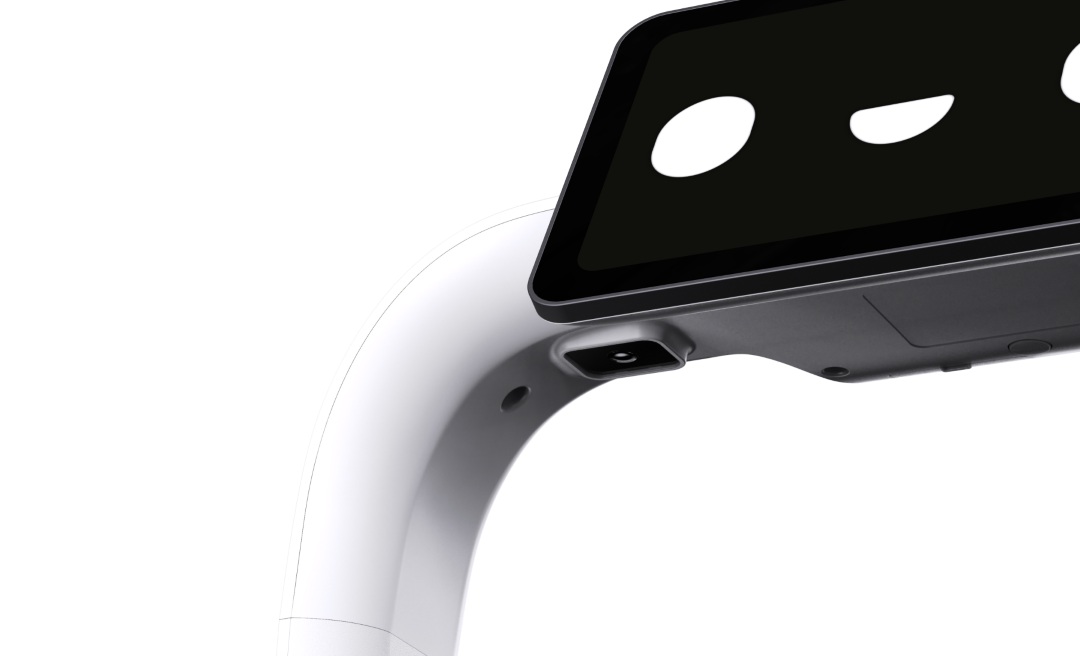
The PDFD22 model carries a 10.1" LCD touchscreen for task selection, status display, and optional digital advertising content, turning the robot into a mobile signage platform as well as a delivery unit. A rear-facing camera below the display provides visual context for navigation and mapping verification, while a 4G SIM slot enables cellular connectivity for remote management and PuduLink calling where Wi-Fi coverage is limited.
Applications
- Restaurants: Food Delivery Mode assigns each tray to a table, letting one robot serve several orders in a single run.
- Hotels: Delivery and Direct modes move amenities or room service items through corridors and lobbies without staff escort.
- Hospitals: markerless VSLAM navigation adapts to corridors with variable ceiling heights, useful for moving supplies between wards.
- Supermarkets: Cruise Mode supports patrol routes for promotional advertising or customer guidance near entrances.
- Offices: Collection Mode retrieves used cups or trays from meeting rooms and returns them to a central point.
- Shopping centres: the 10.1" display doubles as a signage screen while the robot moves between fixed stops.
- Covered outdoor areas: the sensor architecture extends to building corridors and semi-open spaces adjoining indoor service zones.
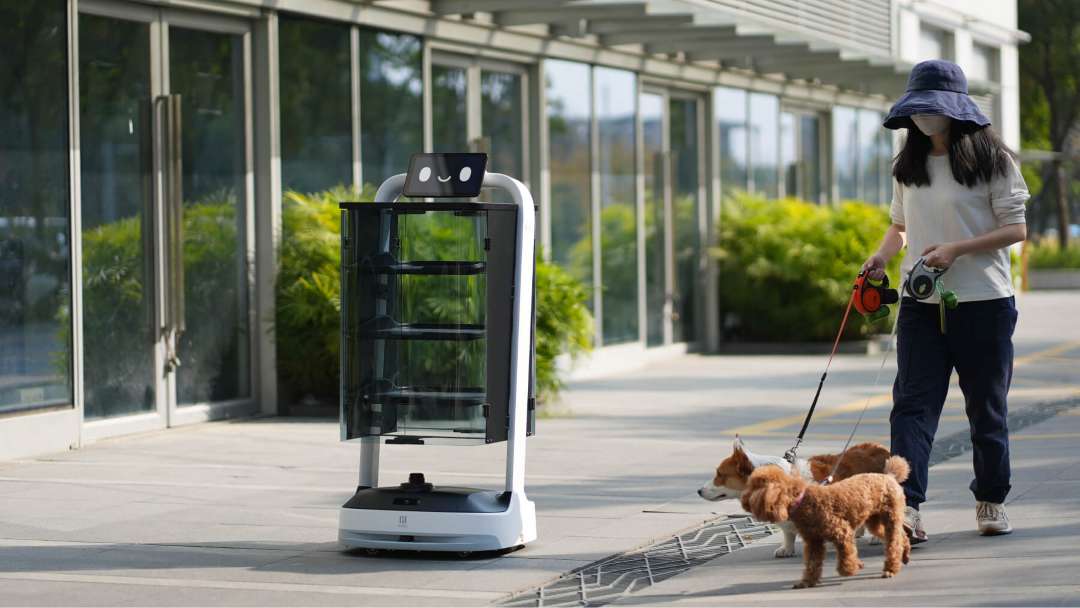
Outdoors, the sensor suite handles dynamic, uncontrolled scenes as well as structured indoor routes, detecting and safely passing moving pedestrians and animals.
Compatibility of the PUDU PuduBot 2
- Auto-charging station: dedicated docking hardware compatible with the PDFD22 base for unattended charging.
- Optional advertising screen: 32" accessory screen compatible with the PDFD22 chassis for digital signage.
- Tray hardware: three removable, height-adjustable metal trays interchangeable across standard configurations.
What's in the box
- PUDU PuduBot 2 delivery robot × 1 (model PDFD22, 10.1" LCD)
- User Manual × 1
- Quality Certificate × 1
- Charger × 1
Technical specifications of the PUDU PuduBot 2
Physical Dimensions & Build
| Parameter | Value |
| Product Model | PDFD22 |
| Overall Dimensions (L × W × H) | 580 mm × 535 mm × 1,290 mm |
| Overall Weight | 39 kg |
| Shell Material | PC+ABS / Aluminum alloy |
| IP Rating | IP40 |
Mobility & Navigation
| Parameter | Value |
| Navigation Method | VSLAM, LiDAR, VSLAM + LiDAR fusion |
| Cruise Speed | 0.1–1.2 m/s (adjustable) |
| Steady Mode Max Speed | 0.4 m/s |
| Minimum Passing Width | 80 cm |
| Max. Climbing Angle | 5° |
| Max. Surmountable Height | 10 mm |
| Max. Surmountable Gap | 15 mm |
| Max. VSLAM Ceiling Height | 30 m |
| Parking Accuracy | 5–10 cm from arrival point |
| Max Boot Points (map) | 16 |
Tray System
| Parameter | Value |
| Number of Trays (standard) | 3 (removable, height-adjustable) |
| Tray Dimensions | 520 mm × 435 mm |
| Tray Load — Rated | 10 kg per level |
| Tray Load — Maximum | 13 kg per level |
| Tray Spacing | Adjustable |
| Tray Material | Metal |
Power & Battery
| Parameter | Value |
| Battery Capacity | 25 Ah (LFP) |
| Battery Life (no load) | 12–15 h |
| Charging Time | ~4 h |
| Operating Voltage | DC 23–29.4 V |
| Power Input | AC 100–240 V, 50/60 Hz |
| Power Output | 29.4 V, 8 A |
| Auto-Charging Station | Yes — autonomous docking |
Display & Audio
| Parameter | Value |
| Head Screen | 10.1" LCD |
| Optional Advertising Screen | 32" (optional accessory) |
| Speaker Power | 10 W × 2 stereo |
| Supported Audio Formats | MP3, WAV, FLAC, AAC, PCM, WMA, APE |
| Music Library Capacity | Up to 20 tracks (QR import) |
Connectivity & Interfaces
| Parameter | Value |
| Wireless | Wi-Fi, 4G (SIM card slot) |
| Bluetooth Gate Support | Yes |
| Expansion Port | 1 × USB Type-C |
| Calling Ecosystem | PuduBeeper, PuduLink, 4G Watch, Pudu Pager |
| Max Simultaneous Pager Tasks | 48 |
Software & Operating System
| Parameter | Value |
| Operating System | Android (PuduOS) |
| Navigation Software | PUDU SLAM (markerless) |
| Work Modes | Food Delivery, Delivery, Cruise, Direct, Birthday, Collection |
| PUDU SLAM Setup Time Reduction | 75% vs. marker-based systems |
| OTA Firmware Updates | Yes |
| Docking Modes | One-to-one, Free mode, Waiting mode |
Environmental Ratings
| Parameter | Value |
| Operating Temperature | 0 °C to 40 °C |
| Operating Humidity | ≤ 85% RH |
| Storage Temperature | -40 °C to 65 °C |
| Operating Altitude | < 2,000 m |
| IP Rating | IP40 |
| Road Surface Requirement | Indoor, flat, smooth surfaces |
How to Start Up and Dispatch the PUDU PuduBot 2
This procedure covers the startup sequence for the PuduBot 2, from switch verification through dispatching the first autonomous delivery task.
Step 1: Verify the Master Switch Position
Locate the master switch on the robot's base and confirm it is set to the "I" (ON) position. This switch controls the main power supply and must be active before charging or powering on the robot.
Step 2: Position the Robot at the Startup Location
Move the robot to the designated startup location, a floor position beneath a ceiling area with clear visual features for VSLAM initialisation. The startup label should be fixed to the floor at this point. Up to 16 boot points can be configured per map.
Step 3: Power On
Press and hold the power switch for 1 second. The light strip turns blue to confirm successful power-on. The PuduOS interface initialises automatically along with all navigation sensors and communication modules.
Step 4: Assign a Task and Dispatch
On the 10.1" LCD touchscreen, select the desired work mode, for example Delivery. Place the item on the appropriate tray, select the destination on screen, then tap "Start" to dispatch the robot.
Step 5: Confirm Delivery and Return
Upon arrival, the robot announces its presence via speaker and on-screen notification. The staff member removes the item and taps "Done," or confirms via the connected 4G watch or PuduLink app. The robot then returns autonomously to its docking station.
Frequently Asked Questions
How long does the PuduBot 2 battery last on a single charge?
The 25 Ah LFP battery provides 12–15 h of operation under no-load conditions. Charging time from empty is approximately 4 h. When battery level drops to the configured threshold (5%–50%), the robot autonomously navigates to the auto-charging station and docks without staff intervention.
Does the PuduBot 2 require ceiling markers or stickers for navigation?
No, the PuduBot 2 uses PUDU SLAM, a markerless visual positioning system that reads natural ceiling features for localisation. No ceiling modifications are needed, and deployment setup time is reduced by approximately 75% compared with marker-based systems. The VSLAM system operates reliably in spaces with ceiling heights up to 30 m.
Why buy the PUDU PuduBot 2 from EXPERT3D?
EXPERT3D supplies professional 3D equipment since 2012. Our team provides expert pre-sales consultation to match the PuduBot 2's work modes and tray configuration to your venue. Every unit ships with official warranty coverage and authorized after-sales service. Delivery is available across the region, alongside post-sale support and operator training on the PuduOS interface. Consumables and spare parts, including charging hardware, are kept in stock to reduce downtime. As an official representative of PUDU, we guarantee 100% authenticity, fair price, authorized service, and an official warranty.