- Stock: In Stock
- Product code: 920372000001145602
- Weight Brutto: 23.00kg
- SKU: P0101000476

The xTool M2 20W is a Class 1 enclosed laser machine designed for home studios, creative businesses, and makerspaces, built around a 20 W blue diode laser — capable of cutting 10 mm basswood in a single pass — and a dual-camera ACS positioning system for precise job placement. TÜV SÜD Class 1 certified and pre-assembled, the M2 handles laser cutting and engraving across over 300 materials within a 426 × 320 mm working area. An optional CMYK inkjet module, sold separately, extends the platform to full-colour printing and print-then-cut workflows.
| Working Area (20W Laser) | 426 mm × 320 mm |
|---|---|
| Laser Spot Size | 0.06 mm × 0.08 mm (20W module) |
| Safety Certification | Class 1 Laser Safety — TÜV SÜD Certified |
| Camera System | 5 MP Panoramic + 2 MP Close-range (ACS) |
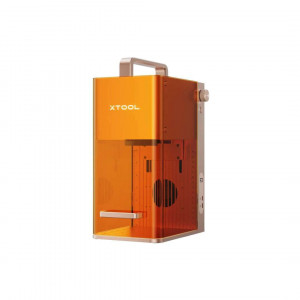
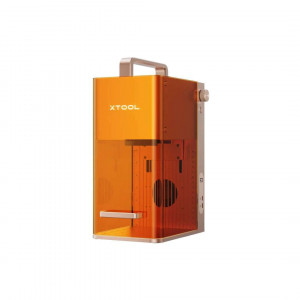
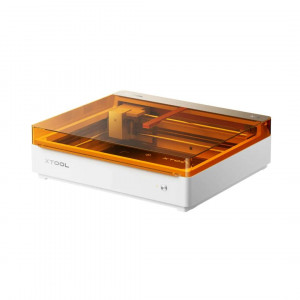
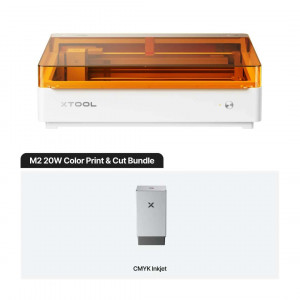
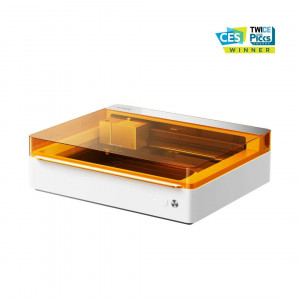
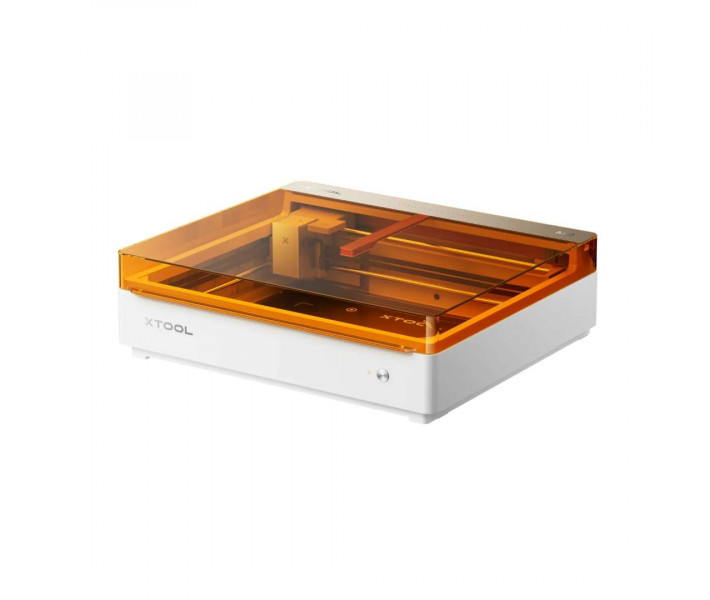
The product view below shows the M2's signature amber-tinted protective cover and compact white housing — a machine that sits comfortably on a desk yet carries the performance credentials of a professional laser system.

The overview panel below maps the M2's core capabilities at a glance: three distinct operating modes, ACS dual-camera positioning, print-and-cut workflow, customisable templates, Class 1 safety, and full-wrap cylindrical engraving via the optional RA3 Lite rotary attachment.
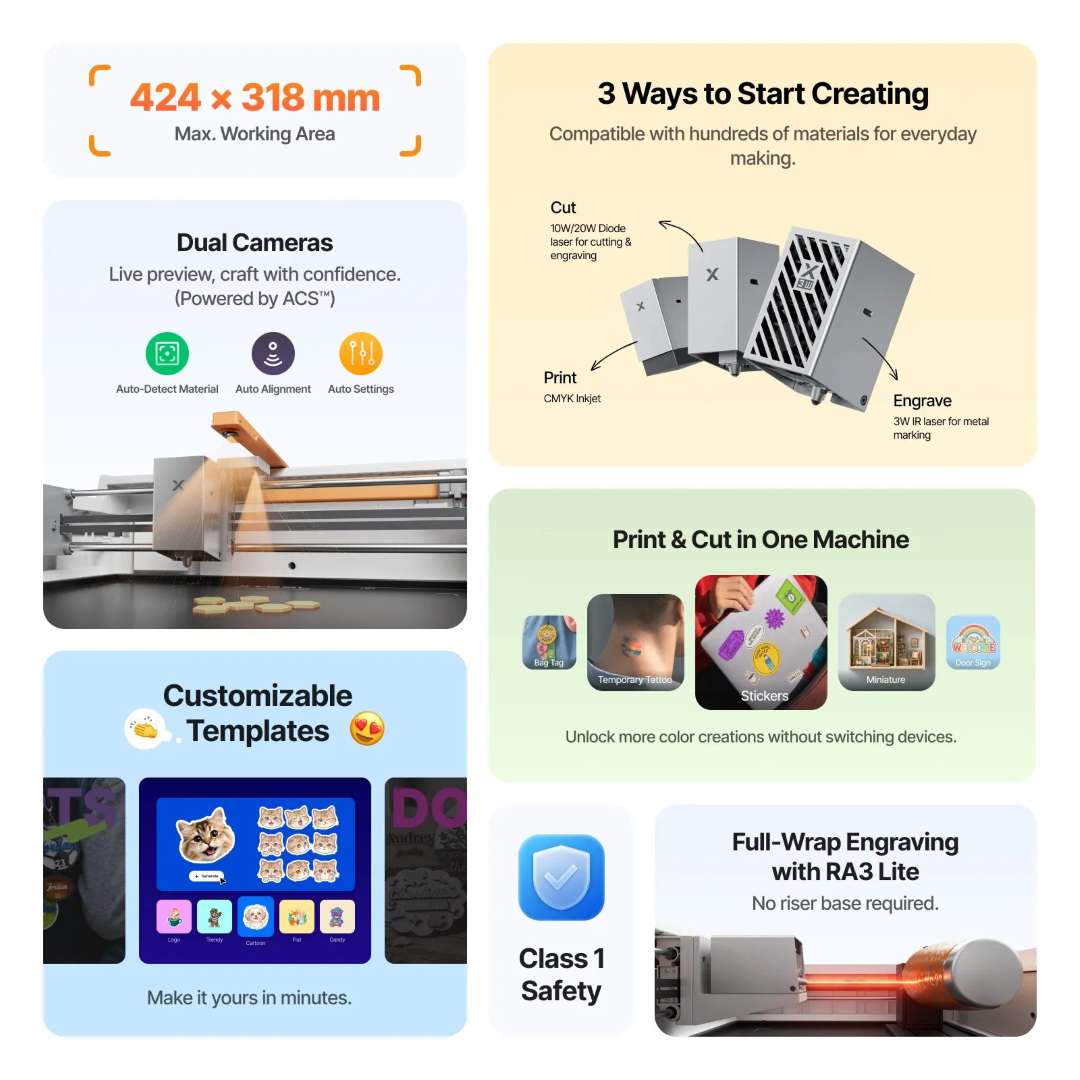
Modular by Design: Laser Cutting, Engraving, and Optional CMYK Printing
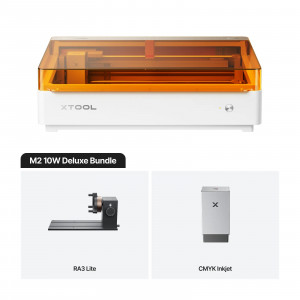
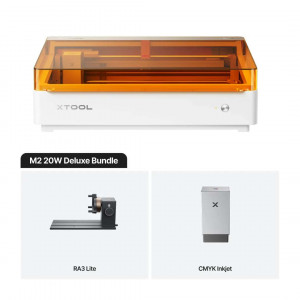
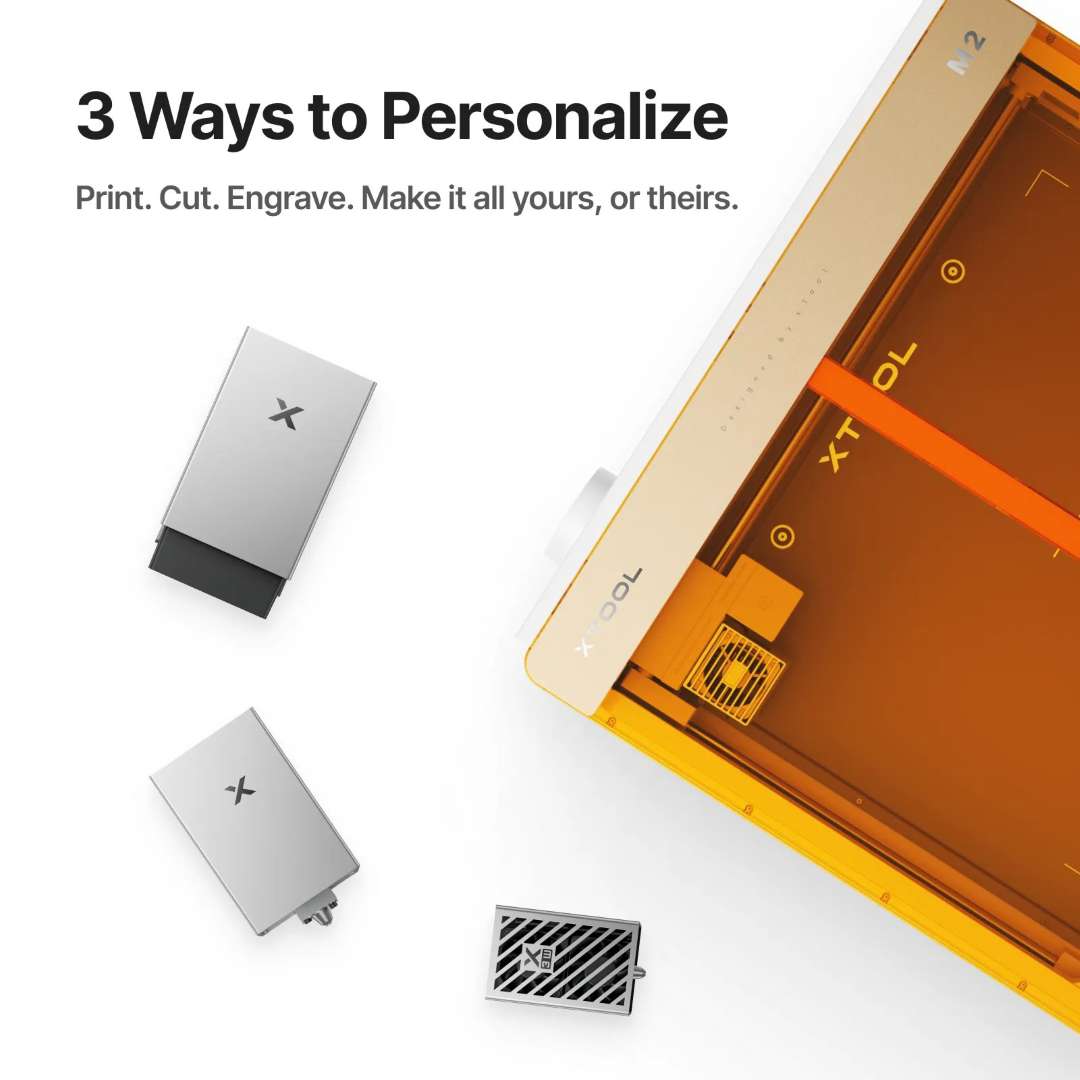
Most desktop laser machines do one thing. The xTool M2 20W is built around an interchangeable multi-function module holder — standard with the laser module, expandable with optional add-ons. The 20 W blue diode laser module handles cutting and engraving across wood, acrylic, leather, felt, stainless steel, ceramic, and dozens more surfaces. The CMYK inkjet module (sold separately) enables full four-colour printing for true print-then-cut sessions without moving the material between passes. An optional 3 W infrared module extends marking capability to bare metals. All modules connect via a single cable and swap out in under a minute.
The image below shows the three interchangeable modules alongside the open M2 lid, illustrating the modular architecture that allows a single machine to grow with your workflow.
Dual-Camera ACS System: Instant Preview, Precise Placement
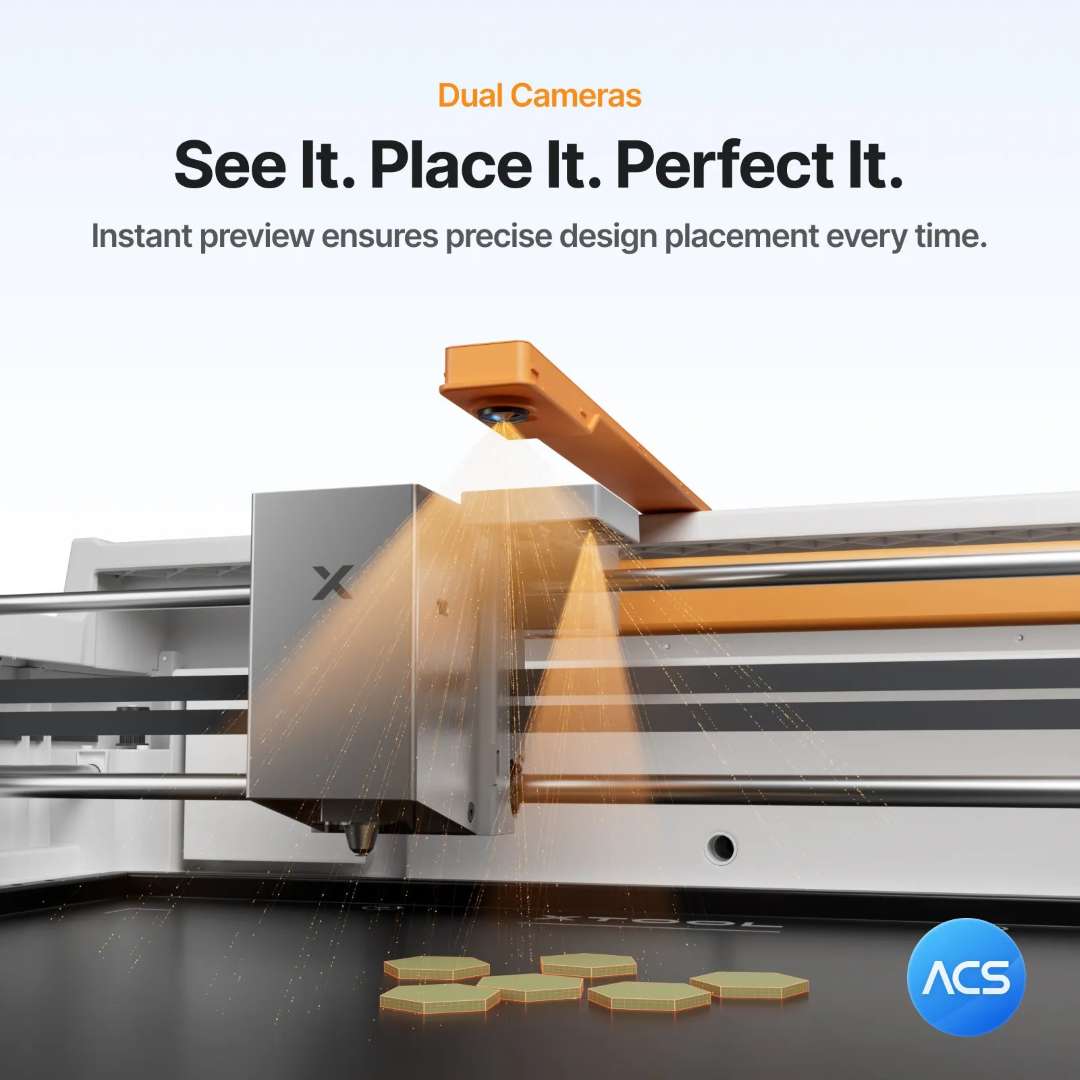
Accurate material positioning is what separates a professional result from a frustrating retry. The M2's ACS (Auto Camera System) pairs a 5 MP panoramic camera for a live overhead view of the full working area with a 2 MP close-range camera mounted directly on the laser head. The ACS stack handles auto-detection of material boundaries, automatic design alignment, and automatic parameter suggestions — so users spend time creating rather than measuring. Positioning precision reaches up to 0.2 mm; wide-view positioning is better than 1.5 mm. Focus is fully automatic via a probe-based ranging system accurate to 0.1 mm.
The diagram below illustrates the dual-camera ACS positioning system projecting a live preview directly onto sample pieces below the laser head.
CMYK Inkjet Module: Full-Colour Print, Then Laser-Cut to Shape
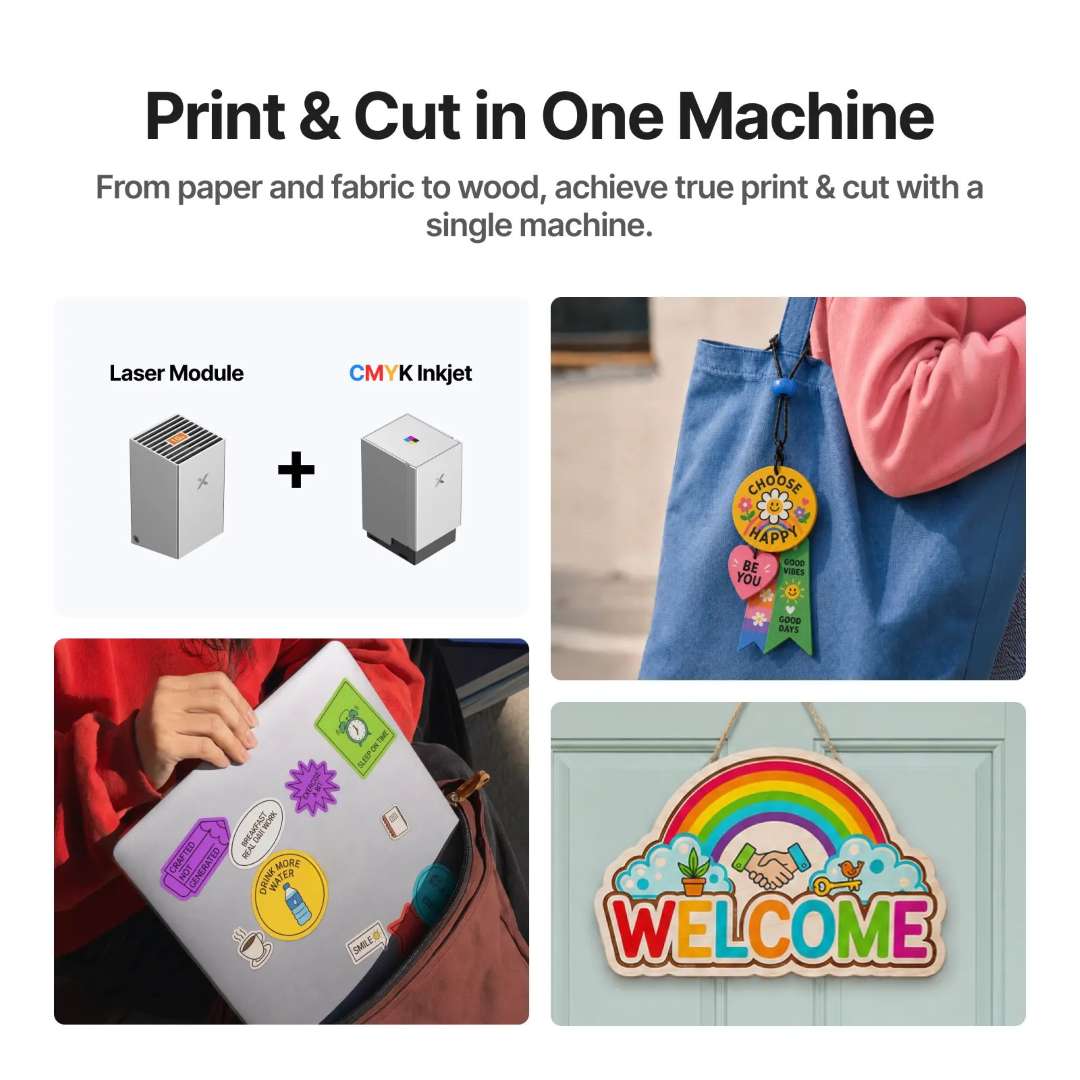
Adding the CMYK inkjet module transforms the M2 into a print-and-cut station. Print a full-colour design — a sticker, a temporary tattoo, or a miniature scene — directly onto paper, fabric, or wood. Then, without repositioning the material, switch to the laser module and cut the printed design to its exact outline. The camera alignment system ensures the laser contour follows the printed boundary to within fractions of a millimetre. The inkjet working area covers 300 mm × 294 mm.
The workflow diagram below shows the complete print-and-cut process — from raw material to finished bag tags, stickers, tattoos, miniatures, and door signs — produced in a single session on one machine.
True CMYK vs Three-Colour CMY: The Difference Is Visible
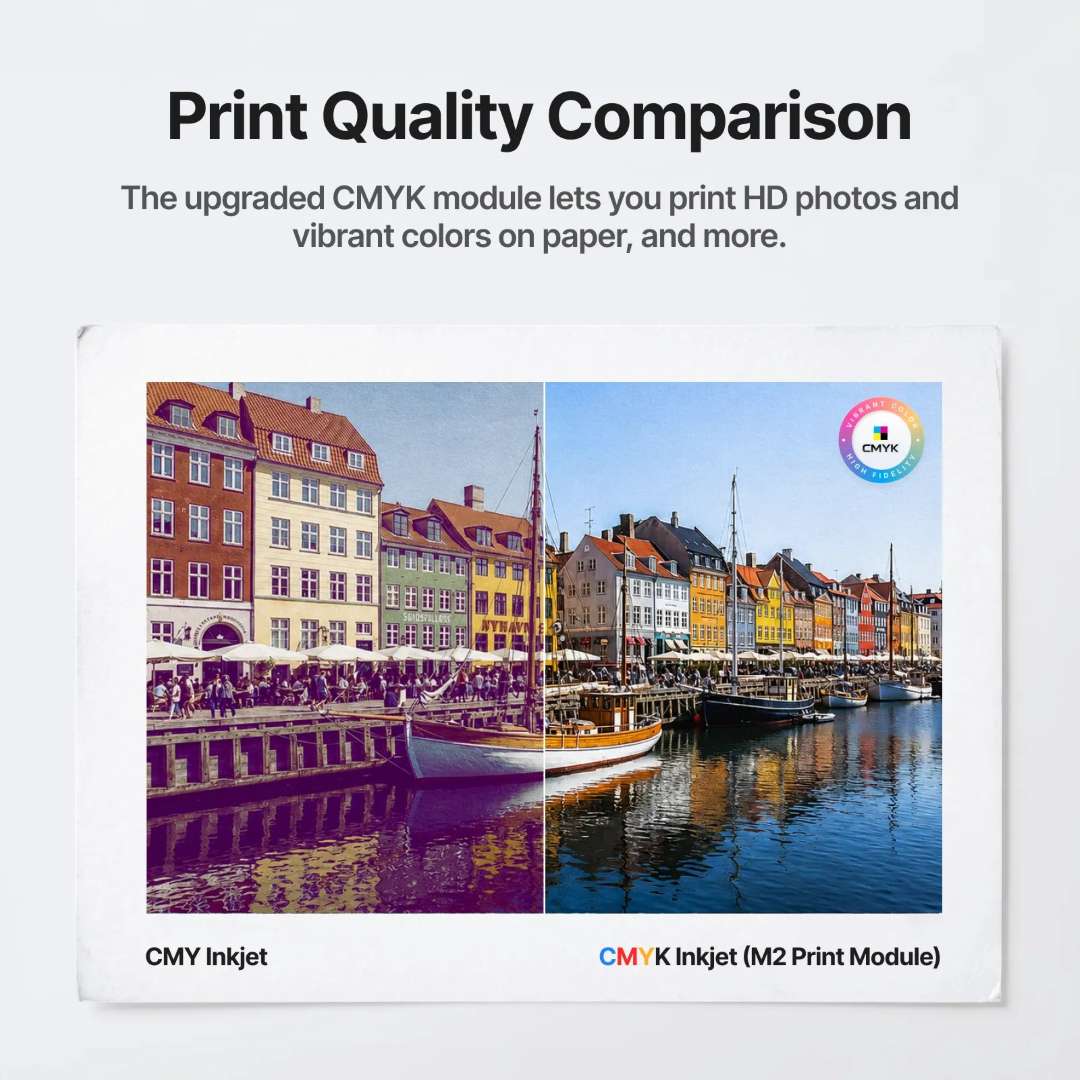
The M2 CMYK module uses four ink channels — cyan, magenta, yellow, and true black (K) — rather than the three-channel CMY arrangement found in older xTool models. The dedicated black channel deepens shadows, sharpens text edges, and expands the effective colour gamut, particularly noticeable in photographic prints where CMY struggles to reproduce neutral dark tones accurately. The side-by-side comparison below shows the same photograph printed in CMY (left) and CMYK (right): shadow depth and colour accuracy differ clearly.
800 Pages per CMYK Cartridge — Twice the Yield
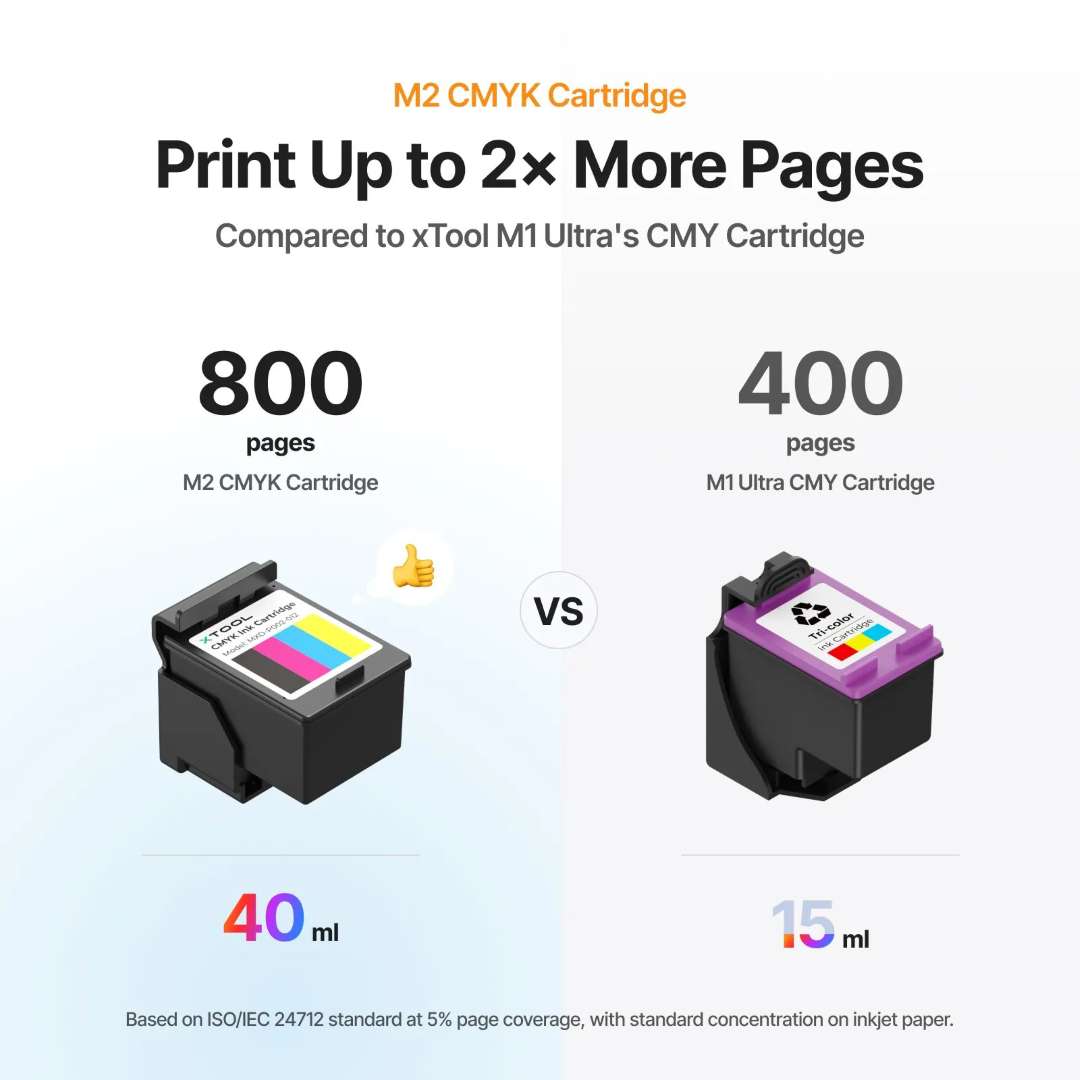
The M2 CMYK cartridge holds 40 ml of ink and delivers approximately 800 pages at 5% page coverage per ISO/IEC 24712 — double the yield of the 15 ml CMY cartridge used in the xTool M1 Ultra, which reaches roughly 400 pages under identical conditions. For small businesses running regular sticker or label batches, the cartridge economy directly reduces per-unit print cost.
From Stickers to Cake Toppers: Creative Applications for the CMYK Module
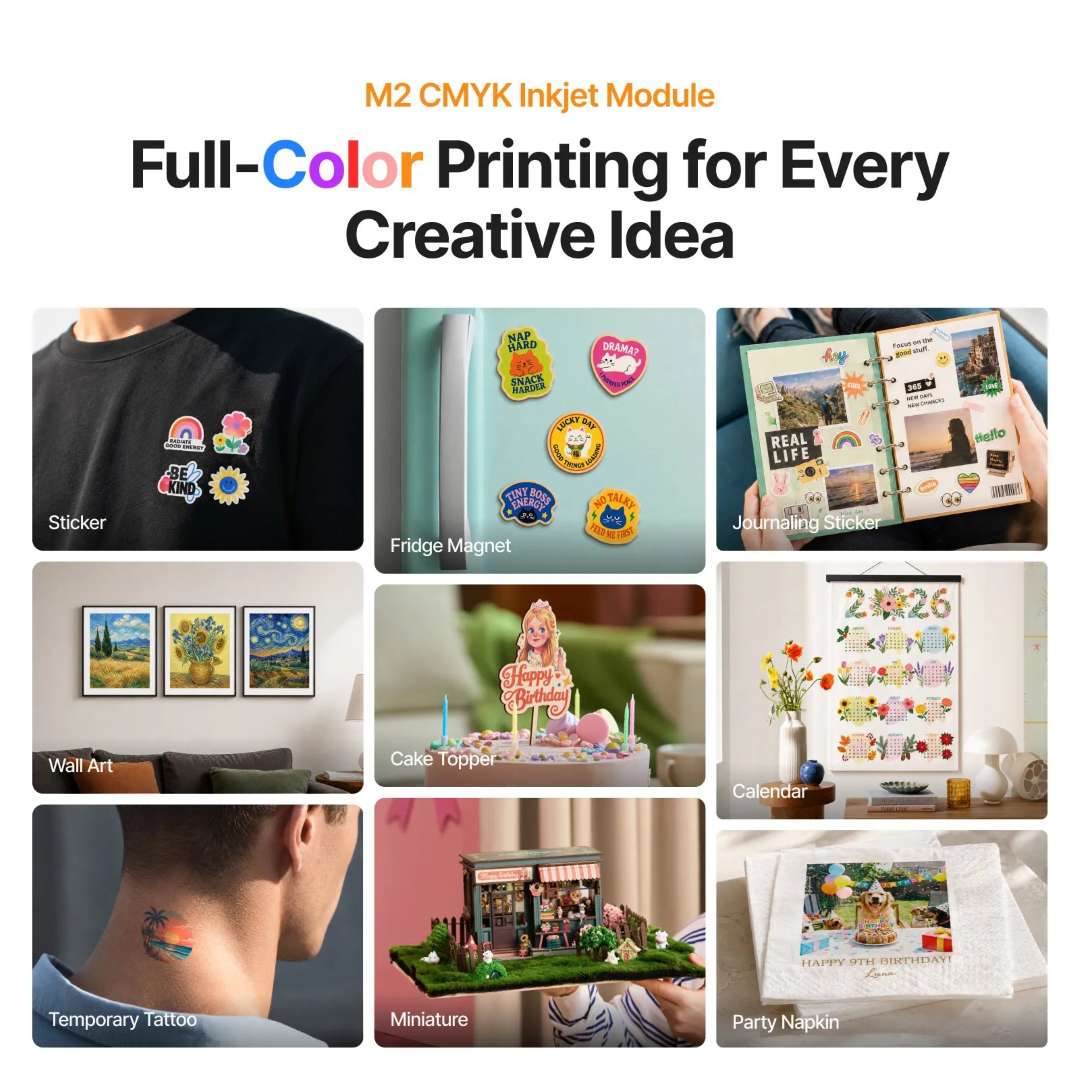
The inkjet module expands the M2's creative territory well beyond laser work. Stickers, fridge magnets, journaling stickers, wall art, birthday cake toppers, desk calendars, temporary tattoos, architectural miniatures, and event napkins — all printed directly from digital files onto paper, cardstock, canvas, felt, leather, or glass. The gallery below shows nine application categories achievable with the CMYK module alone.
Laser Precision on Wood, Fabric, Paper, and Metal
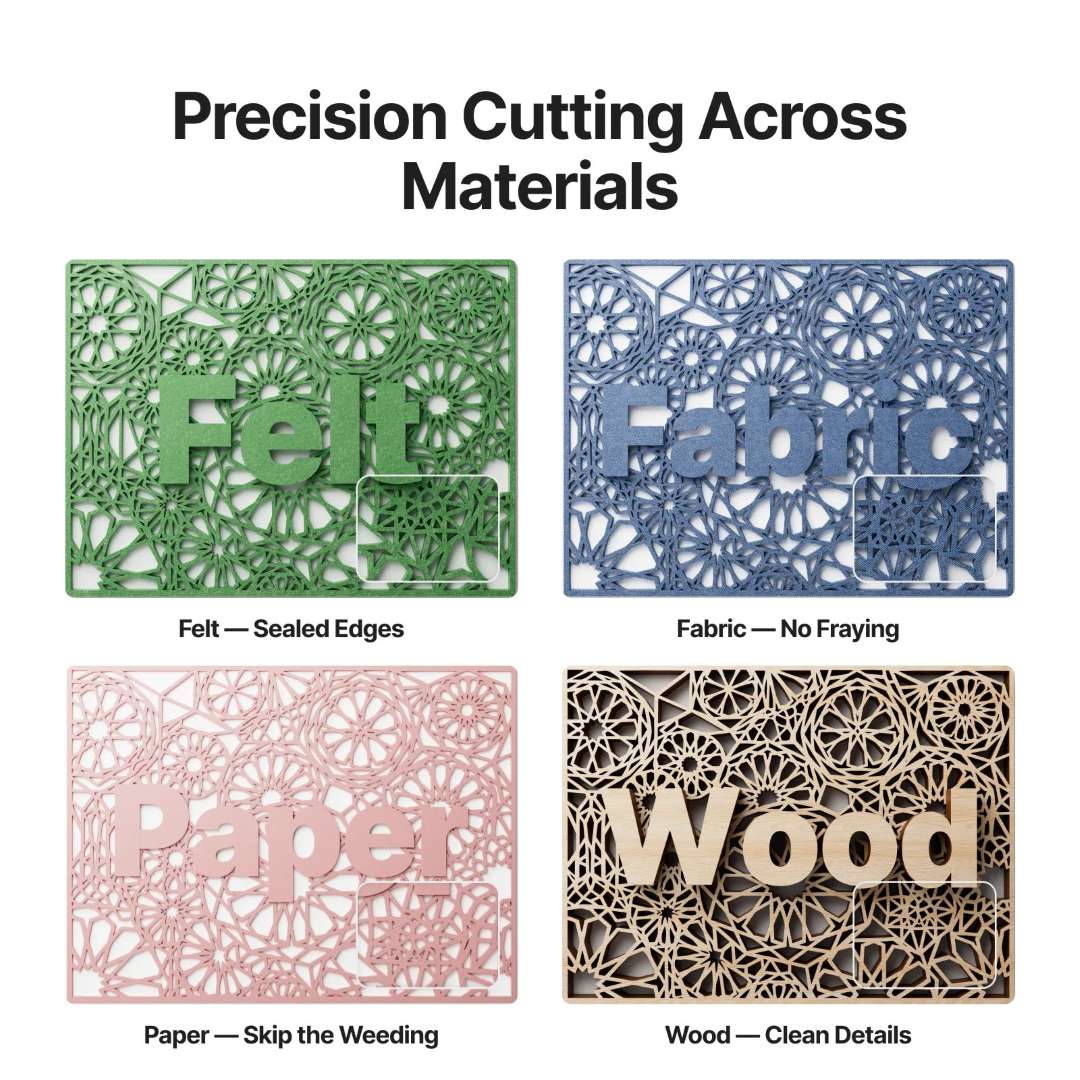
The 20 W diode laser achieves a spot size of 0.06 mm × 0.08 mm, small enough to hold tight radii in intricate designs and precise enough to seal fabric edges in the same pass that cuts them. On felt, the laser fuses the cut edge — no fraying. On fabric, it cuts without loose threads. On paper, the laser profile is sharp enough to skip the weeding step entirely. On wood, 0.01 mm motion accuracy preserves fine detail down to the smallest monogram letter. Maximum single-pass cutting depth is 10 mm for basswood and 8 mm for black acrylic.
The panel below demonstrates precision cutting results on four representative surfaces: felt, fabric, paper, and wood — each showing the material-specific quality advantage the diode laser delivers.
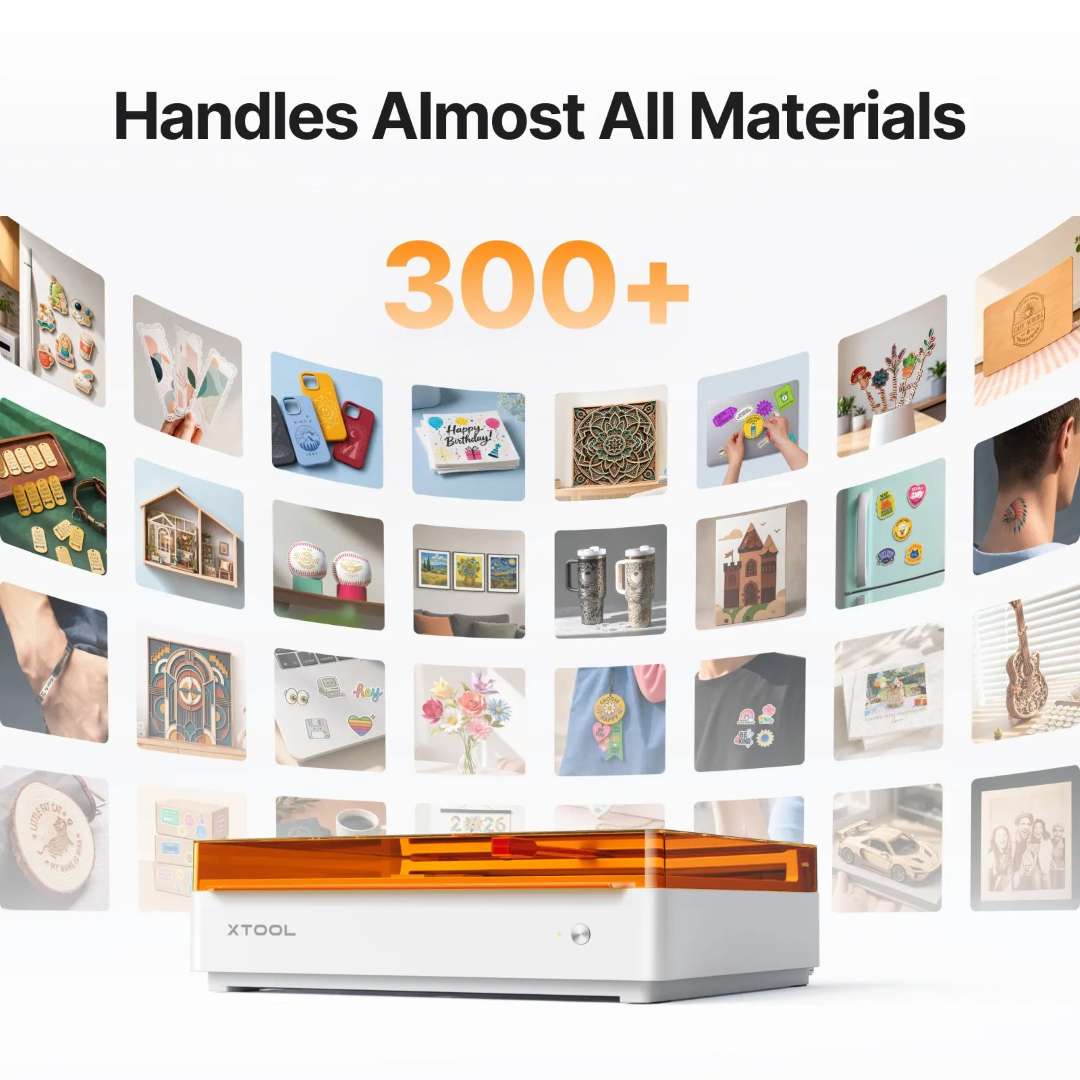
Handles Almost Any Material — 300+ Surfaces Supported
The M2 processes materials across three operational categories. Cutting: wood, opaque acrylic, paper, cardstock, cardboard, foam, MDF, leather, and felt. Engraving: the full cutting list plus transparent acrylic, stainless steel, aluminium, plated metal, rubber, glass, plastic, cork, and ceramic — including direct marking on polished stainless steel tumblers. CMYK printing (optional module, sold separately): paper, cardstock, sticker paper, wood, canvas, fabric, felt, leather, and glass. The built-in air pump is standard, delivering the same clean cut results as an external air-assist setup — no additional hardware required.
The image below positions the M2 at the centre of a curved gallery spanning the breadth of compatible materials and finished project types it can produce.
Class 1 Safety — TÜV SÜD Certified for Home and Studio Use
The M2 carries a TÜV SÜD Class 1 laser safety certification — the same classification applied to consumer electronics such as optical disc players, meaning the enclosure contains the laser radiation under all normal operating conditions. Four independent hardware safety layers work in parallel: an eye-protecting amber cover that blocks laser wavelengths; a lid-open stop design that cuts laser output the instant the lid is raised; tilt detection that halts operation if the unit is displaced or knocked; and an AI troubleshooting layer that identifies and flags anomalies before they escalate. A dedicated flame detection camera on the baseplate provides an additional fire safety layer.
The image below shows the M2 in a typical home environment with four Class 1 safety feature icons — confirming its suitability for spaces shared with children and non-technical household members.

xTool Studio: AI-Assisted Design for Every Skill Level
All M2 processing runs through xTool Studio, compatible with Windows and macOS over USB or Wi-Fi. The software accepts SVG, DXF, JPG, JPEG, PNG, and BMP input files. Four features make it accessible at every experience level: an AI text-art generation tool that converts a text prompt into a ready-to-engrave graphic in seconds; guided design flows and beginner tutorials built into the interface; a library of more than 5,000 community projects available for direct download; and a Material EasySet parameter selector that automatically applies the correct speed, power, and pass count for each recognised material — eliminating the calibration waste that consumes consumables during manual trial runs.
The software overview below shows all four capability pillars of xTool Studio, from AI generation to material parameter lookup.

Customisable Templates — From Blank to Finished in Three Steps
For users who want results without starting from a blank canvas, xTool Studio provides a built-in template library. The workflow reduces to three steps: select a template, personalise names, dates, or graphics using the in-software tools, then send the job to the machine. The image below shows the complete sequence — from on-screen template selection through to a finished set of laser-cut botanical plant markers produced as the final output.

The official xTool M2 unboxing and first-use walkthrough below covers the complete setup sequence — from unpacking and lubrication through exhaust installation, module fitting, and initial software connection.
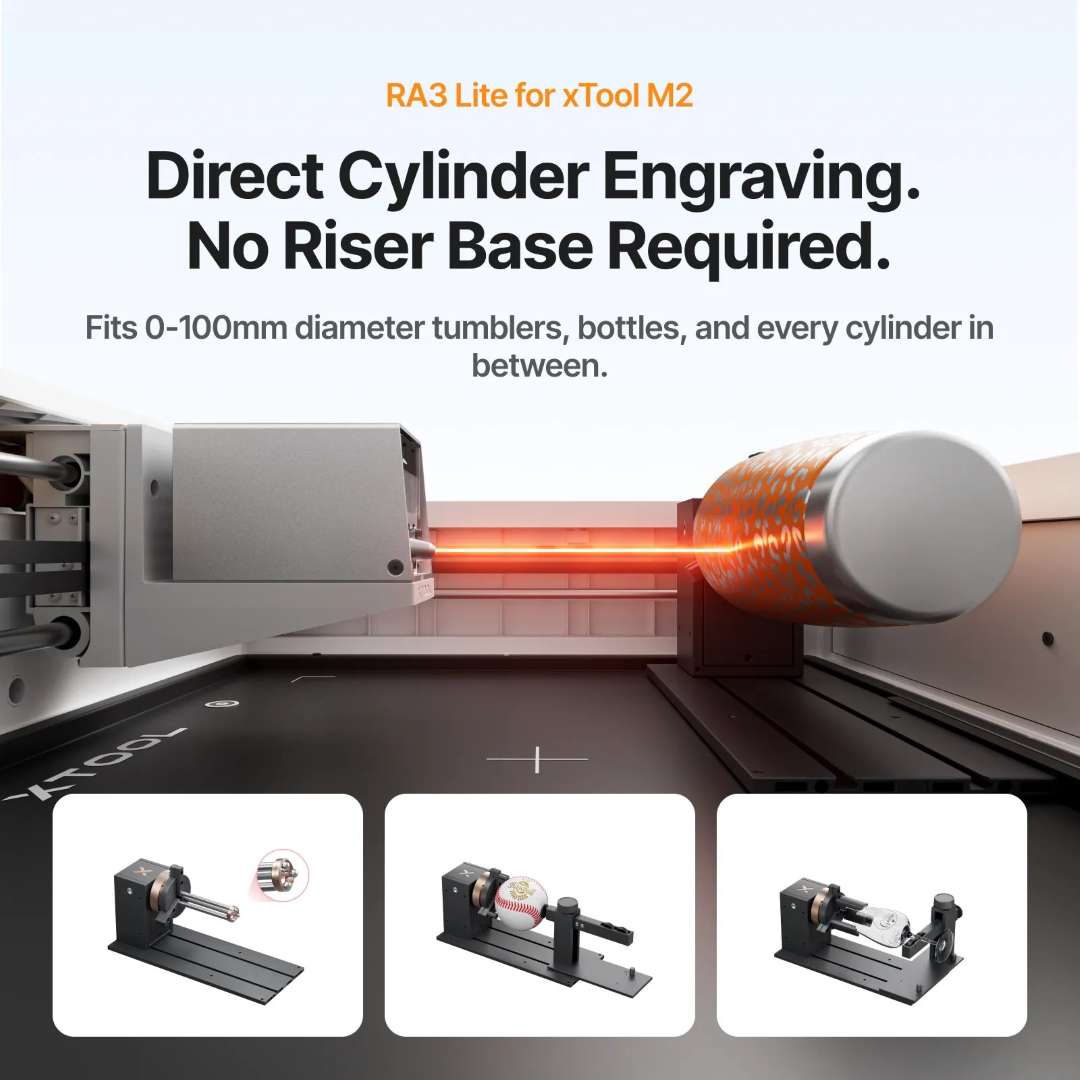
RA3 Lite Rotary Attachment: Full-Wrap Cylindrical Engraving, No Riser Needed
Because the M2's laser outputs horizontally, the optional xTool RA3 Lite rotary attachment mounts directly at baseplate level — no riser, no height adapter, no additional clearance required. The RA3 Lite accepts cylindrical objects from 0 to 100 mm in diameter: tumblers, water bottles, baseball bats, wine glasses, rings. Three interchangeable jaw configurations handle the full range of cylindrical and spherical object geometries. Full-wrap engraving paths cover the complete circumference in a single job, driven by xTool Studio's rotary mode with the same camera-assisted alignment used for flat work.
The image below shows the RA3 Lite mounted inside the M2, with a cylindrical object loaded and the red laser beam tracing the engraving path — alongside three jaw accessory configurations for different object shapes.
Technical Specifications of the xTool M2 20W
Processing Capacity
| Laser Module Type | 20W Blue Diode Laser — 445 ± 15 nm |
|---|---|
| Print Module | CMYK Inkjet (add-on, sold separately) |
| Processing Modes | Laser Cutting / Laser Engraving / Inkjet Printing |
| Working Area — 20W Laser | 426 mm × 320 mm |
| Working Area — Inkjet Mode | 300 mm × 294 mm |
| Max. Rotary Engraving Diameter | 0–100 mm |
| Max. Speed | 600 mm/s |
| Max. Cutting Capacity — Basswood | 10 mm in one pass |
| Max. Cutting Capacity — Black Acrylic | 8 mm in one pass |
Operation & Positioning
| Pre-assembled | Yes |
|---|---|
| Built-in Cameras | 5 MP Panoramic + 2 MP Close-range |
| Positioning Method | Camera Positioning (ACS) |
| Focus Mode | Autofocus |
Accuracy & Precision
| Laser Spot Size (20W) | 0.06 mm × 0.08 mm |
|---|---|
| Positioning Precision | Up to 0.2 mm (wide-view: < 1.5 mm) |
| Ranging Precision | 0.1 mm — Probe |
| Motion Accuracy | 0.01 mm |
Dimensions & Power
| Product Dimensions | 610 mm × 569 mm × 180 mm |
|---|---|
| Product Weight | 12.3 kg |
| Max. Machine Input Power | 200 W |
| Power Adapter Input Voltage | 100 V – 240 V ~ AC 50/60 Hz |
| Safety Certification | Class 1 Laser Safety — TÜV SÜD Certified |
| Working Temperature | 0°C to 35°C |
Software & Connectivity
| Supported Software | xTool Studio |
|---|---|
| Operating Systems | Windows / macOS |
| Connection Methods | USB / Wi-Fi |
| Supported File Formats | SVG / DXF / JPG / JPEG / PNG / BMP |
Supported Materials — Cutting
| Cuttable Materials | Wood / Opaque Acrylic / Paper / Cardstock / Cardboard / Foam / MDF / Leather / Felt |
|---|
Supported Materials — Engraving
| Engravable Materials | Wood / Opaque Acrylic / Transparent Acrylic / Leather / Stainless Steel / Aluminium / Plated Metal / Paper / MDF / Cardboard / Felt / Rubber / Glass / Plastic / Cork / Ceramic |
|---|
Supported Materials — CMYK Inkjet Printing
| Printable Materials | Paper / Cardstock / Sticker Paper / Wood / Canvas / Fabric / Felt / Leather / Glass |
|---|
What's in the Box
- xTool M2 main unit (pre-assembled)
- 20W Blue Diode Laser Module
- Module connection cable
- Power adapter and cable
- USB cable and adapter
- Smoke exhaust pipe with clamp
- Grease
- Material pack
- Magnetic fixture
- Hex screwdriver
- Masking tape
- Screw M3×6
- Instruction card & Safety Instructions
Buy the xTool M2 20W Laser Engraver & Cutter | Price & Delivery in Spain
As an official representative of xTool, we guarantee the best price, authorised service, and official warranty. EXPERT3D has specialised in advanced laser, 3D printing, and scanning technology since 2012 — over a decade of hands-on experience selecting, configuring, and supporting professional equipment across studios, schools, and creative businesses throughout Spain and the EU. The xTool M2 20W is available for delivery across Spain and Europe. Our pre-sales team can advise on the right module bundle (laser-only or combined with the CMYK inkjet), RA3 Lite rotary compatibility, and xTool Studio configuration for your specific workflow. Contact us to discuss the current € price, lead times, and availability.