


- Stock: In Stock
- Product code: F2 Deluxe Bundle
- Weight Brutto: 28.00kg
- SKU: P1010151-P5010454-P5010253-P5010219

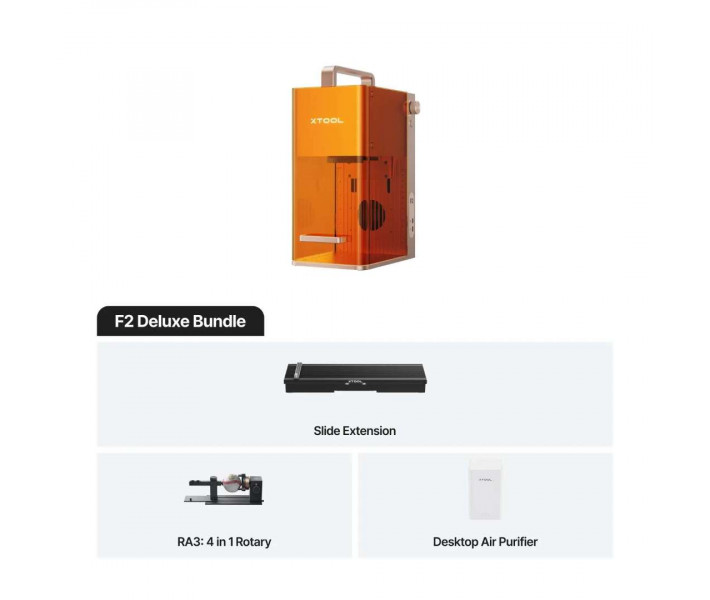
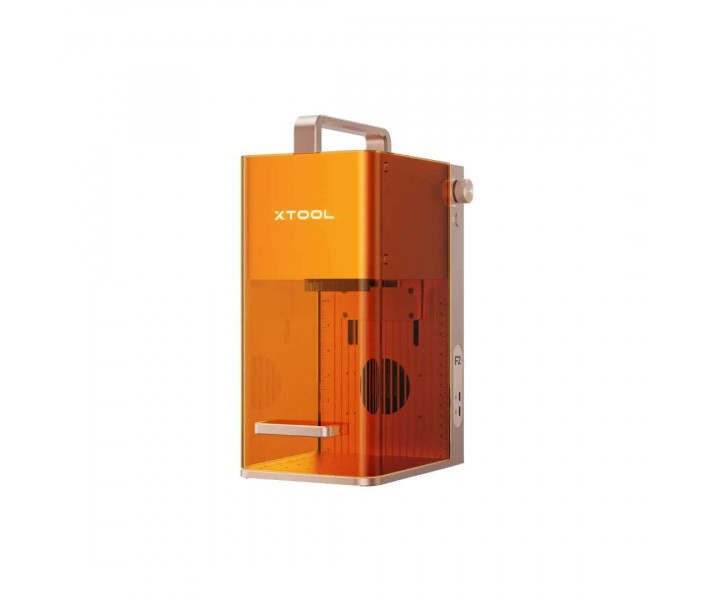
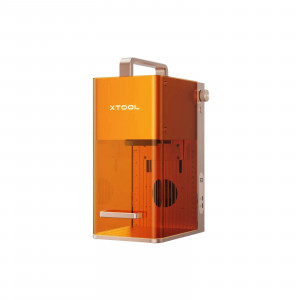
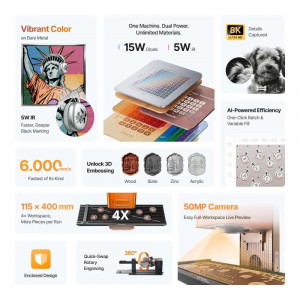
xTool F2 Deluxe Bundle is a portable dual-laser engraving and cutting system designed for on-site personalization, small-batch production, and mobile craft businesses — shipped as a complete kit with the xTool RA3 rotary attachment, the Slide Extension, and the xTool Desktop Air Purifier. The F2 unit pairs a 15 W diode laser with a 5 W 1064 nm infrared laser to handle more than 300 materials, driven at up to 6000 mm/s and visualized through a built-in 50 MP smart camera.
| Laser Configuration | 15 W Diode + 5 W 1064 nm IR |
|---|---|
| Max. Working Speed | 6000 mm/s |
| Working Area (with Slide Extension) | 115 × 115 mm / 400 × 115 mm |
| Built-in Camera | 50 MP smart camera with live preview |
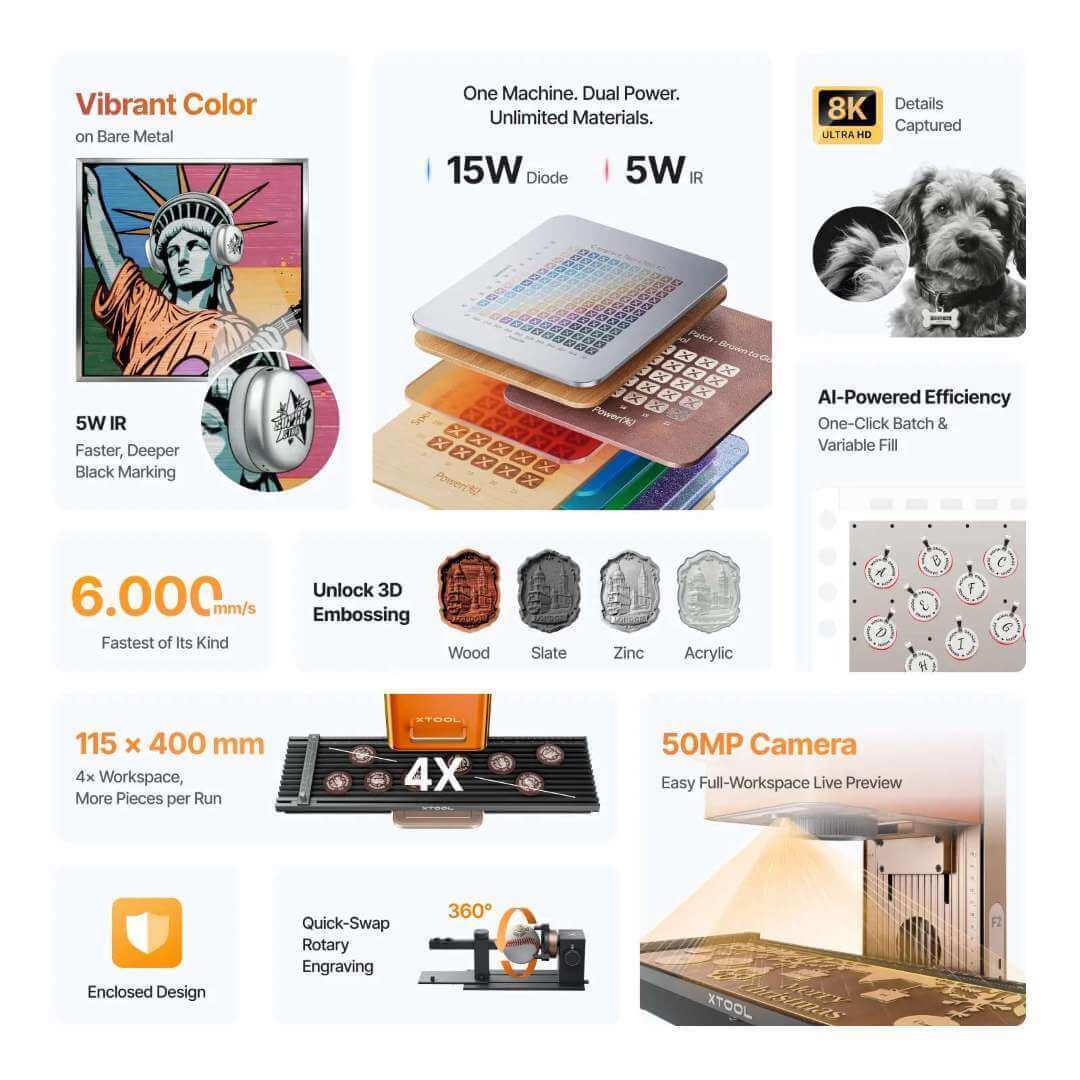
The image below shows the F2 unit together with the bundled accessories — a portable galvo laser engineered for businesses that move between shops, pop-ups, and craft fairs without surrendering desktop-class performance.
What's in the Box
- xTool F2 dual-laser engraver (15 W diode + 5 W IR)
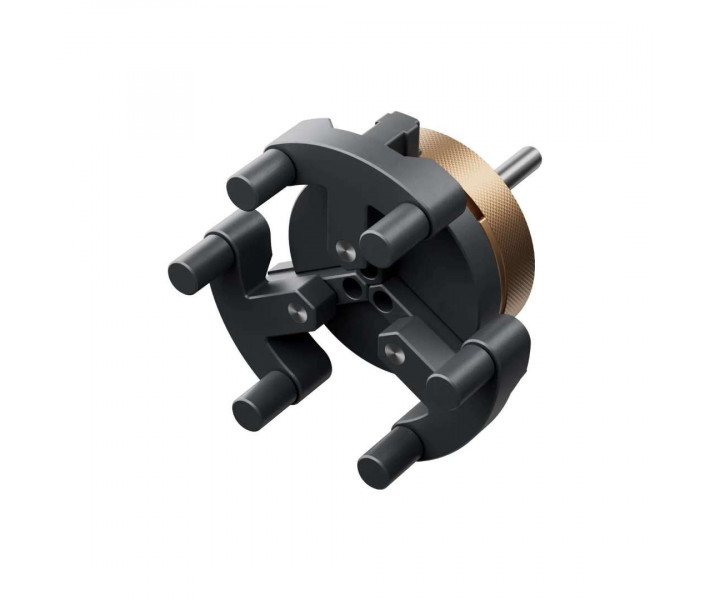
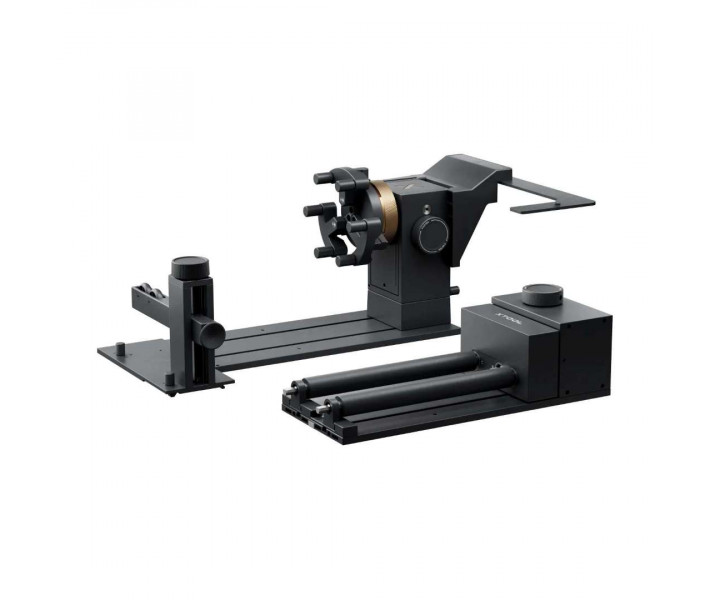
- xTool RA3 rotary attachment with MagSwap chuck and roller kit
- xTool F1/F2 Slide Extension (115 × 400 mm working area)
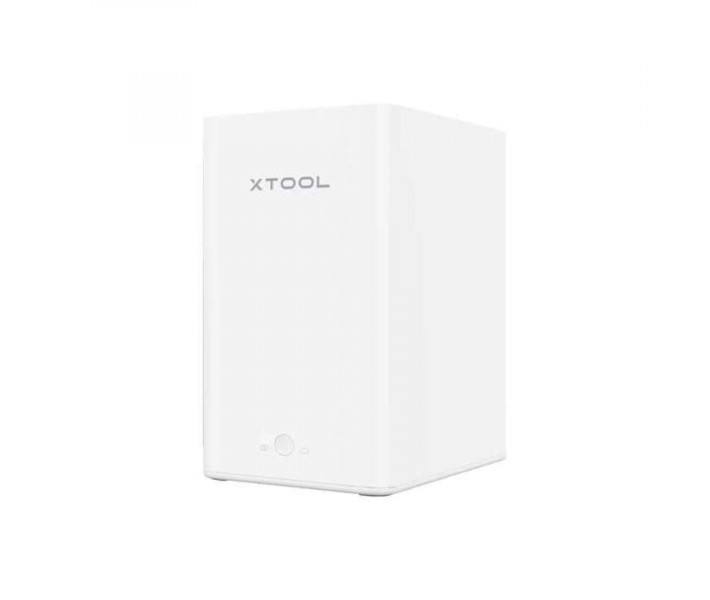
- xTool Desktop Air Purifier with H13 HEPA and activated carbon filters
- Power adapter, power cable, and USB cable
- Baseplate, slatted panel, L-shaped positioning piece
- Field lens protector, safety key (pre-installed), screwdriver, lint-free cloth
- Material starter pack, Quick Start Guide, and Safety Instructions
Why a Dual-Laser Portable Matters
Single-source engravers force a compromise: a diode for wood and dark plastics or a fiber-class IR for metals. The F2 collapses that decision into one machine. The 15 W diode module drives deeper, cleaner engravings and cuts on organic materials, while the 5 W 1064 nm infrared laser handles gold, silver, platinum, anodized aluminum, stainless steel, and plated surfaces — two beam profiles, one workflow, one toolchain.
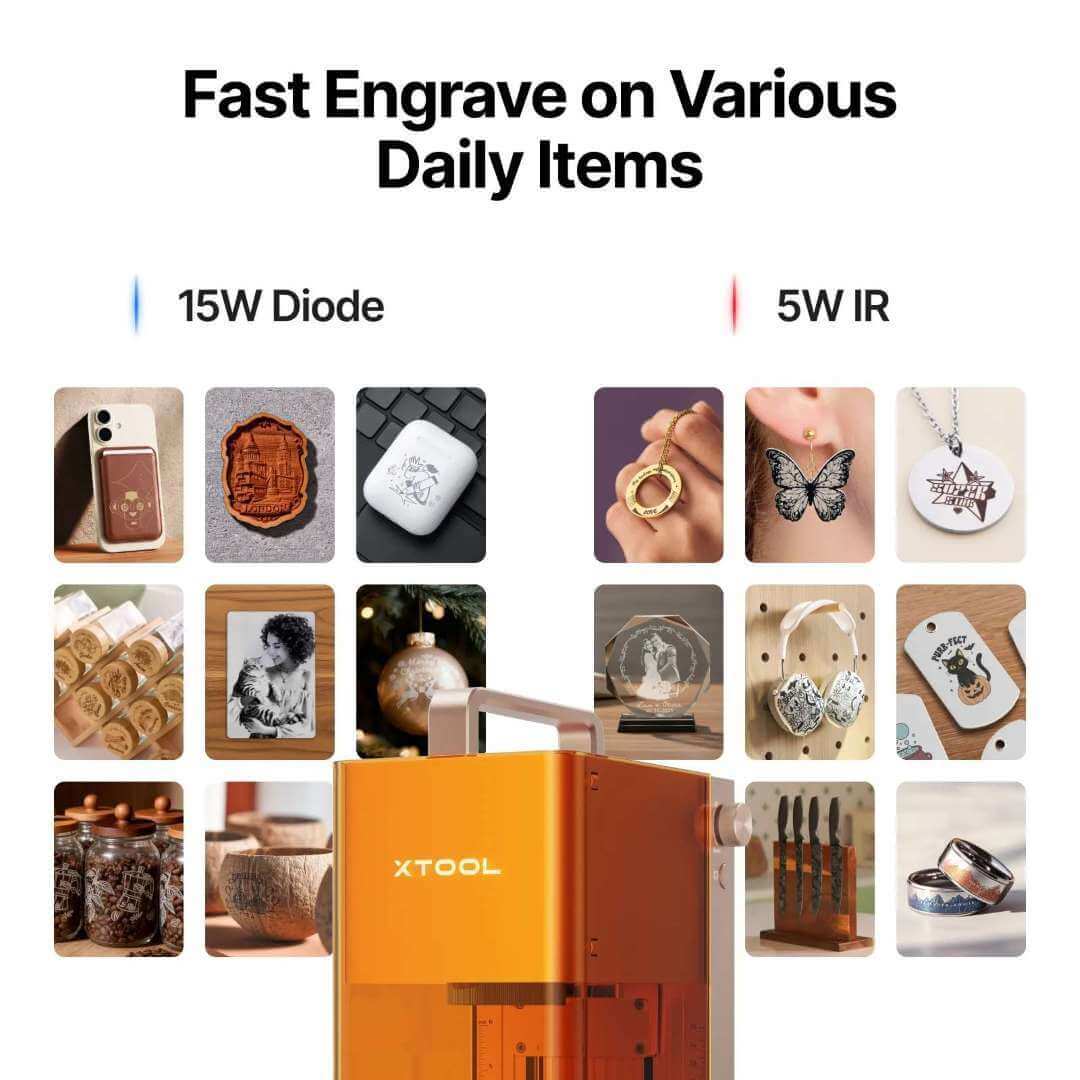
The side-by-side comparison below illustrates which materials each laser source handles best — a useful reference when quoting jobs or sourcing stock for a shop.
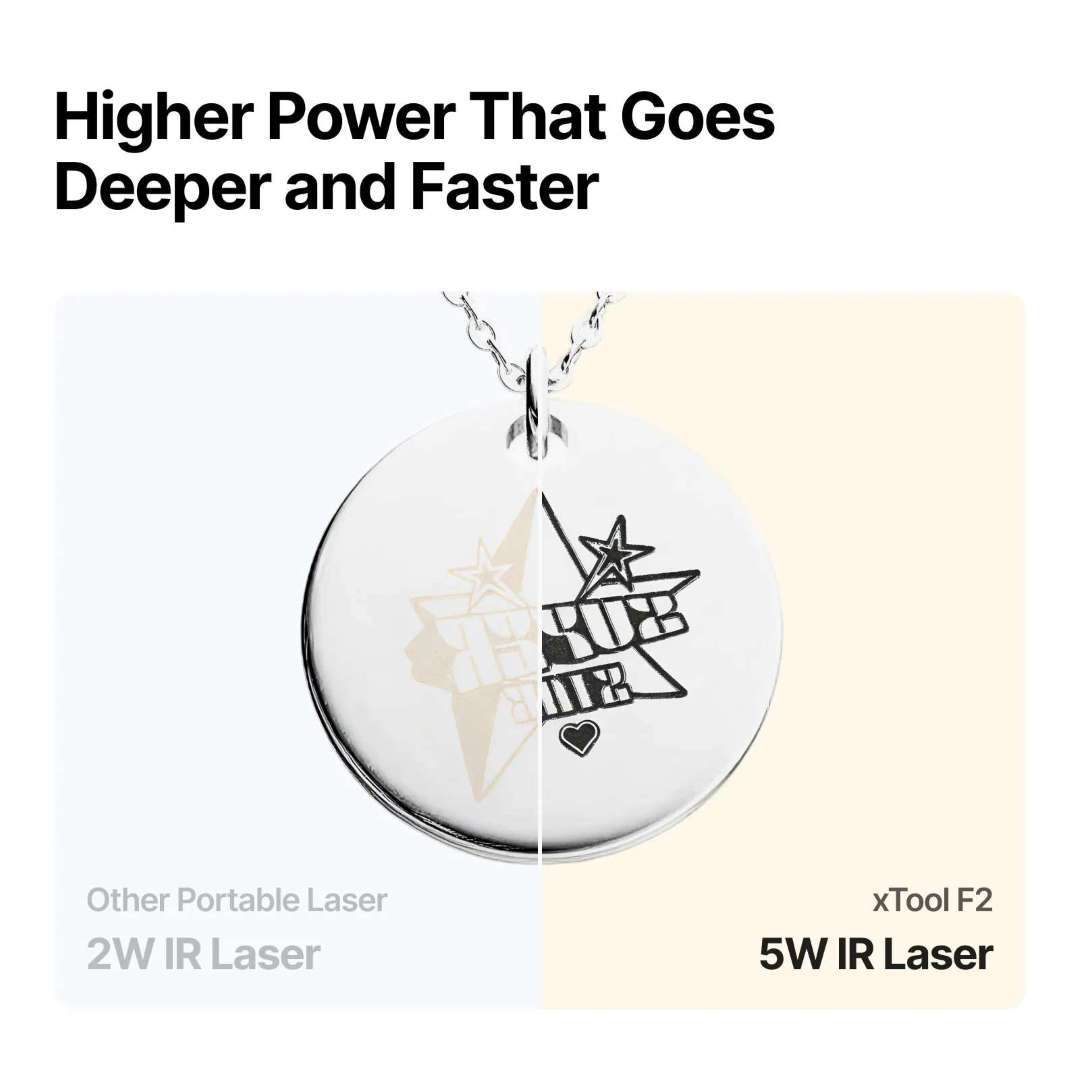
More Power, More Depth, Fewer Passes
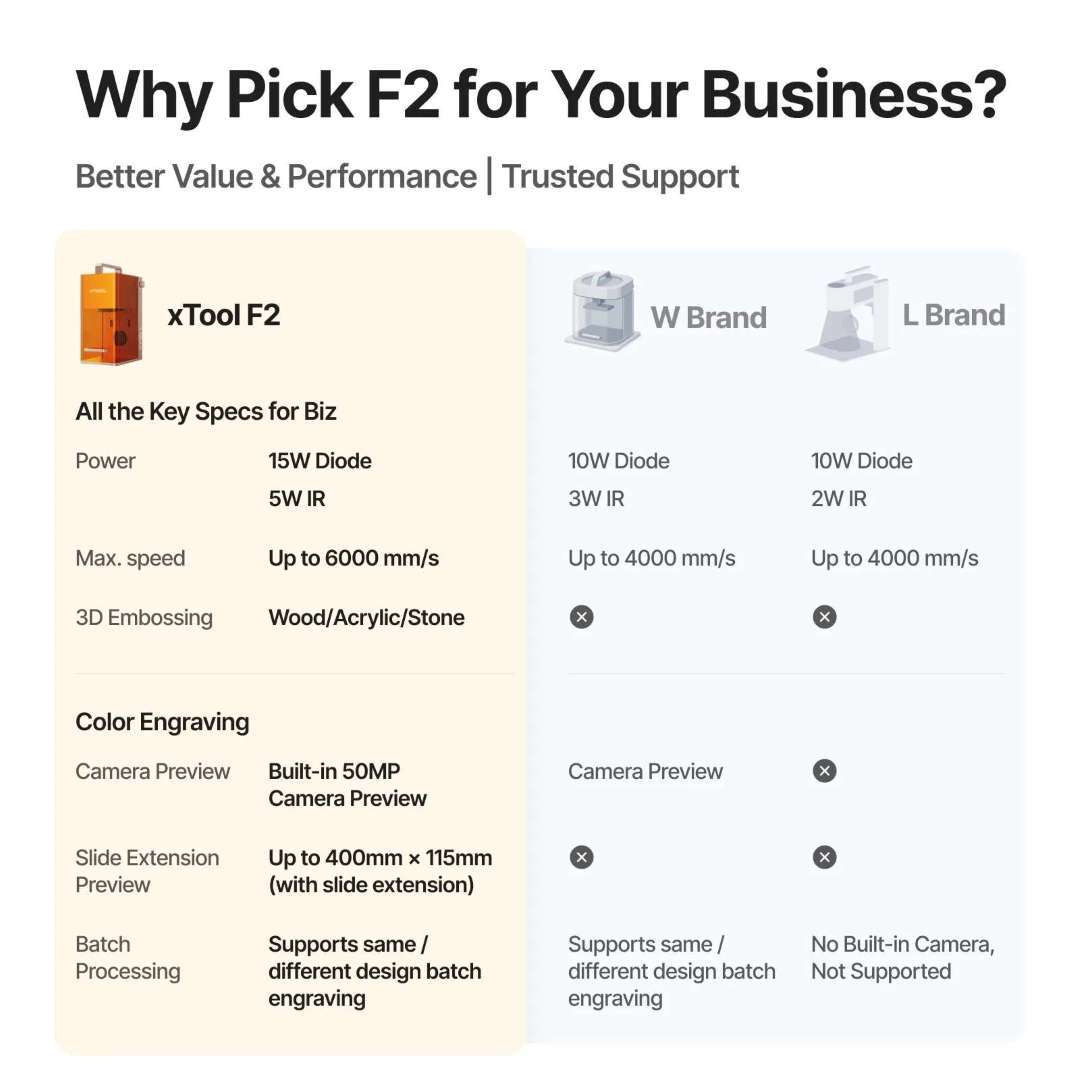
The 5 W IR module is a step change compared with the 2–3 W IR units common in portable lasers. Deeper black marking on metal, cleaner colour engraving, and 3D embossing on stone and wood are achievable in the same job — with 2–8× fewer passes than entry-level IR modules require.
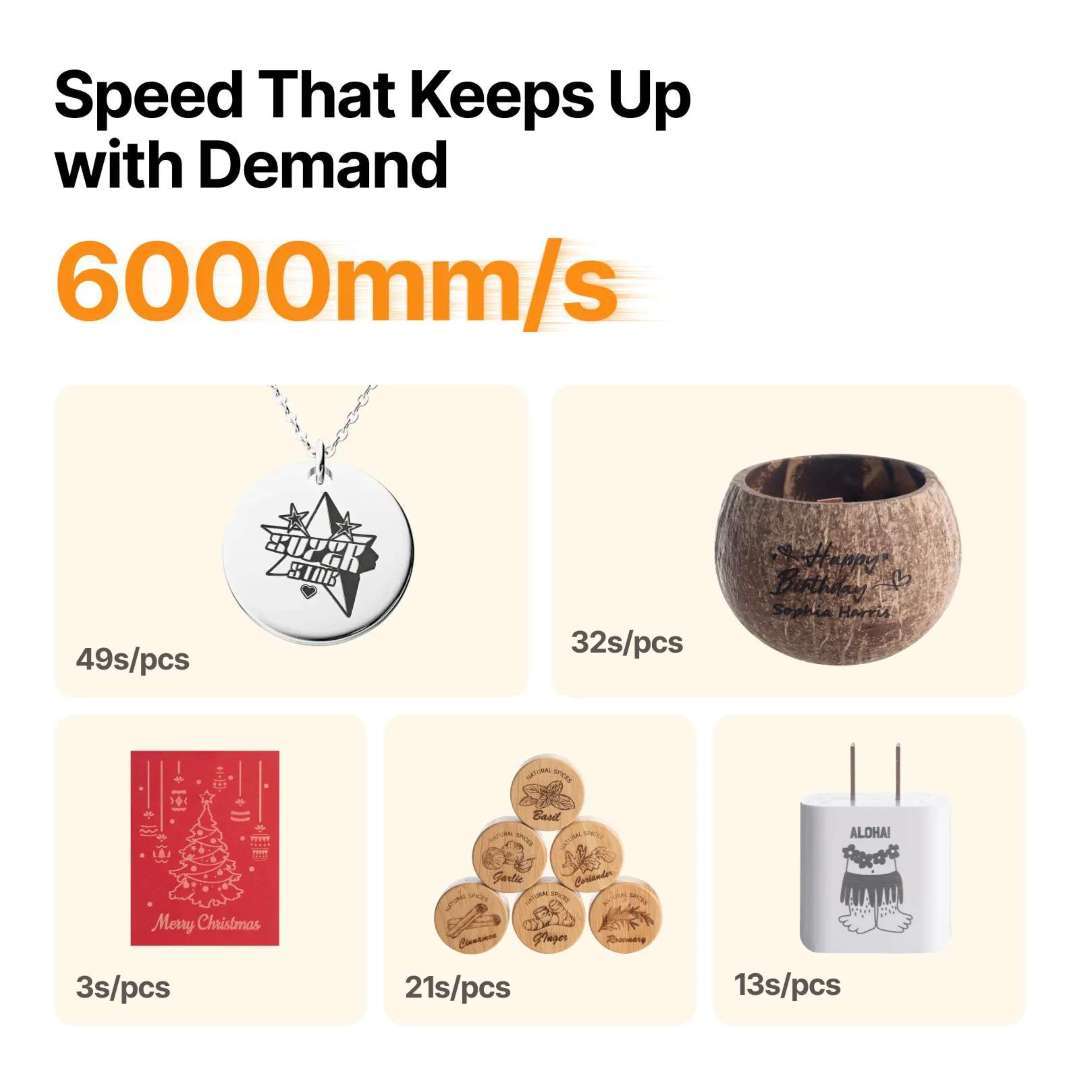
6000 mm/s — Speed Translates to Margin
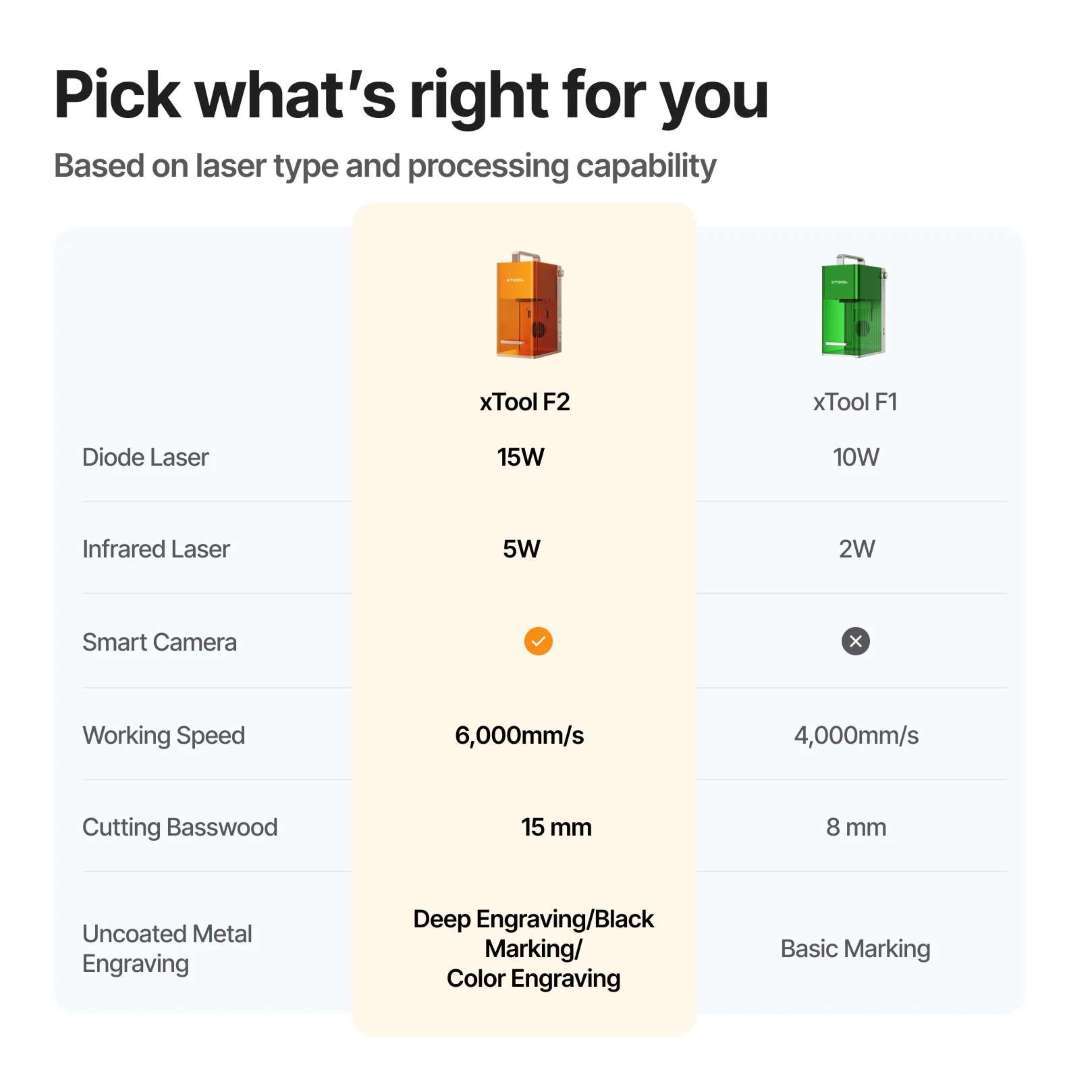
Portable laser throughput lives and dies on processing speed. The F2 reaches 6000 mm/s — 50% faster than the outgoing F1 platform and well ahead of most fibre-galvo portables in the same class. On a craft fair weekend, that's the difference between turning away walk-ins and closing the queue. Motion accuracy holds at 0.00199 mm, so the extra speed does not come at the cost of detail.
50 MP Smart Camera — See It, Place It, Engrave It
Every F2 ships with a built-in 50 MP smart camera that turns the workspace into a true 1:1 preview canvas. Designs are dropped on top of a live feed of the material, aligned with up to 0.1 mm accuracy on small pieces, and engraved exactly where shown — a workflow that eliminates the tape-and-guess routine common to older portable lasers.
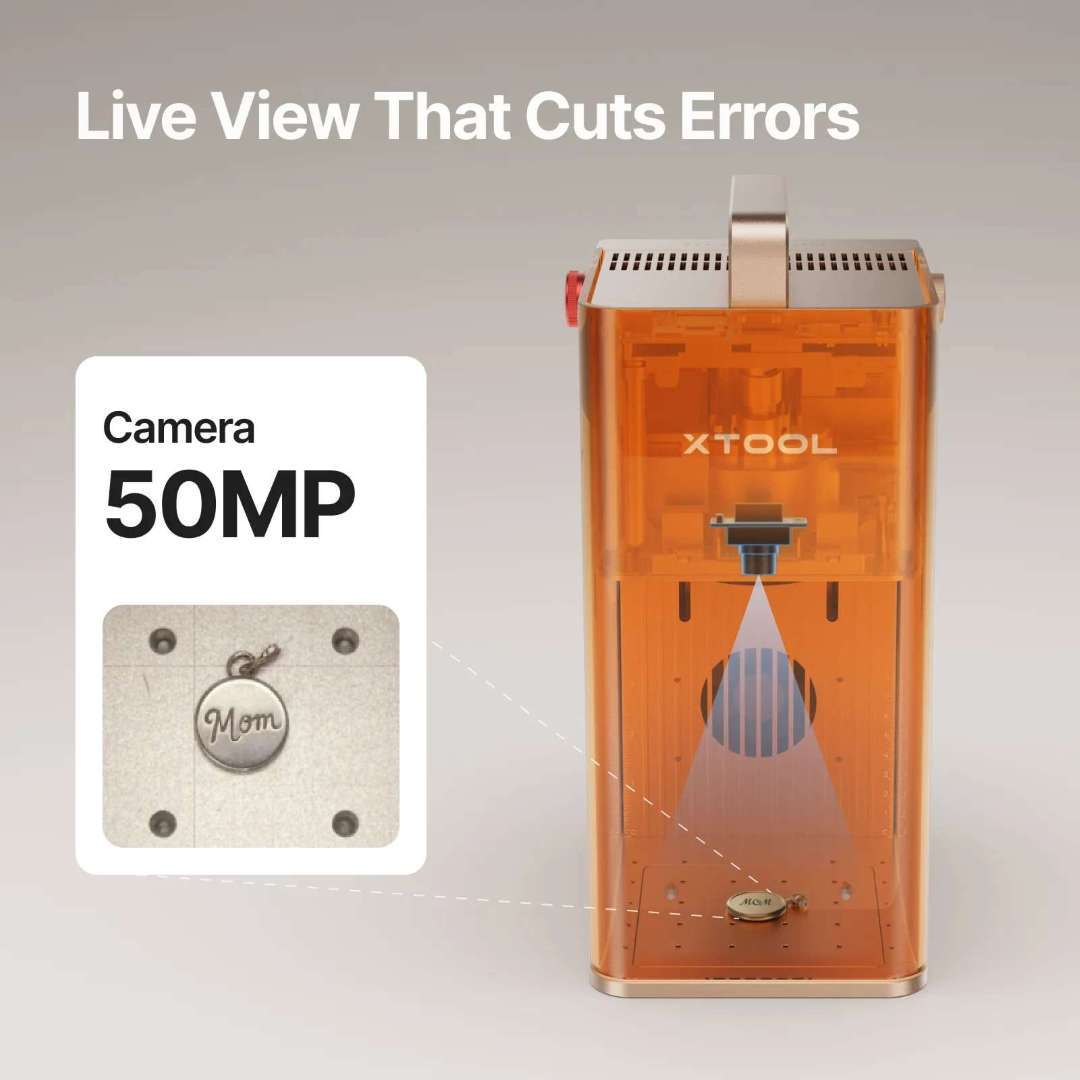
The camera's coverage extends beyond the native bed — when the Slide Extension is attached, the F2 stitches both zones into a single panoramic preview, so batch layouts remain fully visible without re-framing.
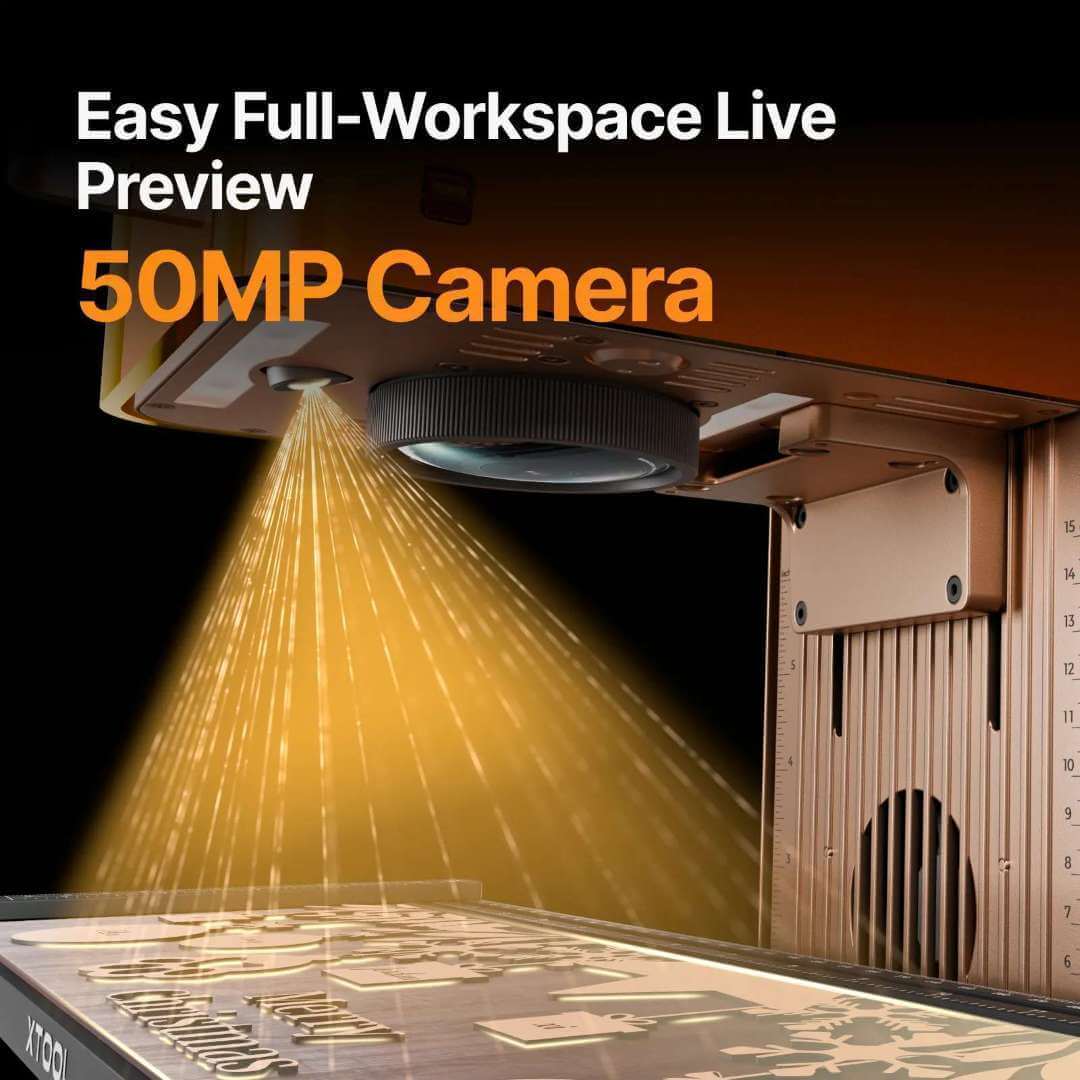
Reprint-Grade Detail, Photo After Photo
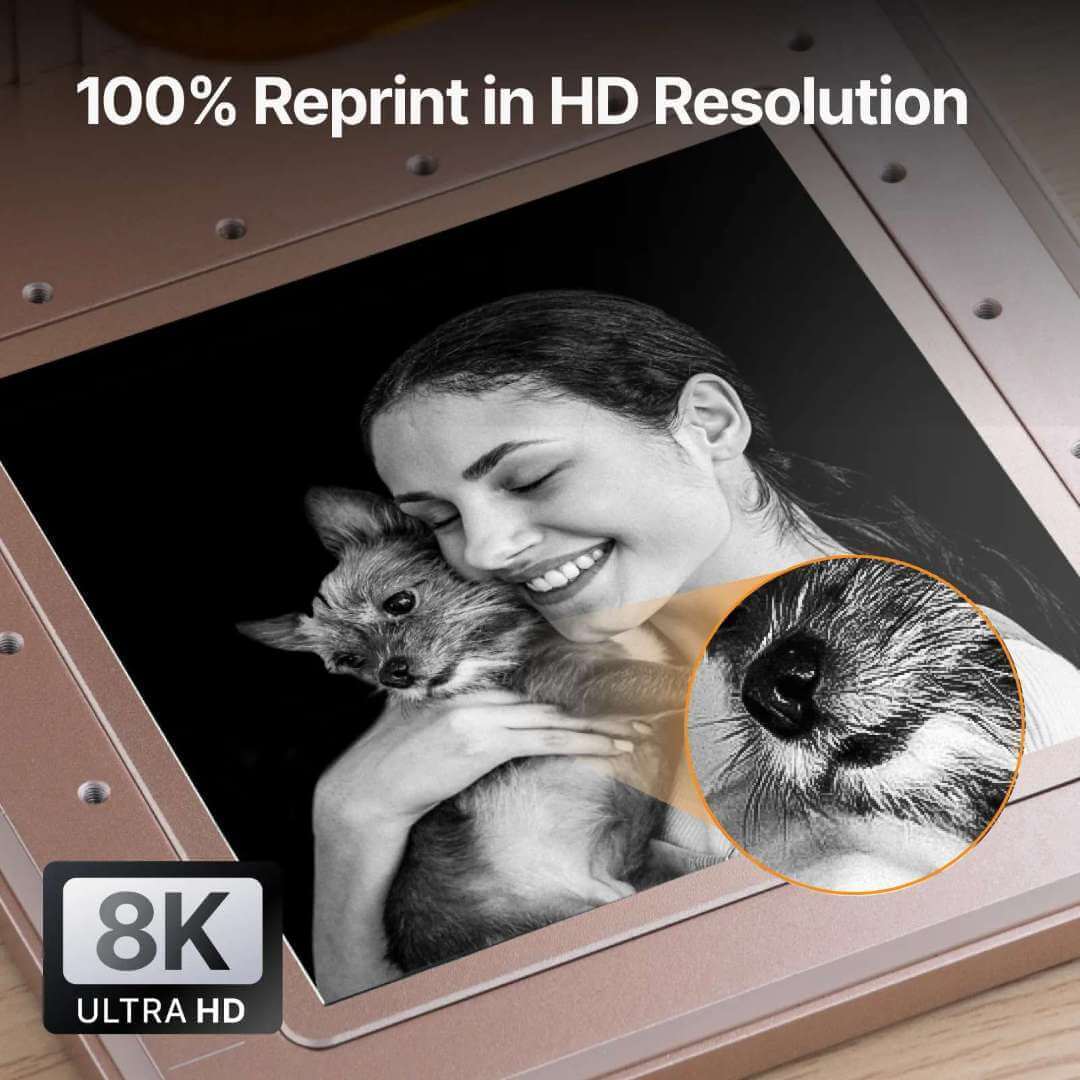
Zoom in on an F2 engraving and the geometry holds. Line thickness stays uniform, photo micro-contrast remains crisp, and repeat jobs hit 100% reprint accuracy — an essential property when a corporate order needs 200 identical coasters instead of 200 almost-identical ones.
Enclosed Safety by Default
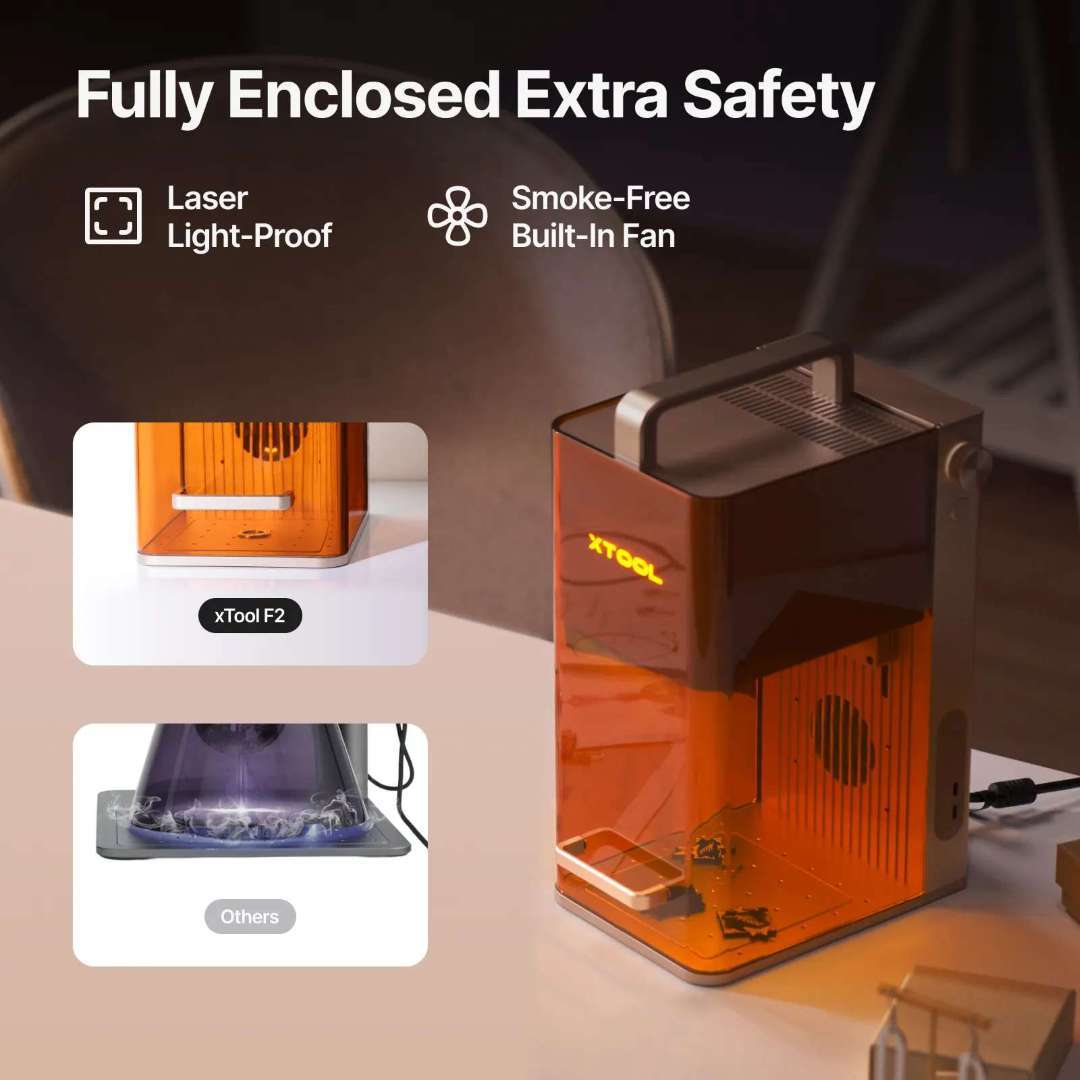
The F2 runs as a fully enclosed Class 4 laser system. The housing is laser-light-proof, the built-in fan vents smoke away from the operator, overheat protection is active during long runs, and a physical emergency stop is reachable from the front. Pressing the stop cuts power instantly — standard practice when operating in shared retail environments.
Businesses That Benefit Most
The F2 is engineered for operations where fulfillment speed is directly tied to revenue. Typical deployments include:
- Craft fairs and pop-up retail stations where walk-up customization drives margin
- Jewelry counters engraving rings, pendants, and gift boxes on demand
- Electronics stores personalizing cases, laptops, and accessories
- Wedding and event venues producing favors and table numbers on-site
- Candle boutiques, perfumeries, and gift shops adding names or dates to stock

F2 vs F1 — What Changed
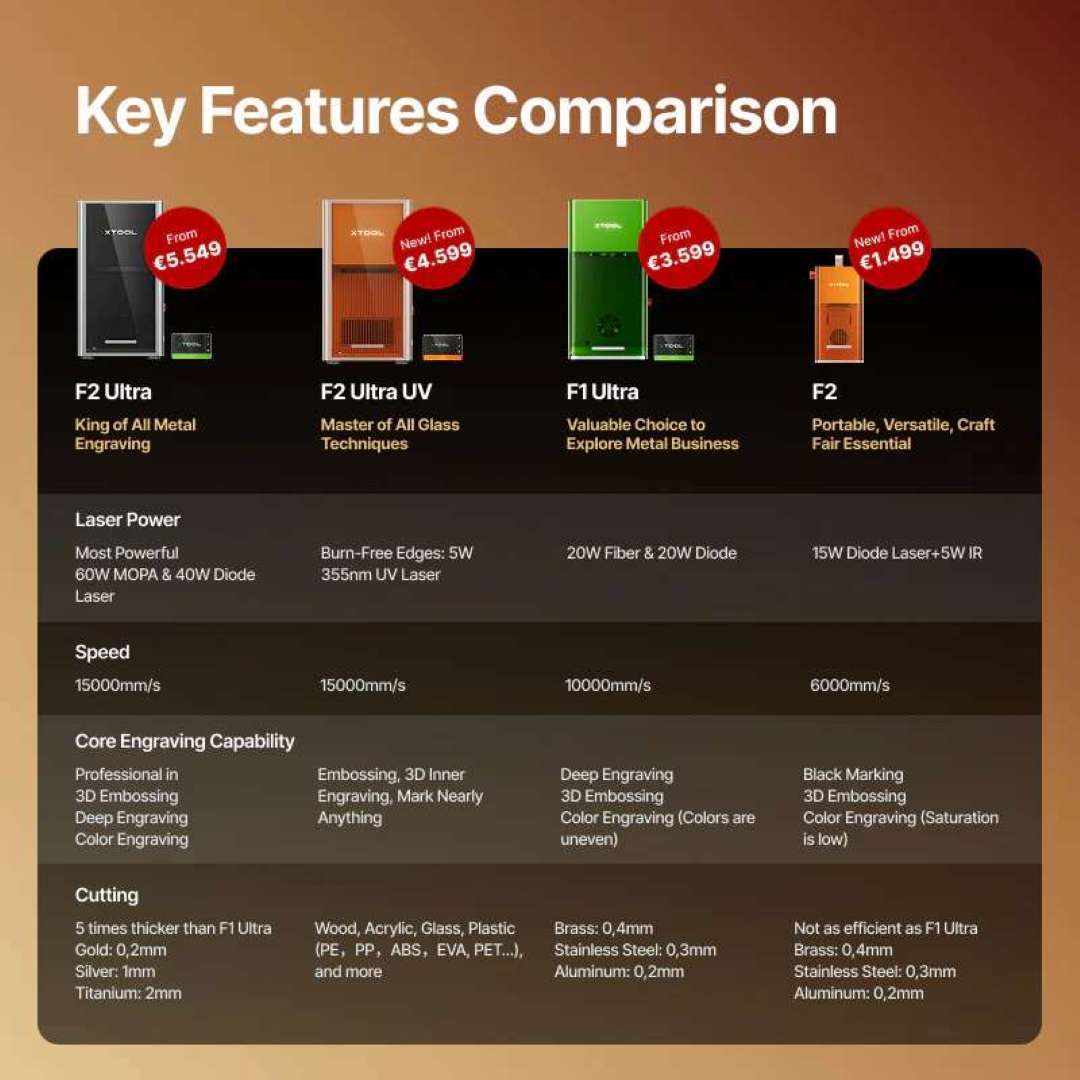
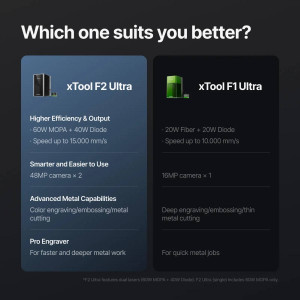
The F2 is a direct successor to the original xTool F1 and a clear upgrade on every axis that matters for a production laser: total laser power, camera resolution, processing speed, and software capability.
Bundle Value
The Deluxe Bundle ships with every accessory needed to run the F2 as a revenue-generating unit from day one: the RA3 rotary for round surfaces, the Slide Extension for batch production, and the Desktop Air Purifier for a clean enclosed workflow. Buying the set together is materially more cost-effective than sourcing the pieces individually.
Tech Tip: When switching materials between diode and IR runs, briefly run a framing pass before pressing start. The 50 MP camera updates its alignment map during framing, which prevents rare registration drift on materials with highly reflective surfaces (polished steel, mirrored acrylic). A two-second framing pass is cheaper than re-cutting a ruined workpiece.
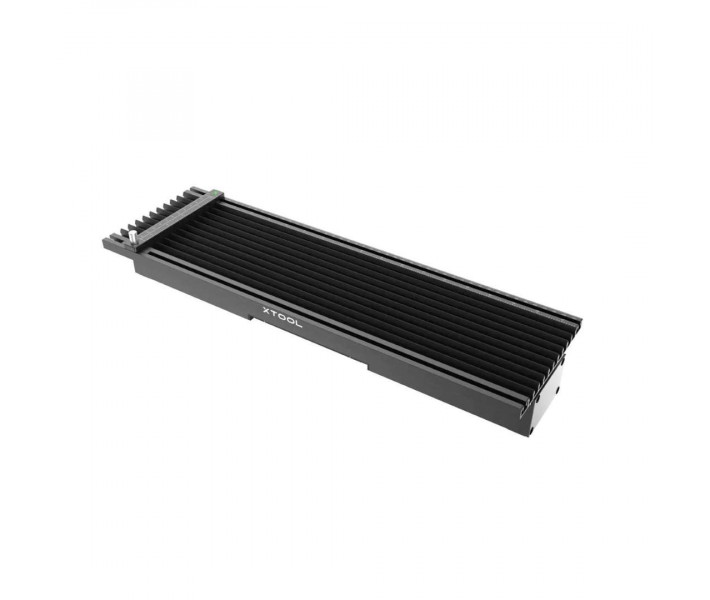
xTool Slide Extension — 4× Working Area
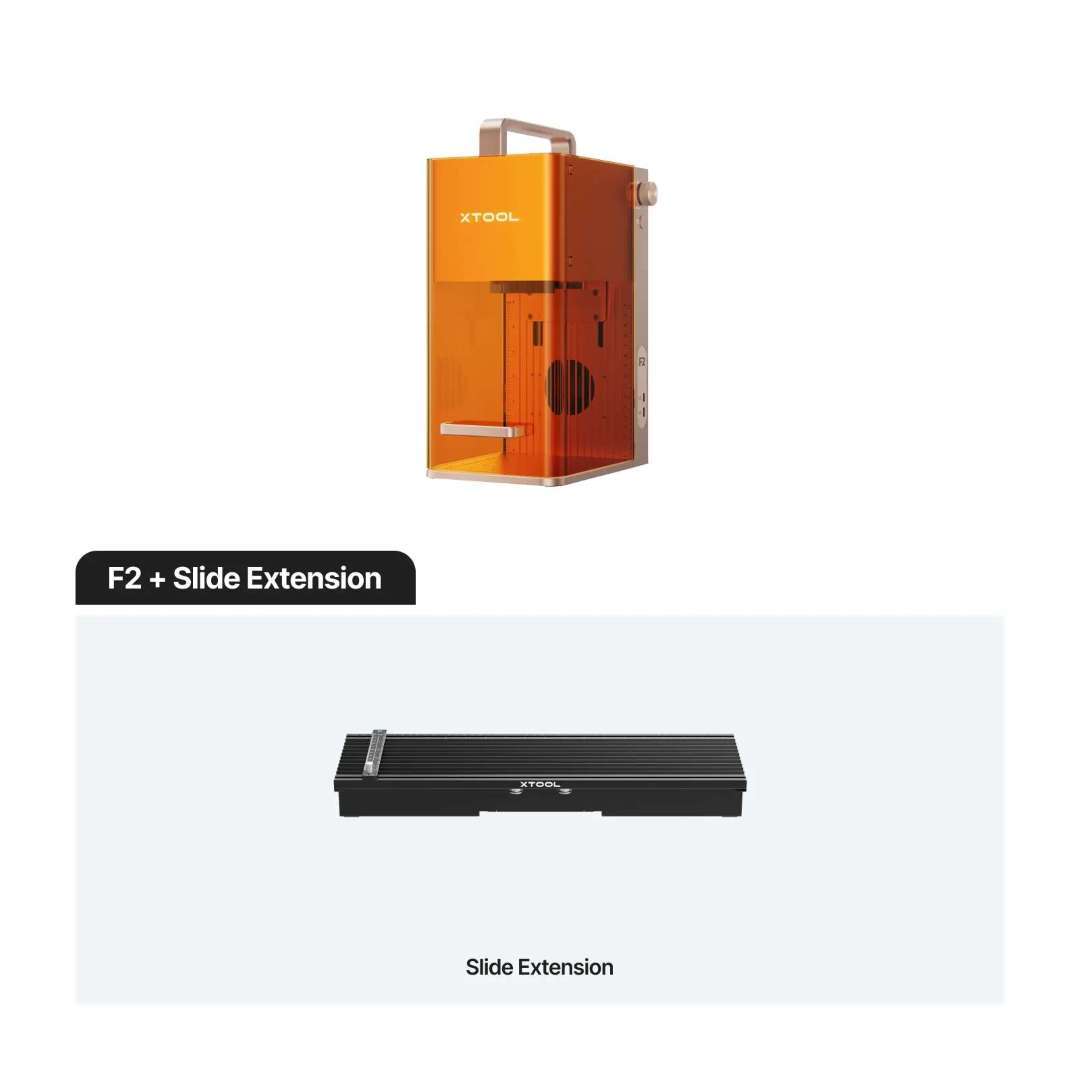
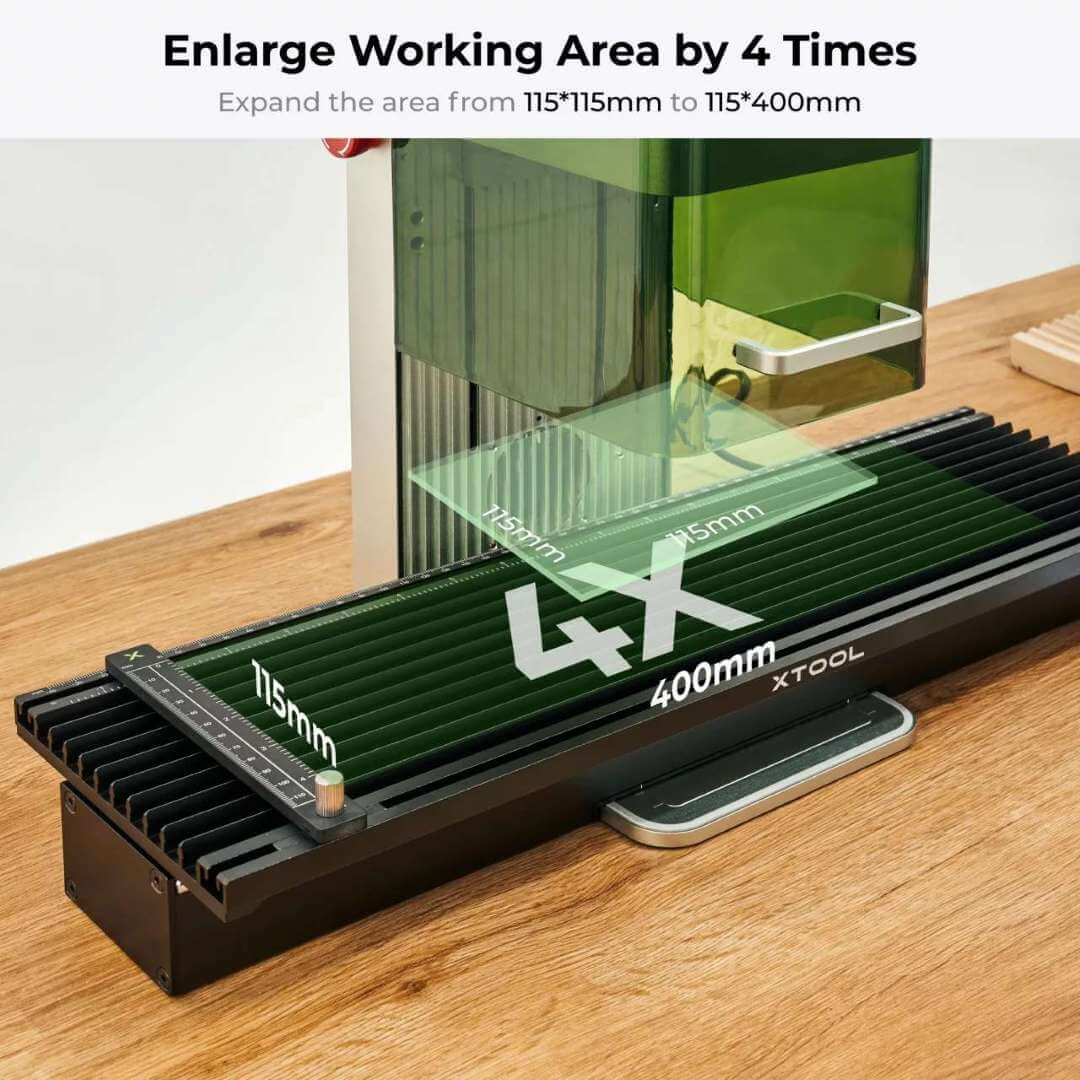
The Slide Extension is included in the Deluxe Bundle and is the single most effective way to convert the F2 from a one-off engraver into a batch production tool. It multiplies the usable working area from 115 × 115 mm up to 115 × 400 mm, which is the footprint needed to run multi-up layouts and long workpieces in a single job.
The diagram below shows the expanded working envelope alongside the native F2 bed.
Four Times the Canvas
A 4× working area is not a marketing figure — it is the capacity that makes corporate gift orders, long cutting board runs, and 20-piece coaster sets fit in a single layout. The extension operates at up to 160 mm/s to preserve positional accuracy across the longer Y-axis, and the F2 treats the combined envelope as a single print bed in xTool Studio.
For mobile operators, the Slide Extension turns any flat surface into a viable production station — setup happens in minutes and the footprint collapses back down to F2 size for transport.
Ready Out of the Box
The Slide Extension arrives fully pre-assembled. Connection is through the included Mini-USB cable — no separate power brick, no firmware flashing, and no mechanical calibration beyond the standard XCS-guided setup on first use.
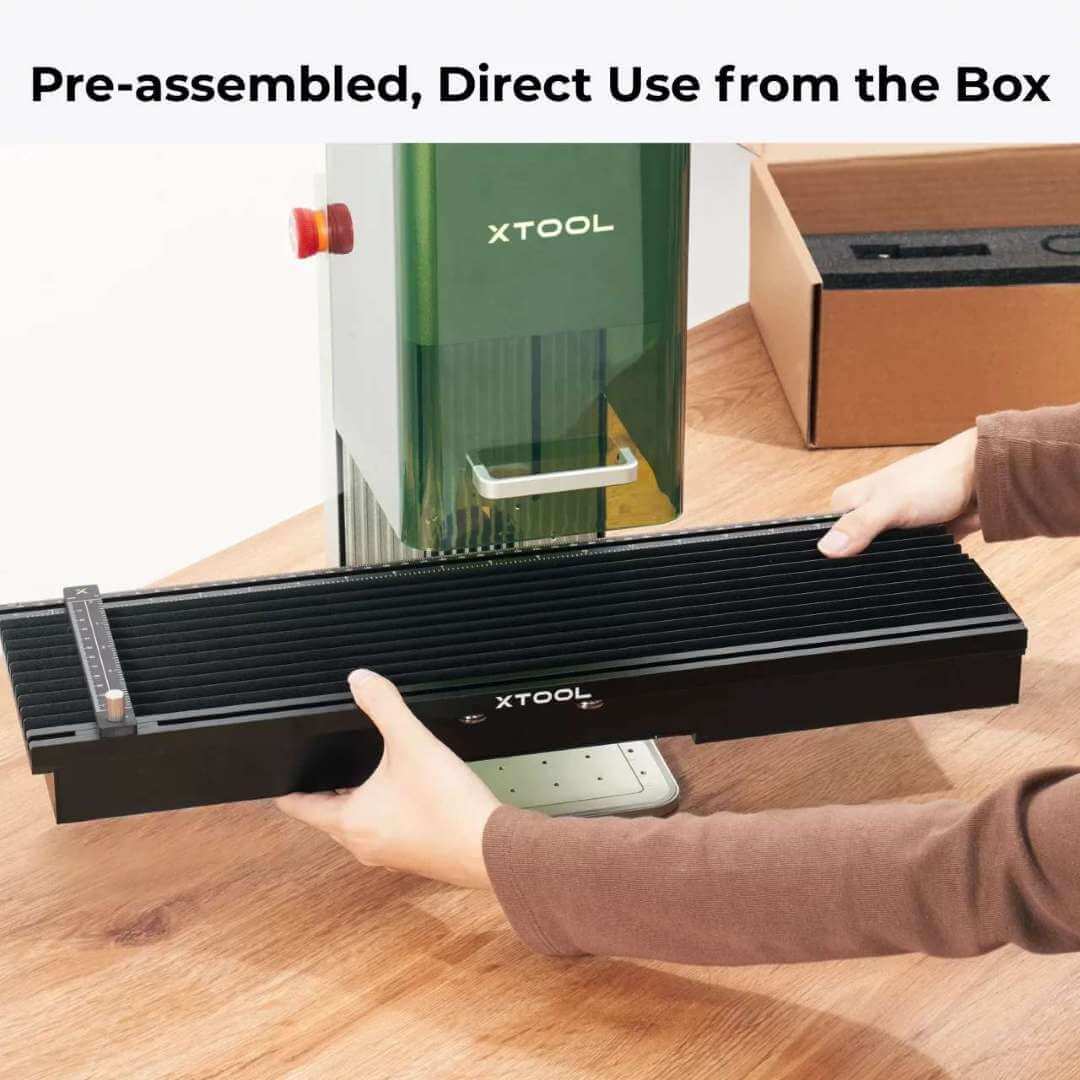
A close-up of the pre-assembled extension shows the rail, clamp channel, and Mini-USB port ready to connect to the F2 unit.
Five Clamps Hold Thin Material Flat
Five clamps ship with the extension: two are fixed inside the upper and lower slots, and three more slide freely along the rail. The combination secures thin and warpable materials — paper, cork, thin acrylic — without dragging them out of alignment when the Y-axis moves.
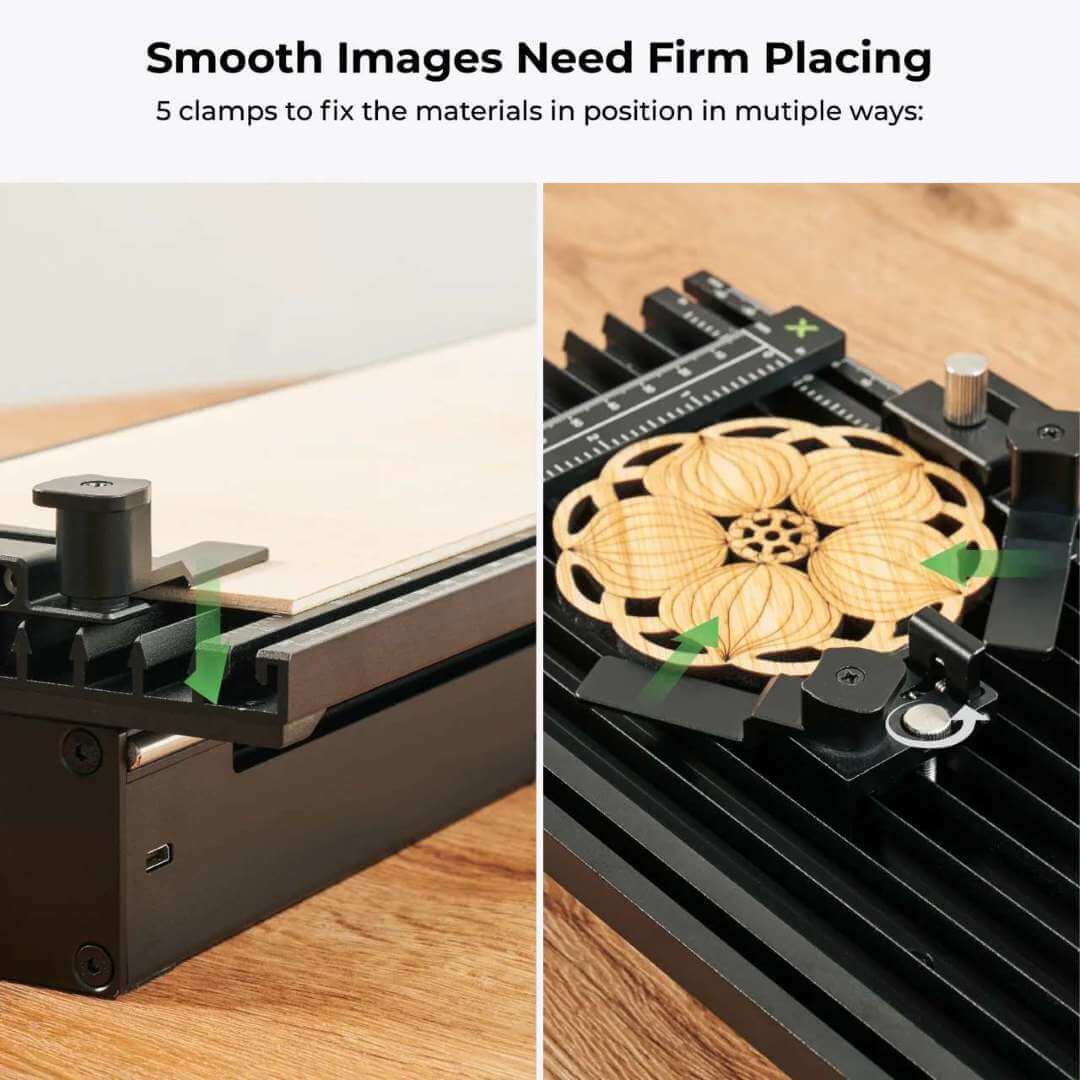
The movable clamp design accommodates irregular workpiece sizes without re-seating the fixed rails.
One-Button Batch Runs
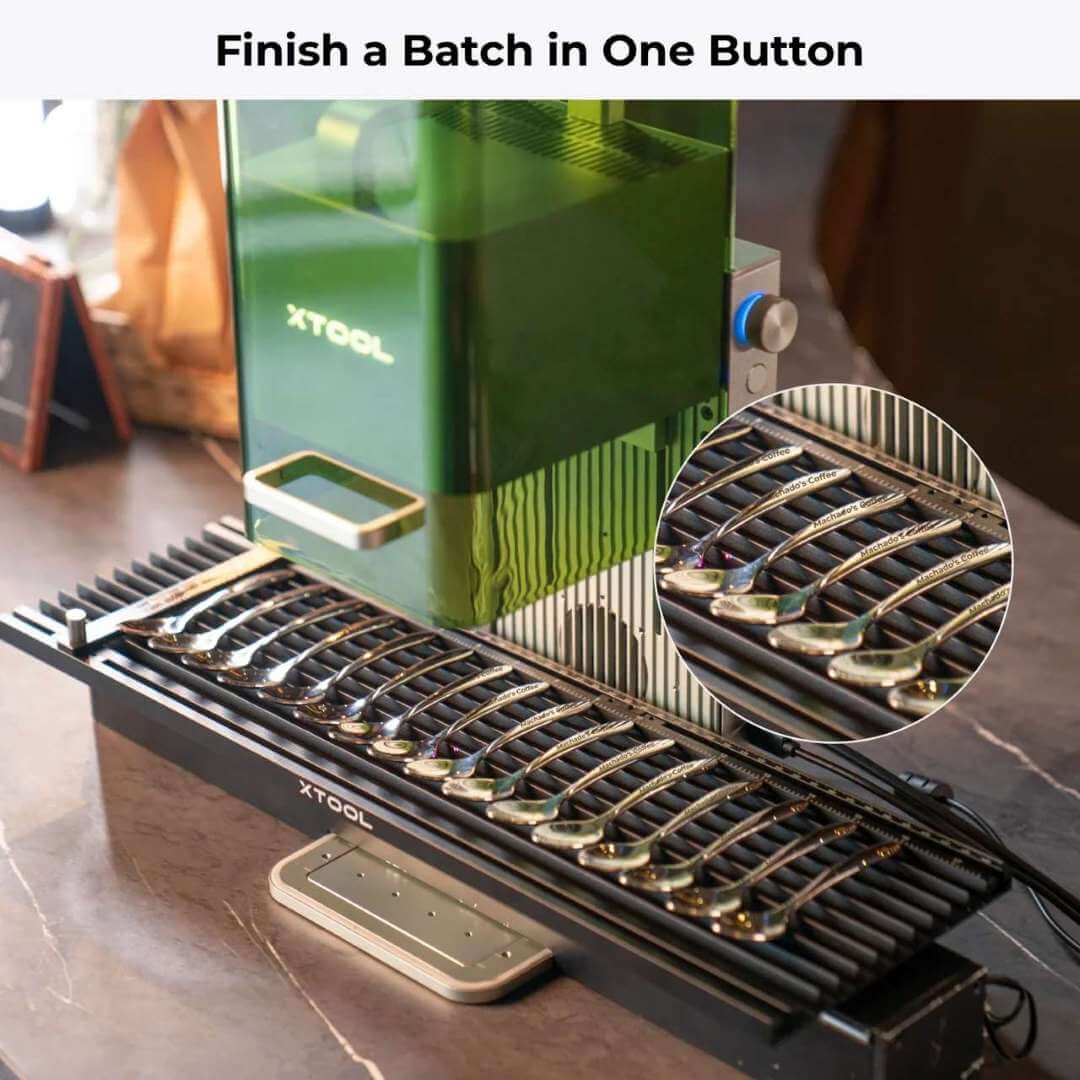
Batch production is where the Slide Extension pays for itself. Load a strip of identical workpieces, define the layout once in xTool Studio, and the F2 walks through every piece sequentially under a single start command — no manual reseating between units.
The image below illustrates the completed batch result after a one-button run finishes on the extension.
XCS Software Integration
xTool Studio (XCS) treats the Slide Extension as a native device. The scale in the workspace automatically updates to the 400 mm length, alignment marks are calibrated against the camera feed, and designs can be dropped anywhere along the extended canvas with no manual coordinate input.
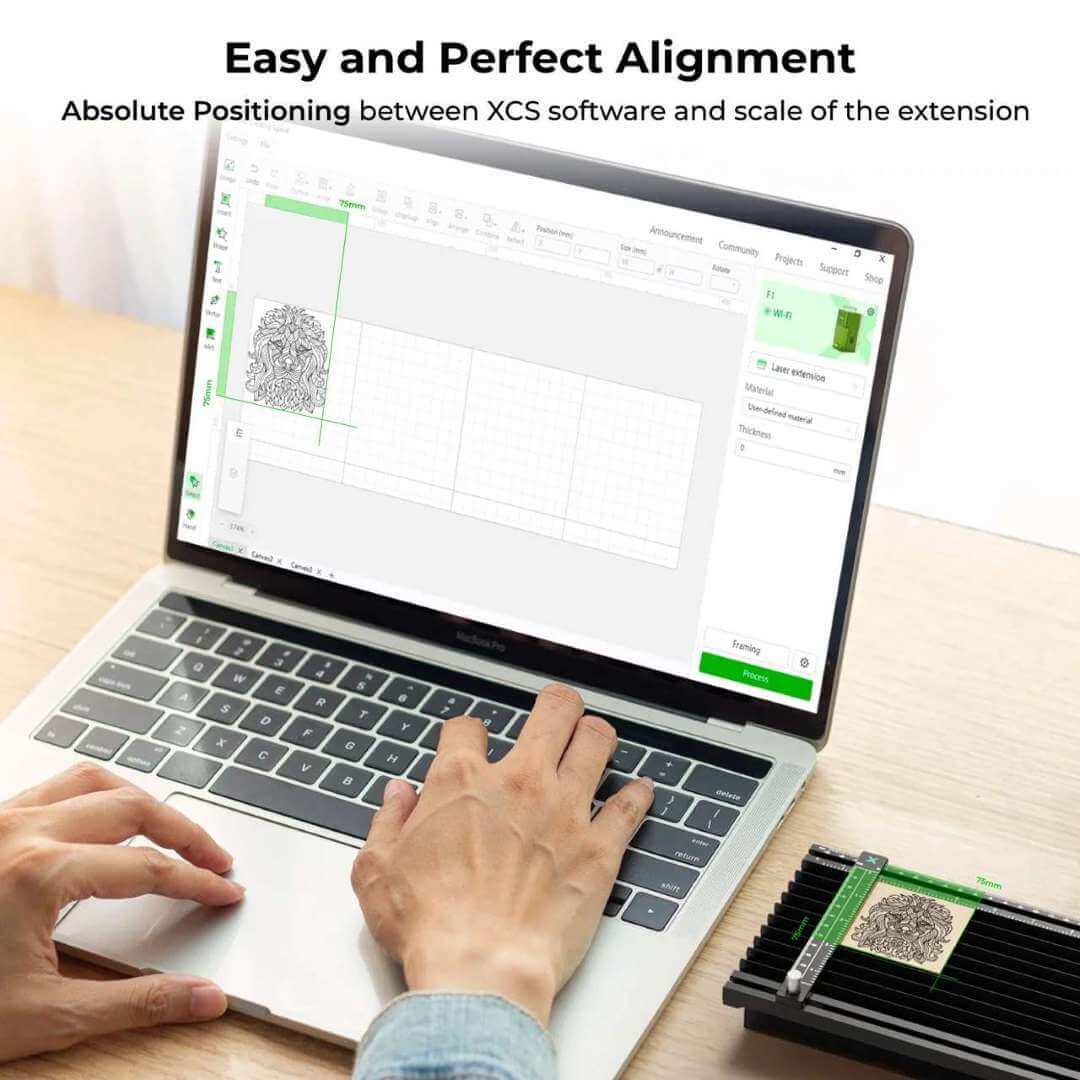
Because the extension runs from a single Mini-USB cable with no external power, the entire combination remains mobile — a key requirement for on-site customization work.

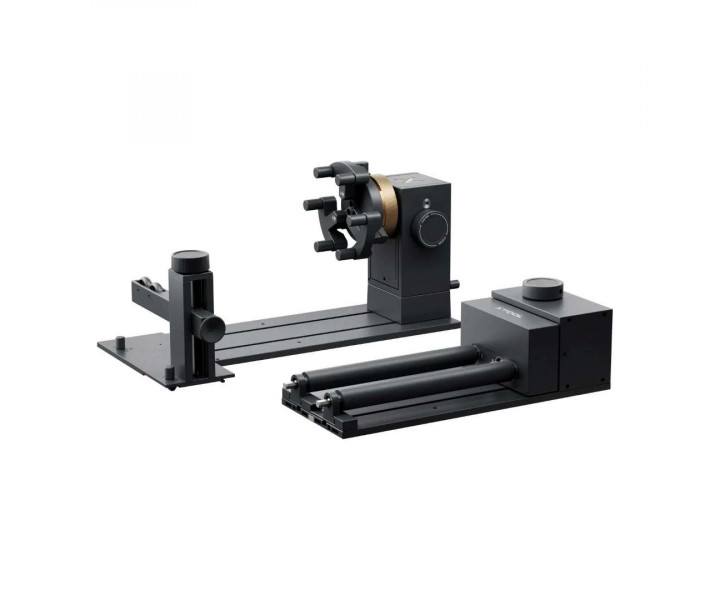
xTool RA3 Rotary Attachment — Round Surfaces, Solved
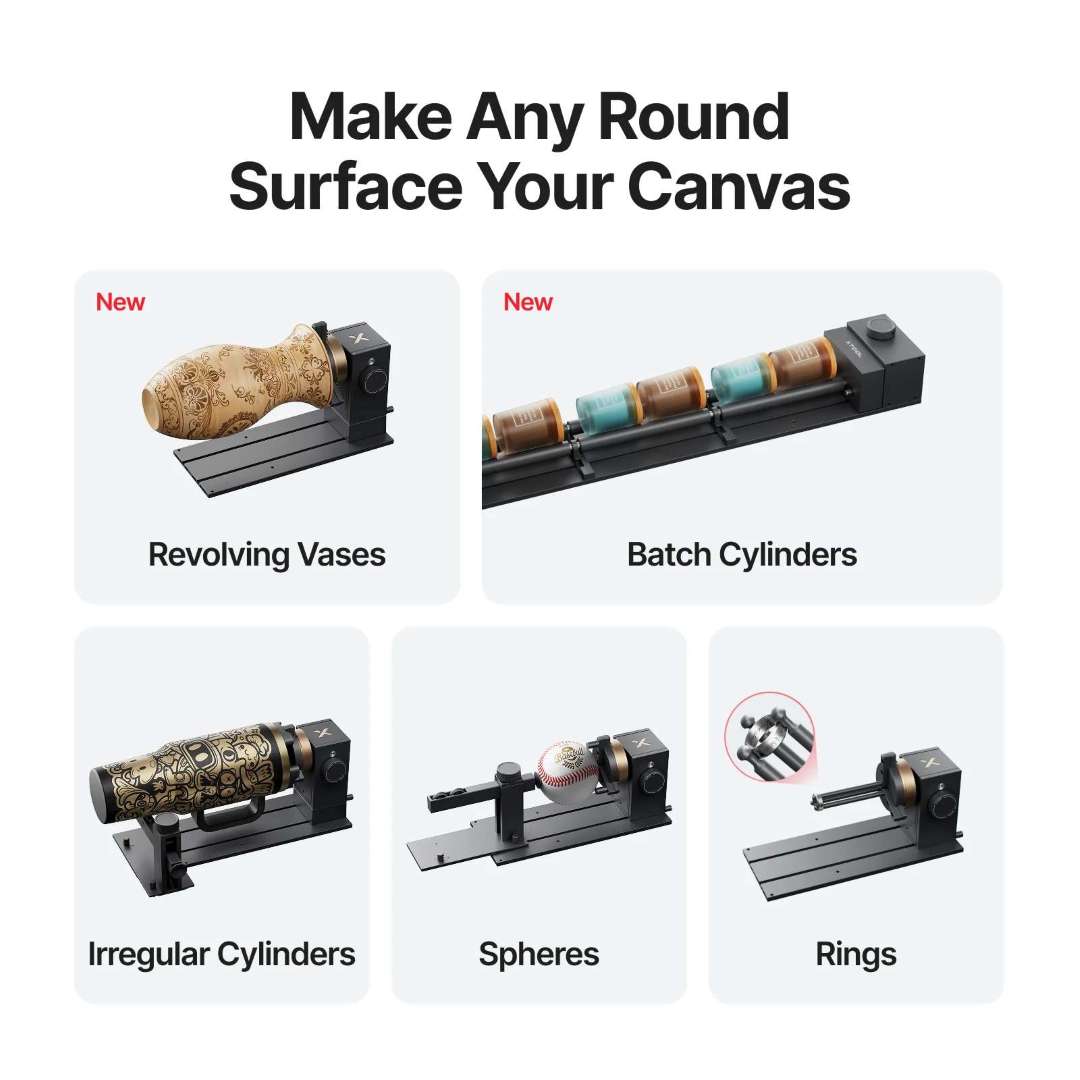
The RA3 rotary attachment transforms the F2 bed into a cylindrical engraving station. Tumblers, mugs, rings, Christmas ornaments, and tapered perfume bottles all become addressable workpieces — and the RA3 specifically introduces full-wrap engraving on revolving vases, a shape that previous rotary designs could not map consistently.
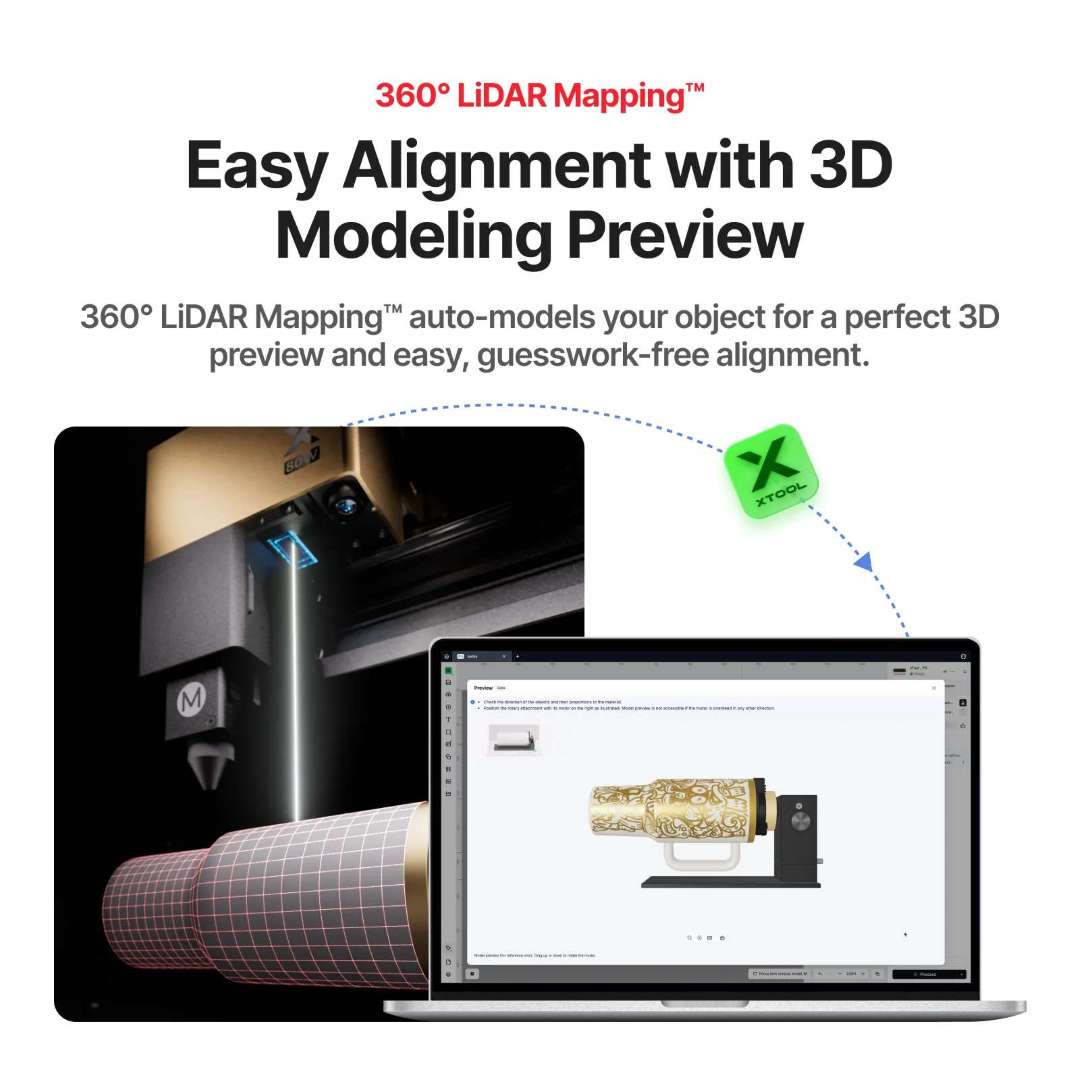
360° LiDAR Mapping — 3D Modeling Preview
On the P Series machines, the RA3 uses a 360° LiDAR sensor to build a 3D model of the workpiece and render a pre-job visual preview. On the F2 (a galvo laser platform), the LiDAR-based modeling functions are not active — the F2 uses vision-camera alignment instead — but the mechanical and ergonomic upgrades of the RA3 still apply.
Full-Wrap Engraving on Revolving Vases
The RA3 geometry supports continuous full-wrap engraving around revolving vases — previously impractical due to unmeasured curvature changes along the axis. The F2 pairs cleanly with this workflow when the rotary chuck is mode-aligned in xTool Studio.

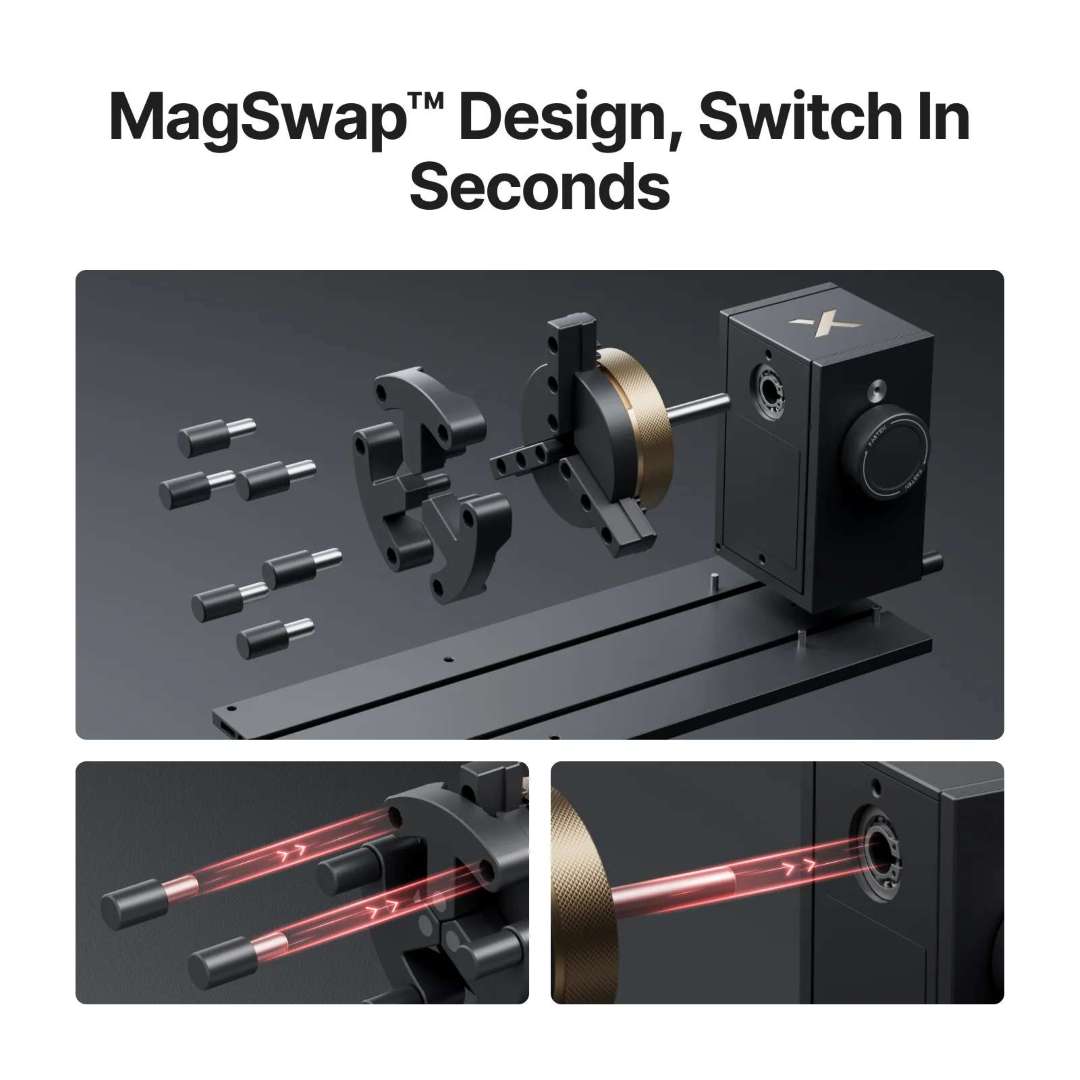
MagSwap Design — Switch Attachments in Seconds
The RA3 introduces a magnetic mounting system branded MagSwap. Attachments (chuck, roller, sphere holder, ring jaw) snap on and off without screws, without tools, and without re-calibration. For shops that run jewelry in the morning and tumblers in the afternoon, the time saved across a working week is measured in hours.
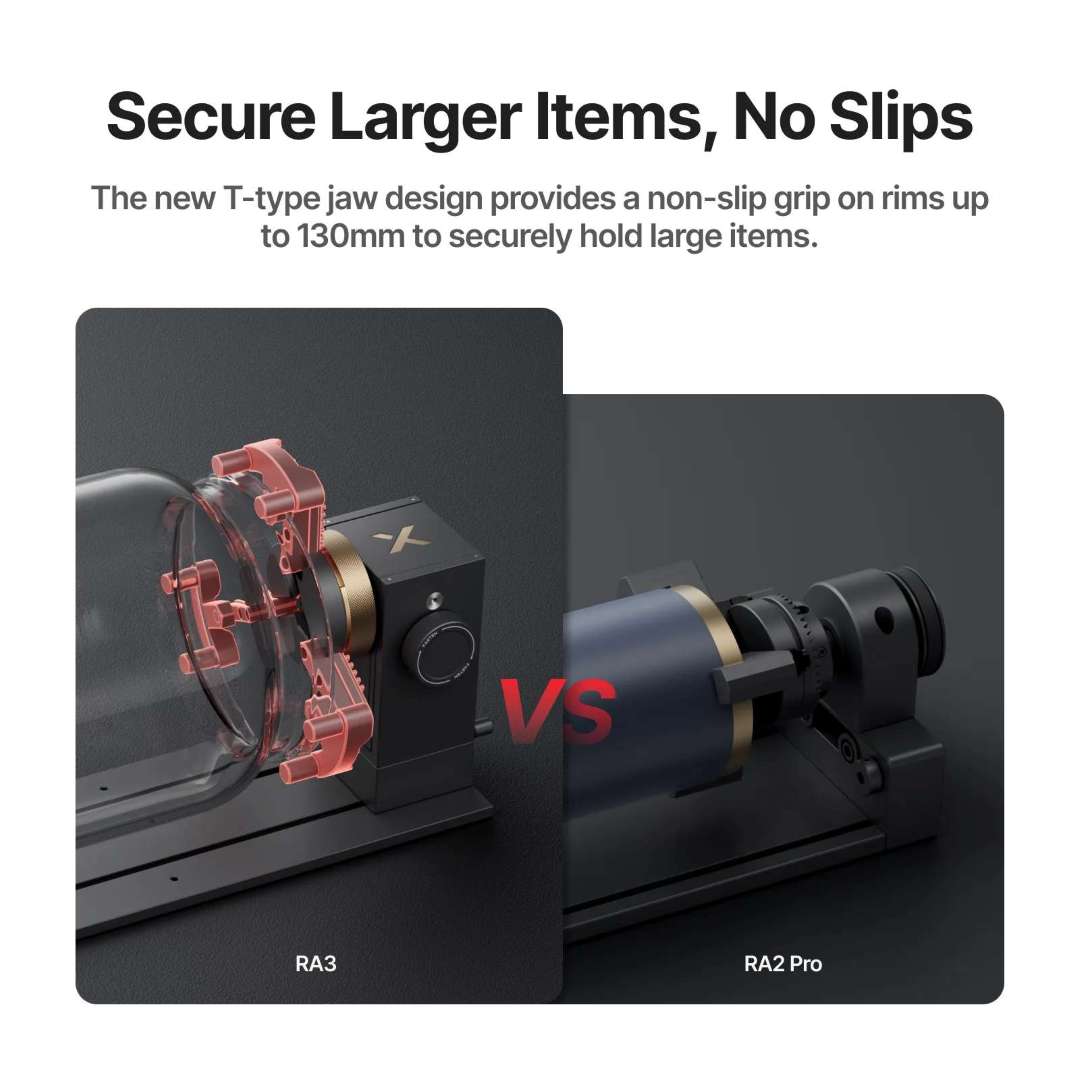
T-Type Jaw — Grip Up to 130 mm
The redesigned T-type chuck jaws add contact points and widen the maximum grip diameter from 100 mm (RA2 Pro) to 130 mm on the RA3. That pushes larger mugs, wine tumblers, and wide-mouth candles into the rotary's addressable range — high-value workpieces that older rotaries simply could not clamp securely.
Batch Production at 1200 mm/s
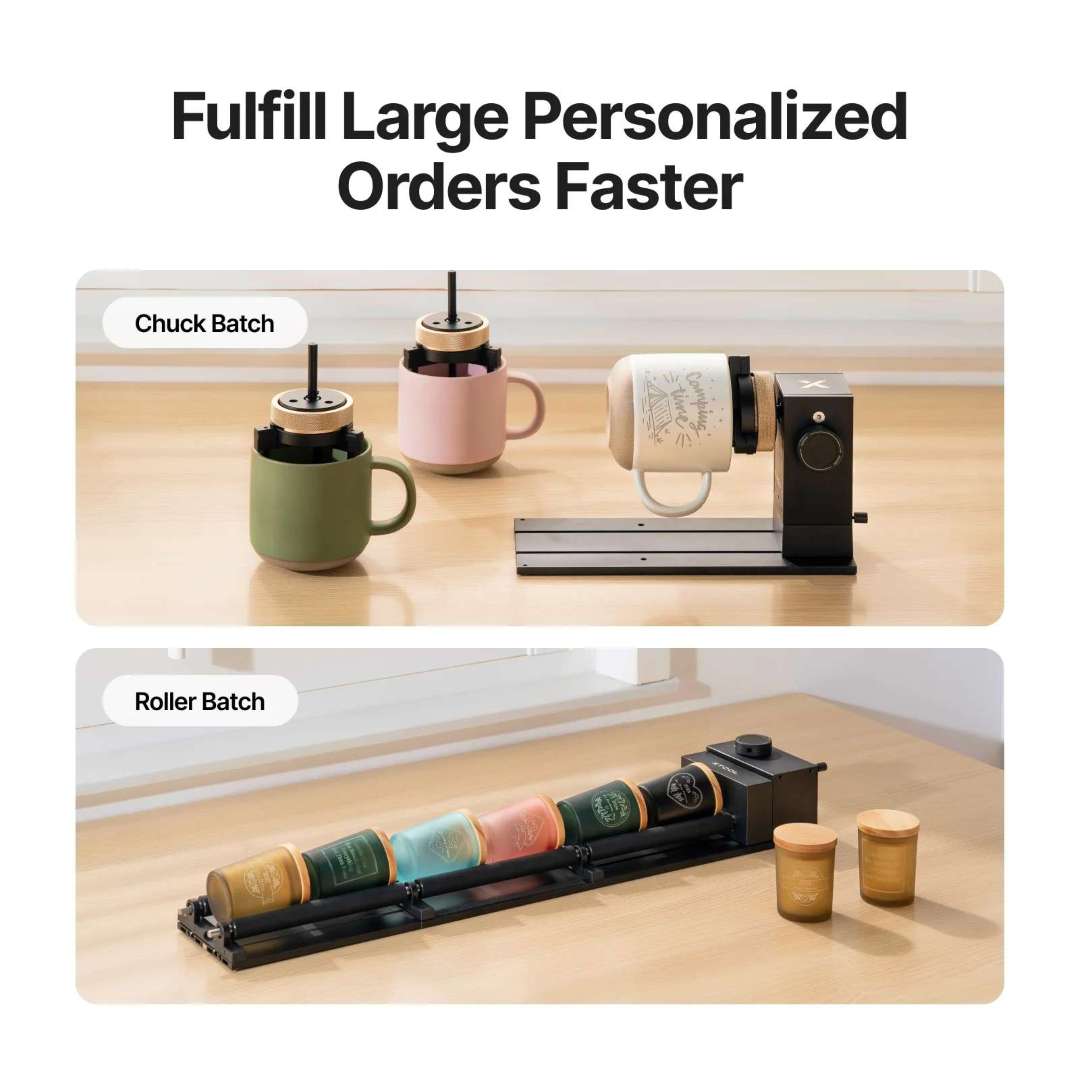
With the RA3 Roller Batch configuration, up to three roller sets can run in a single pass, each carrying a different design. The rotary moves at up to 1200 mm/s — fast enough to process personalized corporate orders in batch windows that would otherwise require overnight runs.
xTool Desktop Air Purifier — Clean Workspace, Every Job
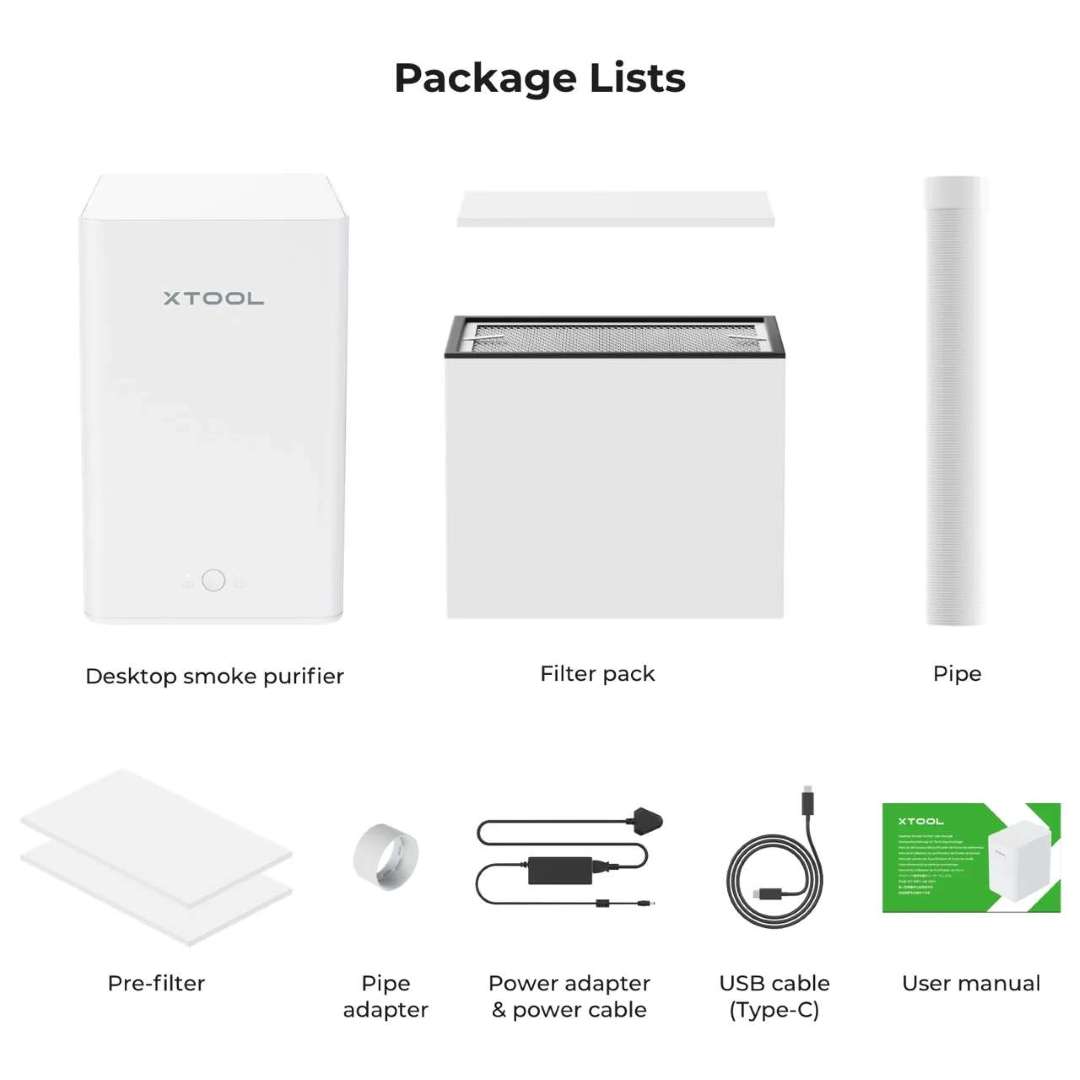
The Desktop Air Purifier shipped in the bundle is matched to the F2 acoustically and electrically. When connected, it starts with the F2 and runs for an additional 10 seconds after the job ends to clear residual smoke from the enclosure — a small quality-of-life detail that matters in retail environments where air quality is customer-facing.
99.97% Filtration Down to 0.3 μm
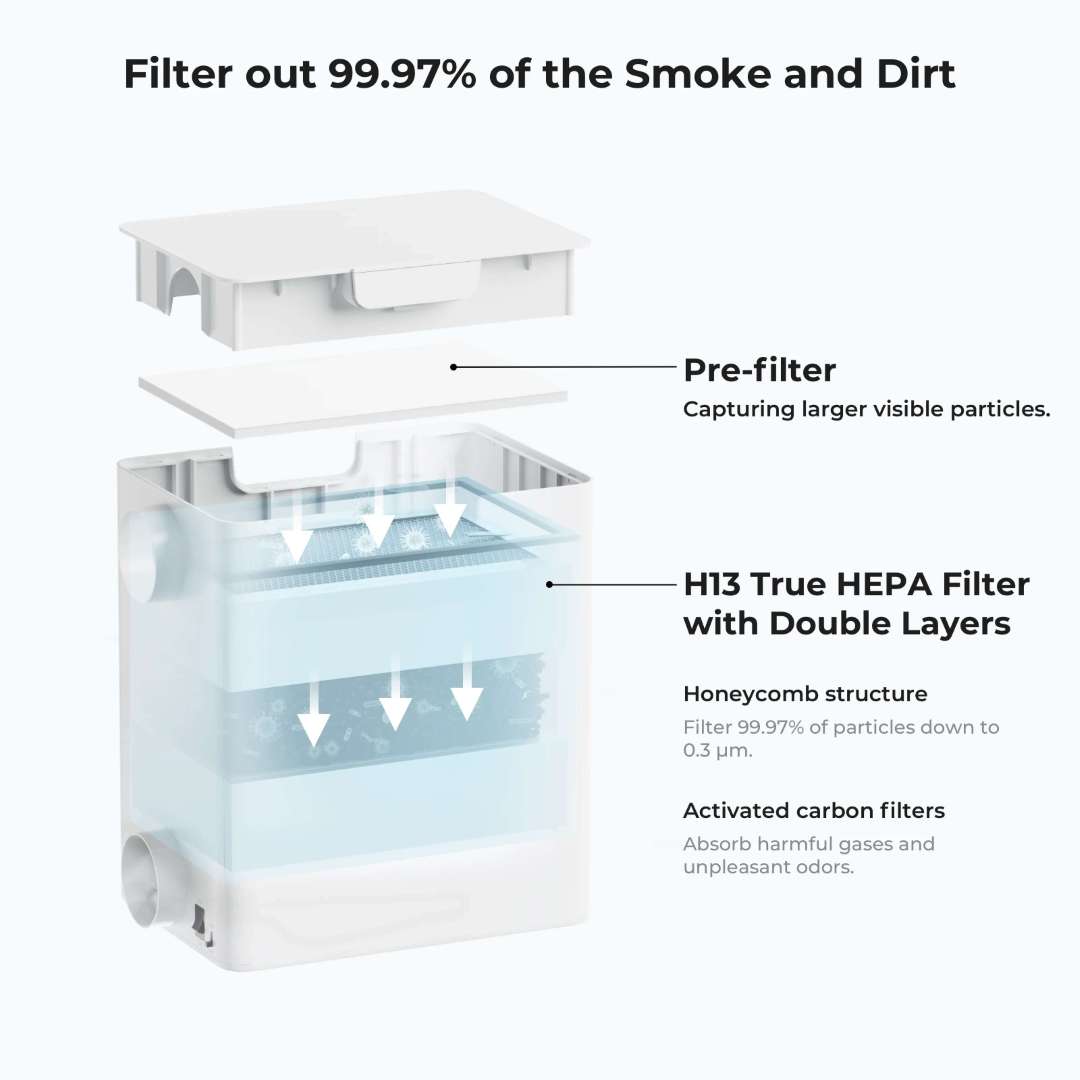
The purifier runs a three-stage filtration stack: a visible-particle pre-filter (5 μm), a double-layer H13 HEPA element with a honeycomb structure that traps 99.97% of particles down to 0.3 μm, and an activated carbon layer that absorbs the aromatics and TVOCs released during wood and leather engraving.
Sealed Smoke Path — No Visible Escape
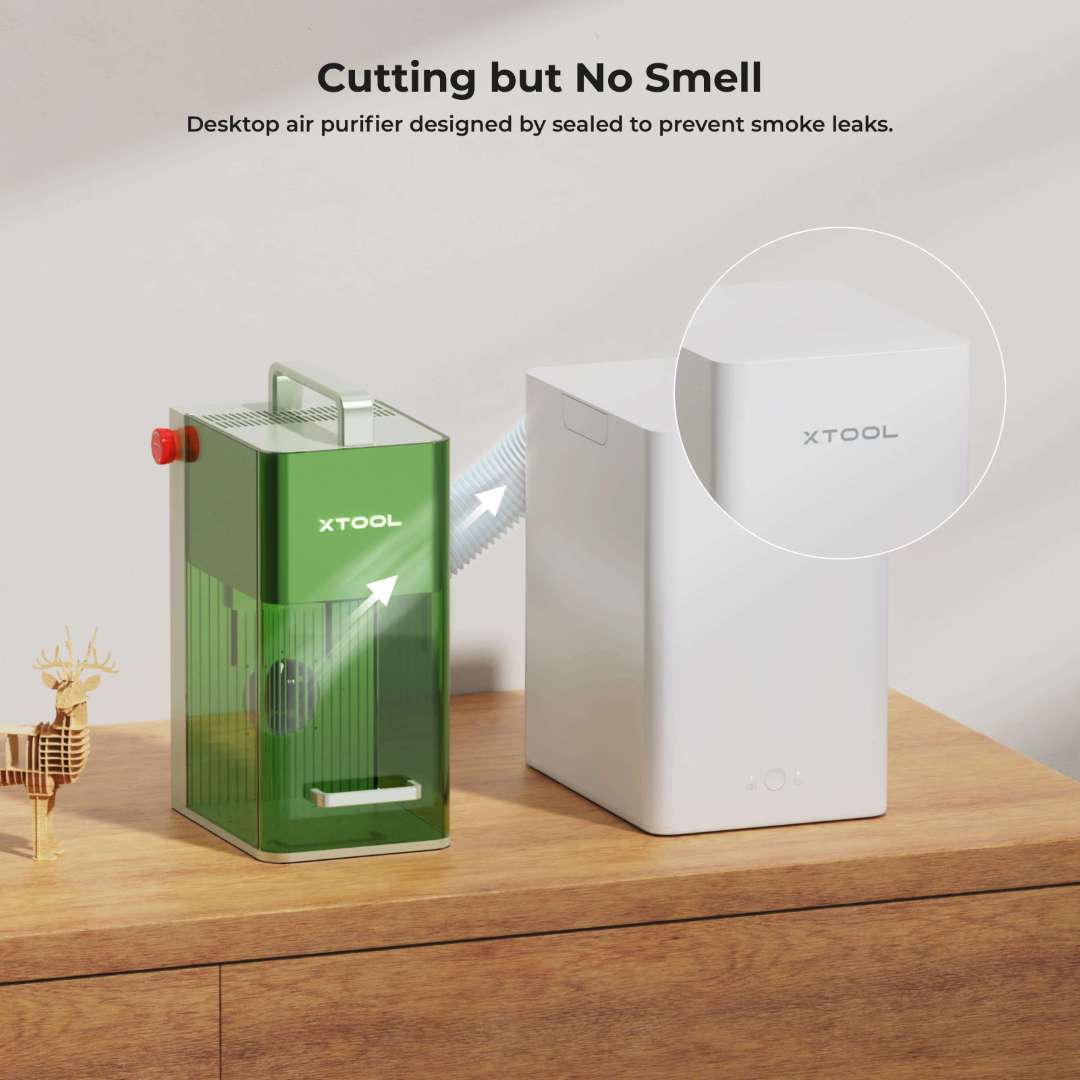
The purifier seals against the F2 enclosure, so smoke is captured at the source rather than leaking out into the room. For engravers run in open offices or boutique retail spaces, this keeps both operators and customers unaffected by odor.
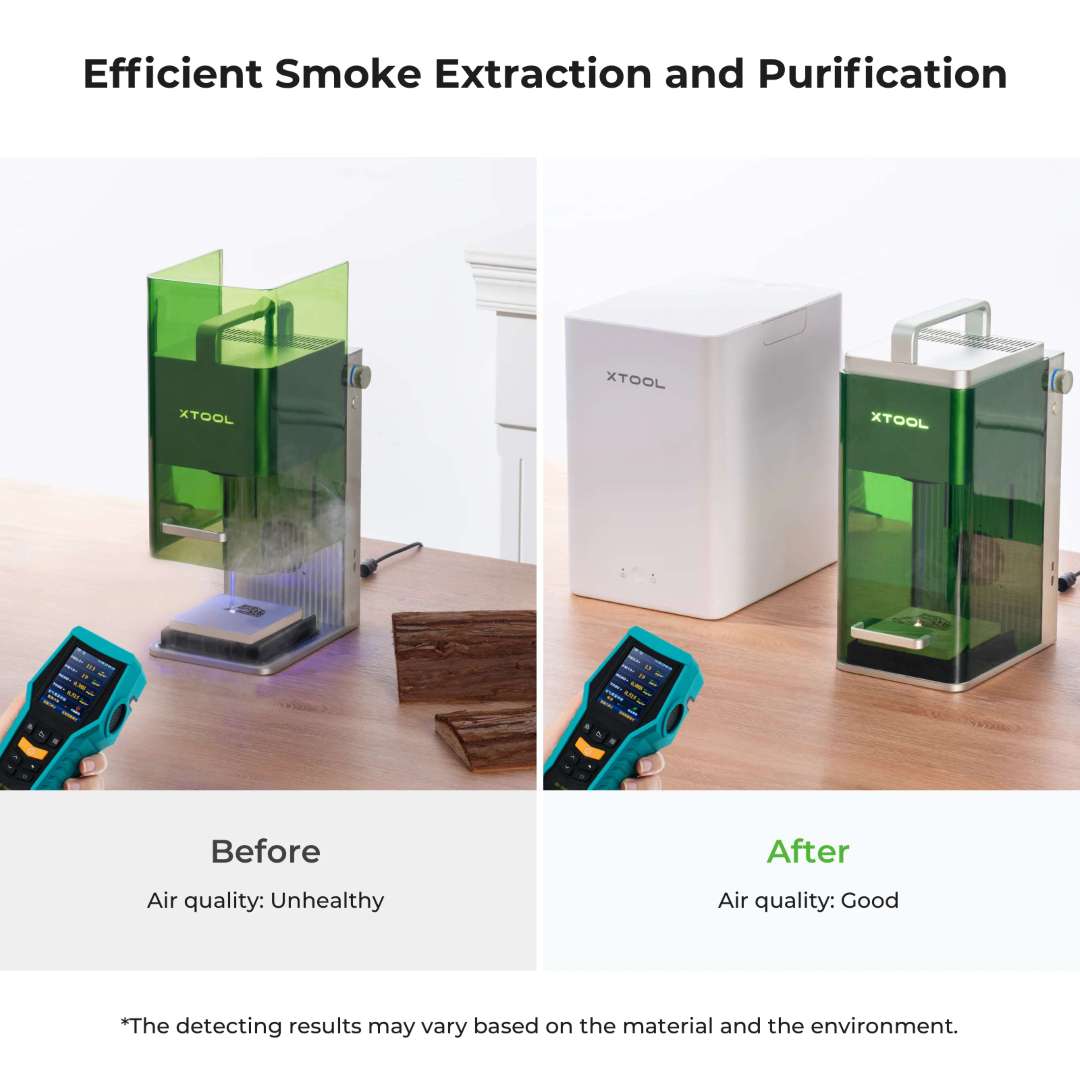
PM2.5 and TVOC Extraction
In sustained operation the purifier absorbs the vast majority of PM2.5 and TVOC output from the F2. Measured air quality in the workspace stays within normal office ranges during continuous engraving, rather than climbing as it would with an unfiltered exhaust.
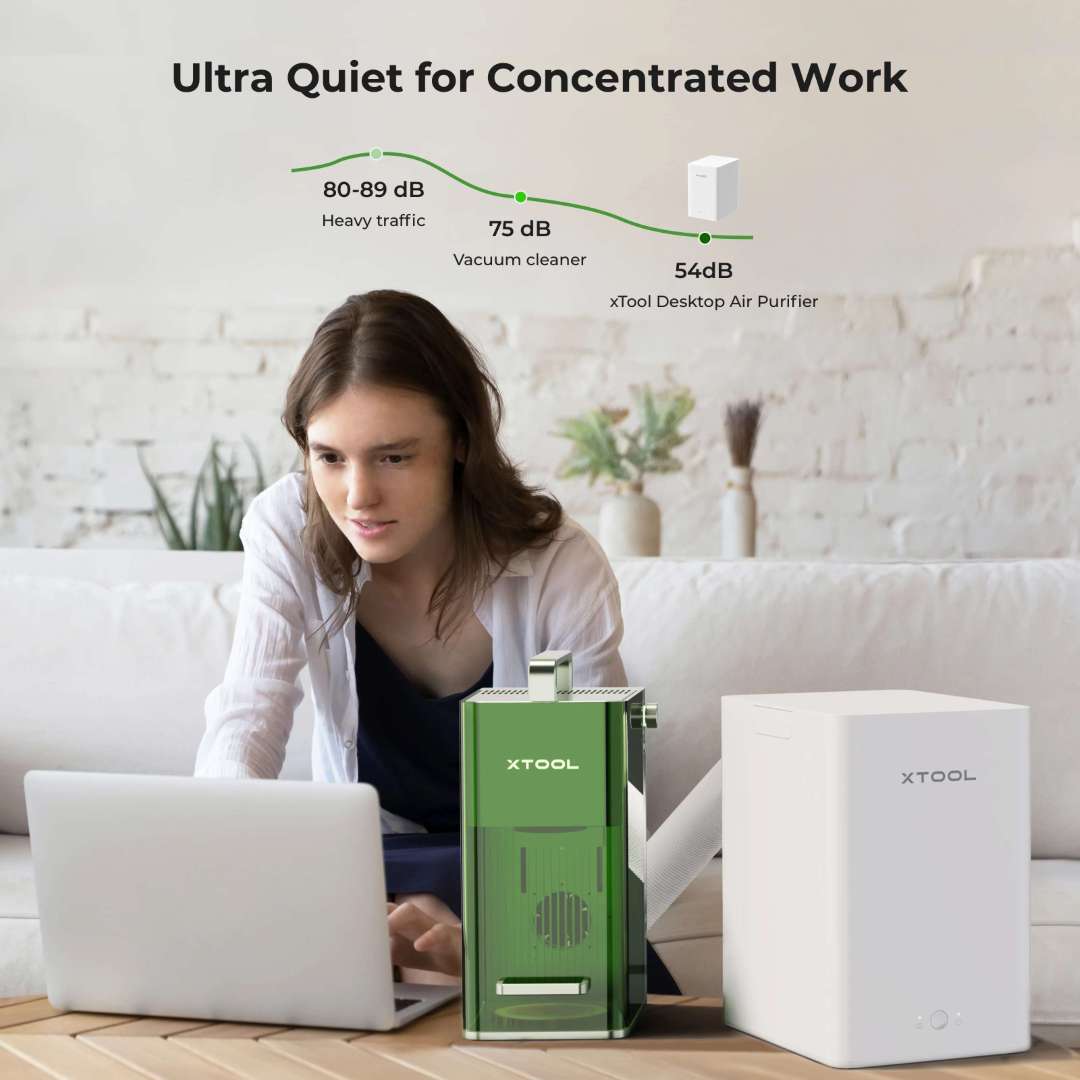
Three-Speed Operation, Low Noise
Three speed levels let the operator balance noise and throughput. For IR runs (which produce less smoke) the minimum and middle levels are enough; the maximum setting is reserved for diode cutting jobs on wood or dense leather.
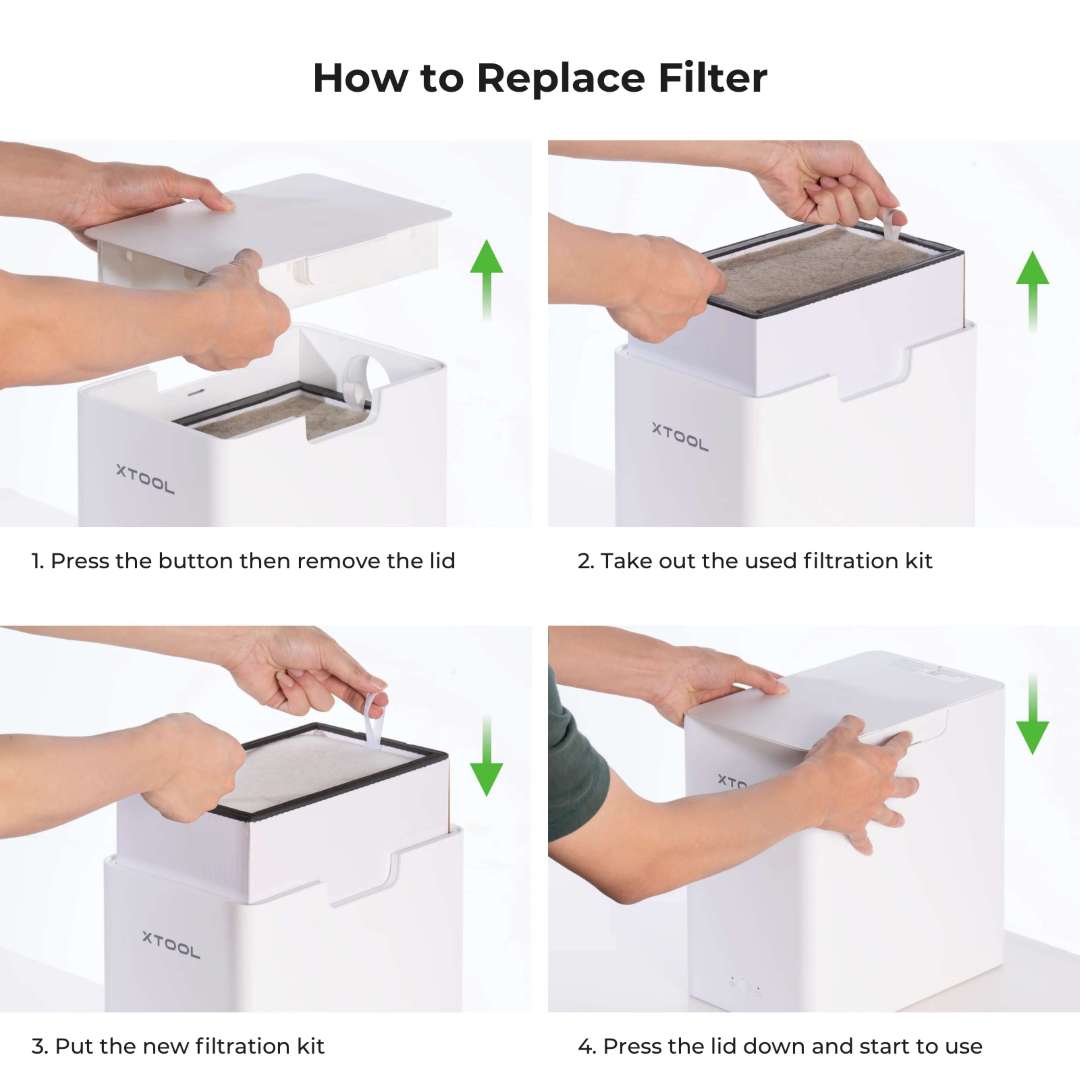
Filter Replacement Cycle
The bundle ships with two spare pre-filters. xTool recommends swapping the full H13 + carbon pack after approximately three pre-filter cycles — a service interval that aligns with typical small-shop usage for eight to twelve months.
Technical Specifications of the xTool F2 Deluxe Bundle
Processing Capacity
| Laser Type | 15 W Diode Laser + 5 W 1064 nm Infrared Laser |
|---|---|
| Processing Mode | Laser Engraving, Laser Cutting |
| Supported Materials (Diode) | Paper, wood, leather, MDF, felt, coated metal, some dark opaque acrylic |
| Supported Materials (IR) | Plastic, gold, silver, platinum, stainless steel, anodized aluminum |
| Working Area | 115 × 115 mm (native) / 400 × 115 mm (with Slide Extension) |
| Max. Working Speed | 6000 mm/s |
| Max. Cutting Capacity (Basswood) | 15 mm (multiple pass) |
| Max. Cutting Capacity (Acrylic) | 12 mm (multiple pass) |
| Max. Processing Height | 120 mm |
| Max. Rotary Engraving Diameter | 120 mm |
Software and Connectivity
| Supported Software | xTool Studio (XCS) |
|---|---|
| Operating System | Windows / macOS |
| Connection Method | Wi-Fi / USB / IP |
| Supported Files | SVG, DXF, JPG, JPEG, PNG, BMP |
| Almake Compatibility | Yes |
Operation and Precision
| Pre-assembled | Yes |
|---|---|
| Built-in Camera | 50 MP smart camera |
| Positioning Method | Framing positioning, camera positioning |
| Focus Mode | Auto focus, manual focus (two-dot alignment) |
| Framing Mode | Rectangle, outline, polygon |
| Preview Method | Smart camera preview, high-speed light live preview |
| Laser Spot Size (Diode) | 0.08 × 0.06 m
Recently viewed products
New
Brand: xTool
Product code: F2 Deluxe Bundle
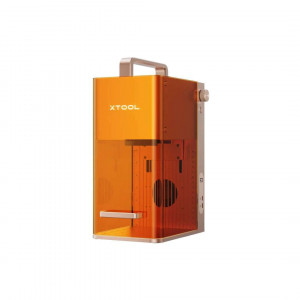
xTool F2 Deluxe Bundle is a portable dual-laser engraving and cutting system designed for on-site personalization, small-batch production, and mobile ..
2 439€
Ex Tax:2 016€
Brand: Flashforge
Product code: 00-00012957
Flashforge Adventurer 5M Pro 3D Printer
The Flashforge Adventurer 5M Pro is a versatile 3D printer that combines ease of use and maintenance, high pri..
500€
Ex Tax:413€
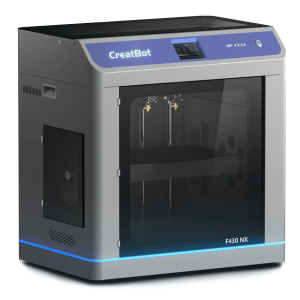
Brand: CreatBot
Product code: 00-00011835
CreatBot F430 NX – The Fastest 3D Printer in Its Class
The CreatBot F430 NX is the fastest 3D printer in its price segment. Built for professional use..
7 200€
Ex Tax:5 950€
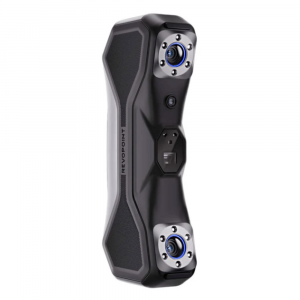
Brand: Revopoint
Product code: 00-00011768
Revopoint MetroX 3D Handheld 3D Scanner
The Revopoint MetroX 3D is a versatile handheld 3D scanner designed for indoor use. It suits both experienced ..
1 049€
Ex Tax:867€
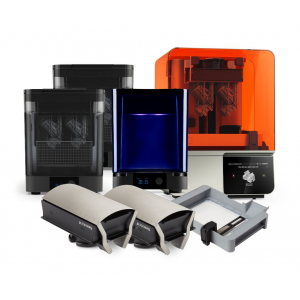
Brand: Formlabs
Product code: 00-00000082
Form 4 Premium Package – Exceptional Value Bundle
On this page you will find the Formlabs Form 4 Premium Package, priced lower than purchasing each..
11 931€
Ex Tax:9 860€
Brand: Snapmaker
Product code: 00-08800540
3-in-1 3D Printer with Laser Engraver and CNC
Introducing the Snapmaker Artisan Premium 40W – a 3D printer
with laser engraver and CNC all in ..
2 998€
Ex Tax:2 478€
Brand: Formlabs
Product code: 00-08800145
Biocompatible Formlabs Form 4BL Premium Package 3D Printer
On this page you can purchase the Form 4BL in the Premium
Package kit, which includes ..
44 031€
Ex Tax:36 389€
Brand: Makera
Product code: 00-00012056
Carvera Desktop CNC Mill
The Carvera desktop CNC mill is a genuine revolution in the world of milling. Compact yet powerful, it combines automation, p..
7 500€
Ex Tax:6 198€
Brand: Snapmaker
Product code: 00-08800549
Snapmaker 2.0 Air Purifier
The Snapmaker Air Purifier is an effective solution for working safely with
Snapmaker 3D printers and laser engrav..
558€
Ex Tax:461€

Brand: xTool
Product code: 00-08800478
xTool M1 Ultra – Your Universal Assistant for DIY Projects
The world's first 4-in-1 multifunctional machine for DIY creativity — the xTool M1 Ultra — ..
1 644€
Ex Tax:1 359€
Brand: xTool
Product code: 13702-00000291
xTool F1 with Desktop Smoke Purifier – powerful laser engraver with air purification
xTool F1 with the Desktop Smoke Purifier is a portable galva..
1 478€
Ex Tax:1 221€
Brand: xTool
Product code: F2
The xTool F2 Portable Dual Laser Engraver is
a highly portable, industrial-grade dual-laser system,
designed to transform personalised eng..
1 511€
Ex Tax:1 249€

Brand: xTool
Product code: 00-00013030
xTool F2 Ultra – Standalone Metal Engraver with 1 Laser
The xTool F2 Ultra (single-laser) is equipped with a powerful 60 W
MOPA fibre laser (1064..
5 595€
Ex Tax:4 624€
Brand: xTool
Product code: 00-00013027
xTool F2 Ultra with Dual Laser – Precision on Any Surface
The xTool F2 Ultra with dual laser enables engraving on metal, wood, leather, plastic, and m..
7 277€
Ex Tax:6 014€
Brand: xTool
Product code: 00-00000291
xTool F1 Portable Laser Engraver
The xTool F1 portable galvanometer laser engraver opens up new possibilities for personalising objects of all kinds.
..
1 109€
Ex Tax:917€
New
Brand: xTool
Product code: F2 Slide Extension
The xTool F2 + Slide Extension Bundle is a portable
dual-laser engraver designed for small-business owners, craft fair vendors,
and on-site person..
1 713€
Ex Tax:1 416€
New
Brand: xTool
Product code: F2 Ultra UV Standalone
xTool F2 Ultra UV is a 5 W, 355 nm UV galvanometer laser
engraver built for micron-level precision engraving and cold-processing of
glass, crystal..
4 638€
Ex Tax:3 833€
New
Brand: xTool
Product code: F2 Ultra UV Conveyor
xTool F2 Ultra UV with the
Auto Streamline™ Conveyor is a 5 W, 355 nm UV galvanometer
laser engraver bundle engineered for both micron-level preci..
5 122€
Ex Tax:4 233€
Brand: xTool
Product code: 00-00011634
xTool F1 Ultra Fibre & Diode Laser Engraver and Cutter
Introducing the xTool F1 Ultra – an outstanding new tool for creative individuals and small bus..
3 629€
Ex Tax:2 999€
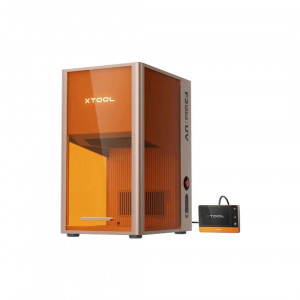
New
Brand: xTool
Product code: F2 Ultra UV Deluxe Bundle
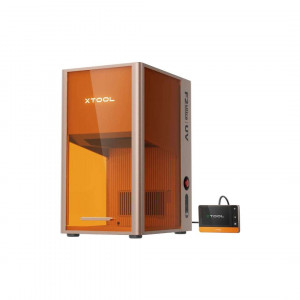
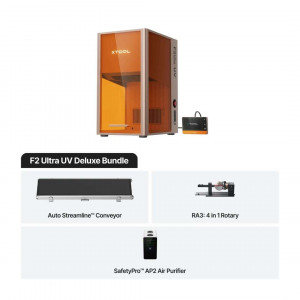
The xTool F2 Ultra UV 5 W Laser Engraver Deluxe Bundle combines a 355 nm cold-process galvanometer laser with four precision accessories — the Auto St..
6 382€
Ex Tax:5 274€
Brand: xTool
Product code: 00-08800478
xTool M1 Ultra – Your Universal Assistant for DIY Projects
The world's first 4-in-1 multifunctional machine for DIY creativity — the xTool M1 Ultra — ..
1 644€
Ex Tax:1 359€
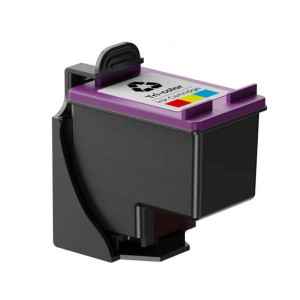
Brand: xTool
Product code: 6928819527164
Unlock the full potential of your xTool M1 Ultra system with the essential xTool M1 Ultra Ink Cartridge, meticulously engineered to integrate seamless..
36€
Ex Tax:30€
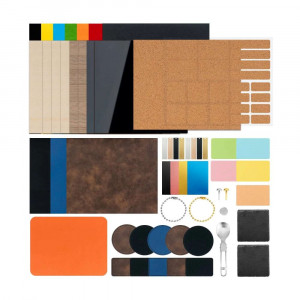
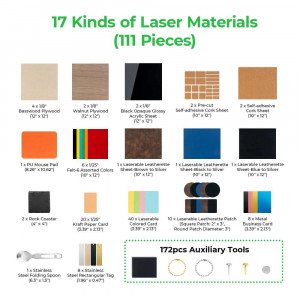
Brand: xTool
Product code: 0193122012119
Unlock endless creative possibilities in the world of
laser crafting with the comprehensive
Laser Material Exploration Kit (111 pieces).
Designe..
135€
Ex Tax:112€
Brand: xTool
Product code: 00-00000290
xTool M1 10W Hybrid Laser & Blade Cutter
The xTool M1 10W desktop hybrid laser and blade cutter — an innovative, powerful, and easy-to-use machine at ..
1 028€
Ex Tax:850€
Brand: xTool
Product code: 13668-00000290
xTool M1 10W Hybrid Laser & Blade Cutter
The xTool M1 10W desktop hybrid laser and blade cutter for everyone – an innovative, powerful, and easy-to-us..
1 747€
Ex Tax:1 444€
Brand: xTool
Product code: 13667-00000290
xTool M1 10W Hybrid Laser & Blade Cutter
The xTool M1 10W desktop hybrid laser and blade cutter for everyone – an innovative, powerful, and easy-to-us..
1 028€
Ex Tax:850€
Brand: xTool
Product code: F2
The xTool F2 Portable Dual Laser Engraver is
a highly portable, industrial-grade dual-laser system,
designed to transform personalised eng..
1 511€
Ex Tax:1 249€
Brand: xTool
Product code: 00-00013030
xTool F2 Ultra – Standalone Metal Engraver with 1 Laser
The xTool F2 Ultra (single-laser) is equipped with a powerful 60 W
MOPA fibre laser (1064..
5 595€
Ex Tax:4 624€
Brand: xTool
Product code: 00-00013027
xTool F2 Ultra with Dual Laser – Precision on Any Surface
The xTool F2 Ultra with dual laser enables engraving on metal, wood, leather, plastic, and m..
7 277€
Ex Tax:6 014€
Brand: xTool
Product code: 00-00000291
xTool F1 Portable Laser Engraver
The xTool F1 portable galvanometer laser engraver opens up new possibilities for personalising objects of all kinds.
..
1 109€
Ex Tax:917€
New
Brand: xTool
Product code: F2 Slide Extension
The xTool F2 + Slide Extension Bundle is a portable
dual-laser engraver designed for small-business owners, craft fair vendors,
and on-site person..
1 713€
Ex Tax:1 416€
New
Brand: xTool
Product code: F2 Ultra UV Standalone
xTool F2 Ultra UV is a 5 W, 355 nm UV galvanometer laser
engraver built for micron-level precision engraving and cold-processing of
glass, crystal..
4 638€
Ex Tax:3 833€
New
Brand: xTool
Product code: F2 Ultra UV Conveyor
xTool F2 Ultra UV with the
Auto Streamline™ Conveyor is a 5 W, 355 nm UV galvanometer
laser engraver bundle engineered for both micron-level preci..
5 122€
Ex Tax:4 233€
Brand: xTool
Product code: 00-00011634
xTool F1 Ultra Fibre & Diode Laser Engraver and Cutter
Introducing the xTool F1 Ultra – an outstanding new tool for creative individuals and small bus..
3 629€
Ex Tax:2 999€
New
Brand: xTool
Product code: F2 Ultra UV Deluxe Bundle
The xTool F2 Ultra UV 5 W Laser Engraver Deluxe Bundle combines a 355 nm cold-process galvanometer laser with four precision accessories — the Auto St..
6 382€
Ex Tax:5 274€
Brand: xTool
Product code: 00-08800478
xTool M1 Ultra – Your Universal Assistant for DIY Projects
The world's first 4-in-1 multifunctional machine for DIY creativity — the xTool M1 Ultra — ..
1 644€
Ex Tax:1 359€
Brand: xTool
Product code: 6928819527164
Unlock the full potential of your xTool M1 Ultra system with the essential xTool M1 Ultra Ink Cartridge, meticulously engineered to integrate seamless..
36€
Ex Tax:30€
Brand: xTool
Product code: 0193122012119
Unlock endless creative possibilities in the world of
laser crafting with the comprehensive
Laser Material Exploration Kit (111 pieces).
Designe..
135€
Ex Tax:112€
Brand: xTool
Product code: 00-00000290
xTool M1 10W Hybrid Laser & Blade Cutter
The xTool M1 10W desktop hybrid laser and blade cutter — an innovative, powerful, and easy-to-use machine at ..
1 028€
Ex Tax:850€
Brand: xTool
Product code: 13668-00000290
xTool M1 10W Hybrid Laser & Blade Cutter
The xTool M1 10W desktop hybrid laser and blade cutter for everyone – an innovative, powerful, and easy-to-us..
1 747€
Ex Tax:1 444€
Brand: xTool
Product code: 13667-00000290
xTool M1 10W Hybrid Laser & Blade Cutter
The xTool M1 10W desktop hybrid laser and blade cutter for everyone – an innovative, powerful, and easy-to-us..
1 028€
Ex Tax:850€
Don’t have an account yet?
|