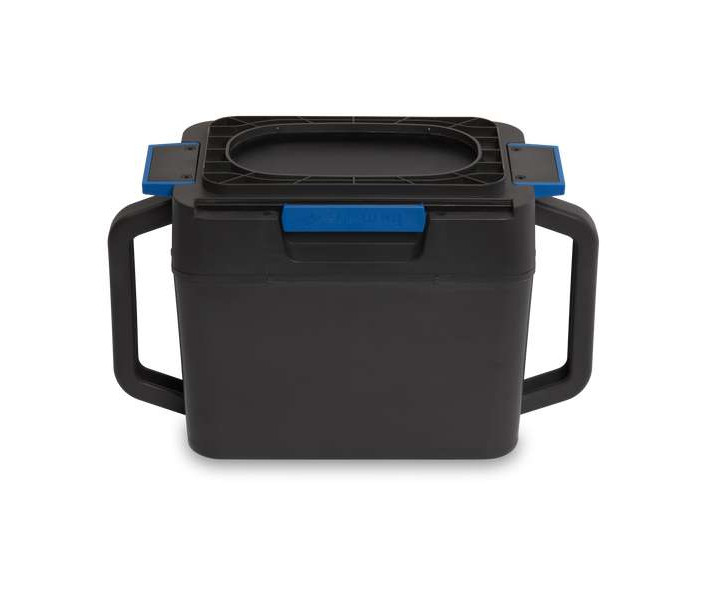


- Stock: In Stock
- Product code: 00-00000149
- Weight Brutto: 3.00kg
- SKU: PC-FS1-01

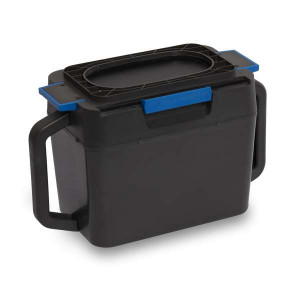
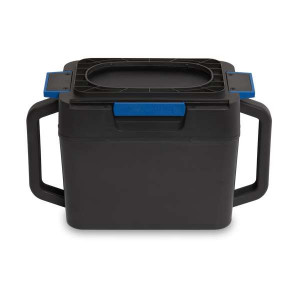
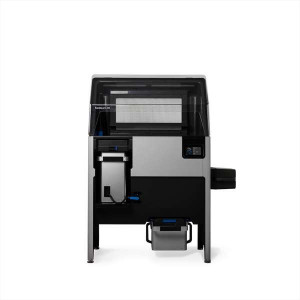
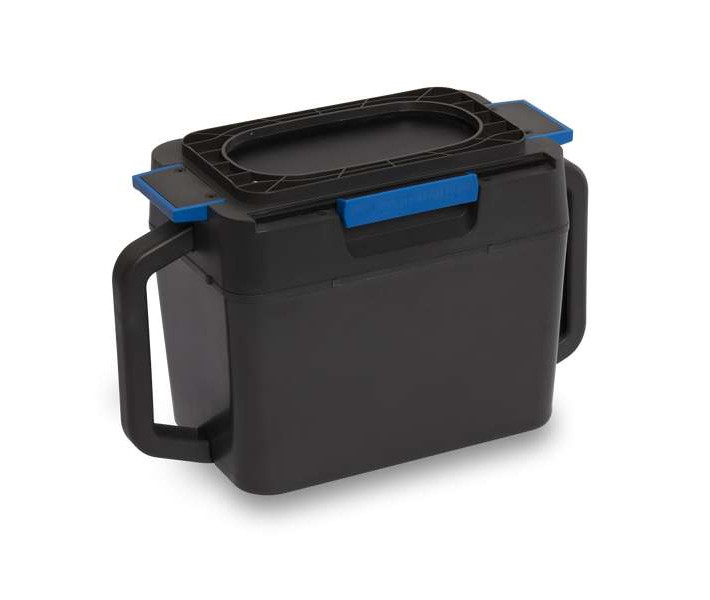
The Formlabs Fuse Series Powder Cartridge is the modular transport and mixing vessel designed to keep SLS powder contained, blended, and ready for printing — bridging the Fuse Sift and the Fuse 1 / Fuse 1+ 30W hopper in a sealed, hands-off workflow. Its sliding knife valve prevents spillage during handling, while the integrated agitator-compatible form factor lets the Fuse Sift tumble the cartridge until the fresh-to-recovered powder ratio is homogeneous and print-ready.
| Compatible Printers | Fuse 1, Fuse 1+ 30W |
|---|---|
| Recommended Mix Time | ≥ 10 minutes |
| Maintenance Interval | Every 50–100 prints, or upon powder leakage |
| Valve Type | Sliding knife valve with blue locking tabs |
A Closed-Loop SLS Powder System
SLS printing without a controlled powder transfer system means spillage, contamination, and inconsistent refresh ratios. The Fuse Series Powder Cartridge eliminates all three. The sliding opening keeps material sealed during transport, releasing powder into the hopper only when the cartridge is properly seated. There is no open-air powder handling required at any stage of the cycle.
The Fuse Sift treats the cartridge as both a filling target and a mixing vessel. After dispensing the configured ratio of fresh and used powder into the cartridge, the Fuse Sift locks the cartridge into its side-mounted agitator and tumbles it for at least 10 minutes — the minimum Formlabs recommends for a homogeneous blend. The result is a batch that goes directly into the printer hopper, without intermediate handling.
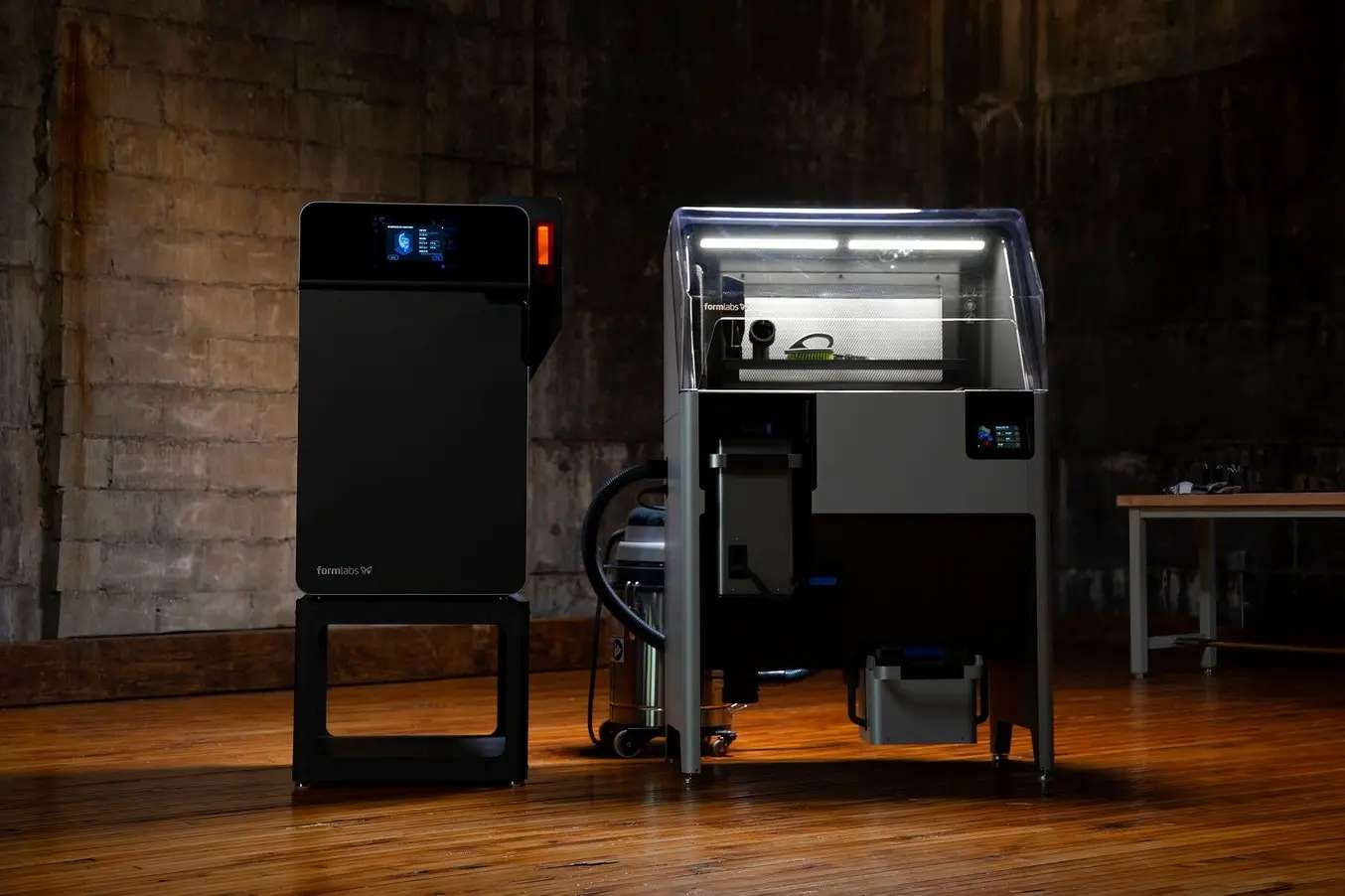
The Six-Step Print Cycle
The Powder Cartridge sits at the centre of a repeatable six-step production loop that minimises operator involvement and powder waste:
- Insert an empty cartridge into the Fuse Sift drawer and open the knife valve
- Set the refresh rate on the touchscreen; tap Fill — powder is auto-dispensed
- Transfer the filled cartridge to the side mixer; tap Mix for ≥ 10 minutes
- Eject the cartridge and slide it into the Fuse 1 hopper; pull the valve to release powder
- Run the print job per printer instructions
- After printing, insert the build chamber and an empty cartridge into the Fuse Sift for powder recovery
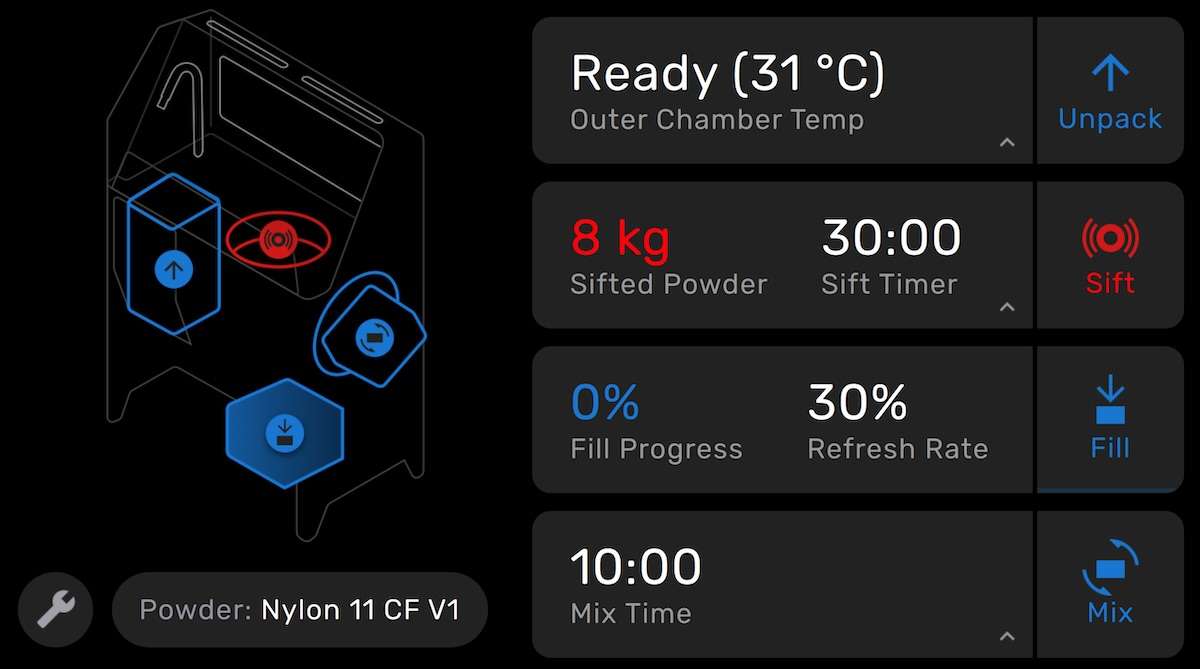
The Fuse Sift's touchscreen displays Fill Progress and Refresh Rate at a glance, so operators can verify the blend ratio before committing to a print. The image below shows the home screen during an active sift cycle with a 30% refresh rate configured.
Inserting the Cartridge into the Fuse Sift
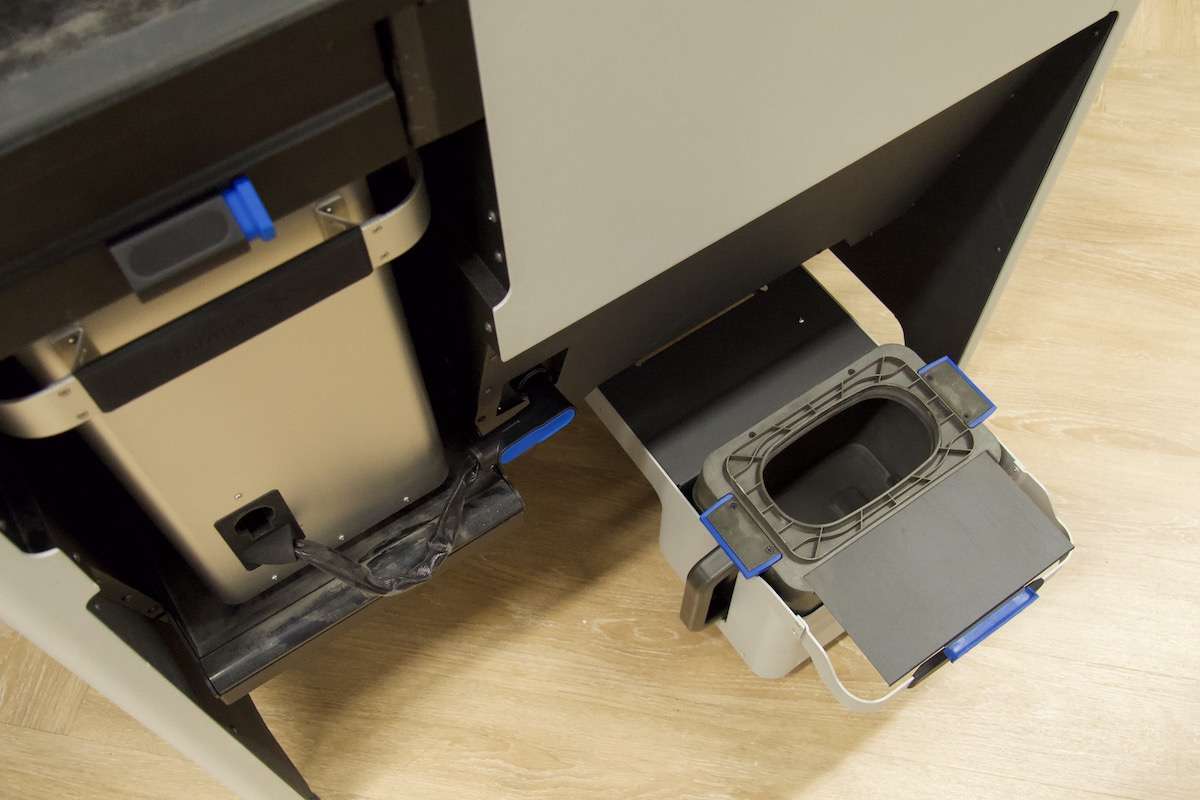
To begin a fill cycle, pull the handle at the bottom-right of the Fuse Sift to slide the cartridge drawer open. Insert an empty cartridge with the valve facing upward and the knife handle pointing away from the machine. Fully open the knife valve before sliding the drawer back in. The image below shows the drawer fully extended with no cartridge inserted — ready for loading.
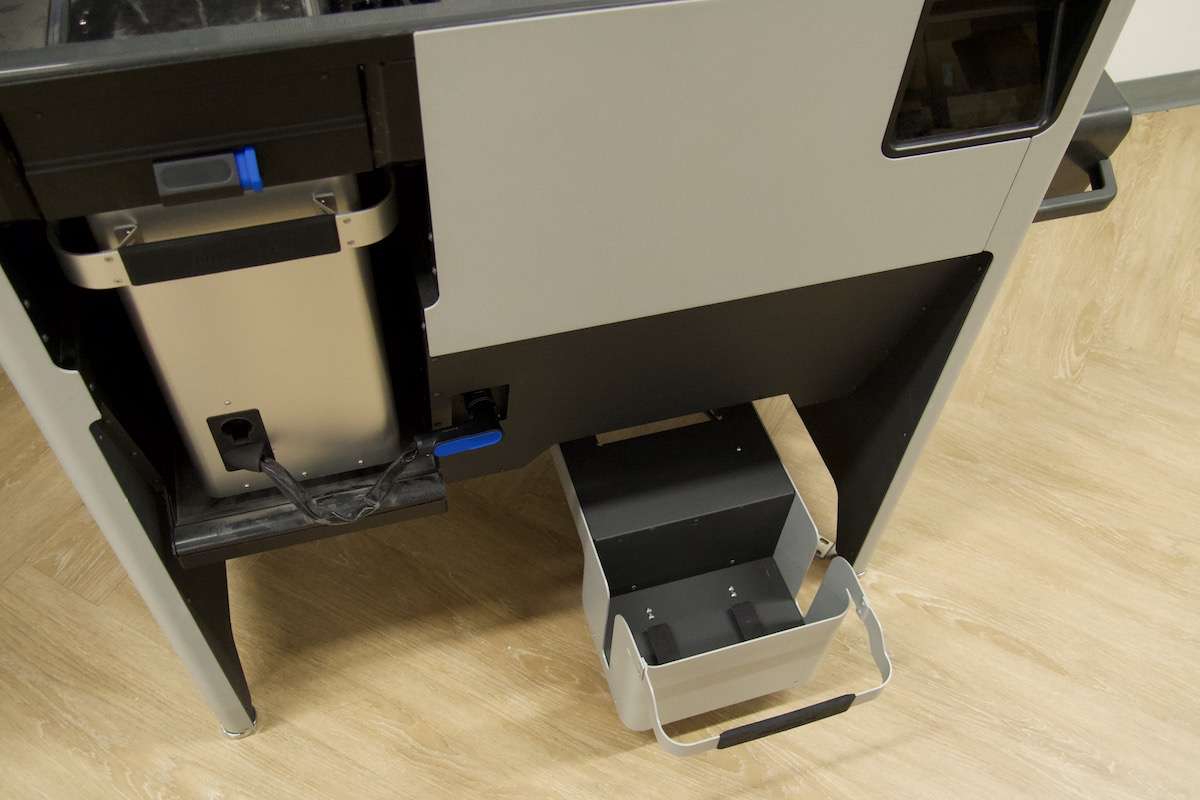
Once the cartridge is seated and the drawer is closed, the Fuse Sift uses the cartridge's weight to accurately meter the amount of powder dispensed. A critical note: do not rest the knife handle on the drawer frame edge — this prevents the scale from reading the cartridge correctly and will cause the fill to be inaccurate.
Mixing: Inserting and Ejecting the Cartridge from the Agitator
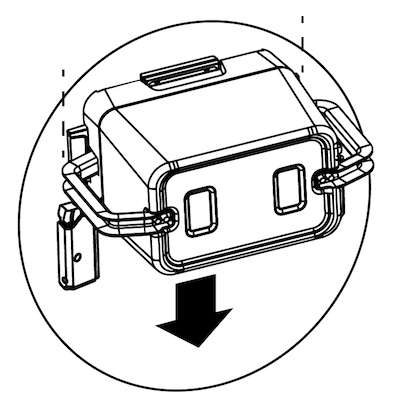
After filling, transfer the cartridge to the mixer on the right side of the Fuse Sift. Slide it in with the valve facing the machine until the locking tabs click into place. The diagram below illustrates the downward insertion motion into the mixer slot.
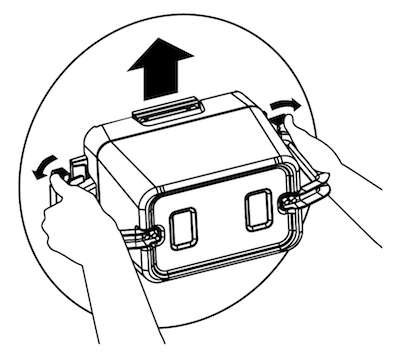
Once mixing is complete, eject the cartridge by prying the two blue tabs outward with your thumbs, then lifting the cartridge upward by the handles. The diagram below shows the correct two-handed ejection technique that disengages both locking tabs simultaneously.
Cartridge Maintenance: Cleaning the Internal Cavity
Over time, SLS powder accumulates inside the walls of the cartridge between the knife valve and the cartridge body. If left unaddressed, this buildup causes powder leakage during handling. Formlabs recommends cleaning the internal cavity every 50–100 prints, or immediately if leakage begins. The overview diagram below shows the four cleaning zones and their required vacuum dwell times.
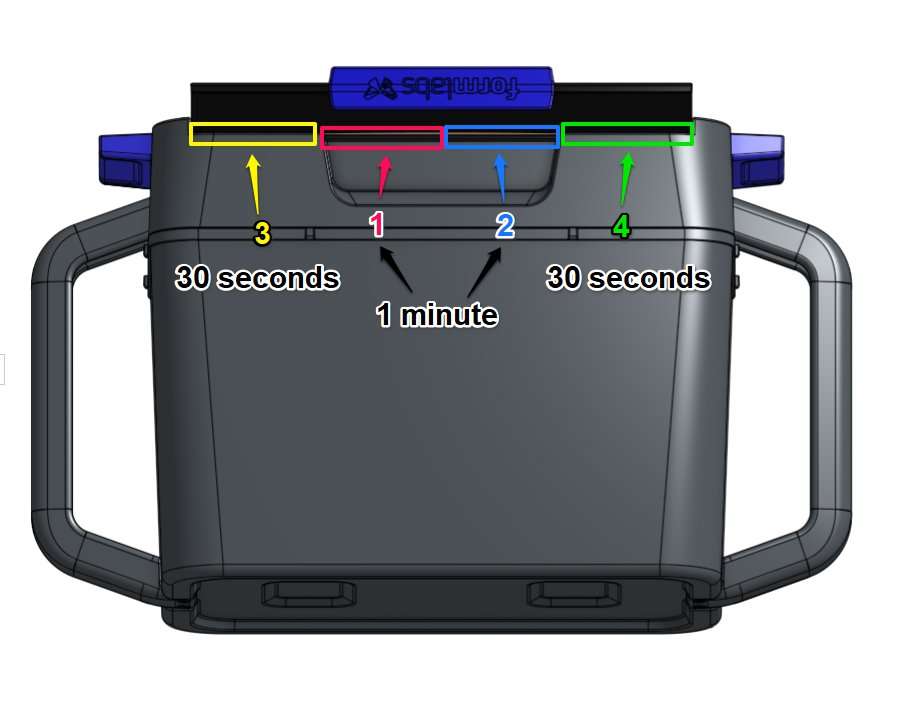
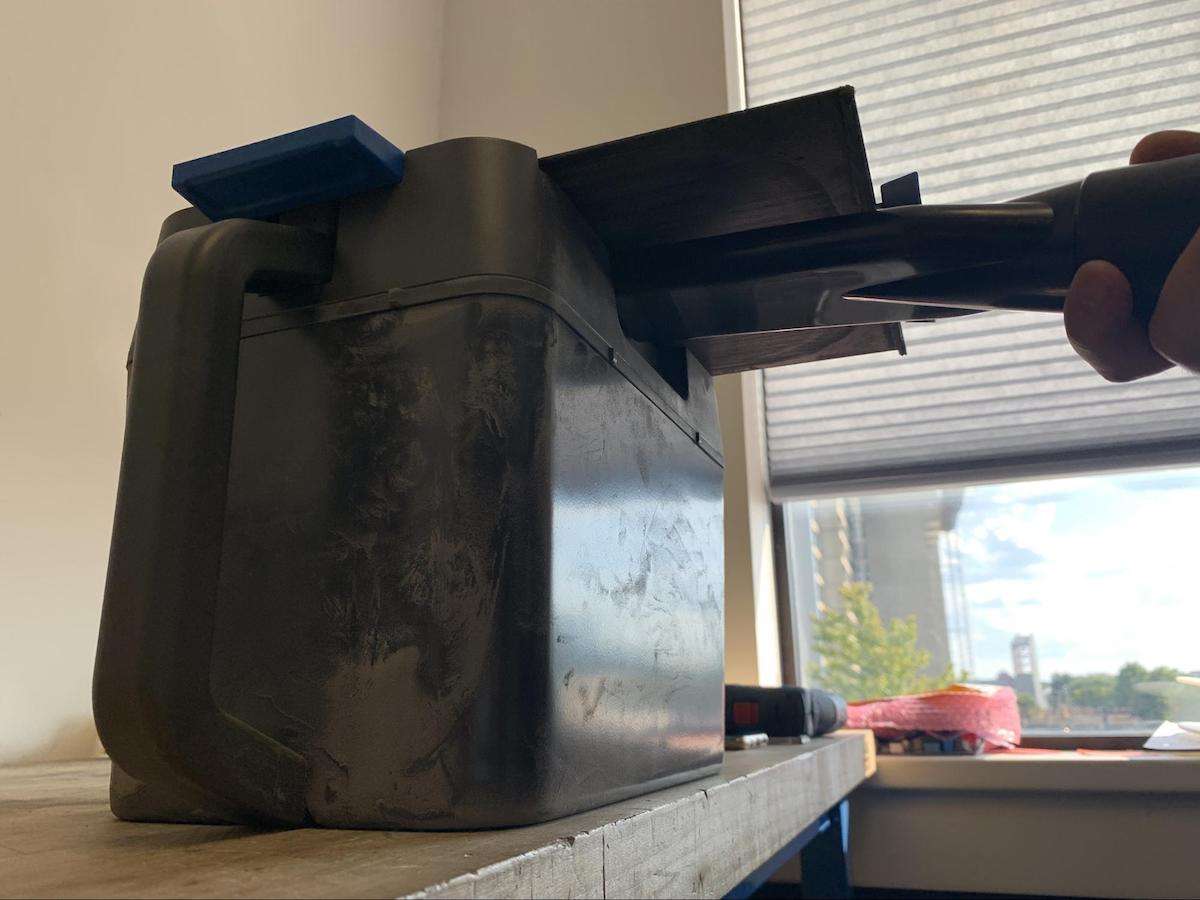
Attach the vacuum crevice tool (included with the Fuse Sift) to the vacuum hose. Open the cartridge valve and ensure the cartridge is empty. Begin by wedging the crevice tool under the knife valve, slightly left of the centerline — Zone 1 in the diagram. The image below shows this first insertion position.
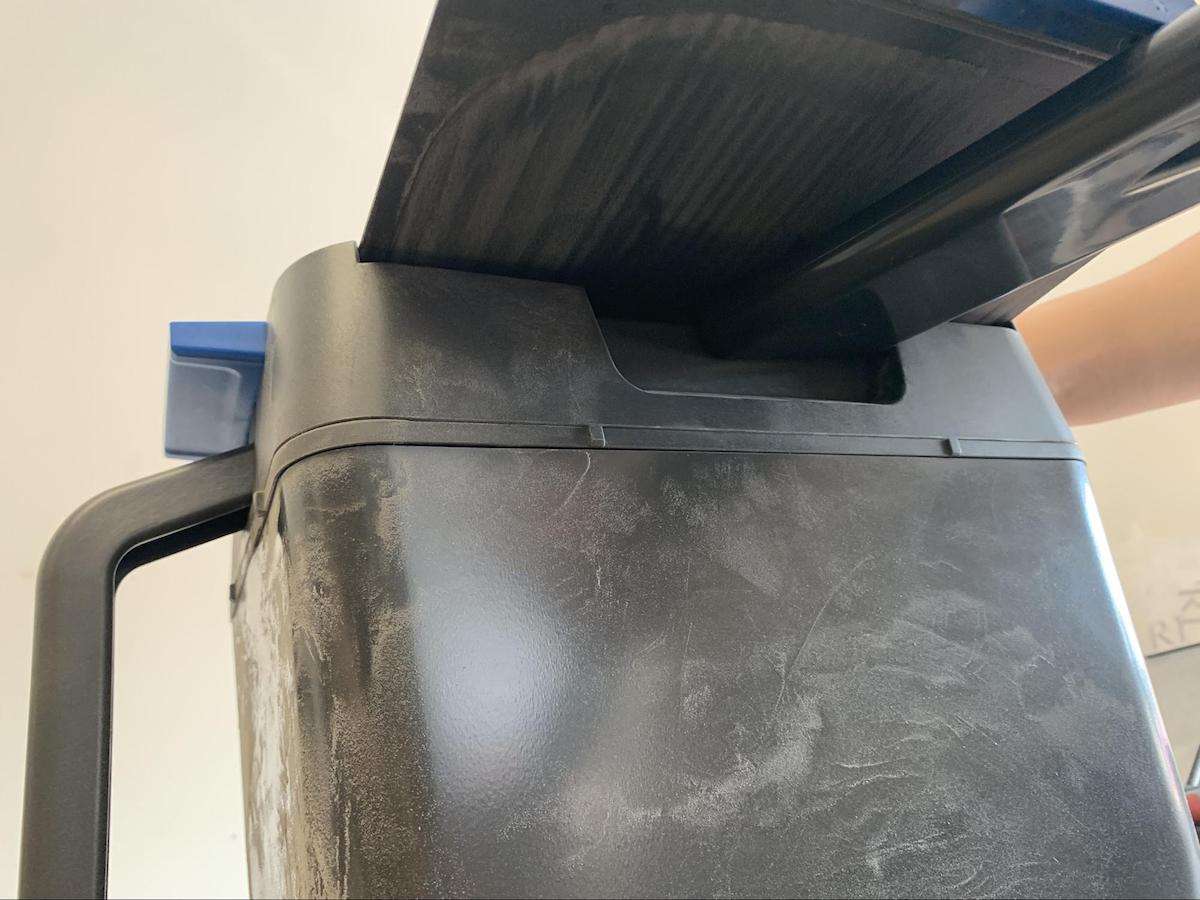
Activate the vacuum via the Vac button on the Fuse Sift control panel and hold the crevice tool in Zone 1 for approximately one minute. Move to Zone 2 (right of the centerline) for another minute. The image below shows the tool positioned at Zone 2.
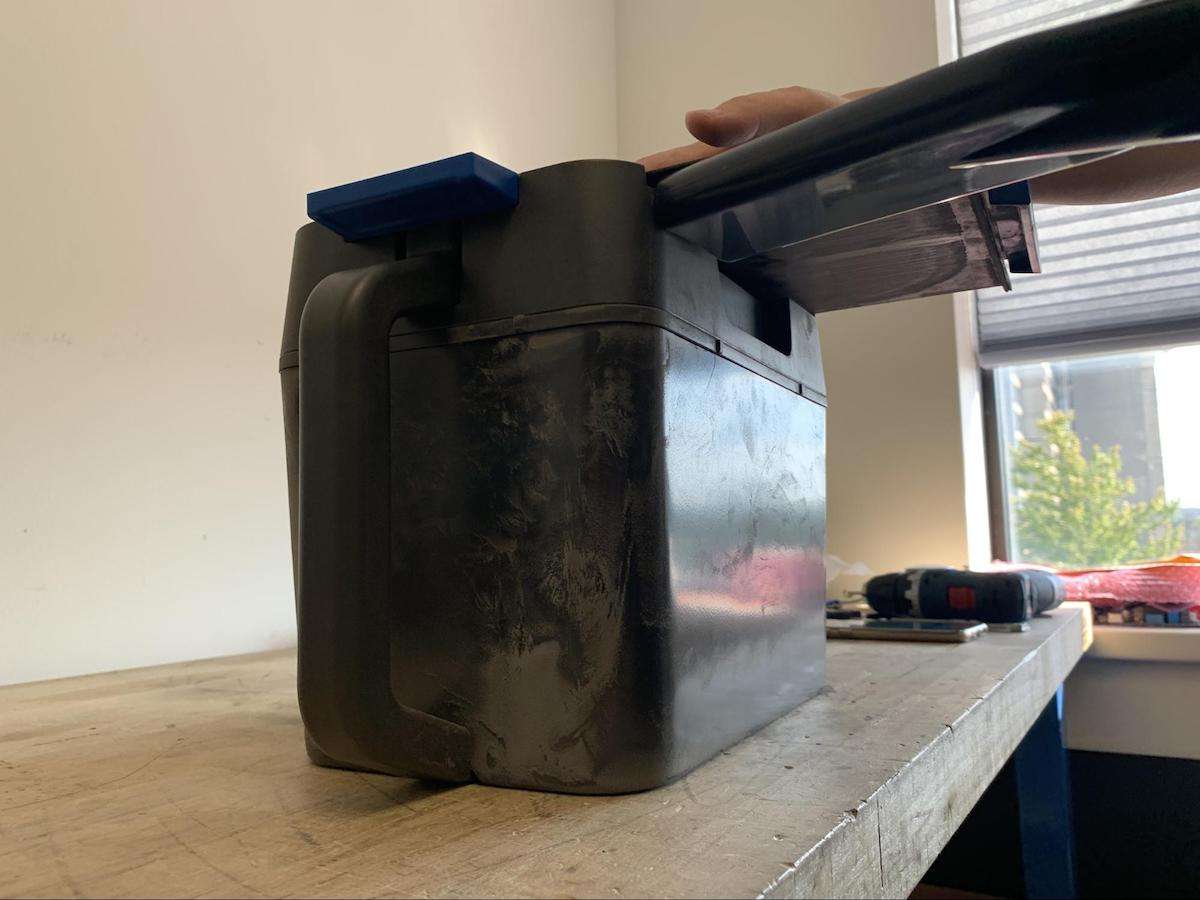
Move the crevice tool to the far left edge of the valve knife — Zone 3 — and hold for approximately 30 seconds, as shown below.
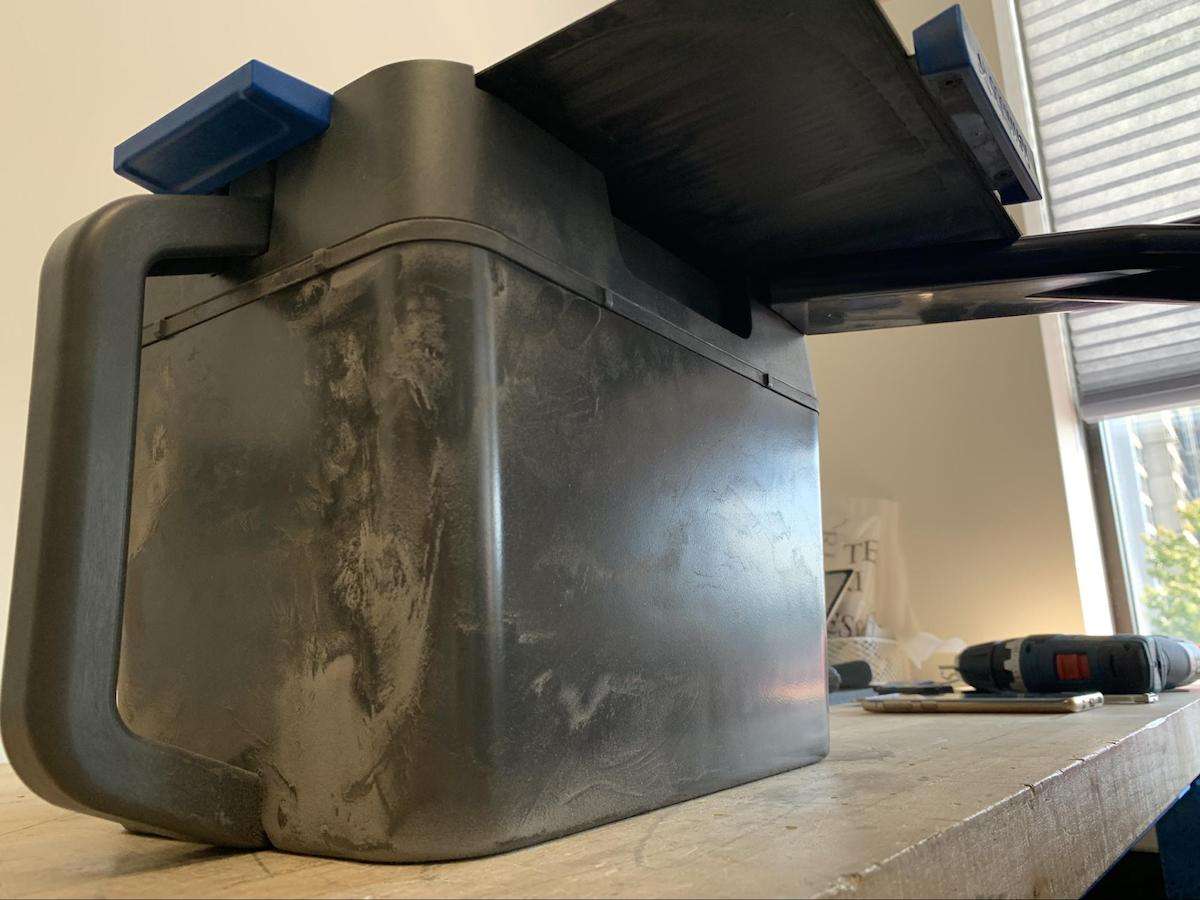
Finally, move to the far right edge — Zone 4 — and hold for 30 seconds. Then remove the crevice tool, close the cartridge valve, and turn off the vacuum. The image below shows the crevice tool at Zone 4.
Storage Guidelines
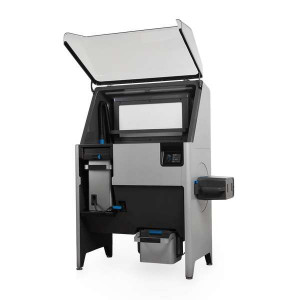
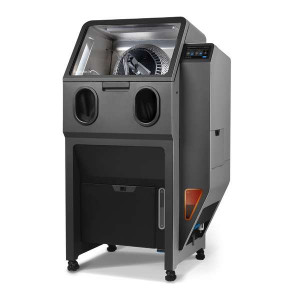
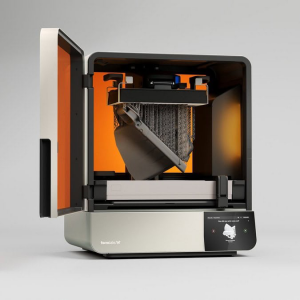
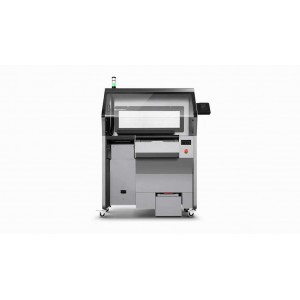
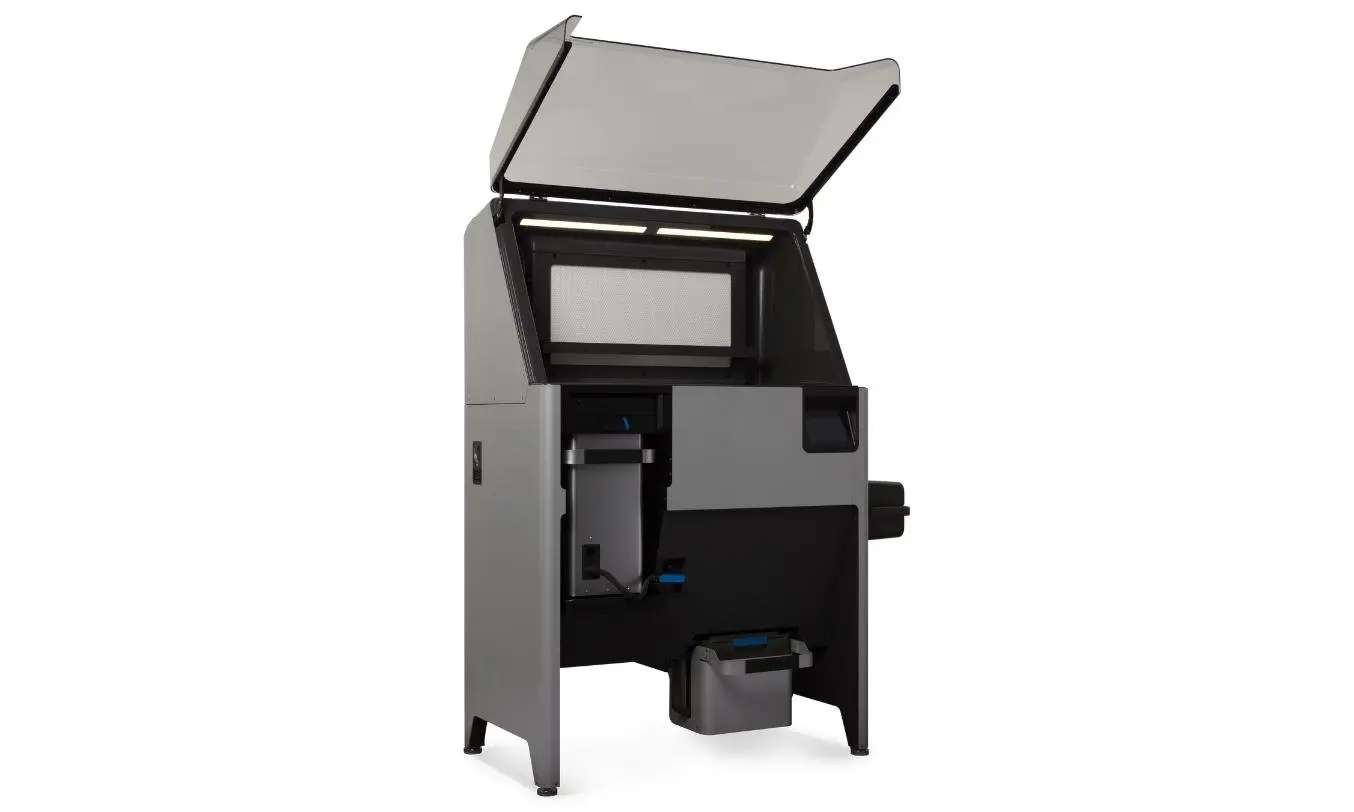
The studio render below shows the Fuse Sift with its lid raised and a powder cartridge seated in the bottom drawer compartment — the correct installed position before initiating a fill cycle.
Store cartridges upright with the knife valve closed, in a low-humidity environment. A closed valve prevents airborne fibres or debris from contaminating the powder inside. Regularly inspect the storage area for leaks or spills. If powder has spilled, use a grounded and bonded vacuum (Class II, Division 2 rated) for cleanup. Follow Formlabs disposal guidelines for empty cartridges.
Tech Tip: Never rest the cartridge knife handle on the edge of the Fuse Sift drawer frame. Even minor contact throws off the integrated scale, causing the Fuse Sift to dispense an incorrect powder quantity — potentially skewing your refresh ratio and introducing print defects. Before every fill cycle, confirm the knife handle hangs freely inside the drawer and is fully clear of the frame before sliding the drawer closed.
Technical Specifications of the Formlabs Fuse Series Powder Cartridge
Compatibility
| Compatible Printers | Fuse 1, Fuse 1+ 30W |
|---|---|
| Compatible Powder Recovery System | Fuse Sift |
Operating Parameters
| Recommended Minimum Mix Time | 10 minutes |
|---|---|
| Fill Cycle Duration (approx.) | ~1 minute (automated via Fuse Sift) |
| Refresh Rate (user-configurable) | Adjustable via Fuse Sift touchscreen (material-dependent) |
Maintenance
| Internal Cavity Cleaning Interval | Every 50–100 prints, or when leakage is observed |
|---|---|
| Cleaning Tool Required | Vacuum crevice tool (included with Fuse Sift) |
| Cleaning Zones | 4 zones: Zones 1–2 (1 min each), Zones 3–4 (30 sec each) |
Storage
| Storage Orientation | Upright |
|---|---|
| Storage Conditions | Low-humidity environment, valve closed |
| Spill Cleanup Requirement | Class II, Division 2 grounded and bonded vacuum |
What's in the Box
- Fuse Series Powder Cartridge × 1
How to Fill a Powder Cartridge Using the Fuse Sift
A step-by-step guide to dispensing, mixing, and transferring a blended SLS powder batch from the Fuse Sift into a Fuse 1 / Fuse 1+ 30W printer hopper using the Fuse Series Powder Cartridge.
Step 1: Insert an Empty Cartridge into the Fuse Sift Drawer
Pull the handle at the bottom-right of the Fuse Sift to slide the cartridge drawer open. Insert an empty cartridge with the valve facing upward and the knife handle pointing away from the machine. Fully open the cartridge valve, then slide the drawer closed. Ensure the knife handle is not resting on the drawer frame.
Step 2: Set the Refresh Rate and Fill the Cartridge
On the Fuse Sift touchscreen, verify the Refresh Rate matches your material's recommendation. Tap Fill. The Fuse Sift automatically dispenses the configured fresh-to-used powder blend into the cartridge and activates the vacuum to capture any loose powder. The fill cycle takes approximately one minute.
Step 3: Close the Valve and Remove the Cartridge
Open the cartridge drawer, close the cartridge valve, and remove the cartridge from the drawer. The valve must be closed before the cartridge is moved to the mixer to prevent powder spillage.
Step 4: Mix the Powder
With the valve facing the Fuse Sift, slide the cartridge onto the mixer on the right side of the machine until the locking tabs click into place. On the touchscreen, set the Mix Time to at least 10 minutes and tap Mix. Once mixing is complete, pry the two blue tabs outward and lift the cartridge out by the handles.
Step 5: Load the Hopper
Slide the filled cartridge into the top of the Fuse 1 or Fuse 1+ 30W hopper until the opening seals into the hopper. Pull the sliding valve to release the blended SLS powder into the hopper. The printer is now ready to begin the print job.
Step 6: Recover Powder After Printing
When the print is complete, insert the build chamber and an empty cartridge into the Fuse Sift. Extract parts from the powder cake — the Fuse Sift sifts and collects the used powder automatically as you work. The recovered powder is stored for the next fill cycle.
Frequently Asked Questions — Formlabs Fuse Series Powder Cartridge
Which printers are compatible with the Fuse Series Powder Cartridge?
The Fuse Series Powder Cartridge is compatible with the Fuse 1 and Fuse 1+ 30W SLS printers. It is used together with the Fuse Sift powder recovery and mixing station, which dispenses and blends powder into the cartridge before it is transferred to the printer hopper.
How long should powder be mixed in the Fuse Sift before printing?
Formlabs recommends mixing for at least 10 minutes to ensure the fresh and recovered powder blend is homogeneous. The Fuse Sift's agitator tumbles the cartridge at a set speed for the configured mix time. Mixing for less than 10 minutes may result in uneven powder distribution and inconsistent print quality.
How often does the powder cartridge need to be cleaned?
Formlabs recommends cleaning the internal cavity of the powder cartridge after approximately 50–100 prints, or immediately if powder begins leaking from the cartridge. Cleaning uses the vacuum crevice tool (included with the Fuse Sift) across four zones beneath the knife valve — Zones 1 and 2 for 1 minute each, Zones 3 and 4 for 30 seconds each.
Why does the knife handle position matter during the fill cycle?
The Fuse Sift uses a built-in scale to weigh the cartridge and dispense powder accurately. If the knife handle rests on the drawer frame, it creates a false contact point that interferes with the weight measurement, causing the Fuse Sift to dispense the wrong quantity of powder. Always ensure the knife handle is fully clear of the drawer frame before closing the drawer.
Can the Fuse Series Powder Cartridge be partially filled?
Yes. During a fill cycle, tapping Fill a second time stops powder dispensing immediately, allowing the operator to partially fill a cartridge. This is useful when a smaller powder batch is needed or when topping up an existing partial fill.
How should powder cartridges be stored when not in use?
Store powder cartridges upright in a low-humidity environment with the knife valve fully closed. A closed valve prevents fibres, dust, and environmental debris from contaminating the powder inside. Regularly inspect the storage area for leaks. Any spilled SLS powder must be cleaned up with a Class II, Division 2 grounded and bonded vacuum.
Why Choose EXPERT3D?
EXPERT3D has specialised in 3D technology since 2012, supporting engineering teams and production departments across Spain with deep technical knowledge and hands-on guidance. We stock Formlabs SLS accessories including the Fuse Series Powder Cartridge and related ecosystem components, with rapid shipping across Spain and Europe. Our team can advise on cartridge maintenance schedules, powder refresh rates, and full Fuse Series workflow optimisation. Order directly from our online store with transparent pricing in EUR (€) and full warranty coverage.