

- Stock: In Stock
- Product code: 00-00000096
- Weight Brutto: 135.00kg
- SKU: FS1-SIFT-230V

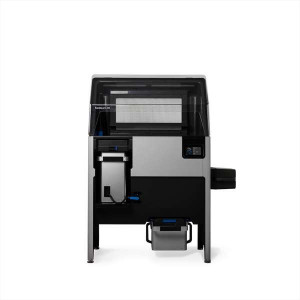
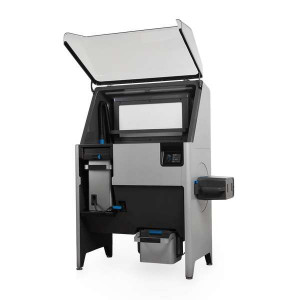
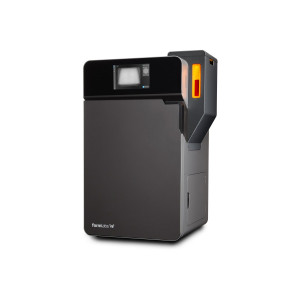
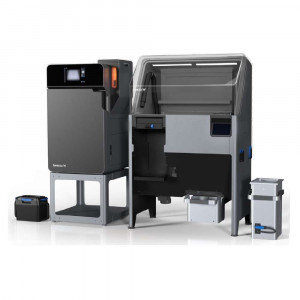
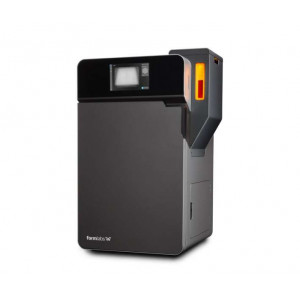
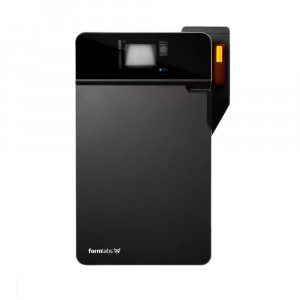
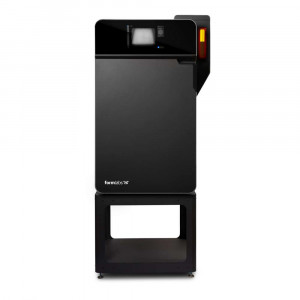
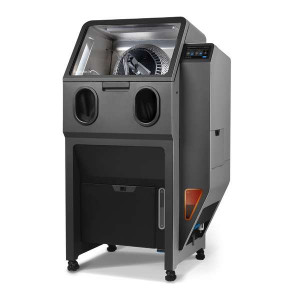
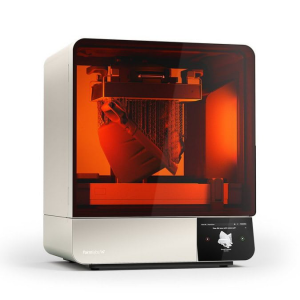
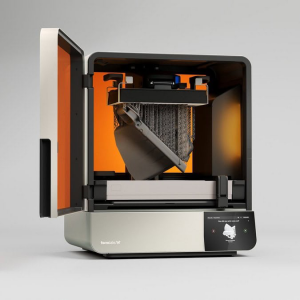
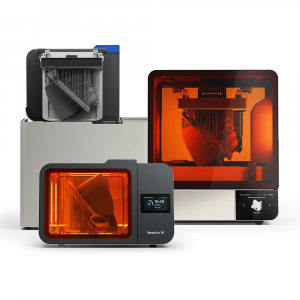
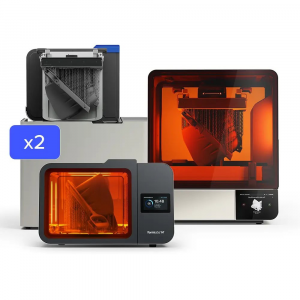
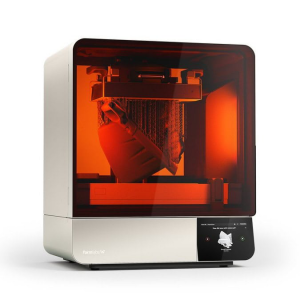
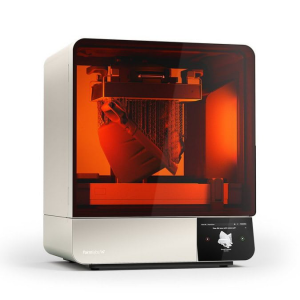
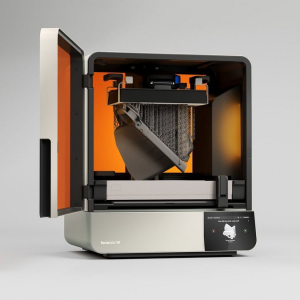
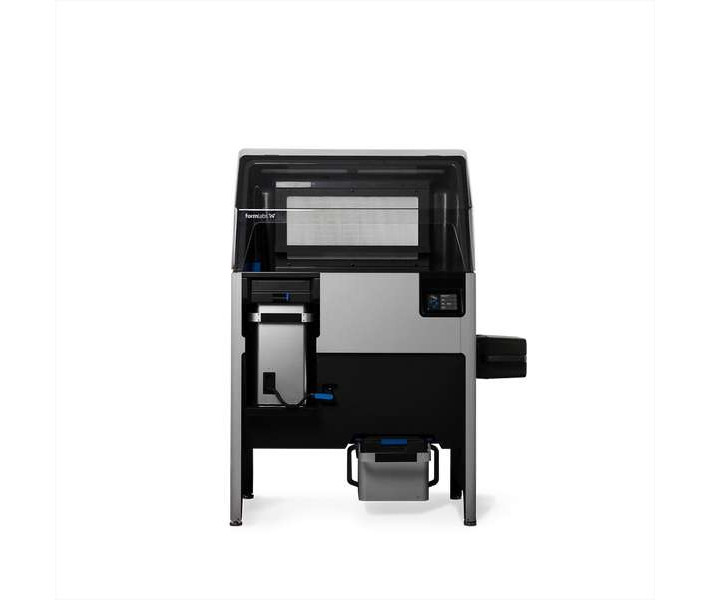
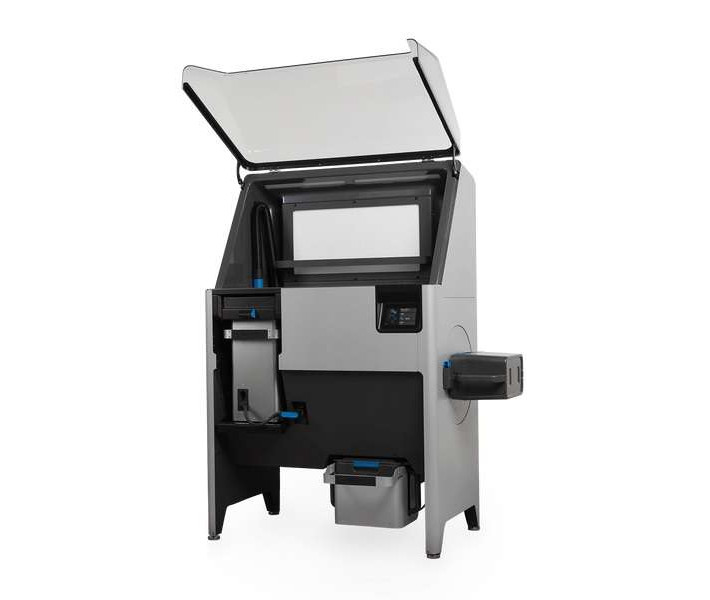
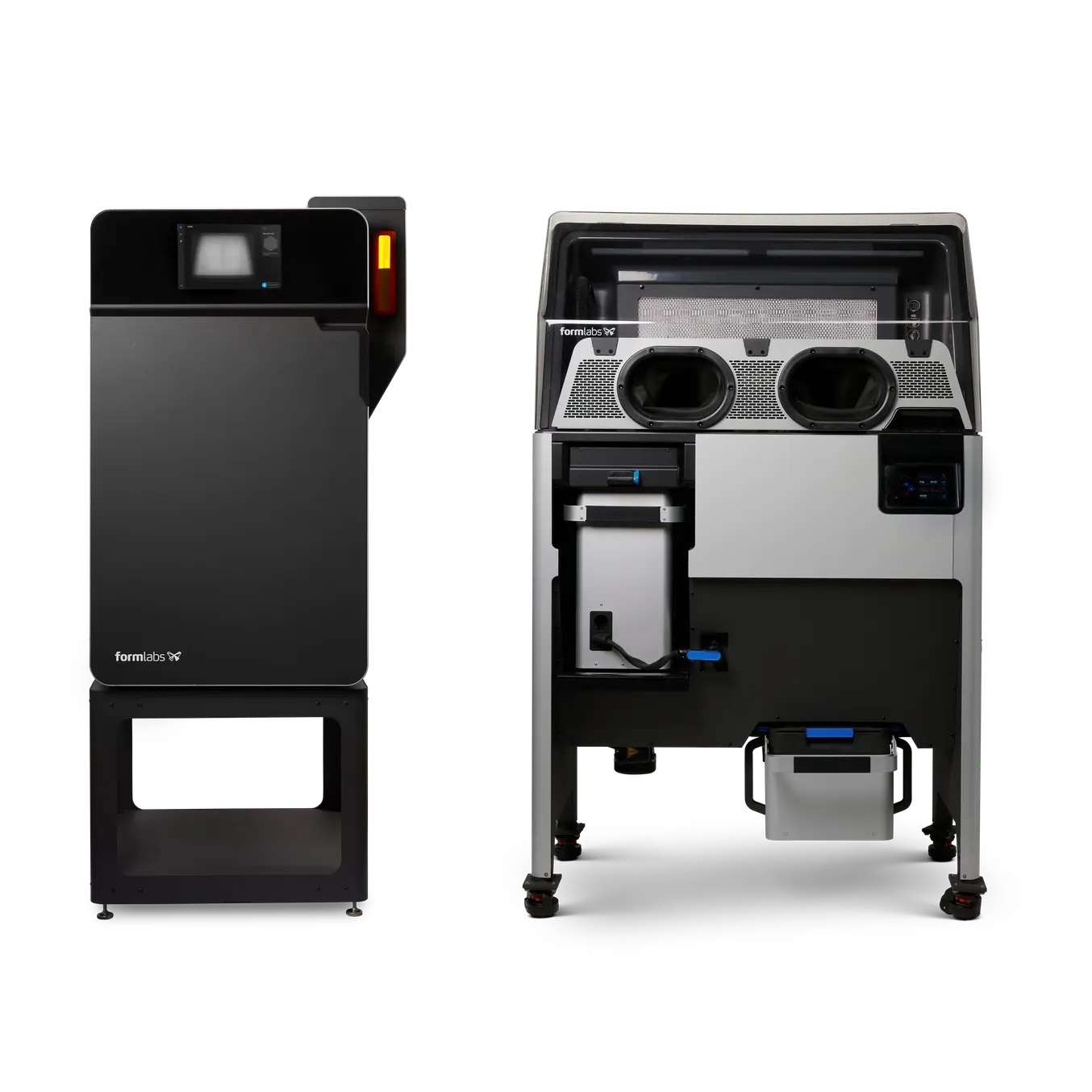
The Formlabs Fuse Sift is an all-in-one SLS powder recovery station designed exclusively for Fuse 1 generation printers, combining part extraction, powder sifting, storage, and automated mixing in a single free-standing enclosure. With a 30% material refresh rate, operators can recycle up to 70% of used powder indefinitely — making it the most material-efficient post-processing solution in its class.
| Spec | Value |
|---|---|
| Printer Compatibility | Fuse Series SLS 3D printers |
| Dimensions (W × D × H) | 101.5 × 61.0 × 154.5 cm |
| Material Refresh Rate | 30% (up to 70% recycled powder) |
| Sound Emission | ≤ 76.5 dB(A) |
Why the Fuse Sift Belongs in Every SLS Workflow
SLS post-processing has traditionally been the bottleneck of powder-bed workflows: messy, slow, and wasteful. The Fuse Sift dismantles that bottleneck entirely. Its negative-pressure hood traps loose powder at the source, while an integrated HEPA filtration system prevents particulates from escaping into the workspace. The result is a genuinely clean, operator-safe environment — no respirator theatre required beyond standard PPE during cake extraction.
Closed-Loop Powder Economy
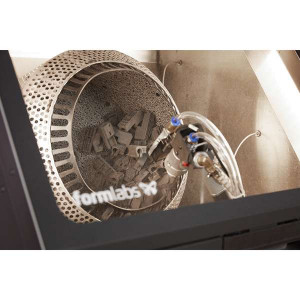
The sifter mesh agitates and separates unsintered powder from print residue, channelling it into the dedicated 18-liter used powder hopper. Fresh material enters via the 17-liter fresh powder hopper. The doser assembly then dispenses both streams in the precise refresh-rate ratio you configure — automatically, via the touchscreen — before the integrated mixer spins the powder cartridge to a homogeneous blend. The entire cycle runs without manual weighing or guesswork.
Modular Build Chamber System
Print. Cool. Swap. Repeat. The Fuse Sift's rail-mounted build chamber port accepts the same interchangeable chamber used in the Fuse 1. While one chamber is being recovered at the Sift station, another can already be running a new job in the printer. Downtime collapses to the time it takes to slide a latch and push a plug — confirmed by the system's audible click feedback.
Mess-Free Extraction Environment
The negatively pressurised hood keeps the workspace under constant inward airflow. A rear vent fans dispersed powder into a filter before it can escape the unit. The optional Fuse Sift Glovebox Panel upgrades containment further — ideal for high-throughput production environments or facilities with strict particulate standards.
Touchscreen Control and Network Integration
The interactive touchscreen and physical control panel give operators direct access to all subsystems: sifter start/stop, vacuum control, bed raise/lower, and mixing cycles. Connectivity covers Wi-Fi (2.4 GHz, WPA/WPA2), Gigabit Ethernet (RJ-45), and USB 2.0, so the Fuse Sift integrates into Formlabs Dashboard monitoring alongside your printer fleet.
Complete Finishing Toolkit Included
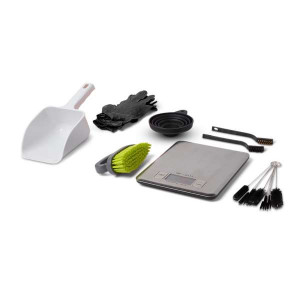
The unit ships with everything needed for immediate part finishing: two sizes of brush, pipe cleaners, dental picks, gloves, dust mask, safety glasses, a vacuum brush tool, vacuum crevice tool, and lifting straps. No supplementary tool order required on day one.
Tech Tip: Always allow the build chamber to reach Cool status on the Fuse Sift's touchscreen before beginning cake extraction. Premature unpacking of a still-warm cake risks thermal distortion of nylon parts and increases the probability of powder clumping in the sifter mesh. The Fuse Sift monitors chamber temperature via the plug connection — trust the display, not elapsed time.
Technical specifications of the Formlabs Fuse Sift 230V
Physical Dimensions
| Dimensions (W × D × H) | 101.5 × 61.0 × 154.5 cm |
|---|---|
| Height When Open | 190 cm |
| Weight (without build chamber or powder) | 93 kg |
| Minimum Access Dimensions (W × D × H) | 221.1 × 122.0 × 218.0 cm |
Build Chamber
| Build Chamber Dimensions (W × D × H) | 27.9 × 34.2 × 48.9 cm |
|---|---|
| Build Chamber Weight (empty) | 11 kg |
| Build Chamber Weight (full, 20% packed powder) | 17.6 kg |
| Build Volume (with radiused corners) | 16.5 × 16.5 × 30.0 cm |
Powder Handling
| Fresh Powder Hopper Capacity | 17 liters |
|---|---|
| Used Powder Hopper Capacity | 18 liters |
| Material Refresh Rate | 30% (up to 70% recycled powder reuse) |
Environmental Requirements
| Operating Temperature | 18 – 26 °C |
|---|---|
| Ambient Humidity | ≤ 30% |
Air Handling & Safety
| Air Handling | Negatively pressurized hood with replaceable HEPA filter; independent venting system |
|---|---|
| Air Filtration | Replaceable HEPA medium |
| Sound Emission | Does not exceed 76.5 dB(A) |
| Vacuum Requirements | Auxiliary vacuum with static dissipative components, grounded and bonded (e.g., NFPA 652 compliant) |
Power Requirements
| Power (EU, vacuum < 6 A) | 230 VAC, 7.5 A (dedicated circuit) |
|---|---|
| Power (EU, vacuum > 6 A) | 230 VAC, 10 A (dedicated circuit) |
| Power (US, vacuum < 12 A) | 120 VAC, 15 A (dedicated circuit) |
| Power (US, vacuum > 12 A) | 120 VAC, 20 A (dedicated circuit) |
Connectivity
| Wi-Fi | IEEE 802.11 b/g/n, 2.4 GHz, WPA/WPA2 |
|---|---|
| Ethernet | RJ-45, 10BASE-T / 100BASE-TX / 1000BASE-T (min. Cat5; Cat5e or Cat6 for 1000BASE-T) |
| USB | USB 2.0, Type-B port |
Controls & Interface
| Control Interface | Interactive touchscreen with physical buttons |
|---|---|
| Printer Compatibility | Fuse Series SLS 3D printers (Fuse 1 generation) |
What's in the box
- Fuse Sift powder recovery station (230 V)
- Large brush × 1
- Small brush × 2
- Pipe cleaners
- Dental picks
- Gloves
- Dust mask
- Safety glasses
- Vacuum brush tool
- Vacuum crevice tool
- Lifting straps
How to Set Up the Formlabs Fuse Sift for First Use
Follow these steps to unbox, install, and connect the Fuse Sift before beginning your first powder recovery cycle.
Step 1: Unbox and position the unit
Stand the packaging upright near the designated installation location, open from the top, and disengage the 4 steel brackets using an 8 mm socket driver to remove the 12 securing bolts. Loop the included lifting straps under the machine left-to-right and use at least two people to lift the unit into position. Remove all remaining packaging material.
Step 2: Install internal components
Insert the sifter mesh and surface grate. Install the tool shelf and the powder catch tray. Set up the build chamber port cover to prevent airflow through the workspace port when no chamber is inserted.
Step 3: Connect the vacuum
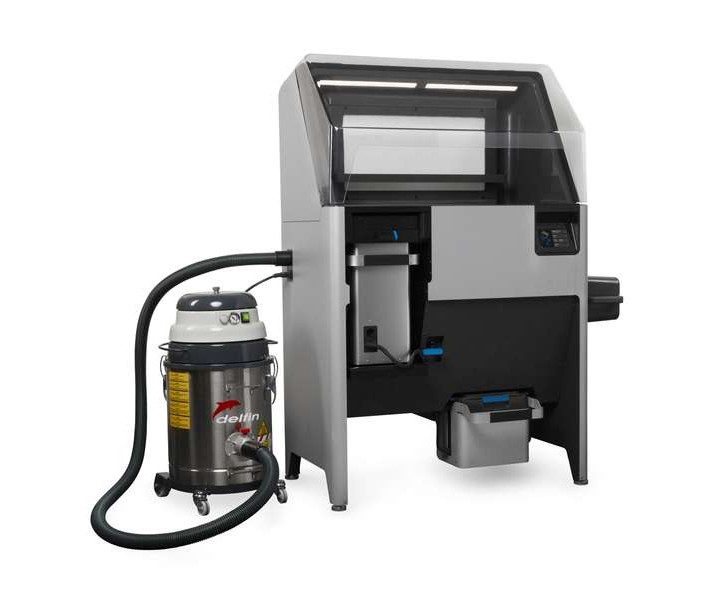
Assemble the auxiliary vacuum (must be NFPA 652 compliant with static dissipative components). Connect the vacuum hose and power cable to the designated ports on the side of the Fuse Sift. Loop the hose around the hook to keep it tidy. Flip the vacuum's breaker switch to ON.
Step 4: Connect to mains power
Plug the Fuse Sift's power cable into a dedicated 230 VAC, 7.5 A circuit (EU). This circuit must be separate from all other devices — including the Fuse 1 printer, fans, vacuums, and any large appliances. Flip the rear breaker switch to ON, then power on the machine using the front control.
Step 5: Connect to your network
Using the touchscreen, connect the Fuse Sift to your local network via Ethernet (recommended: minimum Cat5e cable into the RJ-45 port) or Wi-Fi (2.4 GHz, WPA/WPA2). This enables Formlabs Dashboard monitoring and remote status tracking.
Step 6: Begin your first powder recovery cycle
Run a print on your Fuse 1. Allow the build chamber to cool until the Fuse Sift touchscreen shows Cool status. Slide the build chamber onto the Fuse Sift rails, lock the latch (audible click), and insert the plug (audible click). Proceed with cake extraction, powder sifting, and cartridge filling as guided by the touchscreen interface.
Is the Formlabs Fuse Sift compatible with all Fuse Series printers?
Yes. The Fuse Sift is designed specifically for the Fuse 1 generation of SLS 3D printers, including all models in the Fuse Series. The build chamber is an interchangeable component shared between the printer and the Sift station, enabling seamless transfer.
What is the powder refresh rate and why does it matter?
The Fuse Sift uses a 30% refresh rate, meaning each new batch of powder consists of 30% fresh material and up to 70% recovered powder from previous prints. This significantly reduces material costs per build while maintaining consistent part quality. The doser assembly measures and mixes both streams automatically.
Does the Fuse Sift require a dedicated electrical circuit?
Yes. The Fuse Sift requires a dedicated 230 VAC circuit providing at least 7.5 A (EU) or 120 VAC / 15 A (US). This circuit must be completely separate from the Fuse 1 printer, vacuum, fans, and all other devices. Power surges on a shared circuit can permanently damage sensitive components.
What type of vacuum is compatible with the Fuse Sift?
An auxiliary vacuum with static dissipative components that is both grounded and bonded is required — for example, an NFPA 652 compliant industrial vacuum. The vacuum connects to the Fuse Sift's side port and can be controlled directly via the touchscreen or physical Vac button.
What is the Fuse Sift Glovebox Panel and who needs it?
The Fuse Sift Glovebox Panel is an optional accessory that fully encloses the workspace, providing complete powder containment during part extraction. It is recommended for high-volume production environments, regulated facilities, or any workspace where minimising airborne SLS powder exposure is a priority.
How does powder mixing work in the Fuse Sift?
After sifting, recovered powder is stored in the 18-liter used powder hopper. Fresh material is held in the 17-liter fresh powder hopper. When you initiate a fill cycle, the doser assembly dispenses both streams at the configured refresh ratio into a powder cartridge placed in the cartridge drawer. The integrated mixer then spins the cartridge to produce a homogeneous blend ready for the next print.
Why choose EXPERT3D?
EXPERT3D is your trusted specialist for Formlabs products in Spain — we offer expert pre-sales guidance, installation support, and dedicated after-sales service. EXPERT3D has been the specialist 3D technology retailer for the Spanish market since 2012 — over a decade of expertise in SLS printing ecosystems, professional post-processing equipment, and industrial additive manufacturing solutions. Our technical team provides pre-sales consultation, installation support, and after-sales service for every Formlabs product. Buy the Formlabs Fuse Sift 230V at the best price in Spain ➔