- Stock: In Stock
- Product code: 10310-000002
- Weight Brutto: 240.00kg

The PUDU T600 is a heavy-payload Autonomous Mobile Robot (AMR) engineered for industrial warehouse and manufacturing logistics, transporting loads of up to 600 kg per trip with no human operator on board. Available in Standard and Underride configurations, it combines VSLAM with LiDAR SLAM for dual-layer path planning, identifies rack positions autonomously, and integrates natively with building elevator control systems via IoT. A 30 Ah lithium-ion battery delivers 12 hours of continuous runtime at no load and 6 hours at maximum payload, while a 2-hour fast-charge cycle keeps multi-robot fleets running around the clock.
| Maximum Payload | 600 kg (1,322 lbs) |
|---|---|
| Navigation Method | VSLAM + LiDAR SLAM (Standard); LiDAR SLAM only (Underride) |
| Battery Runtime | 12 h (no load) / 6 h (max load) |
| Charging Time | Approx. 2 h (0% to 90%) |
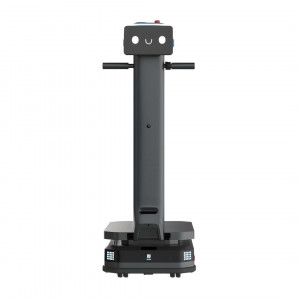
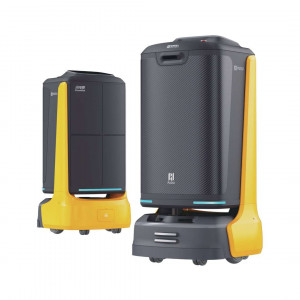
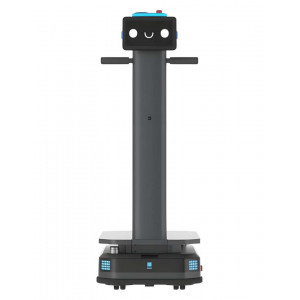
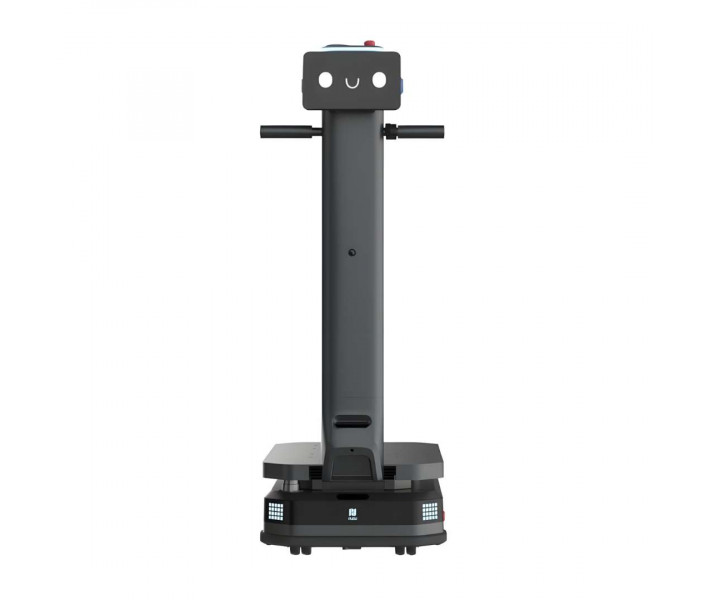
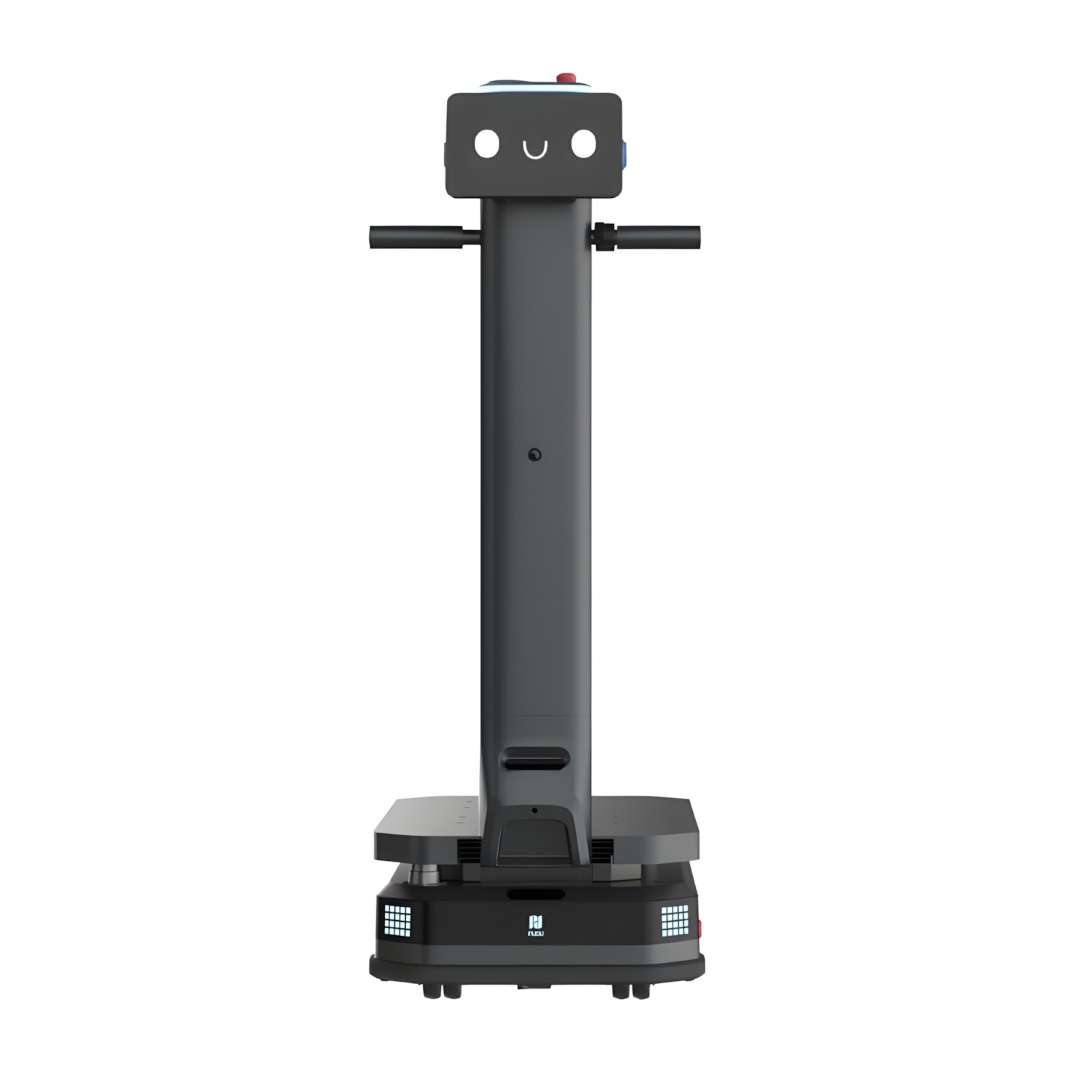
The front profile of the Standard T600 below shows the compact chassis base paired with the raised control tower — the 10.1-inch touchscreen and ergonomic push handle making the robot approachable and operable in shared human-robot work zones without requiring any external terminal.
600 kg Payload: What This Means for Industrial Logistics
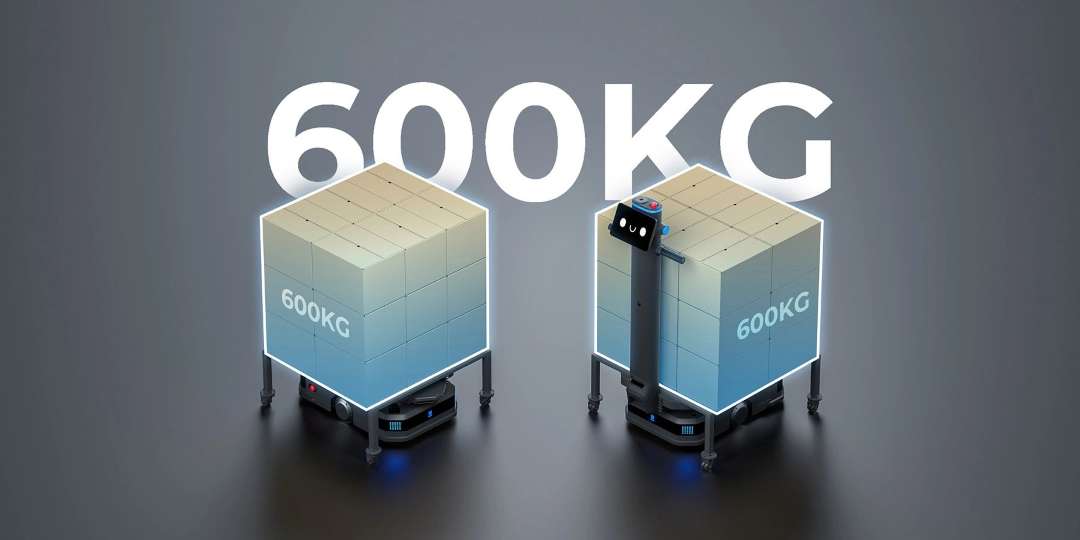
Most light-duty AMRs cap out at 100–200 kg — sufficient for document trolleys or food service carts. The PUDU T600 operates in a different category entirely: raw material transport between production cells, inter-floor pallet movement, and high-volume bin transfers across wide-aisle warehouses. At 600 kg maximum payload, a single T600 mission can replace four to six manual trip equivalents, directly reducing labor hours and forklift traffic in congested logistics corridors. The result is fewer delivery cycles per shift and measurably lower operational overhead per unit of cargo moved.
Both configurations — Standard (upright with tower) and Underride (flat chassis) — share the same 600 kg rating. The image below shows this side by side, underlining that the payload specification does not depend on which variant is deployed.
Standard Version vs. Underride Version: Selecting the Right Configuration
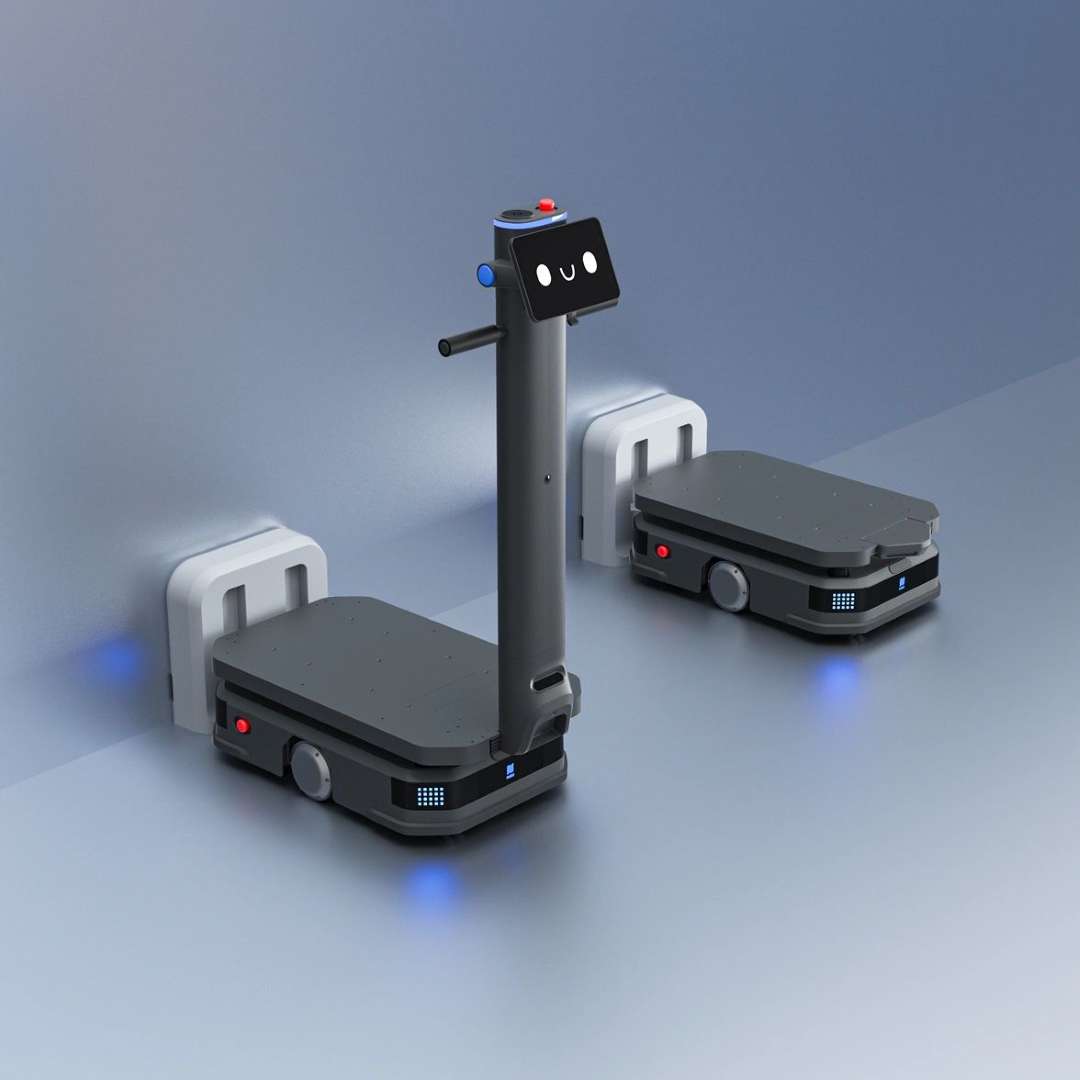
The T600 series offers two structurally distinct hardware variants tuned to different workflow geometries. The Standard Version stands 1,350 mm tall and features the 10.1-inch touchscreen, power-assist switch, front indicator lights, and ground safety projector. It suits facilities where operators need local task assignment or where mixed human-robot interaction requires a clearly visible robot profile. The Underride Version reduces to a 255 mm-tall chassis designed to slide beneath storage racks, lift entire shelving units, and execute goods-to-person workflows in high-density shelving environments — without any manual involvement at the rack. Both models weigh under 115 kg and share the 30 Ah battery, VDA5050 protocol support, and the same 600 kg payload ceiling.
The image below captures both variants approaching their automatic dock charging stations — an arrangement that enables continuous operation across multi-shift schedules without manual battery intervention.
Rack Group Recognition: Autonomous Pick-and-Place Without Manual Alignment
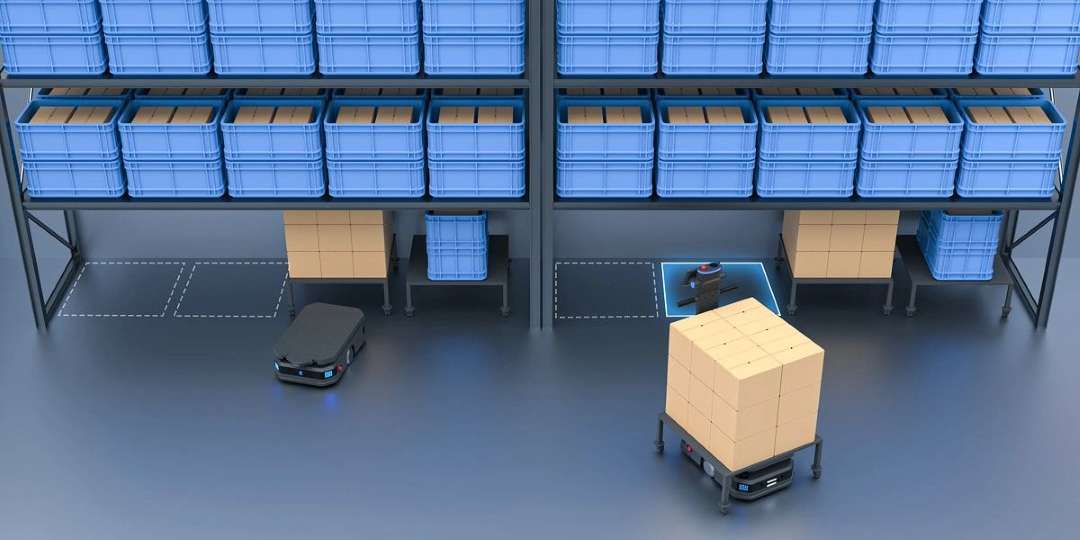
The T600's navigation stack can identify specific storage locations within a configured rack group and position itself for pick-and-place operations without barcode scanners or manual guidance. VSLAM camera data and LiDAR sensor fusion locate the target position and compute the final docking approach with repeatable accuracy. A fleet scheduler sends a destination ID; the robot handles approach, load acquisition, and departure autonomously. For the Underride version, this extends to lifting entire rack units — the robot drives beneath the shelf, raises the lifting mechanism, and transports the complete rack to the next workstation.
The Underride unit below is shown engaging the underside of a warehouse shelving rack, the lifting mechanism positioned for a full rack transport cycle without worker involvement.
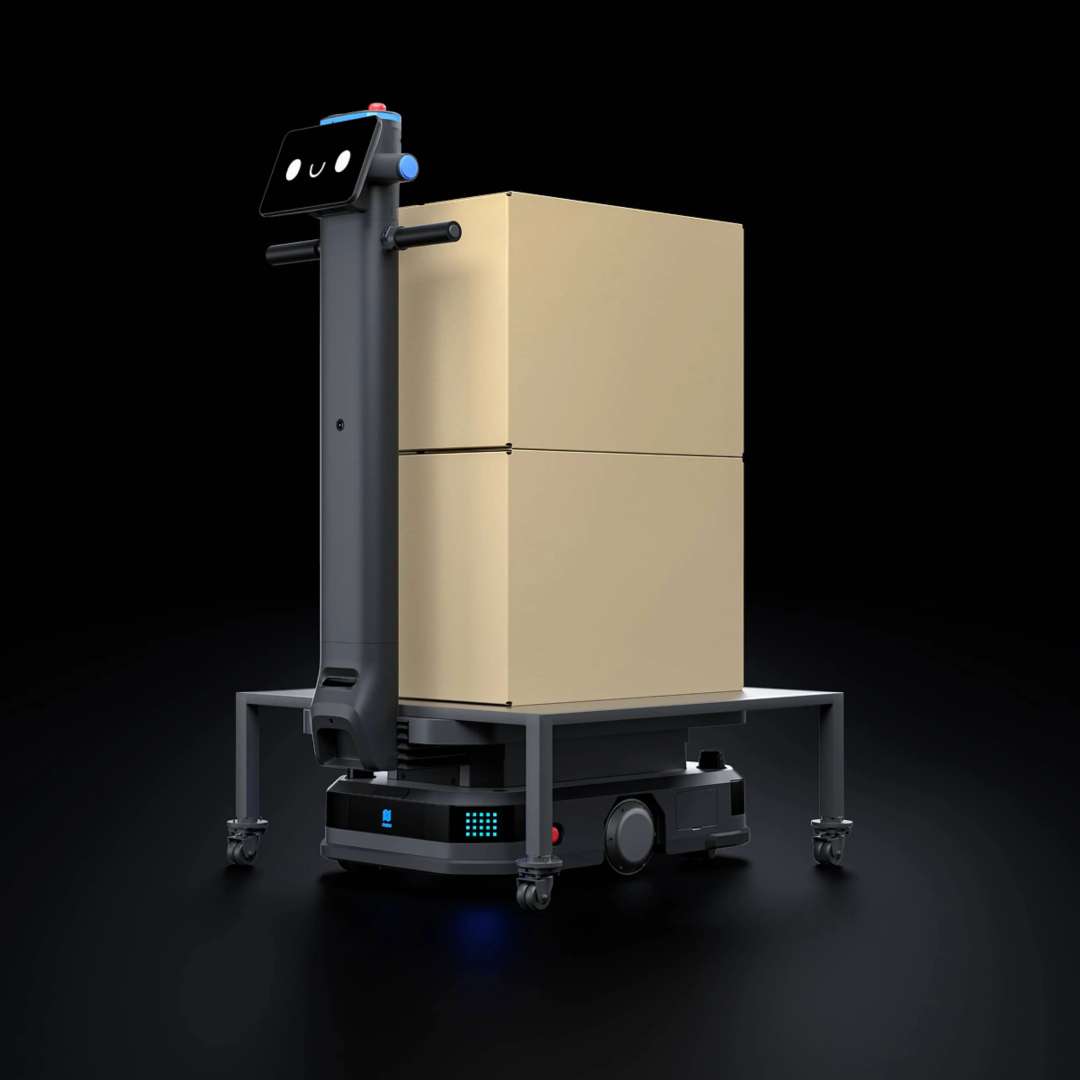
For the Standard model, a robust cargo stand platform handles stacked loads reaching a substantial fraction of the 600 kg ceiling. The image below shows the T600 Standard transporting two large stacked cardboard boxes with full structural stability across a production floor.
Navigation Architecture: Why VSLAM + LiDAR SLAM Is Not Redundant
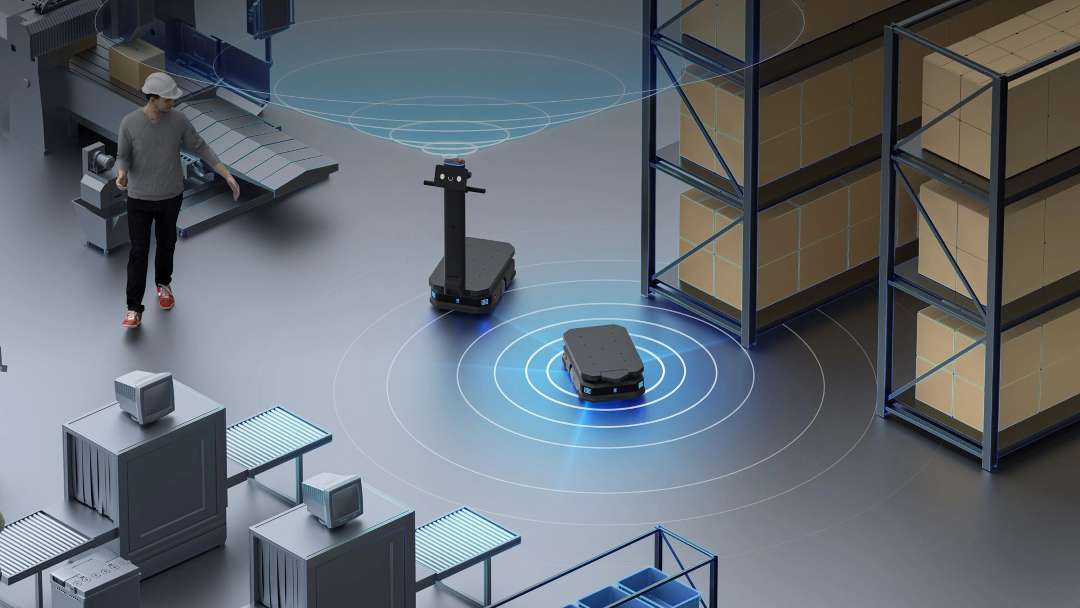
Running a single navigation modality in a real-world industrial facility is a reliability risk. LiDAR SLAM builds a precise 2D floor-level map but struggles near glass partitions, mirrored surfaces, and highly repetitive shelving geometry — environments where scan segments look identical across different positions. VSLAM adds a ceiling-facing visual landmark layer that anchors positioning to ceiling features that remain stable regardless of what happens at floor level. The Standard T600 fuses both streams in real time: when one signal degrades, the other maintains localization continuity. The Underride variant uses LiDAR SLAM alone, which is appropriate for its constrained under-rack operating environment where visual landmarks are unavailable.
The composite sensor envelope diagram below illustrates how LiDAR, downward RGBD cameras, and collision sensors work together to create a layered spatial awareness field around each T600 unit.
Dynamic Obstacle Avoidance: Responding to Pallet Jacks, Workers, and Moving Equipment
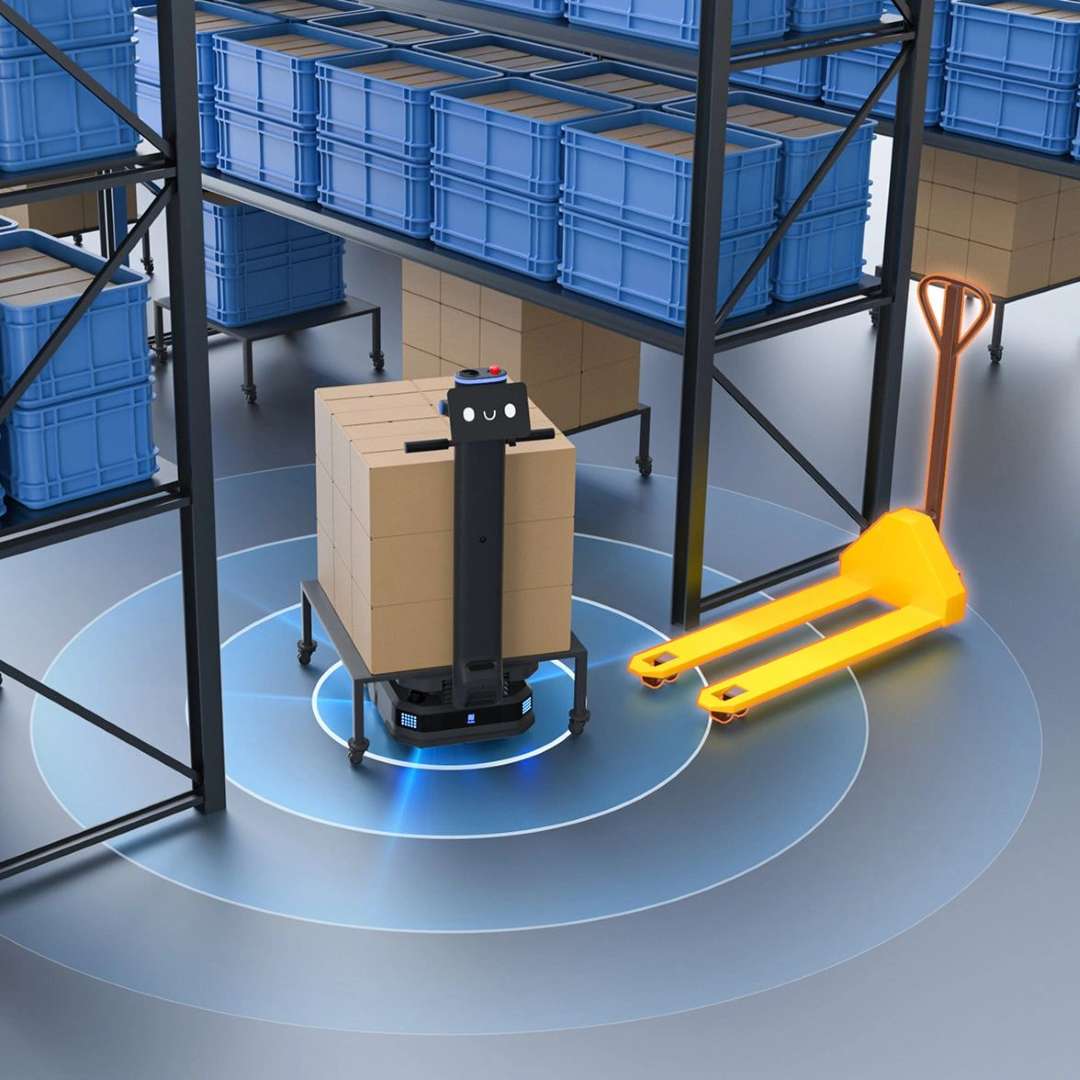
Industrial warehouses are not static test environments. Forklifts reposition, workers cross aisles, and pallet jacks sit in transit corridors below LiDAR scan height. The T600's dynamic obstacle avoidance addresses all three scenarios: downward-facing RGBD depth cameras detect low-profile objects that LiDAR would miss; collision bumpers provide a final-stage physical safety layer; and a real-time path replanning algorithm recalculates routes the moment a stationary obstruction is confirmed. Moving obstacles trigger a velocity reduction followed by a full halt before any contact occurs.
The sensor sweep visualization below shows the T600 detecting a pallet jack within its safety perimeter — the circular LiDAR detection rings quantifying clearance distances around the obstacle before a rerouting decision is issued.
Ground Safety Projection: A Language-Independent Safety Signal
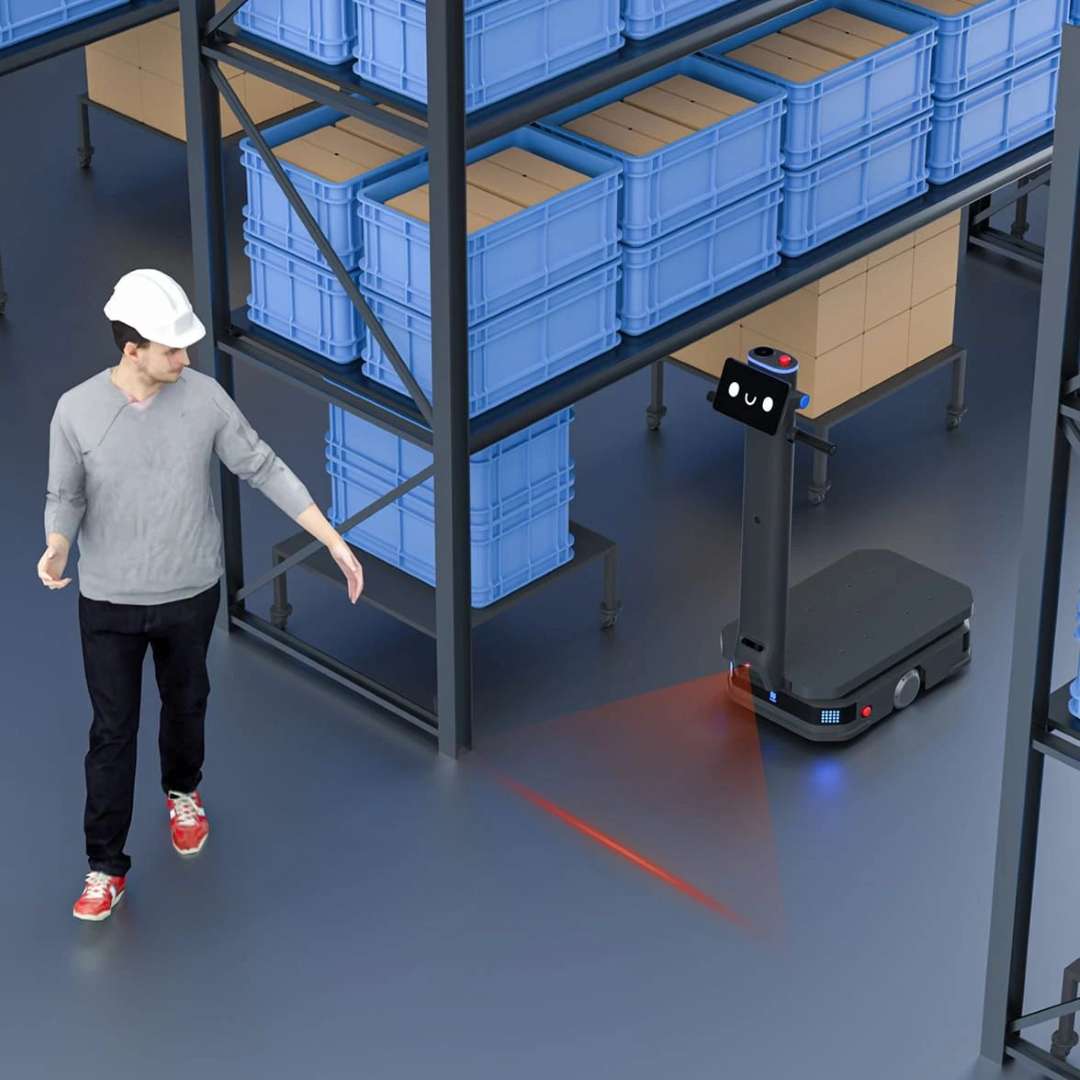
Standard version T600 units project a linear red warning mark onto the floor directly ahead of the robot's travel direction. This safety contour projector serves a specific function in mixed human-robot environments: it communicates the robot's occupied path zone through a visible floor-level signal that workers recognize instinctively, without requiring them to read a display or respond to an audio prompt. The projection tracks the robot's heading in real time, ensuring the safety boundary is always correctly oriented relative to travel direction. This feature is exclusive to the Standard version and is not available on the Underride variant.
The image below shows a warehouse worker recognizing the T600's red floor projection and adjusting their path — the safety projector acting as a passive, always-on communication channel between the robot and human co-workers in the same aisle.
Narrow Aisle Intelligence: Dynamic Single-Lane and Dual-Lane Traffic
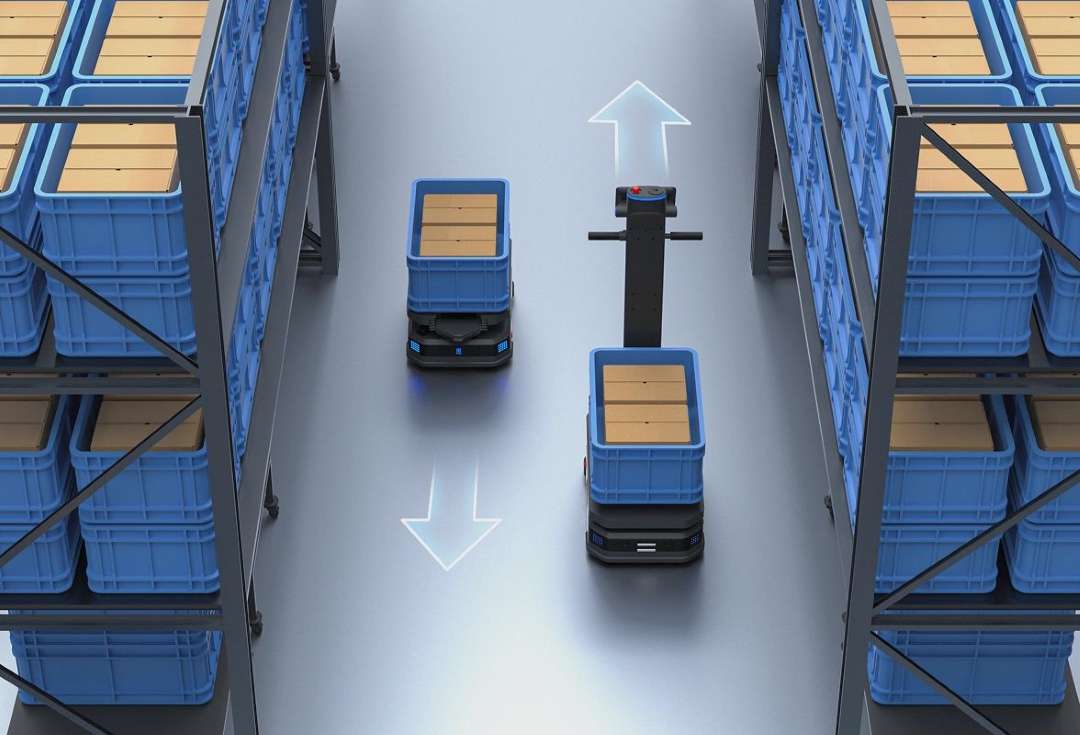
Coordinating multiple heavy-payload robots through corridors barely wide enough for bidirectional passage is one of the most operationally complex challenges in dense warehousing. The T600's Narrow Aisle Intelligent Traffic Strategy resolves this at the fleet scheduler level. The system evaluates path width in real time against the actual physical dimensions of each robot — including any cargo overhang registered in the Run Setting menu — and automatically determines whether two units can pass simultaneously (dual-lane) or must move sequentially (single-lane). Wide loads are routed sequentially; narrower payloads can cross simultaneously. The result is maximized aisle throughput without collision risk, reconfigured on every pass based on live payload geometry rather than fixed conservative rules.
The image below captures two T600 units navigating in opposite directions within a narrow storage corridor — the bidirectional traffic algorithm having determined that simultaneous passage is geometrically safe for both current payloads.
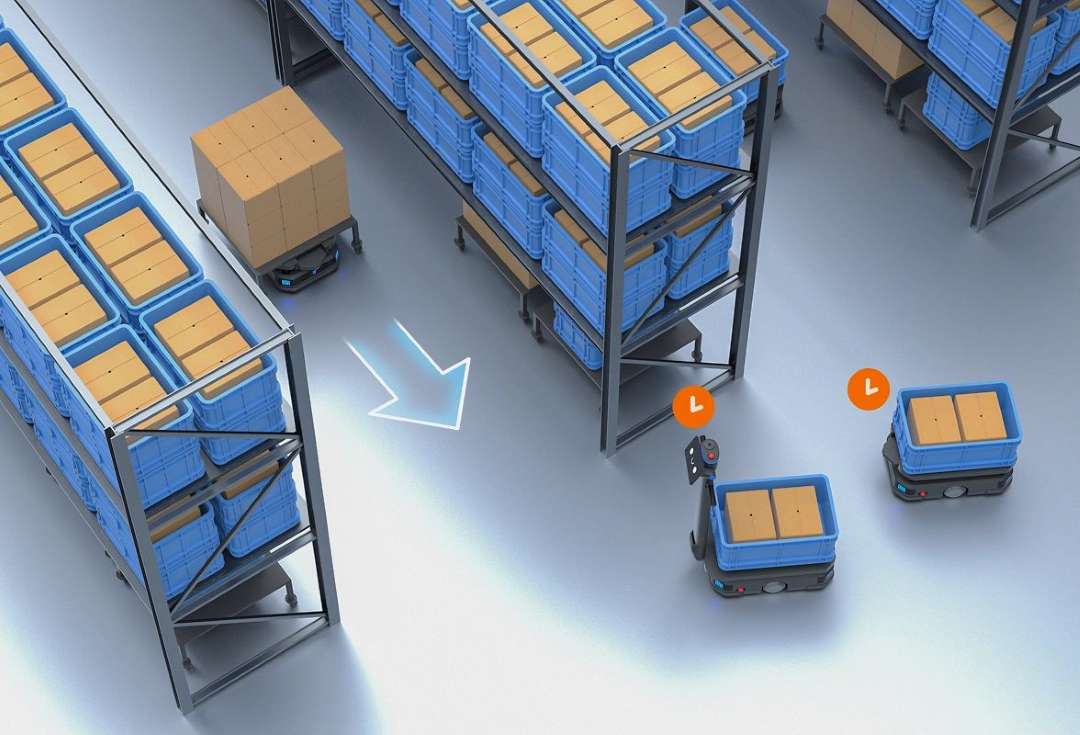
When primary routes are unavailable — a parked robot, a partially blocked bay, or a temporarily restricted zone — the fleet scheduler issues real-time rerouting instructions. The image below shows multiple T600 Underride units in a bin-shelving environment actively executing rerouting decisions, with directional path indicators confirming the alternative trajectories selected by the scheduler.
Disaster Avoidance: Emergency Response Beyond Standard AMR Safety
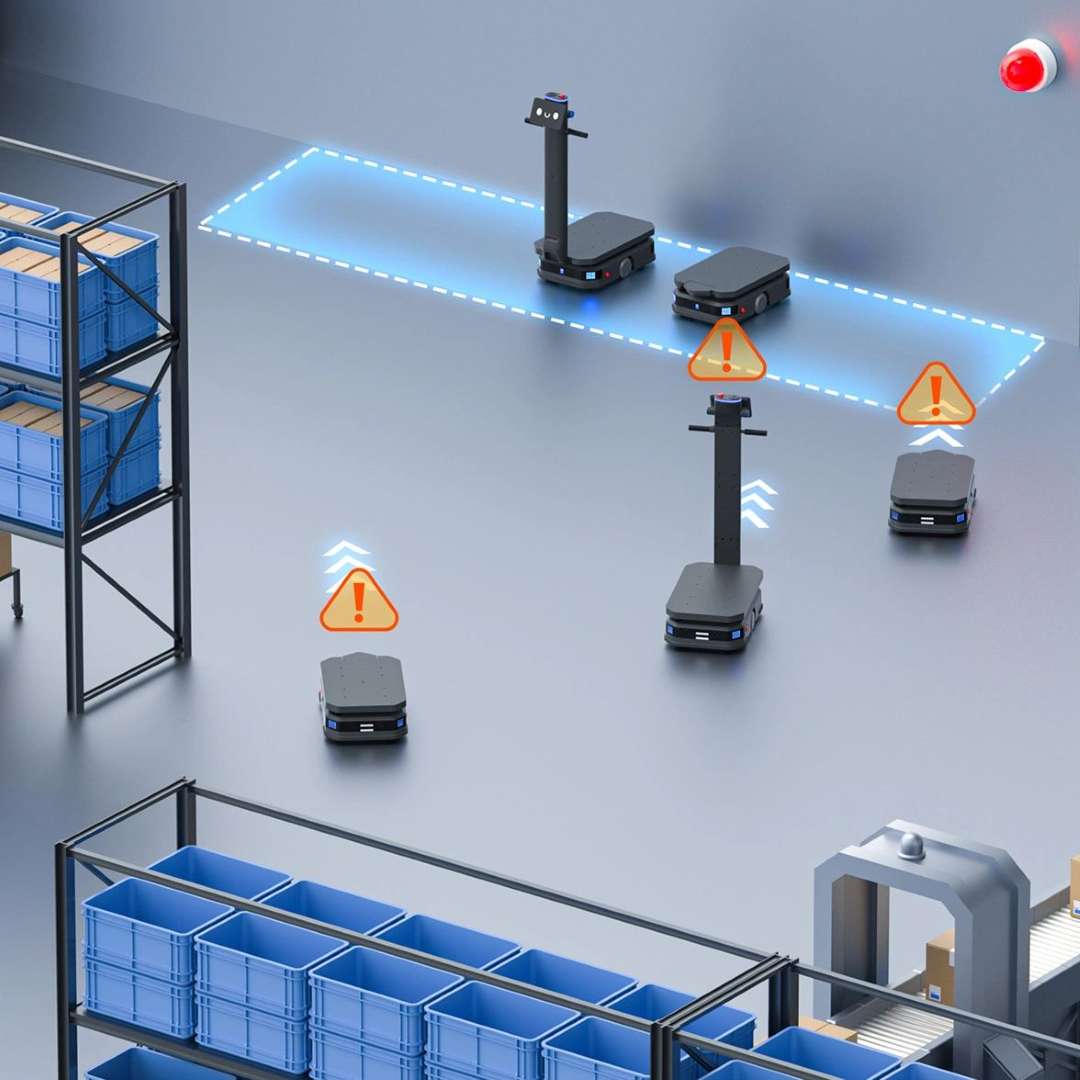
Standard industrial AMRs stop when they encounter an obstacle and alert the operator. The T600 goes further with a dedicated Disaster Avoidance Module that connects directly to facility alarm infrastructure — specifically fire alarm panels and seismic detection sensors. On receiving a fire or earthquake signal, the robot automatically executes a pre-programmed emergency response: either autonomous navigation to a designated safe parking zone or an intelligent in-place park at a location selected to minimize obstruction of evacuation routes. A fleet of T600 units does not simply freeze in place during a facility emergency — it clears the operational area in a coordinated fashion.
The scenario below illustrates fleet-wide disaster avoidance in action: multiple T600 units receiving emergency warning signals (orange triangles) and automatically adjusting routes away from triggered alarm zones, coordinated through the central scheduler to prevent bottlenecks during the evacuation sequence.
Power-Assist Handle: Manual Control Under Full Load
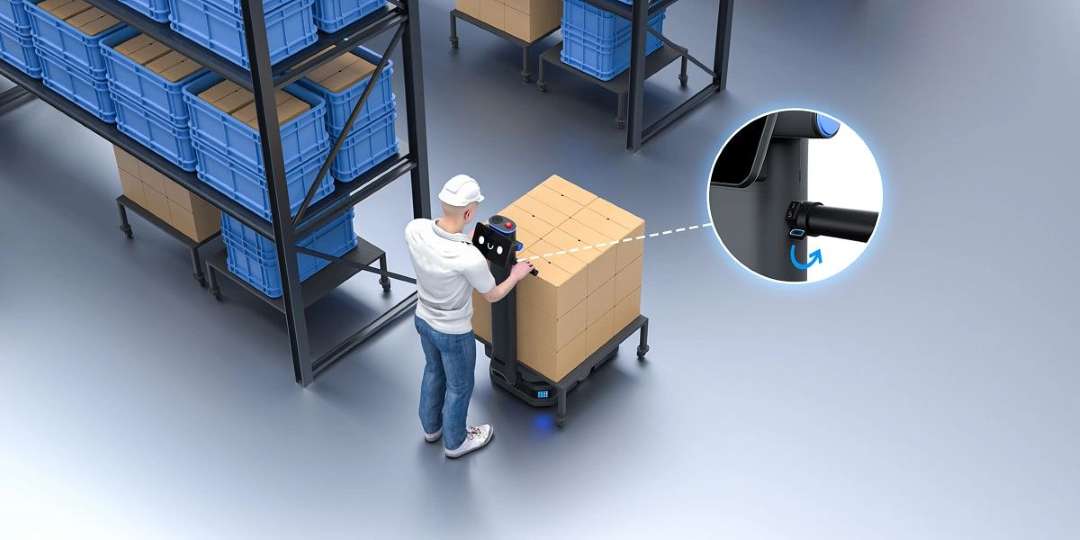
Even a fully automated warehouse needs occasional manual repositioning — after maintenance, during initial map building, or when routing through an unmapped temporary zone. Moving a 112 kg robot under a 600 kg payload manually is not a one-person task without assistance. The Standard T600's ergonomic power-assist handle switch solves this: pressing the switch engages a motorized assist mode that amplifies the operator's pushing force to a level manageable by a single person. This makes manual operation practical in scenarios where it is genuinely needed, without requiring the robot to be unloaded first. The feature is not present on the Underride version.
The image below shows an operator using the power-assist handle to steer the T600 Standard while it carries a fully loaded cargo stand — demonstrating the practical utility of the assist mechanism in a real warehouse maintenance scenario.
Tech Tip: When deploying T600 units on ramps or 3° inclines between warehouse levels, the permitted payload decreases as the load's center of mass (CoM) rises and shifts laterally. The operation guide specifies load-height vs. CoM-offset tables that define the maximum safe payload at each combination. Before dispatching a heavily loaded robot over any incline, verify that the load's CoM offset falls within the permitted range for that payload level — this is configurable from Settings > Robot Functions > Run Setting. Overlooking this on slopes approaching 3° is the single most common cause of unstable transport incidents during first deployments.
Fleet Scheduling, VDA5050 Protocol, and IoT Integration
The T600 is engineered as a network node, not an isolated unit. VDA5050 protocol compliance provides a standardized communication interface for receiving mission data, reporting status, and coordinating with other VDA5050-compliant robots regardless of manufacturer. A mixed fleet of T600 units alongside other compliant AMRs is managed from a single scheduling layer with no custom API work required. For facilities already running a Warehouse Management System with VDA5050 support, integration is achieved without any custom development effort. On-premises deployment is supported for facilities with strict data-security requirements or closed-network architectures.
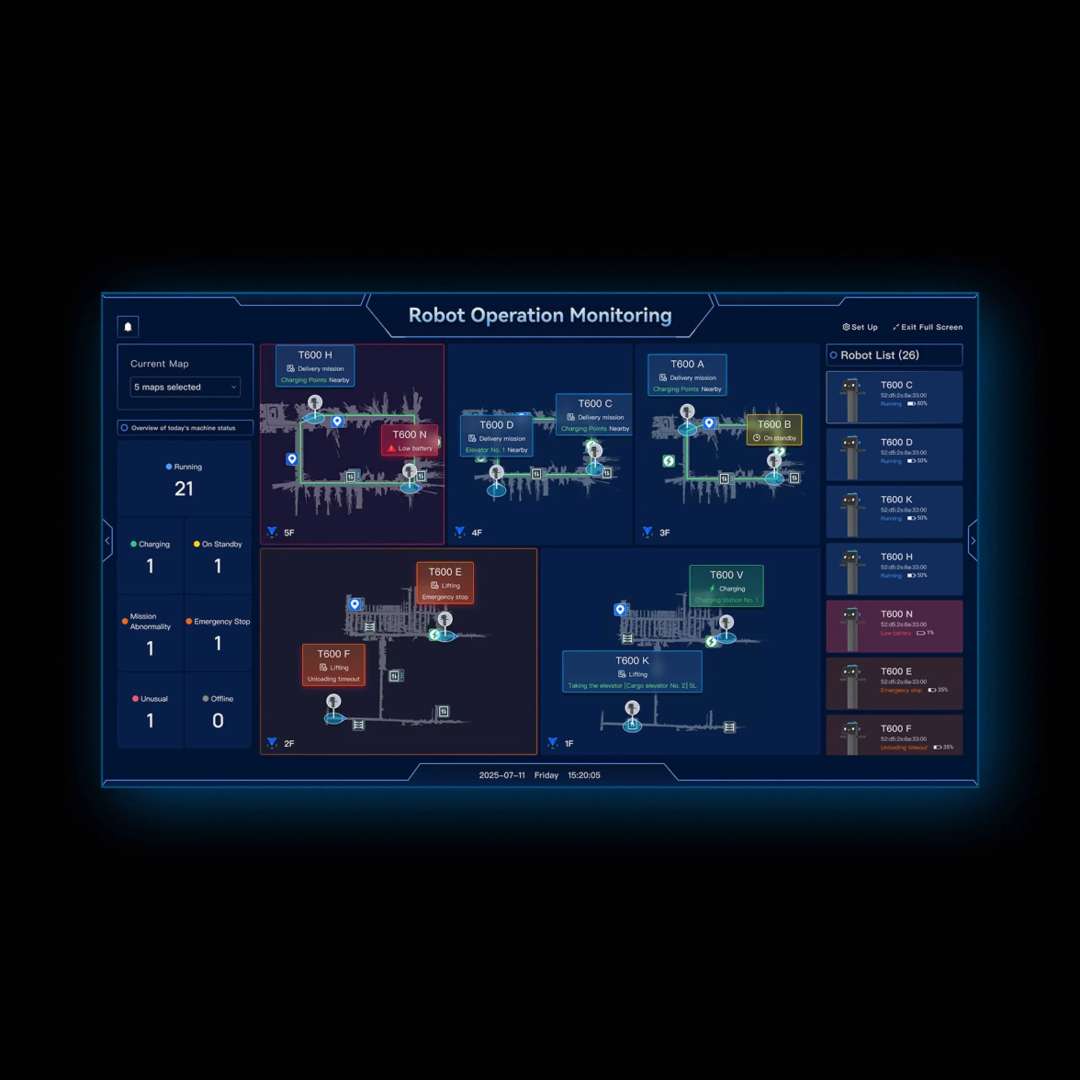
The real-time monitoring dashboard below shows 26 T600 units distributed across five building floors, each reporting battery level, current mission status, and position on the floor map — all visible simultaneously from a single control interface.
Elevator IoT Integration: Autonomous Cross-Floor Delivery
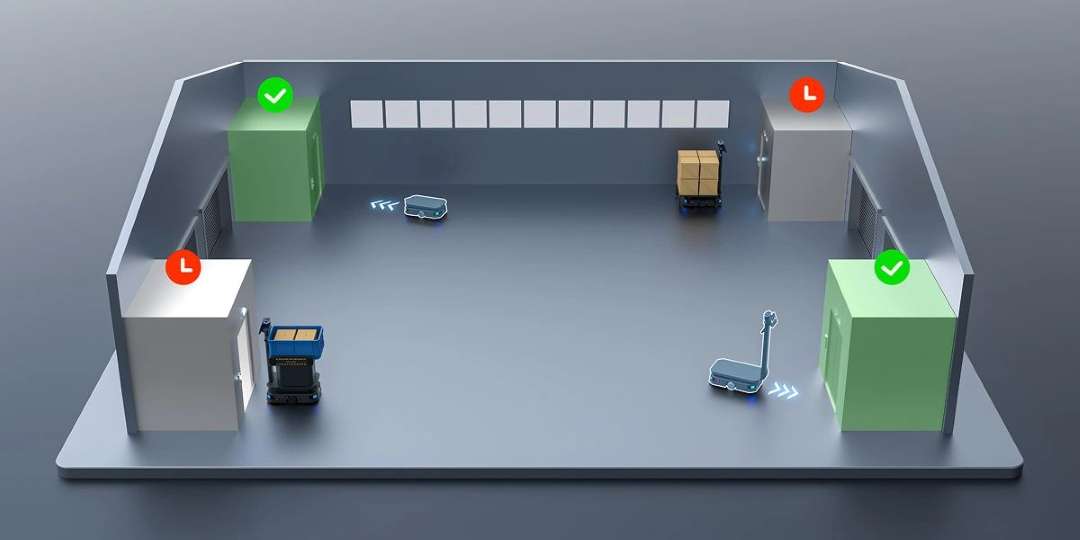
Cross-floor cargo transport in multi-story facilities is typically the hardest workflow to automate: it requires the robot to interact with building infrastructure, not just navigate floor-level space. The T600 addresses this through direct elevator IoT integration — the robot communicates with the elevator control system to call an available car, navigate into it, select the target floor, and exit on arrival, with no human assistance at any stage. The Idle Elevator Priority Scheduling algorithm monitors all elevator cars in real time and selects whichever is currently unoccupied, minimizing wait time during peak periods and preventing conflicts when multiple robots compete for the same elevator resource.
The facility dispatch map below illustrates the idle elevator priority logic: green indicators mark available elevator cars being assigned to approaching robots, while red indicators show occupied cars being bypassed by the scheduling layer — a system that prevents queuing and maximizes cross-floor throughput.
Large-Scale Deployment: WiFi Connectivity and On-Premises Architecture
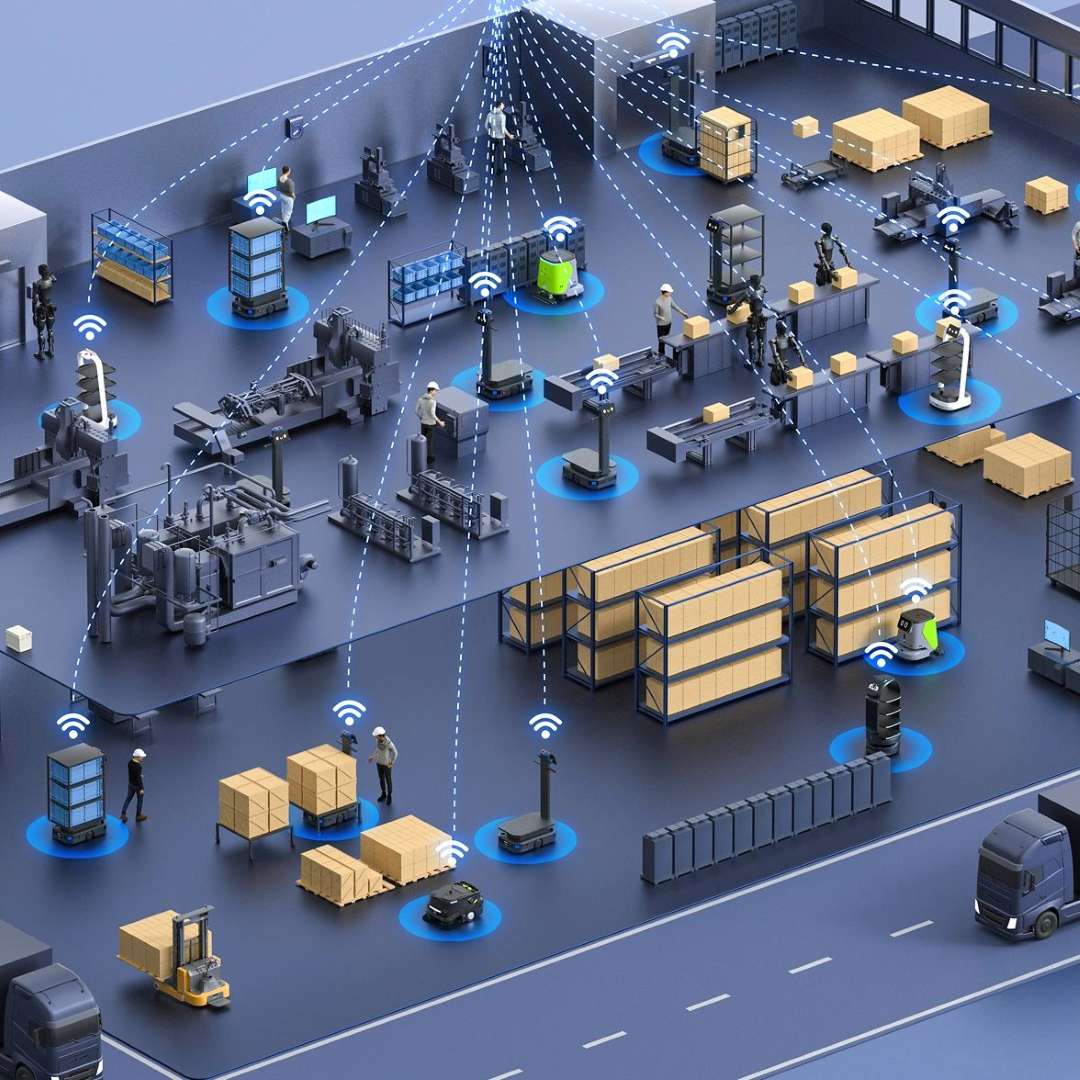
Enterprise installations involving dozens of T600 units across a large facility footprint require a communications and management architecture that stays reliable at scale. The system supports on-premises server deployment — all scheduling logic, facility maps, and fleet telemetry remain within the facility's own network infrastructure, never routing through public cloud services. This is critical for manufacturing environments with strict IP-protection requirements or facilities in areas with unreliable external connectivity. The PUDU Link mobile application provides task assignment, fleet status monitoring, and alert management from anywhere within the facility's WiFi coverage.
The birds-eye visualization below represents a large-scale multi-robot industrial deployment, with T600 units and other AMRs connected through a unified WiFi mesh — illustrating the breadth of logistics automation that a single management layer can orchestrate without per-robot manual oversight.
24/7 Operations: Battery, Charging Modes, and Runtime Planning
The T600 carries a 30 Ah lithium-ion battery rated for industrial deep-cycle use. At no load, runtime reaches 12 hours; at the maximum 600 kg payload, the operational window is 6 hours — sufficient for a complete standard shift at full capacity. For three-shift facilities, the 2-hour fast-charge cycle (0% to 90%) enables a recharge-between-shifts strategy with minimal idle time. For genuinely continuous 24/7 operation, two options are available in parallel: automatic dock charging, where the robot self-navigates to the charging station when battery level drops below threshold; and hot-swappable battery replacement, which allows a fresh battery to be installed in approximately 60 seconds while the robot maintains power (if enabled in Advanced Settings).
- 30 Ah lithium-ion battery — no memory effect, rated for industrial deep-cycling applications
- Automatic dock charging: robot autonomously navigates to the charging pile when battery is low
- Manual hot-swap: 60-second battery replacement with maintained power continuity (Advanced Settings)
- Battery storage guidance: charge to 30–50% before storage periods exceeding 15 days
- Operating temperature range: 0 °C to 40 °C; short-term storage up to 60 °C
Technical specifications of the PUDU T600
Mechanical
| Dimensions — Standard Version | 960 × 500 × 1350 mm |
|---|---|
| Dimensions — Underride Version | 845 × 500 × 255 mm |
| Weight — Standard Version | 112 kg (246.92 lbs) |
| Weight — Underride Version | 94 kg (207.23 lbs) |
| Maximum Payload | 600 kg (1,322.77 lbs) |
| Max. Obstacle Height (Surmountable) | 10 mm (0.39 inch) |
| Max. Surmountable Gap | 35 mm (1.38 inches) |
| Minimum Passability — Standard | 70 cm (27.6 in) |
| Minimum Passability — Underride | 65 cm (25.6 in) |
Power & Electrical
| Operating Voltage | DC 20.8 V ~ 29.2 V |
|---|---|
| Battery Capacity | 30 Ah |
| Charging Time | Approx. 2 h (0% to 90%) |
| Battery Life — No Load | 12 h |
| Battery Life — Max. Load | 6 h |
Navigation & Mobility
| Navigation Method — Standard | Visual-SLAM + Laser-SLAM (VSLAM + LiDAR SLAM) |
|---|---|
| Navigation Method — Underride | Laser-SLAM (LiDAR SLAM) only |
| Cruise Speed | 0.2–1.2 m/s (adjustable) |
Environment & Interface
| Operating Temperature | 0 °C ~ 40 °C |
|---|---|
| Operating Altitude | < 2,000 m (6,561.68 ft) |
| Operating Surface | Dry, flat indoor surfaces |
| Touchscreen (Standard only) | 10.1-inch LCD |
| Fleet Communication Protocol | VDA5050 |
| IoT Integrations | Elevator control, E-gate control, Pager system, PUDU Link app |
| Server Deployment | On-premises (local server / private cloud) |
How to Start Up and Configure the PUDU T600
Step-by-step guide to first-time power-on, brake configuration, dimension setup, task assignment, and emergency stop procedure for the PUDU T600, based on the official V1.1.1 operation guide.
Step 1: Power On
Press and hold the power button for approximately 3 seconds until the chassis indicator lights turn blue. For the Standard version, the 10.1-inch LCD screen will initialize and display the home interface. Confirm that no Emergency Stop button is depressed before proceeding.
Step 2: Set the Brake Switch to Operating Position
Confirm that the brake switch is set to the ON (—) position for normal autonomous operation. The OFF position disengages the drive wheels for manual pushing — use this mode only for repositioning, not for delivery tasks. Running an autonomous mission with the brake switch in the OFF position will result in the robot not responding to navigation commands.
Step 3: Configure Robot Physical Dimensions
If any structures — cargo stands, mounting brackets, or custom attachments — are fixed to the chassis, navigate to Settings > Robot Functions > Run Setting and update the Rear Overhang (X: 0–400 mm) and Total Width (Y: 500–1,200 mm) parameters to match the actual installed configuration. Accurate dimensional parameters ensure that the navigation and collision-avoidance system uses correct physical boundaries for path planning.
Step 4: Assign a Delivery Task
Use the onboard 10.1-inch touchscreen (Standard version) to select a destination from the facility map, or assign tasks remotely via the PUDU Link mobile application or a connected Warehouse Management System using the VDA5050 protocol interface. Confirm the assignment; the robot will begin autonomous path planning and navigation to the target location.
Step 5: Emergency Stop and Recovery
In any emergency, press the red Emergency Stop button at the top of the unit to immediately halt all motion. To restore operation, rotate the Emergency Stop button clockwise to release it, then acknowledge the emergency condition via the on-screen interface or PUDU Link app before re-issuing any navigation tasks.
What is the maximum payload capacity of the PUDU T600?
The PUDU T600 carries a maximum of 600 kg (1,322.77 lbs) per trip. This capacity applies equally to both the Standard and Underride versions. At maximum payload, battery runtime is 6 hours; at no load, it extends to 12 hours. The operating voltage is DC 20.8 V to 29.2 V from a 30 Ah lithium-ion battery.
What is the difference between the PUDU T600 Standard and Underride versions?
The Standard version stands 1,350 mm tall and includes a 10.1-inch LCD touchscreen, ergonomic push handle, power-assist switch, ground safety projector, and dual VSLAM + LiDAR SLAM navigation. It weighs 112 kg. The Underride version is 255 mm tall — low enough to navigate beneath storage racks — uses LiDAR SLAM only, and weighs 94 kg. Both share the 600 kg payload capacity, 30 Ah battery, 12 h no-load runtime, and VDA5050 protocol support. The ground projector and power-assist switch are Standard-only features.
Can the PUDU T600 use elevators autonomously to deliver across multiple floors?
Yes. The T600 integrates directly with building elevator control systems via IoT. The Idle Elevator Priority Scheduling algorithm monitors all elevator cars in real time, selects the most available car, navigates the robot into it, triggers the target floor selection, and exits autonomously on arrival. Multiple T600 units share elevator resources through the scheduling layer, which prevents queuing conflicts during peak delivery periods.
Does the PUDU T600 integrate with existing Warehouse Management Systems?
Yes. The T600 supports the VDA5050 standard communication protocol — the industry-standard interface for AGV and AMR fleet management. Any WMS or fleet scheduler already compatible with VDA5050 can integrate the T600 without custom API development. On-premises server deployment is supported for facilities requiring a fully closed internal network with no external cloud dependency.
How long does it take to charge the PUDU T600?
The T600 charges from 0% to 90% in approximately 2 hours. The battery is also hot-swappable: when the hot-swap option is enabled in Advanced Settings, the robot maintains power for 60 seconds during battery removal, allowing replacement without a full shutdown. Both automatic dock charging — where the robot self-navigates to the charging station when the battery drops below the configured threshold — and wired charger connections are supported.
What happens to the PUDU T600 during a fire alarm or earthquake emergency?
The T600 is equipped with a dedicated Disaster Avoidance Module that receives signals from connected fire alarm panels and seismic detection sensors. Upon receiving an emergency signal, the robot autonomously navigates to a pre-designated safe zone or applies an intelligent in-place park at a position selected to minimize obstruction of evacuation routes — ensuring the fleet does not create hazards or blocked corridors during a facility emergency.
Why choose EXPERT3D?
EXPERT3D has been Spain's specialist in industrial automation and advanced robotics technology since 2012. Our technical team provides pre-sale consultation, deployment planning, and post-installation support for every PUDU T600 project — from single-unit pilot deployments to full multi-floor fleet integrations. We stock the complete T600 series and offer competitive pricing in EUR with rapid shipping across Spain and Europe. Contact our experts today for a tailored logistics assessment and current pricing. ➔