

- Stock: In Stock
- Product code: G1-U8-EDU
- Weight Brutto: 63.00kg

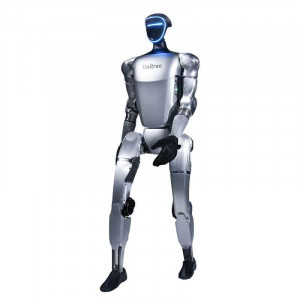
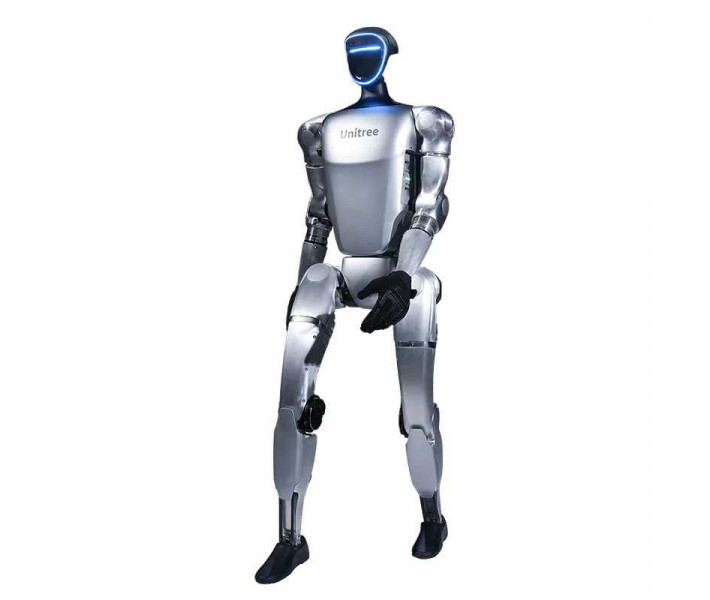
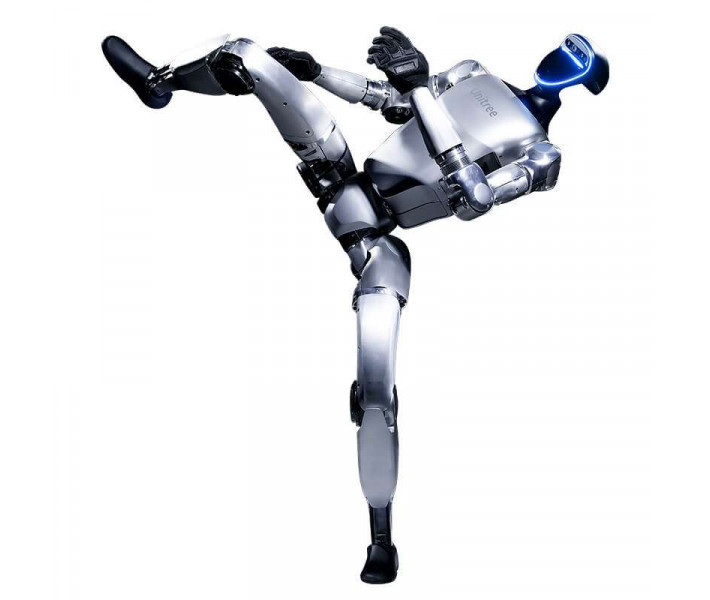
The Unitree G1-U8 EDU is a full-scale humanoid robot designed for robotics research, advanced education, and industrial automation prototyping. Standing 1,320 mm tall and weighing approximately 35 kg, it packs up to 43 degrees of freedom, an NVIDIA Jetson Orin NX development computer, a LIVOX-MID360 3D LiDAR, and an Intel RealSense D435i depth camera into a fully-integrated bipedal platform that moves at 2 m/s and carries up to 3 kg per arm.
| Total Degrees of Freedom | Up to 43 (41 in G1-U8 EDU configuration) |
|---|---|
| Maximum Knee Joint Torque | 120 N.m |
| High-Performance Computing | NVIDIA Jetson Orin NX (16 GB, 1024-core Ampere GPU) |
| Battery Life | About 2 h |
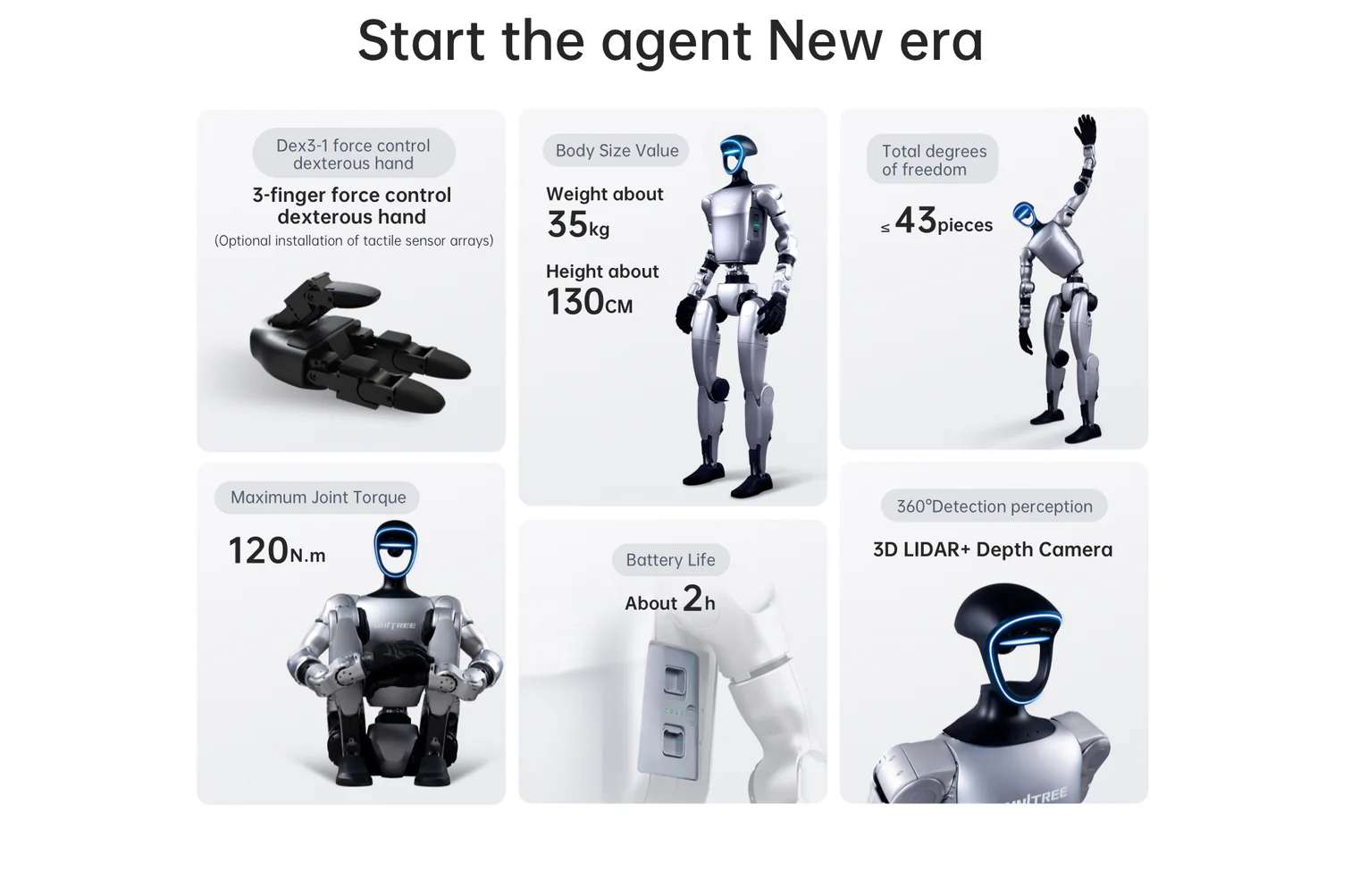
The image below summarises the six core hardware pillars that define the G1-U8 EDU: its three-finger force-control dexterous hand, compact body dimensions, total degree-of-freedom count, maximum joint torque, battery endurance, and the 360° LiDAR-plus-depth-camera perception system.
Up to 43 Degrees of Freedom: A Biomechanical Architecture Built for Precision
Most commercial robots sacrifice joint count for reliability. The G1 EDU platform takes the opposite philosophy: every limb segment mirrors human kinematic structure as closely as current motor technology allows. A single leg runs six axes — three at the hip (pitch, roll, yaw), one at the knee, and two at the ankle — giving the robot the biomechanical redundancy it needs to recover from uneven terrain and unexpected perturbations without pre-programmed recovery sequences.
Limb Kinematics and Joint Architecture
Each arm carries five degrees of freedom (shoulder pitch, shoulder roll, shoulder yaw, elbow, and wrist roll), extendable to seven with the optional dual-DoF wrist upgrade. The G1-U8 EDU configuration delivers 41 total DoF with both Revo 2 Touch five-finger hands installed. The waist adds one to three axes — yaw is standard, with optional pitch and roll on the parallel-mechanism structure — giving the upper body lateral and torsional mobility that is essential for tasks such as unscrewing caps or manipulating objects at varying heights. All joints route their cabling internally through a hollow shaft, eliminating external wiring bundles that would otherwise snag during dynamic motion.
- Single leg: 6 DoF (Hip 3 + Knee 1 + Ankle 2)
- Single arm: 5 DoF (Shoulder 3 + Elbow 2), optionally 7 with dual-DoF wrist
- Waist: 1 DoF standard, up to 3 DoF with parallel-mechanism option
- Single hand (G1-U8 EDU): Revo 2 Touch five-finger dexterous hand with tactile sensing
- Total DoF in G1-U8 EDU: 41
Crossed Roller Bearings and PMSM Actuators
Every joint output uses industrial-grade crossed roller bearings. Compared with standard ball bearings, crossed roller bearings support radial, axial, and moment loads simultaneously — a crucial property when a 35 kg robot swings a 3 kg payload through a fast arc. The motors themselves are low-inertia, high-speed internal-rotor PMSM (permanent magnet synchronous motors), chosen because their favourable torque-to-weight ratio and fast electrical time constants enable the 500 Hz control loops that smooth motion artifacts. Dual encoders on each joint provide position and velocity feedback at resolutions that matter for force-position hybrid control.
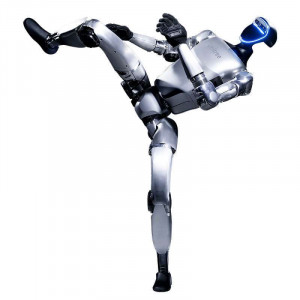
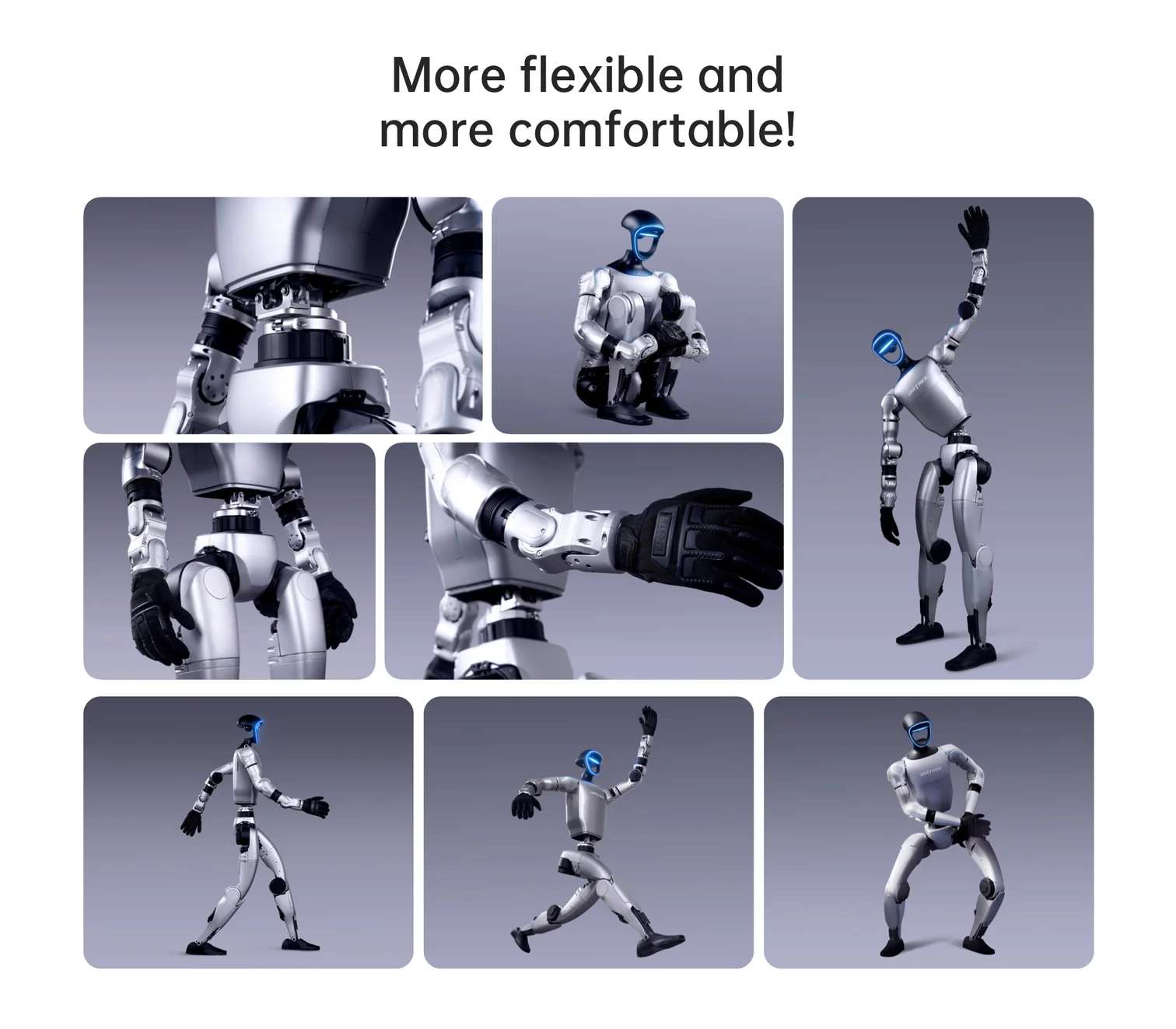
The illustration below showcases the wide range of articulated poses the G1 can achieve, from deep squats and side-steps to arm extensions and dynamic running stances — all within the same hardware platform, without any mechanical reconfiguration.
360° Perception: LiDAR, Depth Camera, and Microphone Array
Autonomous bipedal locomotion demands real-time, multi-modal environment sensing. The G1-U8 EDU mounts two complementary sensors in the head: a LIVOX-MID360 3D LiDAR and an Intel RealSense D435i depth camera. The combination is deliberate — LiDAR provides sparse but long-range point cloud data in almost all lighting conditions, while the D435i adds dense near-field depth with RGB colour information for object classification and grasp pose estimation.
LIVOX-MID360 3D LiDAR
The MID360 operates in a non-repetitive scan pattern that achieves 360° horizontal field of view and up to 59° vertical field of view, publishing point clouds at 10 Hz over a DDS topic. Its omnidirectional scanning makes it particularly effective for SLAM (simultaneous localisation and mapping), a capability built directly into the G1 EDU's bundled software services. The LiDAR data stream is exposed via the rt/utlidar/cloud_livox_mid360 topic, and an integrated IMU publishes at 200 Hz for sensor fusion.
Intel RealSense D435i Depth Camera
The D435i contributes high-resolution stereo depth at up to 60 fps, alongside RGB colour and a 6-axis IMU. Its FOV complements the LiDAR for close-range tasks — grasping, obstacle avoidance below 1 m, and human-pose estimation. The camera streams are accessible directly via the RealSense SDK or through the ROS2 driver on the onboard Jetson Orin NX.
Voice and Audio
A four-microphone array with noise and echo cancellation sits in the head, feeding an offline ASR (automatic speech recognition) engine and a GPT-based voice assistant (firmware ≥ 1.3.0). A 5W stereo speaker handles TTS output. Together they enable natural-language command interfaces without cloud dependency — an important capability for lab environments with restricted internet access.
Tech Tip: When developing low-level joint control with the unitree_sdk2, always verify that G1 is in debug mode before sending motor commands (press L2+R2 on the remote controller, then confirm with L2+A). The built-in motion control program sends periodic zero-velocity commands at runtime — if both programs are active simultaneously, conflicting instructions will cause the robot to jitter. Entering debug mode halts the built-in motion controller entirely, giving your SDK code exclusive access to all 29–41 joint motors.
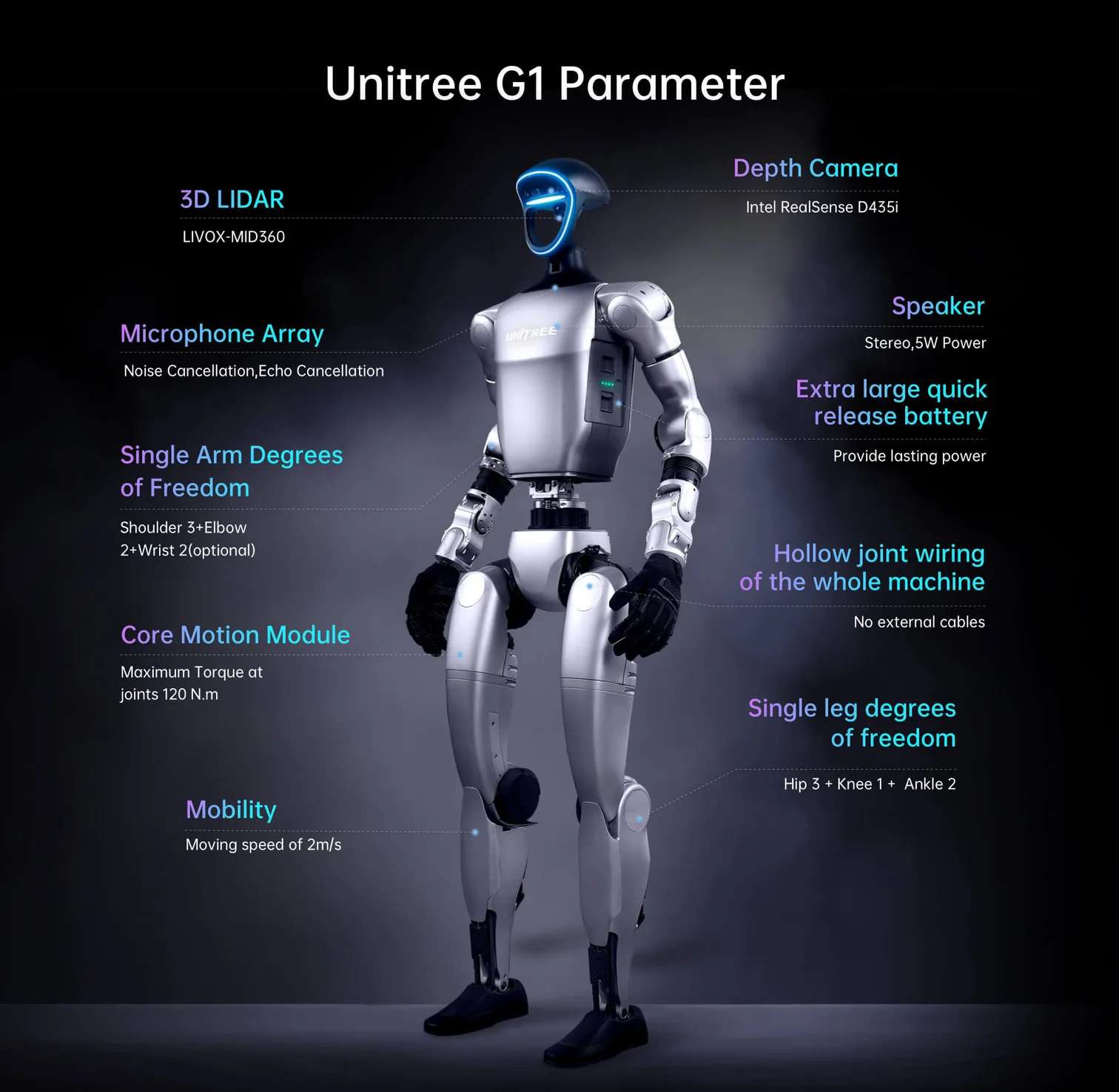
The annotated diagram below maps all major hardware subsystems to their physical locations on the robot body: the LIVOX-MID360 LiDAR and Intel RealSense D435i camera in the head, the noise-cancelling microphone array, single-arm degree-of-freedom breakdown (Shoulder 3 + Elbow 2 + optional Wrist 2), 120 N.m core motion module, 2 m/s locomotion speed, hollow joint wiring throughout, extra-large quick-release battery, and single-leg anatomy (Hip 3 + Knee 1 + Ankle 2).
NVIDIA Jetson Orin NX: Onboard AI Acceleration
The G1-U8 EDU ships with two onboard computing units. PC1 runs Unitree's proprietary motion control stack and is not accessible to end users. PC2 — the NVIDIA Jetson Orin NX — is the development unit available at IP 192.168.123.164 and is the target for all secondary development work. Its 1024-core Ampere GPU, 16 GB unified memory, and 2 TB SSD provide enough headroom to run real-time neural networks, including imitation learning and reinforcement learning policies trained in Isaac Gym and deployed at 500 Hz control frequency. The Jetson runs a custom Ubuntu-based JetPack 5 image maintained by Unitree, with pre-installed DDS middleware compatible with ROS2 (Foxy and Humble).
Open SDK: From ROS2 to Reinforcement Learning
Secondary development is fully supported and thoroughly documented. The unitree_sdk2 C++ library exposes both low-level motor control (direct torque/position/velocity commands at 500 Hz) and high-level locomotion services (stand, walk, run, squat, balance) through a clean RPC interface. Python bindings (unitree_sdk2_python) are available for prototyping. ROS2 compatibility is provided through a Cyclone DDS wrapper — every joint state, LiDAR point cloud, camera frame, and IMU reading is accessible as a standard ROS2 topic without custom message types. URDF models for all G1 EDU variants (23, 29, 41 DoF) are published on GitHub alongside Isaac Gym training scripts, enabling a direct simulation-to-real transfer pipeline.
Technical specifications of the Unitree G1-U8 EDU
Mechanical Dimensions
| Height × Width × Thickness (Standing) | 1320 × 450 × 200 mm |
|---|---|
| Height × Width × Thickness (Folded) | 690 × 450 × 300 mm |
| Weight (With Battery) | About 35 kg+ |
| Calf + Thigh Length | 0.6 m |
| Arm Span | About 0.45 m |
Degrees of Freedom
| Total Degrees of Freedom (G1-U8 EDU) | 41 (up to 43 in alternative EDU configurations) |
|---|---|
| Single Leg Degrees of Freedom | 6 (Hip 3 + Knee 1 + Ankle 2) |
| Waist Degrees of Freedom | 1 standard (optional 2 additional waist axes) |
| Single Arm Degrees of Freedom | 5 (Shoulder 3 + Elbow 2) |
| Single Hand Degrees of Freedom | 7 (Dex3-1 three-fingered hand) + 2 optional wrist DoF |
Joint Movement Range (EDU)
| Waist Joint Range | Z ±155°, X ±45°, Y ±30° |
|---|---|
| Knee Joint Range | 0~165° |
| Hip Joint Range | P ±154°, R -30~+170°, Y ±158° |
| Wrist Joint Range | P ±92.5°, Y ±92.5° |
Actuators and Drive Train
| Joint Output Bearing | Industrial-grade crossed roller bearings (high precision, high load capacity) |
|---|---|
| Joint Motor Type | Low inertia high-speed internal rotor PMSM (permanent magnet synchronous motor) |
| Maximum Torque of Knee Joint | 120 N.m |
| Arm Maximum Load | About 3 kg |
| Full Joint Hollow Electrical Routing | Yes |
| Joint Encoder | Dual encoder |
| Cooling System | Local air cooling |
| Maximum Locomotion Speed | 2 m/s |
Computing and Electronics
| Basic Computing Power (Motion Control) | 8-core high-performance CPU |
|---|---|
| High-Performance Computing Module | NVIDIA Jetson Orin NX (16 GB, 1024-core Ampere GPU, 918 MHz max) |
| Power Supply | 13 string lithium battery |
| WiFi / Bluetooth | WiFi 6, Bluetooth 5.2 |
| Development Unit IP Address | 192.168.123.164 |
Perception Sensors
| 3D LiDAR | LIVOX-MID360 (360° horizontal FOV, 59° vertical FOV, 10 Hz) |
|---|---|
| Depth Camera | Intel RealSense D435i |
| Microphone Array | 4-channel, noise cancellation, echo cancellation |
| Speaker | 5 W stereo |
Battery and Power
| Smart Battery (Quick Release) | 9000 mAh |
|---|---|
| Charger | 54V 5A |
| Battery Life | About 2 h |
Software and Development
| Upgraded Intelligent OTA | Yes |
|---|---|
| Secondary Development SDK | Yes — unitree_sdk2 (C++ / Python), ROS2 (Foxy / Humble) |
| Communication Protocol | DDS (Cyclone DDS), compatible with ROS2 message types |
| External Interface Ports | 2× GbE (RJ45), 4× USB 3.0 Type-C, 1× USB 3.2 Gen2 Type-C (DP1.4), 12V/24V/VBAT power output |
| Manual Controller | Yes (included) |
G1-U8 EDU Specific Enhancements
| Dexterous Hands | Two Revo 2 Touch five-finger dexterous hands |
|---|---|
| Tactile Sensing Modalities | Pressure, friction, directional force, proximity detection |
| Total DoF in U8 EDU Configuration | 41 |
| Warranty | 2 years |
What's in the Box
- Unitree G1-U8 EDU humanoid robot (fully assembled)
- 1 × 9000 mAh smart battery (quick release)
- 1 × Charger (54V 5A)
- 1 × Portable manual remote controller
- 2 × Revo 2 Touch five-finger dexterous hands (pre-installed)
How to Start Up the Unitree G1-U8 EDU (Suspension Method)
The suspension start-up procedure is the recommended method for development and testing, ensuring the robot can safely enter its initial posture without risk of falling. A protective rack with a suspension hook is required.
Step 1 — Secure the robot to the protective rack
Attach the G1 to the protective rack using the suspension hook at the back of the robot. Verify that all four wheels on the rack are locked before proceeding.
Step 2 — Install the quick-release battery
Slide the 9000 mAh battery into the side slot of the fuselage, aligning the connector correctly. Push until you hear an audible click. Do not force-fit — a click indicates proper seating.
Step 3 — Power on
Short-press the battery power button once, then long-press for more than 2 seconds to power on. The boot sequence takes approximately 1 minute. Successful initialisation is confirmed when the ankle joints reach their limit with an audible sound.
Step 4 — Enter ready state
Wait 30 seconds after the boot sound, then press L2+B on the remote controller to enter damping mode, followed by L2+UP to enter the ready state. The robot will slowly assume its standing posture within 5 seconds.
Step 5 — Lower from suspension and begin operation
Slowly lower the suspension rope until the robot's feet touch the ground. Press R2+A on the remote to enter motion control mode. Once the gait stabilises, fully release the hook. Use the left and right joysticks to control movement. Emergency stop: press L2+B at any time to enter damping mode.
What programming languages and frameworks are supported for secondary development on the G1-U8 EDU?
The G1-U8 EDU supports C++ and Python via the official unitree_sdk2 library, which communicates with the robot over DDS (Cyclone DDS). Full ROS2 compatibility is provided for Foxy (Ubuntu 20.04) and Humble (Ubuntu 22.04) — all sensor topics (LiDAR, camera, IMU, joint states) are available as standard ROS2 message types. Reinforcement learning workflows using Isaac Gym and the rsl_rl library are also supported, with Unitree-published URDF models and training scripts on GitHub.
What is the difference between the standard G1 EDU and the G1-U8 EDU variant?
The G1-U8 EDU builds on the standard G1 EDU Advanced Edition by adding two Revo 2 Touch five-finger dexterous hands, which provide multi-modal tactile sensing (pressure, friction, directional force, and proximity) at each fingertip. This raises the total DoF count to 41 and enables dexterous manipulation tasks that require force feedback — tasks not feasible with the three-finger Dex3-1 hand on the base EDU. The U8 EDU also includes a 2-year warranty from certified distributors.
Can the G1-U8 EDU perform SLAM and autonomous navigation indoors?
Yes. The G1 EDU includes a built-in SLAM navigation service (unitree_slam) that uses the LIVOX-MID360 LiDAR. It supports map building, position initialisation, point-to-point navigation (targets within 10 m), and pause/resume navigation — all configurable through an RPC API. The recommended operating environment is static, indoor, and feature-rich spaces up to 45 m on either axis. The service is not recommended for industrial-grade navigation; Unitree advises contacting sales for production-grade applications.
How do I access the NVIDIA Jetson Orin NX for custom development?
Connect your development PC to the G1's shoulder Ethernet port and configure your NIC to the 192.168.123.X subnet (e.g., 192.168.123.99). The Jetson Orin NX development unit (PC2) is accessible at IP 192.168.123.164. SSH in with username "unitree" and the default password provided in the documentation. Always ensure you have entered debug mode (L2+R2 on the remote) before running your own control programs to prevent command conflicts with the built-in motion controller.
Why choose EXPERT3D?
EXPERT3D has been a specialist in robotics and 3D technology in Spain since 2012. Our team provides technical pre-sales consultancy, integration support, and post-sales service for professional platforms including the Unitree G1-U8 EDU. Every unit undergoes logistics inspection before dispatch, and we offer direct access to manufacturer technical documentation and firmware support channels. Contact our specialists for laboratory deployment guidance, customs and import assistance, or volume pricing for research institutions.