


- Disponibilidad: En stock
- Código del producto: 920372000001145502
- Peso bruto: 26.00kg
- SKU: GO2-PRO-R3

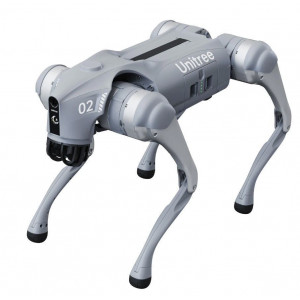
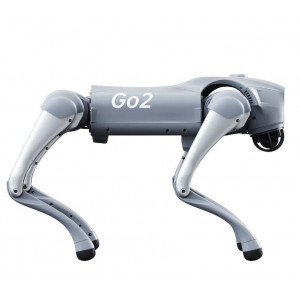
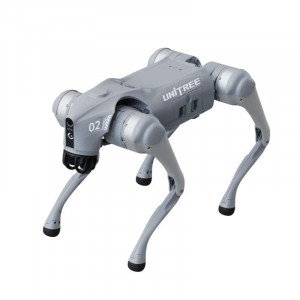
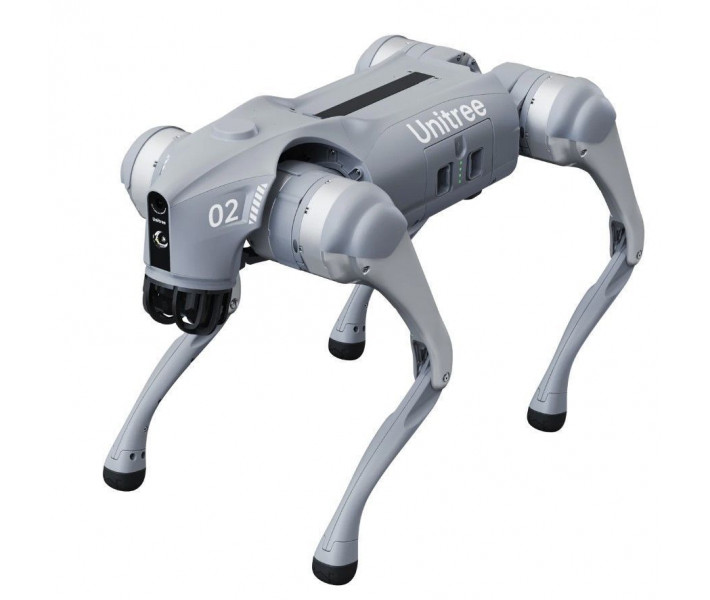
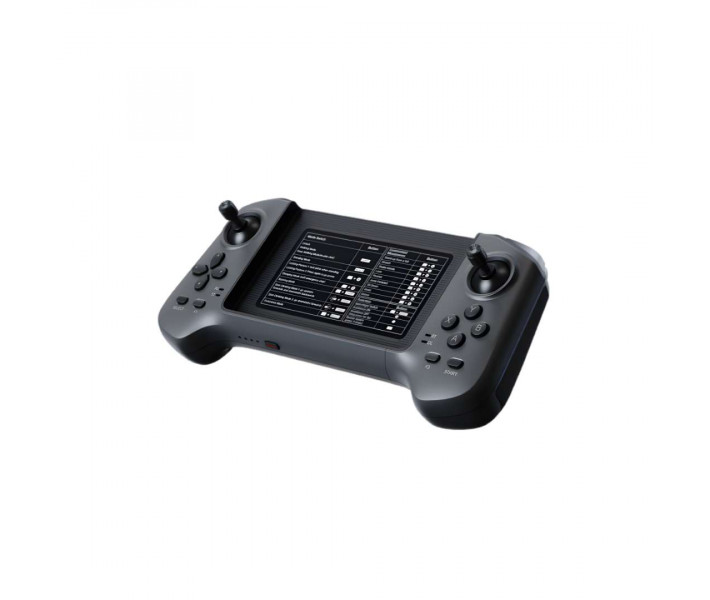
El Unitree Go2 PRO con mando R3 es un robot cuadrúpedo profesional para terrenos complejos. Ofrece navegación autónoma y una elevada capacidad de carga con velocidad de desplazamiento superior. Su sistema LiDAR 4D aporta cobertura hemisférica completa del entorno en tiempo real. El paquete suma un mando táctil dedicado con retroalimentación háptica y alcance inalámbrico amplio.
| Especificación | Por qué es importante |
|---|---|
| Velocidad máxima: 3,5 m/s | Permite completar rutas de inspección extensas en menos tiempo sin perder estabilidad. |
| Par máximo de articulación: ~45 N.m | Garantiza tracción suficiente para superar pendientes pronunciadas sin limitación térmica. |
| Campo de visión LiDAR 4D: 360°×96° hemisférico | Elimina prácticamente los puntos ciegos, incluida la zona superior necesaria para subir escaleras con fiabilidad. |
| Autonomía del mando R3: 5 h | Cubre una jornada completa de trabajo de campo sin necesidad de recargar. |
- Correa retráctil motorizada: ajusta la tensión de forma programática, lo que permite transportar objetos de forma práctica por pasillos y espacios de trabajo.
- Seguimiento lateral inteligente ISS 2.0: localiza y sigue a una persona designada hasta 30 m, con una precisión de posicionamiento un 50% superior a la generación anterior.
- Modo Rage: desbloquea el pleno potencial de los actuadores de articulación para cambios de dirección más rápidos y marcha estable sobre superficies sueltas.
- Conectividad eSIM 4G con GPS: permite la teleoperación por enlace celular en zonas sin cobertura Wi-Fi, complementada por Wi-Fi 6 de doble banda y Bluetooth 5.2.
Estructura todo-terreno en aleación de aluminio
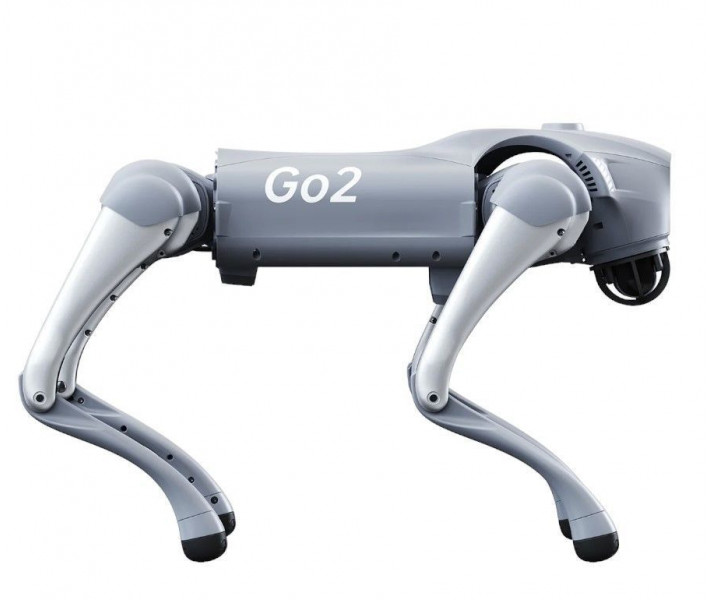
El robot combina una estructura de aleación de aluminio con plásticos técnicos de alta resistencia. Pesa cerca de 15 kg con la batería instalada y soporta cargas de hasta 8 kg (máximo aproximado de 10 kg). Doce motores de articulación de aluminio accionan las cuatro patas, cada uno con enrutamiento interno de circuitos y disipación por tubos de calor, lo que prolonga la operación bajo carga y protege el cableado frente a impactos.
La imagen siguiente muestra al robot equilibrado sobre formaciones rocosas irregulares sobre el agua, una demostración del control de estabilidad de cuerpo completo en terrenos donde los robots con ruedas u orugas no llegan.
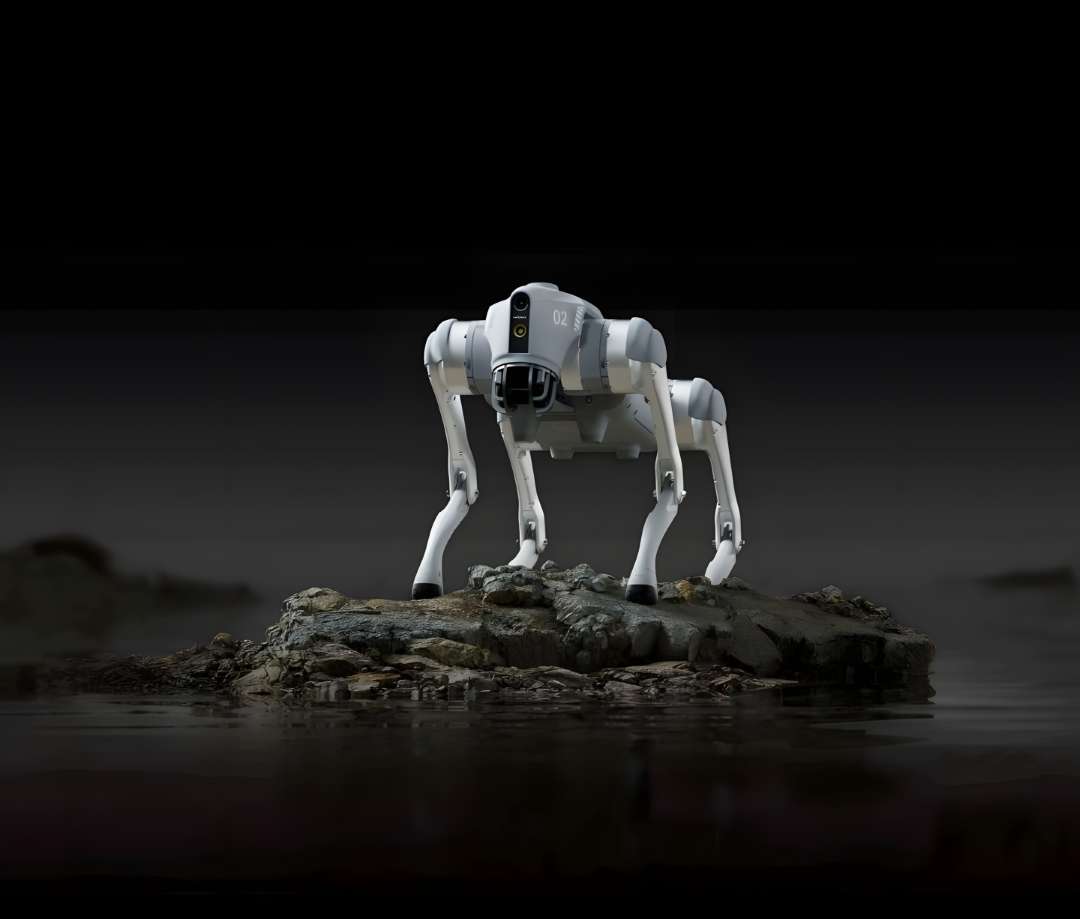
La correa retráctil motorizada de escalado automático ajusta la tensión de forma programática, lo que convierte tareas de transporte de objetos —como mover un paquete por un pasillo— en algo genuinamente práctico.
El resumen visual siguiente recoge los componentes principales de sensores, alimentación y estructura de la plataforma, como referencia antes de las tablas de especificaciones detalladas.
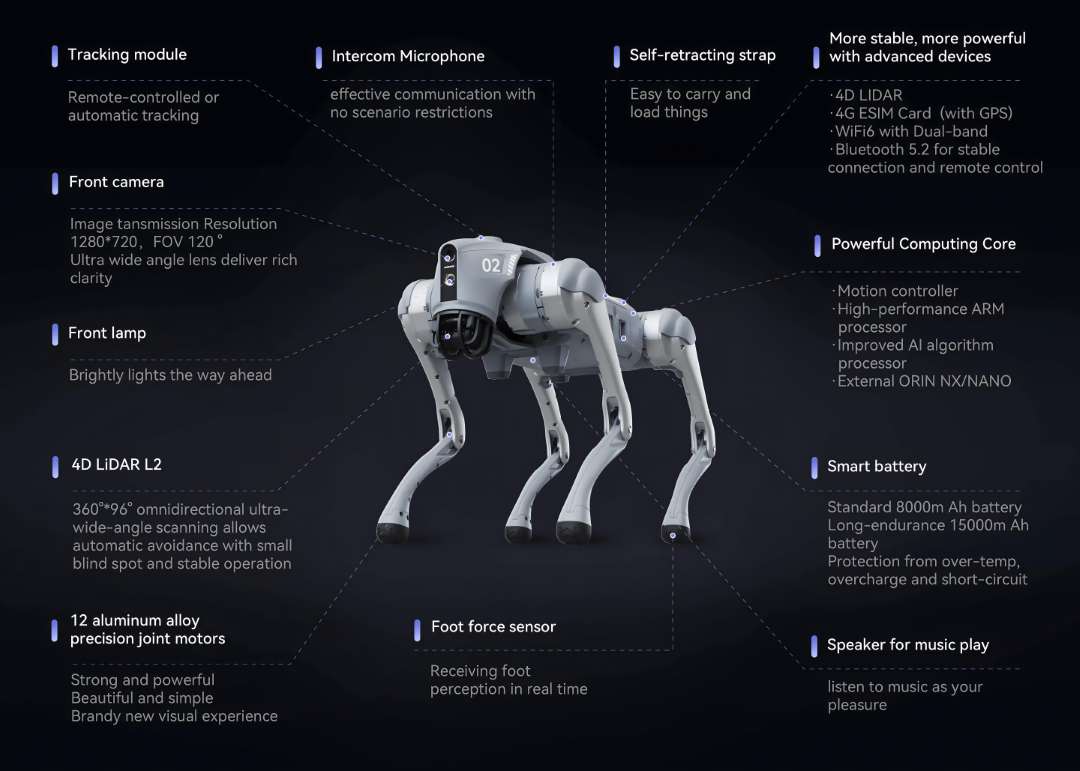
LiDAR 4D L2: cobertura espacial hemisférica
Exploración omnidireccional 360°×96°
El robot incorpora de serie el LiDAR 4D L2 propietario de Unitree. El término «4D» se refiere a la incorporación de datos de intensidad junto a las coordenadas X, Y, Z, lo que mejora la clasificación de objetos frente a una nube de puntos 3D convencional. El sensor cubre 360° horizontal por 96° vertical con una distancia mínima de detección de 0,05 m, dejando prácticamente sin zona ciega el entorno y permitiendo una evitación de obstáculos fluida incluso a velocidad máxima.
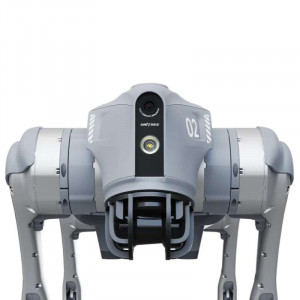
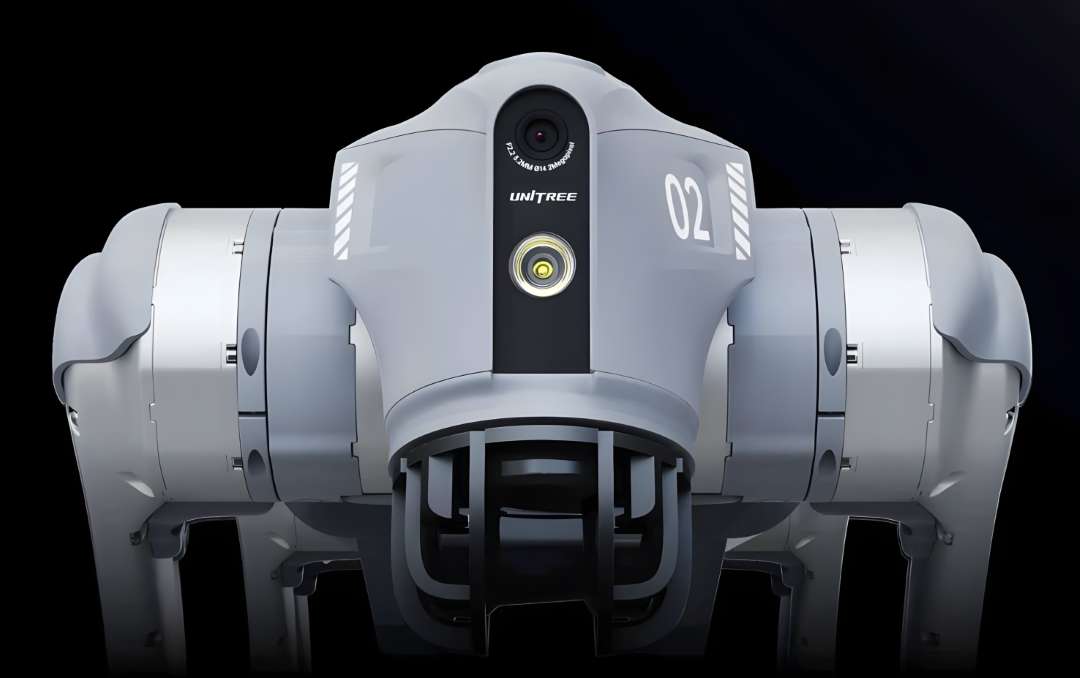
El primer plano siguiente muestra el conjunto de cámara gran angular y lámpara frontal que complementan al LiDAR en la pila de percepción delantera.
Cartografía 3D y seguimiento autónomo de rutas
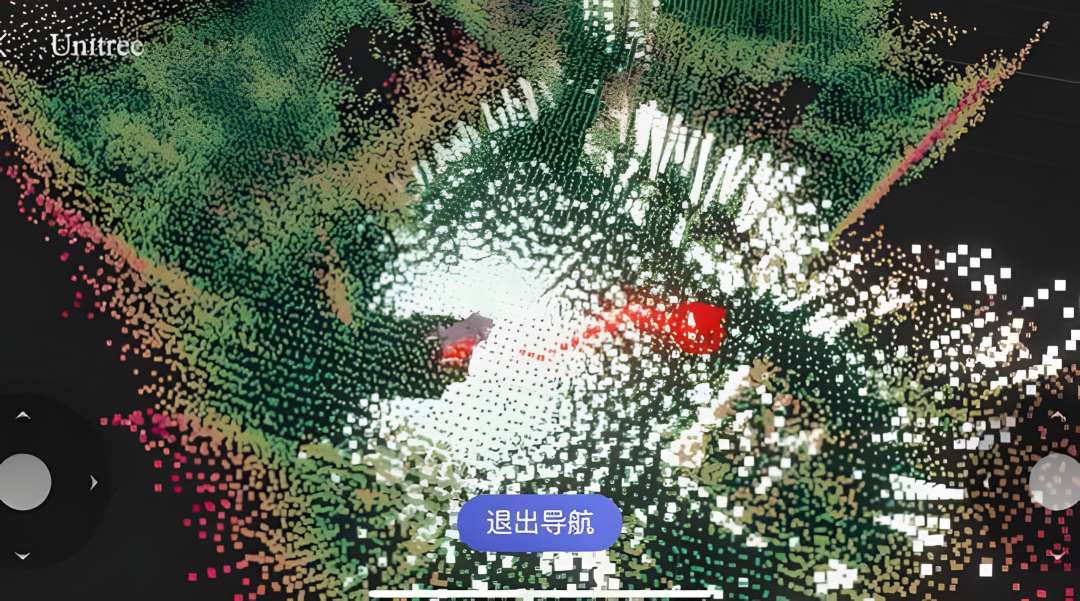
Junto a la aplicación Unitree Go, el robot construye un mapa denso de nube de puntos del área recorrida. El usuario define una ruta de puntos de referencia y el robot la sigue de forma autónoma, recalculando en tiempo real ante nuevos obstáculos, lo que resulta útil en rutas de inspección repetidas y levantamientos topográficos.
La visualización siguiente, capturada desde la aplicación durante una sesión de cartografía activa, muestra el nivel de detalle ambiental que resuelve el LiDAR a corta distancia.
Locomoción y Modo Rage
El robot alcanza una velocidad sostenida de 3,5 m/s en terreno llano, sube pendientes de hasta 40° y gestiona caídas verticales de escalonado de aproximadamente 16 cm. Cada uno de los doce motores de articulación entrega un par de punta de ~45 N.m, una mejora del 30% respecto a la generación anterior gracias al enrutamiento interno de circuitos y la refrigeración por tubos de calor.
El Modo Rage desbloquea el pleno potencial de los actuadores: cambios de dirección más rápidos, respuesta de terreno más agresiva y marcha estable sobre grava y superficies sueltas. Se activa desde la aplicación Unitree Go o mediante los comandos del mando R3.
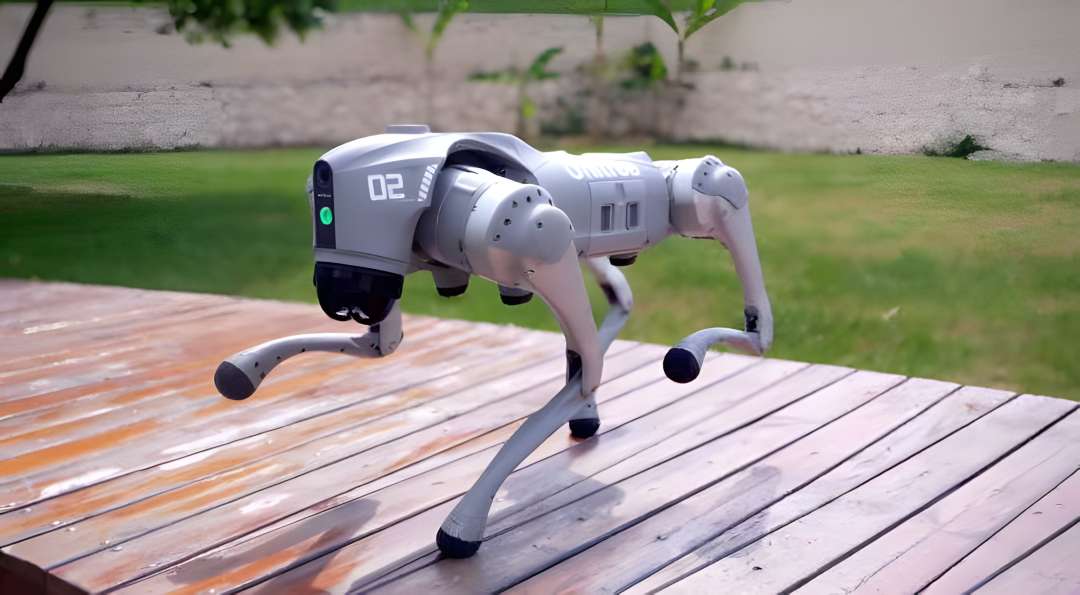
La secuencia siguiente captura al robot en movimiento sobre una tarima de madera al aire libre, con las patas delanteras extendidas y el cuerpo en equilibrio.
ISS 2.0: seguimiento lateral inteligente
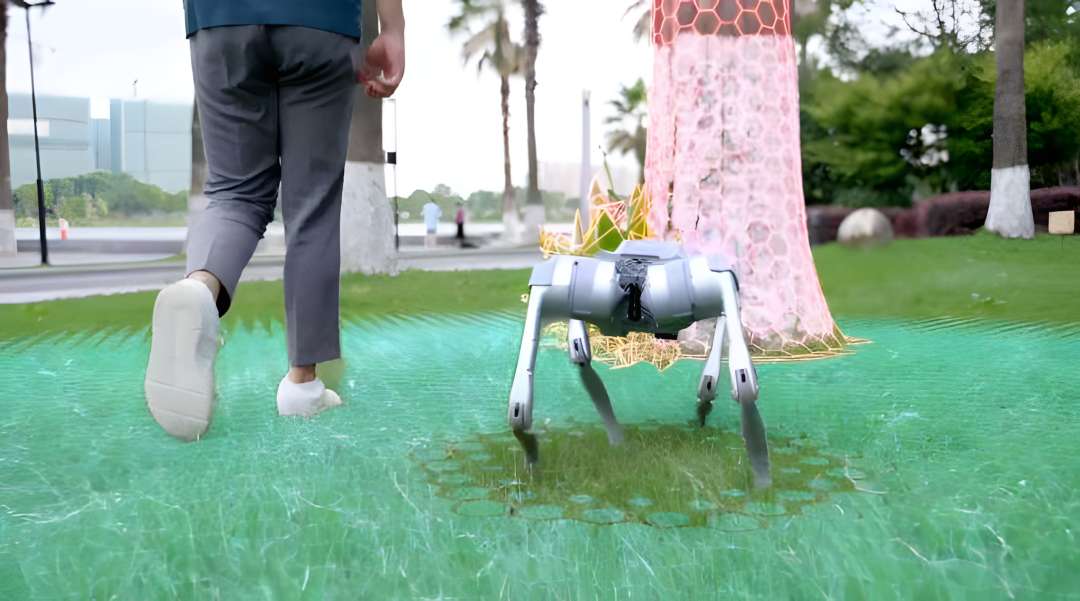
El Sistema de Seguimiento Lateral Inteligente 2.0 utiliza un módulo de posicionamiento vectorial inalámbrico para rastrear a una persona designada hasta 30 m de distancia, sorteando obstáculos de forma autónoma. La precisión de posicionamiento ha mejorado un 50% respecto a la primera generación, lo que resulta útil en entornos donde el GPS por sí solo es insuficiente, como pasillos cubiertos o transiciones interior-exterior. La estrategia de evitación de obstáculos está ajustada para operar de forma segura junto a peatones.
La imagen siguiente visualiza la superposición de escaneado ISS 2.0 activa durante una operación de seguimiento en un entorno de parque, con el modelo de terreno generado por el LiDAR actualizándose de forma continua.
Voz, conectividad e interacción inteligente
La función de voz integrada cubre comandos sin conexión, comunicación por intercomunicador en tiempo real entre operador y robot, y reproducción de música a través del altavoz incorporado de 3 W. El módulo eSIM 4G integrado, con GPS, permite la teleoperación por enlace celular en cualquier lugar con cobertura de red, útil en despliegues exteriores sin infraestructura Wi-Fi.
Las capas de conectividad incluyen Wi-Fi 6 de doble banda para control local de alto ancho de banda, Bluetooth 5.2 para emparejamiento por proximidad, y el módulo 4G para operaciones en zona amplia. Las actualizaciones de programa se instalan de forma automática (OTA) a través de cualquier conexión disponible.
Nota regional: la función 4G de la versión para mercados no continentales chinos admite 43 países europeos; Ucrania queda excluida de esa lista. El Wi-Fi 6 y el Bluetooth 5.2 no se ven afectados.
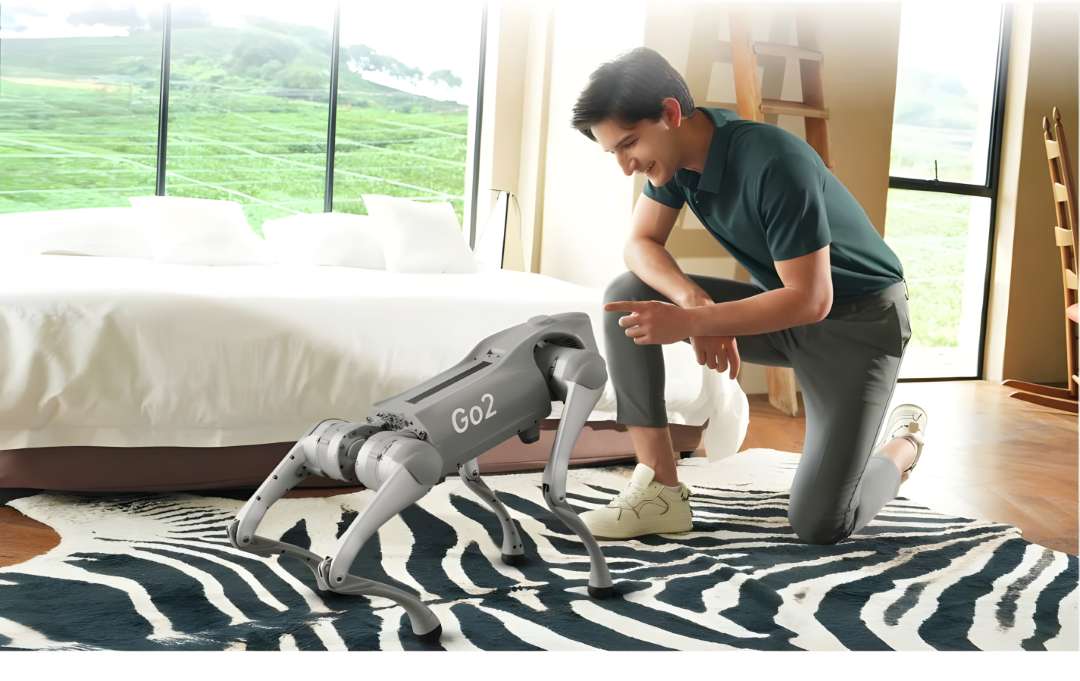
La fotografía siguiente muestra a un usuario interactuando a corta distancia con el robot en interior, que responde a las entradas de gesto y proximidad con ajustes posturales naturales.
Veredicto del experto: el equipo combina capacidad de carga y fidelidad sensorial suficientes para inspección profesional con un acceso viable para laboratorios universitarios de robótica. El LiDAR 4D L2 es la especificación que marca la diferencia, ya que su cobertura vertical de 96° elimina la zona ciega superior que hace fiable la navegación en escaleras. Incluir el mando R3 en el paquete aporta precisión de joystick y retroalimentación háptica que una pantalla táctil no puede replicar. Al activar el Modo Rage por primera vez conviene disponer de al menos 3 m de espacio libre, ya que el tiempo de respuesta de la marcha suele sorprender a los operadores primerizos.
Mando R3: comando táctil a 100 m
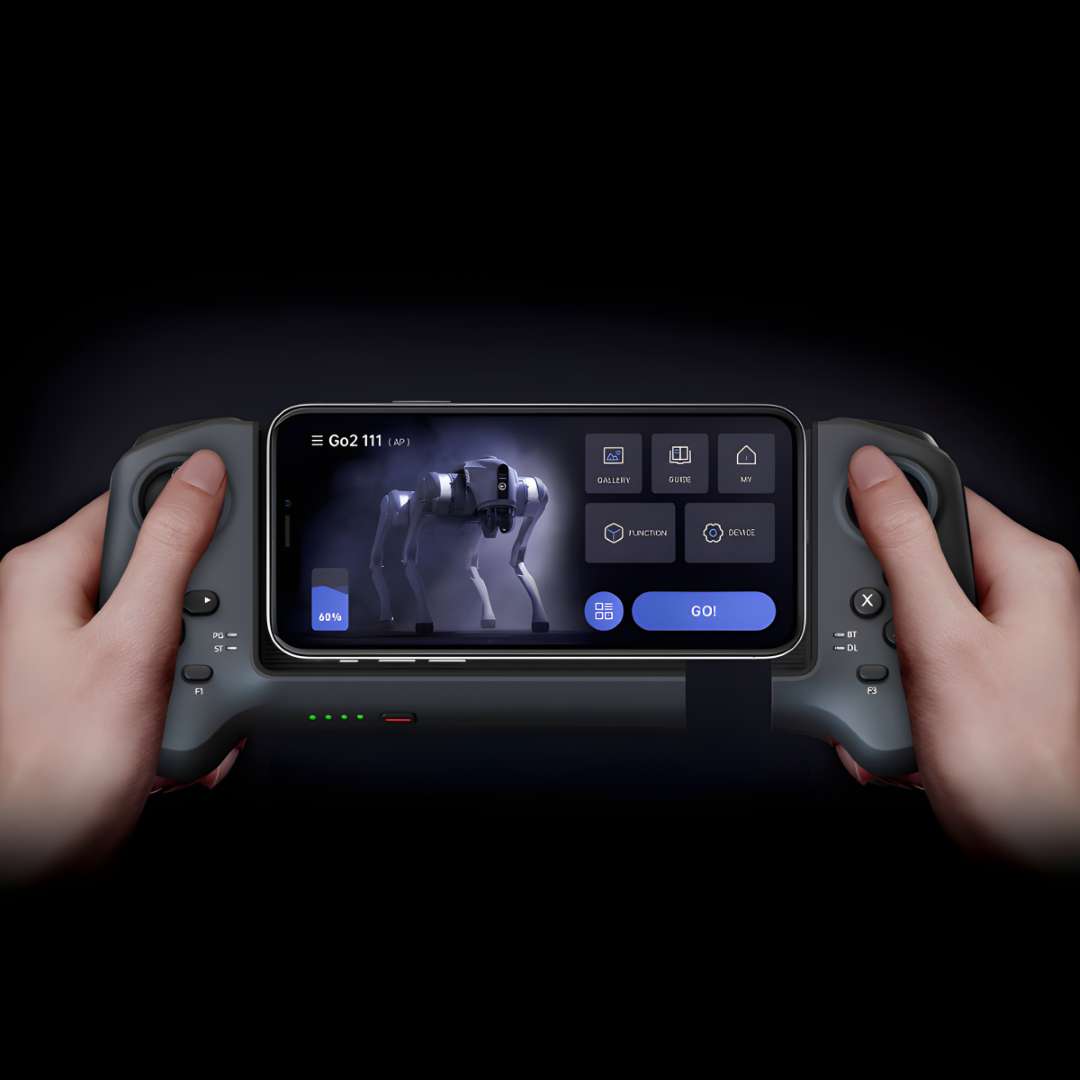
El Unitree R3 es el controlador dedicado más reciente del ecosistema Unitree, en sustitución del R1 desde diciembre de 2024. Aloja el smartphone en un soporte central, combinando la interfaz de la aplicación Unitree Go con el control físico de joystick y botones en una sola unidad: telemetría completa en pantalla y 18 entradas físicas (2 joysticks + 12 botones + 4 botones de hombro) para un control de movimiento sin latencia.
La imagen siguiente muestra el mando en uso activo, con la aplicación mostrando el feed de cámara en vivo del robot y la interfaz de selección de modo.
Factor de forma compacto con almacenamiento retráctil
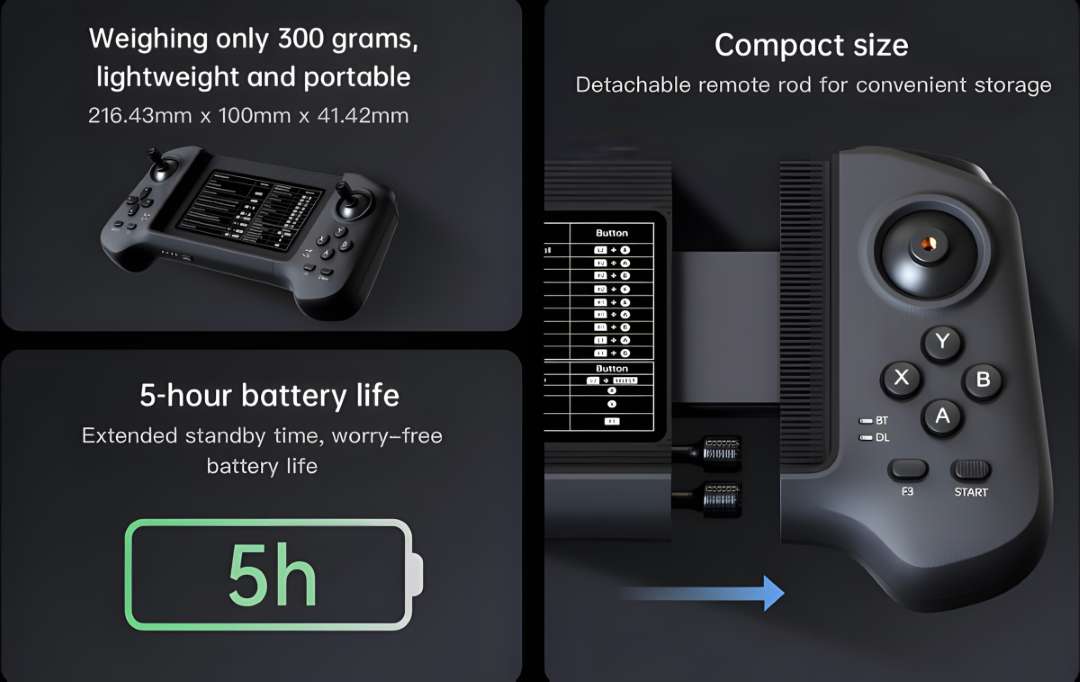
Con 216,43 × 100 × 41,42 mm y 300 g, el mando cabe en el bolsillo de una chaqueta o en una bolsa de campo. Las dos varillas del joystick son extraíbles y se guardan en una ranura del propio cuerpo del mando. La autonomía de 5 h con una batería de 780 mAh cubre una jornada de campo con una sola carga, y el enlace de transmisión inalámbrico opera de forma fiable a más de 100 m en entornos abiertos, con Bluetooth como canal de respaldo.
La infografía siguiente resume las dimensiones principales del mando, su autonomía de 5 horas y el mecanismo deslizante de almacenamiento del joystick.
Retroalimentación háptica dual
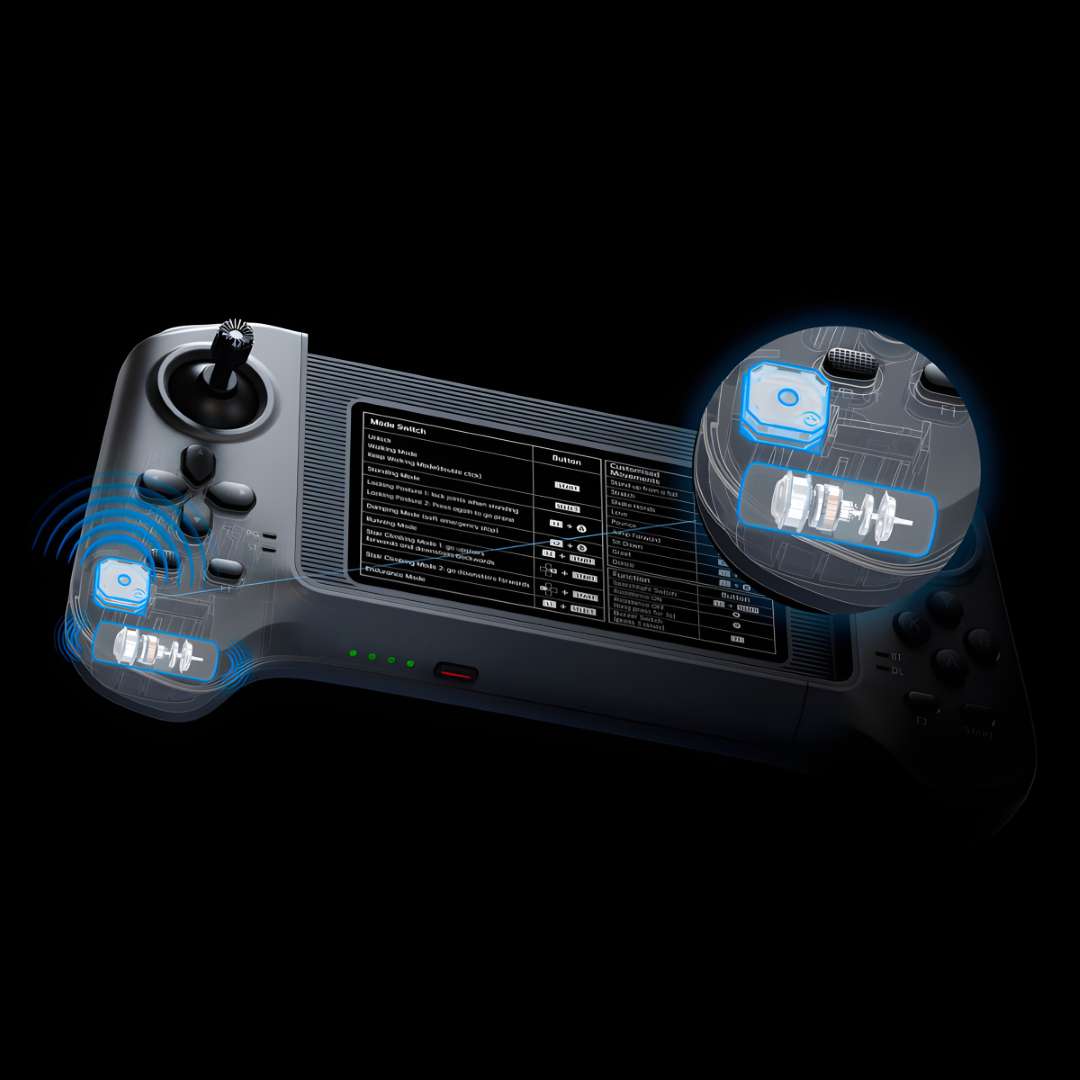
Ambas empuñaduras alojan motores de vibración independientes y un zumbador ofrece alertas sonoras, lo que convierte al R3 en el primer mando Unitree con retroalimentación háptica dual completa. Ante un evento de fuerza —colisión, recuperación de caída o límite de rango articular—, la respuesta táctil se transmite a la empuñadura en tiempo real. Los usuarios alternan entre vibración y sonido con el botón F3, o desactivan la retroalimentación con F1.
El render siguiente expone los dos conjuntos de motores de vibración internos y la arquitectura de contacto dentro de la empuñadura derecha.
Compatibilidad con la gama Unitree
El mando R3 es compatible con toda la gama Unitree —Go2, G1, H1, B2 y futuras plataformas— y se transfiere entre dispositivos tras un nuevo enlace en la aplicación Unitree Go.
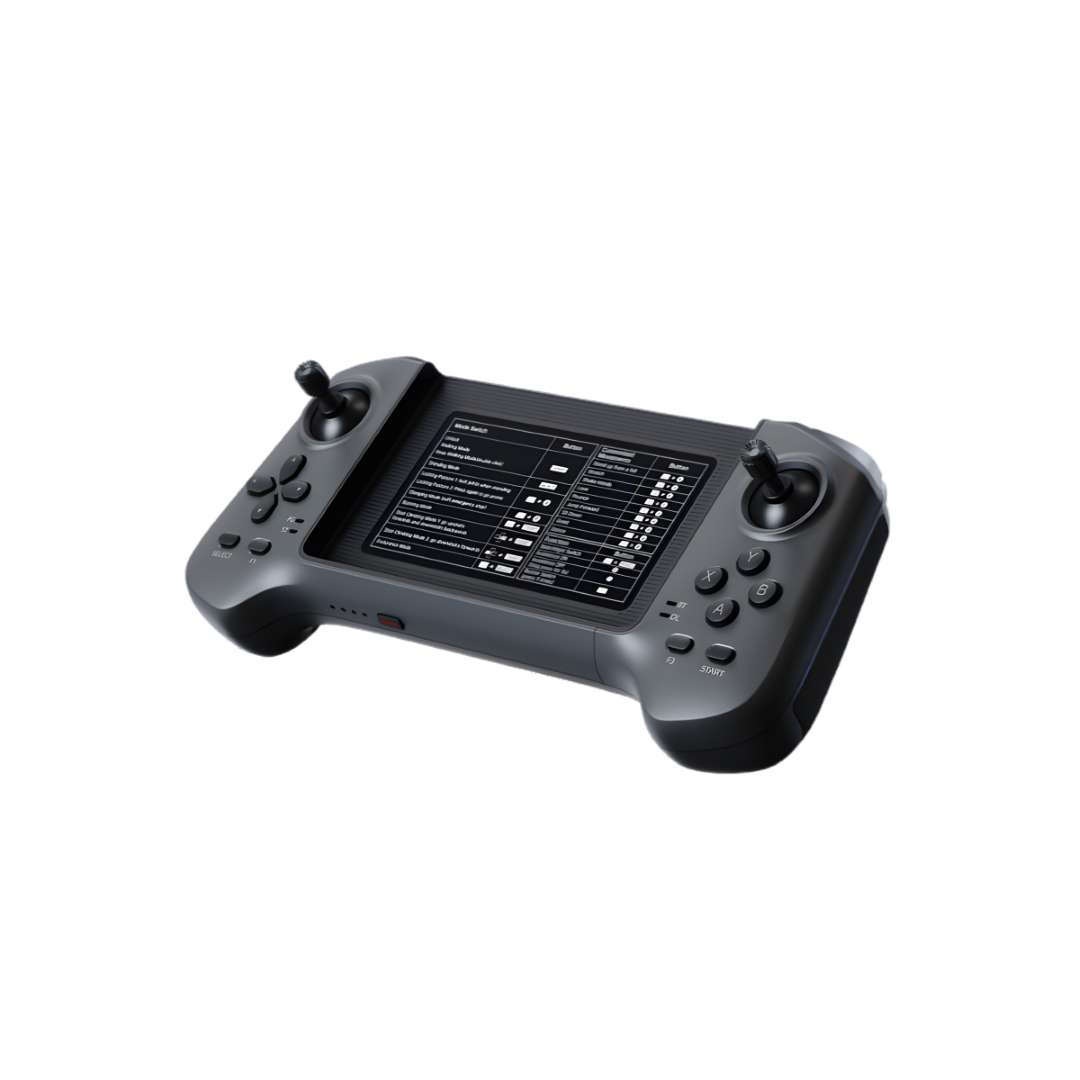
El primer plano siguiente muestra la empuñadura derecha desacoplándose del cuerpo central, deslizándose sobre su raíl de precisión hasta bloquearse de nuevo en la posición de almacenamiento.
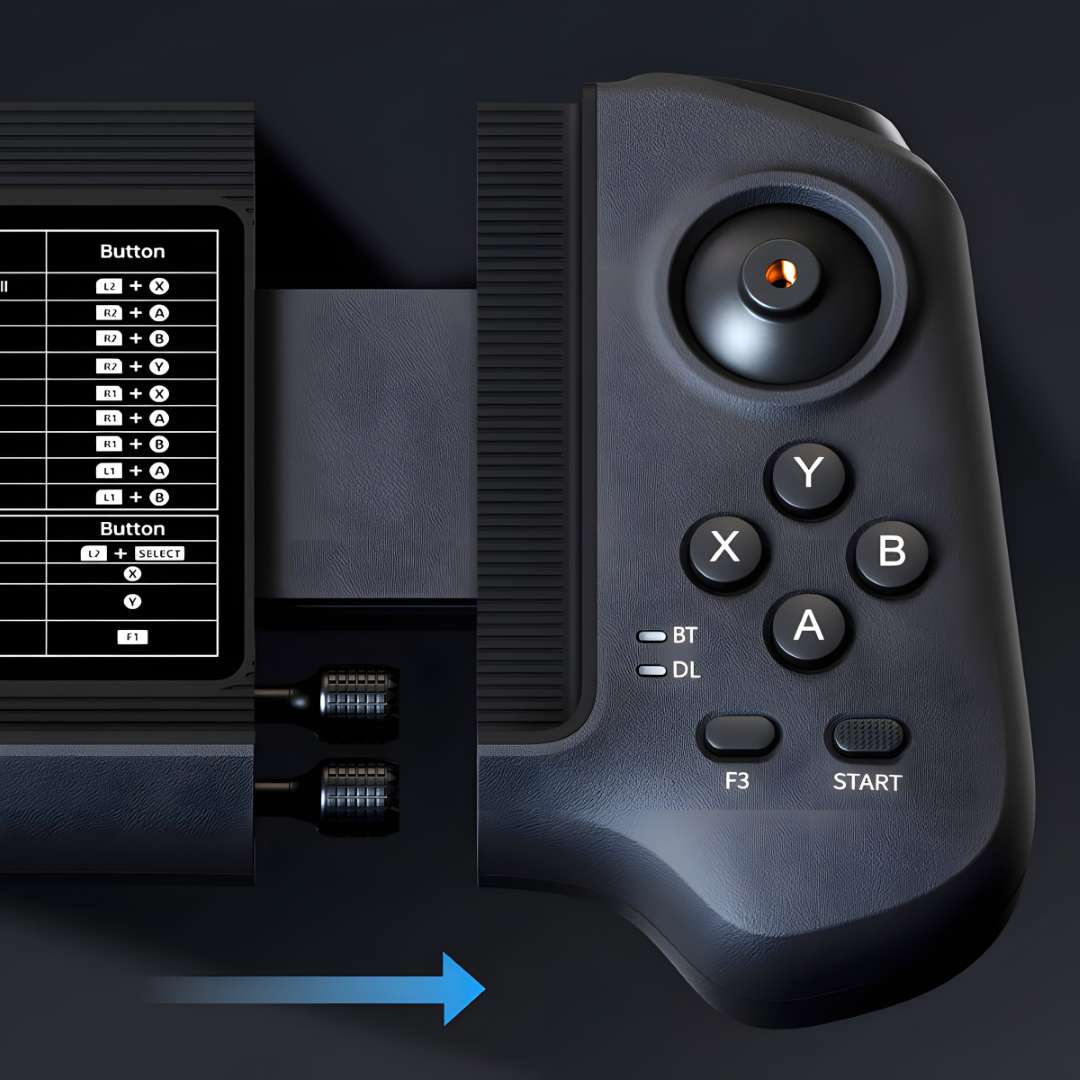
Consejo técnico: al calibrar los joysticks tras el primer enlace, pulse F1 y F3 a la vez sin tocar los sticks para entrar en modo de calibración (pitido continuo a 1 Hz); gire ambos sticks al máximo recorrido varias veces y confirme con F3. Omitir este paso puede producir una deriva lenta en modo de equilibrio de pie. Mantenga F1 pulsado durante el apagado para que el ajuste sea persistente.
Áreas de aplicación
- Inspección industrial: recorre rutas predefinidas de forma autónoma y recalcula la trayectoria en tiempo real ante nuevos obstáculos, útil en instalaciones con accesos complejos.
- Patrullas de seguridad en campus: el sistema ISS 2.0 sigue a una persona designada hasta 30 m sorteando obstáculos, adecuado para rondas de vigilancia programadas.
- Levantamiento topográfico y cartografía 3D: el LiDAR 4D L2 construye mapas densos de nube de puntos del entorno recorrido, apto para flujos de reconstrucción de espacios.
- Investigación y educación en robótica: su combinación de carga útil, fidelidad sensorial y accesibilidad lo hace apto para laboratorios universitarios y equipos de I+D industrial.
- Transporte de objetos en interiores: la correa retráctil motorizada ajusta la tensión de forma programática para mover paquetes por pasillos y espacios de trabajo.
- Soporte fotográfico y recopilación de datos de campo: el seguimiento lateral inteligente mantiene al robot alineado con el operador durante tomas en movimiento.
Compatibilidad y accesorios
- Mando R3: compatible con toda la gama Unitree —Go2, G1, H1, B2 y futuras plataformas—, con reenlace directo desde la aplicación Unitree Go.
- Batería inteligente: paquete de 8000 mAh instalado de fábrica, cargado con el cargador incluido de 33,6 V / 3,5 A.
- Correa retráctil motorizada de escalado automático: instalada de fábrica como accesorio de transporte de carga.
Contenido del paquete
- Robot cuadrúpedo Unitree Go2 PRO (montaje completo)
- Mando Unitree R3 con varillas de joystick desmontables
- Batería inteligente de 8000 mAh (instalada)
- Cargador 33,6 V / 3,5 A
- Correa retráctil motorizada de escalado automático (instalada)
- Cable de carga USB-C para el mando R3
Especificaciones técnicas
Dimensiones mecánicas
| Parámetro | Valor |
| Dimensiones (de pie) | 70 cm × 31 cm × 40 cm |
| Dimensiones (agachado) | 76 cm × 31 cm × 20 cm |
| Peso (con batería) | ~15 kg |
| Material de la carcasa | Aleación de aluminio + plástico técnico de alta resistencia |
Parámetros eléctricos
| Parámetro | Valor |
| Rango de tensión | 28 V – 33,6 V |
| Potencia máxima de trabajo | ~3000 W |
Parámetros de rendimiento
| Parámetro | Valor |
| Carga útil | ≈8 kg (MÁX ~10 kg) |
| Velocidad máxima | 0 – 3,5 m/s |
| Altura máxima de caída en escalada | ~16 cm |
| Ángulo máximo de escalada | 40° |
| Potencia de computación básica | CPU de alto rendimiento de 8 núcleos |
Parámetros de articulación
| Parámetro | Valor |
| Par máximo de articulación | ~45 N.m |
| Motores de articulación de aluminio | 12 unidades |
| Rango de movimiento — cuerpo | -48° ~ +48° |
| Rango de movimiento — muslo | -200° ~ +90° |
| Rango de movimiento — espinilla | -156° ~ -48° |
| Enrutamiento interno de circuitos en articulación | Sí |
| Disipador térmico por tubos de calor | Sí |
Sensores y percepción
| Parámetro | Valor |
| LiDAR 4D | Unitree L2 — 360°×96°, distancia mínima 0,05 m |
| Cámara frontal | Gran angular HD, 1280×720, FOV 120° |
| Módulo de posicionamiento vectorial inalámbrico | Sí (ISS 2.0, rango de seguimiento 30 m) |
| Sensor de fuerza en el pie | No |
| Lámpara frontal | Sí |
Conectividad y funciones
| Parámetro | Valor |
| WiFi | Wi-Fi 6 de doble banda |
| Bluetooth | Bluetooth 5.2 / 4.2 / 2.1 |
| Módulo 4G | Sí — eSIM con GPS (43 países europeos; Ucrania no admitido) |
| Función de voz | Sí — comandos sin conexión, intercom, reproducción de música |
| Altavoz | 3 W |
| Correa retráctil de escalado automático | Sí — motorizada |
| ISS 2.0 Seguimiento lateral inteligente | Sí — 50% más preciso, rango 30 m |
| Actualizaciones OTA | Sí |
Alimentación y batería
| Parámetro | Valor |
| Capacidad de la batería inteligente | 8000 mAh |
| Autonomía | ~1 h – 2 h (según actividad) |
| Cargador | 33,6 V / 3,5 A |
| Protección de la batería | Sobretemperatura, sobrecarga, cortocircuito |
Garantía
| Parámetro | Valor |
| Periodo de garantía | 24 meses |
Especificaciones del mando
| Parámetro | Valor |
| Dimensiones | 216,43 × 100 × 41,42 mm |
| Peso | 300 g |
| Tensión de carga | 5,0 V |
| Corriente de carga | 700 mA |
| Capacidad de la batería | 780 mAh |
| Autonomía | 5 h |
| Comunicación | Transmisión de datos inalámbrica + Bluetooth |
| Distancia de control | Más de 100 m (entorno abierto) |
| Entradas | 2 joysticks + 12 botones + 4 botones de hombro |
| Retroalimentación | Doble motor de vibración + zumbador |
| Soporte de teléfono | Sí — compatible con la aplicación Unitree Go |
| Robots compatibles | Go2, G1, H1, B2 y toda la gama Unitree |
¿Por qué comprar el Go2 PRO en EXPERT3D?
EXPERT3D lleva especializándose en robótica avanzada y tecnología 3D desde 2012, con experiencia seleccionando y configurando plataformas profesionales para instituciones de investigación, universidades y equipos de I+D industrial. Ofrecemos consulta técnica preventa sobre las opciones de configuración, vinculación y calibración del mando R3, y sobre los flujos de trabajo de cartografía con la aplicación. Coordinamos la entrega en toda España y la Unión Europea. Mantenemos soporte posventa respaldado por contacto directo con el fabricante, y el equipo incluye una garantía oficial de 24 meses. Contáctenos para confirmar la disponibilidad actual y resolver los requisitos concretos de su aplicación.